1. Introduction
Thank you for purchasing the OLIGHT H27E LED Headlamp. This manual provides detailed instructions for the safe and effective use, maintenance, and troubleshooting of your device. Please read this manual thoroughly before operation and retain it for future reference.
2. Product Overview
The OLIGHT H27E is a high-performance LED headlamp designed for various outdoor activities, offering powerful illumination and extended runtime. It features a dual-beam system and an external battery pack for balanced weight distribution.
2.1 Package Contents
Upon unpacking, please verify that all items listed below are present:
- OLIGHT H27E Headlamp Unit
- External Battery Pack (2600 mAh, 7.2V)
- Head Strap Assembly
- Charging Cable
- User Manual
- Warning Card

Image: Contents of the OLIGHT H27E headlamp package, including the headlamp unit, battery pack, head strap, charging cable, user manual, and warning card.
2.2 Component Identification
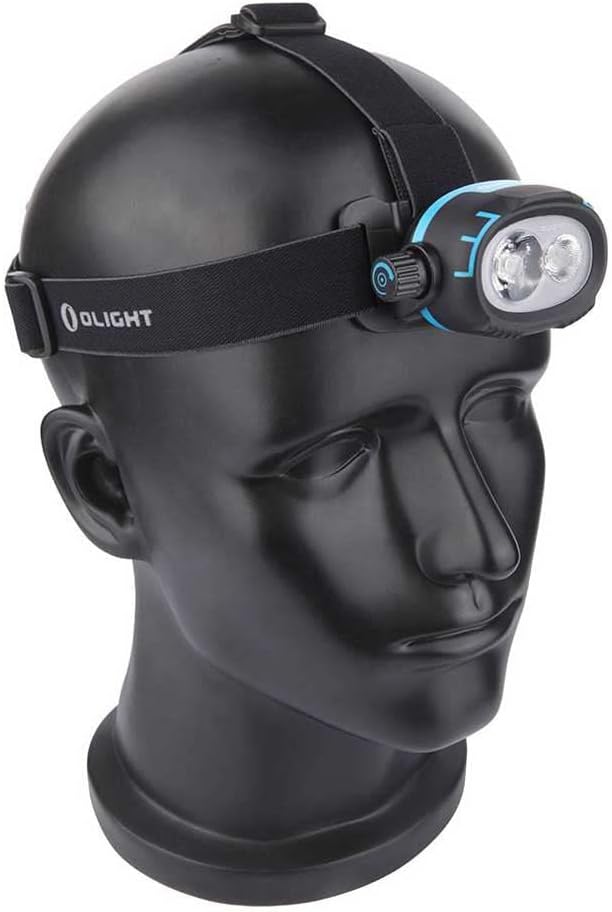
Image: The OLIGHT H27E headlamp mounted on a mannequin head, showcasing its overall design and how it sits on the head.
- Headlamp Unit: Contains the LED emitters and control knob.
- Battery Pack: Houses the rechargeable battery, typically worn at the back of the head.
- Head Strap: Adjustable elastic strap for securing the headlamp.
- Power Cable: Connects the headlamp unit to the battery pack.
- Adjustment Knob: Used for power and mode selection.
3. Setup
3.1 Attaching the Head Strap
The head strap is designed for comfort and stability. Ensure the straps are correctly threaded through the headlamp unit and battery pack mounts.
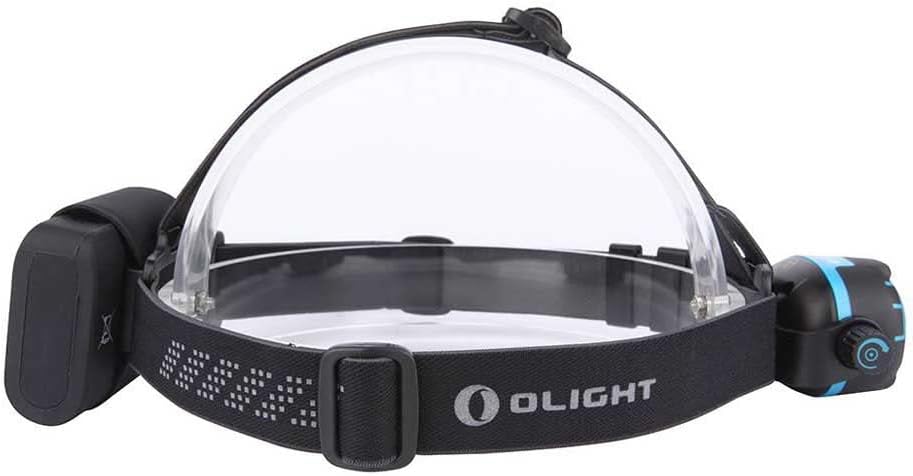
Image: Top view of the OLIGHT H27E headlamp, showing the clear plastic frame that supports the headlamp unit and battery pack, and the attachment points for the head straps.
- Unfold the head strap assembly.
- Attach the main strap to the headlamp unit and the battery pack.
- Adjust the strap length to fit comfortably around your head. The top strap provides additional stability.
3.2 Connecting the Battery Pack
The external battery pack connects to the headlamp unit via a dedicated power cable.

Image: Side view of the OLIGHT H27E headlamp, illustrating the connection between the headlamp unit and the external battery pack via a cable, with cable management clips.
- Locate the power port on the headlamp unit and the corresponding connector on the battery pack cable.
- Carefully align and insert the connector into the port until it is secure.
- Use the integrated cable clips on the head strap to manage the cable neatly, preventing it from snagging.
3.3 Charging the Battery
Before first use, fully charge the battery pack. The battery pack has a 2600 mAh capacity at 7.2V.
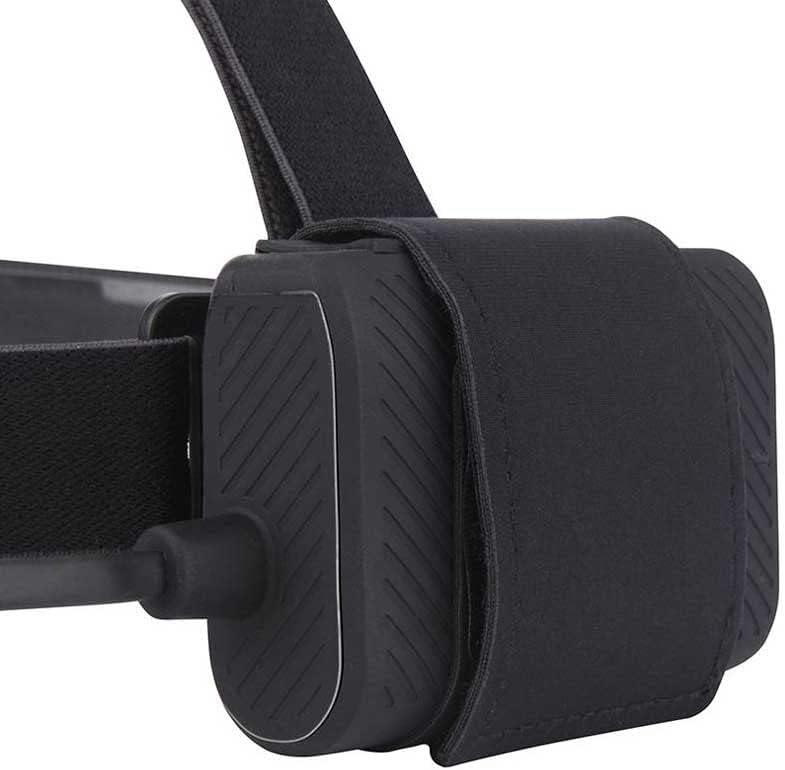
Image: A close-up view of the OLIGHT H27E external battery pack, showing its textured surface and connection port.
- Connect the provided charging cable to the charging port on the battery pack.
- Plug the other end of the charging cable into a compatible USB power source (e.g., USB wall adapter, computer USB port).
- An indicator light on the battery pack will show the charging status. Refer to the battery pack's specific instructions for indicator light meanings (e.g., red for charging, green for fully charged).
- Charging time may vary depending on the power source.
4. Operating Instructions
The OLIGHT H27E features an intuitive control knob for easy operation.

Image: A detailed view of the OLIGHT H27E headlamp unit, highlighting the side-mounted rotary adjustment knob for controlling light modes and brightness.
4.1 Power On/Off
- To Turn On: Rotate the adjustment knob clockwise from the 'OFF' position.
- To Turn Off: Rotate the adjustment knob counter-clockwise to the 'OFF' position.
4.2 Mode Selection and Brightness Adjustment
The H27E offers various lighting modes and a dimmer function for precise control.

Image: The OLIGHT H27E headlamp with both its floodlight (diffused) and spotlight (focused) beams active, demonstrating its dual-beam capability.
- Brightness Control (Dimmer): The adjustment knob allows for stepless brightness adjustment. Rotate clockwise to increase brightness and counter-clockwise to decrease brightness.
- Beam Type Selection: The H27E typically features a combination of flood and spot beams. Specific models may have dedicated switches or integrated functions within the main knob for selecting between flood, spot, or combined beams. Refer to the markings on your device for exact beam selection.
- Maximum Output: The headlamp can achieve a maximum output of 1500 lumens.
5. Maintenance
Proper maintenance ensures the longevity and optimal performance of your OLIGHT H27E headlamp.
5.1 Cleaning
- Wipe the headlamp body and lens with a soft, clean cloth.
- For stubborn dirt, use a slightly damp cloth. Avoid harsh chemicals or abrasive materials.
- Clean the head strap with mild soap and water if necessary, and allow it to air dry completely before reattaching.
5.2 Battery Care
- Recharge the battery regularly, even if not in frequent use, to maintain battery health.
- Avoid fully discharging the battery for extended periods.
- Store the battery pack in a cool, dry place away from direct sunlight and extreme temperatures.
5.3 Storage
- When storing the headlamp for an extended period, ensure the battery is partially charged (around 50%) and disconnected from the headlamp unit.
- Store the headlamp in a dry environment to prevent moisture damage.
6. Troubleshooting
If you encounter issues with your OLIGHT H27E headlamp, refer to the following common problems and solutions:
| Problem | Possible Cause | Solution |
|---|---|---|
| Headlamp does not turn on. | Battery is depleted or not connected properly. | Charge the battery fully. Ensure the battery pack is securely connected to the headlamp unit. |
| Light output is dim. | Low battery charge. Lens is dirty. | Recharge the battery. Clean the headlamp lens. |
| Headlamp flickers. | Loose battery connection. Battery nearly depleted. | Check battery connection. Recharge the battery. |
| Headlamp gets warm during use. | Normal operation at high brightness levels. | This is normal. If it becomes excessively hot, reduce brightness or turn off for a short period. |
If the problem persists after attempting these solutions, please contact OLIGHT customer support for further assistance.
7. Specifications
| Feature | Detail |
|---|---|
| Brand | OLIGHT |
| Model | H27E |
| Maximum Output | 1500 lumens |
| Beam Distance | Up to 190 meters |
| Maximum Runtime | 45 hours (low mode) |
| Peak Beam Intensity | 9000 candelas |
| Battery Type | Rechargeable (2600 mAh, 7.2V) |
| Light Type | Cold LED |
| Water Resistance | IPX4 (Splash resistant) |
| Weight | 430 grams |
| Dimensions (L x W x H) | 8.3 cm x 5.7 cm x 2.5 cm |
| Material | Aluminum |
| Special Features | Dimmer function |
8. Warranty and Support
The OLIGHT H27E LED Headlamp comes with a 2-year warranty from the date of purchase, covering manufacturing defects. This warranty does not cover damage caused by misuse, unauthorized modifications, negligence, accidents, or normal wear and tear.
For warranty claims, technical support, or any inquiries regarding your product, please contact OLIGHT customer service through their official website or your local distributor. Please have your proof of purchase ready when contacting support.
For more information, visit the official OLIGHT Store.


