
1. Introduction
Thank you for purchasing the Globo Lighting SULLY LED Flush Mount Lamp. This manual provides essential information for the safe and efficient use of your new lighting fixture. Please read these instructions carefully before installation and retain them for future reference.

Image 1.1: Front view of the Globo Lighting SULLY LED Flush Mount Lamp, showcasing its sleek black metal and white diffuser design.
2. Safety Information
Always follow basic safety precautions when installing and operating electrical products to reduce the risk of fire, electric shock, and personal injury.
- Disconnect Power: Always ensure the main power supply is switched off at the circuit breaker before beginning any installation, maintenance, or cleaning.
- Qualified Electrician: Installation should be performed by a qualified electrician or a competent person in accordance with local electrical codes.
- Voltage Compatibility: Ensure the supply voltage matches the lamp's specified voltage (24 VDC).
- Secure Mounting: The lamp must be securely mounted to a structurally sound surface.
- Avoid Moisture: Do not install in excessively damp or wet locations unless the product is specifically rated for such environments.
- No User Serviceable Parts: This LED fixture contains no user-serviceable parts. Do not attempt to disassemble or modify the lamp.
3. Package Contents
Verify that all components are present and undamaged before proceeding with installation. If any parts are missing or damaged, contact your retailer.
- Globo Lighting SULLY LED Flush Mount Lamp (1 unit)
- Mounting Hardware (screws, wall anchors)
- Instruction Manual (this document)
4. Specifications
| Feature | Specification |
|---|---|
| Model Number | SULLY |
| Brand | Globo Lighting |
| Material | Metal |
| Light Source Type | LED |
| Number of Light Sources | 1 (integrated LED array) |
| Voltage | 24 Volt DC (VDC) |
| Wattage | 24 Watt |
| Power Source | Corded Electric |
| Room Type | Garden (Note: Typically for indoor use, verify IP rating for outdoor use) |
| ASIN | B08WHVNWBV |
5. Installation
Tools Required: Screwdriver, drill, wire strippers, voltage tester, safety glasses.
- Prepare for Installation: Turn off power at the main circuit breaker. Ensure the power is completely off using a voltage tester.
- Remove Existing Fixture (if applicable): Carefully remove any existing light fixture, noting the wiring connections.
- Mounting Bracket Installation: Attach the mounting bracket to the junction box in the ceiling using the provided screws. Ensure it is securely fastened.
- Wiring Connections: Connect the electrical wires from the ceiling to the lamp's wires. Typically, connect live (black/brown) to live, neutral (white/blue) to neutral, and ground (green/yellow) to ground. Ensure all connections are secure with wire nuts.

Image 5.1: Internal view of the lamp showing the LED driver and wiring terminals. Ensure connections are made according to local electrical codes.
- Attach Lamp to Bracket: Carefully align the lamp with the mounting bracket and secure it using the provided screws. Ensure no wires are pinched during this step.
- Restore Power: Once the lamp is securely installed, restore power at the circuit breaker.
- Test Functionality: Turn on the light switch to test the lamp's operation.
6. Operating Instructions
The Globo Lighting SULLY LED Flush Mount Lamp is designed for simple operation.
- Power On/Off: Use a standard wall switch to turn the lamp on or off.
- Color Temperature/Color Changing: This lamp may feature adjustable color temperature or color-changing capabilities. If so, these functions are typically controlled via a remote control (not included unless specified) or by cycling the wall switch rapidly. Refer to any additional documentation provided with a remote control if applicable.

Image 6.1: The SULLY lamp illuminated with a warm white light setting.
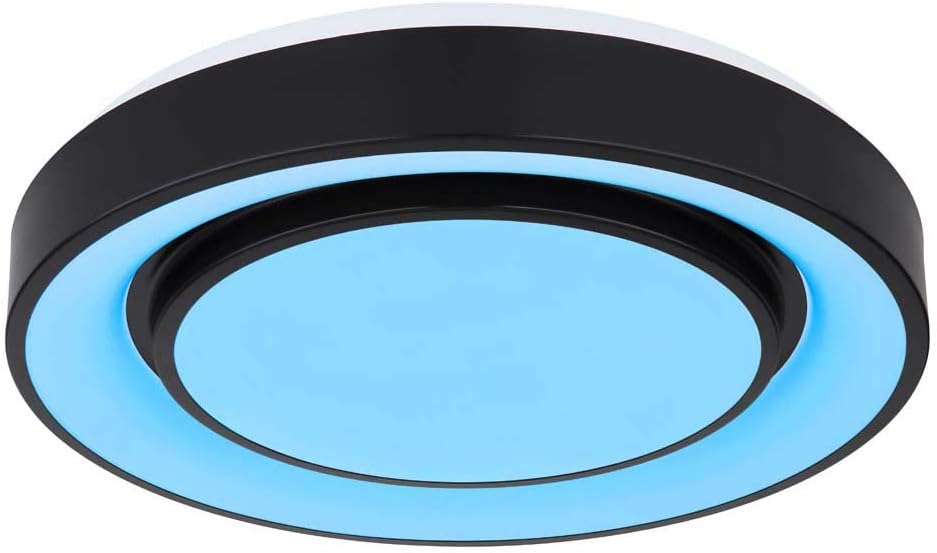
Image 6.2: The SULLY lamp illuminated with a blue light setting, indicating potential color-changing features.
7. Maintenance
The Globo Lighting SULLY LED Flush Mount Lamp requires minimal maintenance.
- Cleaning: Ensure the power is off before cleaning. Wipe the lamp with a soft, dry, or slightly damp cloth. Do not use abrasive cleaners, solvents, or harsh chemicals, as these can damage the finish or electrical components.
- LEDs: The integrated LED light source is designed for long life and is not user-replaceable. Do not attempt to replace the LEDs.
- Inspection: Periodically inspect the lamp for any signs of damage or loose connections. If any issues are found, disconnect power and consult a qualified electrician.
8. Troubleshooting
If you encounter issues with your lamp, refer to the following common troubleshooting steps:
| Problem | Possible Cause | Solution |
|---|---|---|
| Lamp does not turn on | No power supply Loose wiring connection Faulty wall switch | Check circuit breaker and wall switch. Ensure power is on. Turn off power and check wiring connections. Tighten if loose. Test the wall switch with another device or consult an electrician. |
| Light flickers | Loose wiring connection Incompatible dimmer switch (if applicable) | Turn off power and check wiring connections. Tighten if loose. Ensure any dimmer switch used is compatible with LED fixtures. Replace if necessary. |
| Incorrect color or function | Remote control issue Switch cycling error | Check remote control batteries or refer to remote instructions. Try cycling the wall switch off and on slowly, then rapidly, to reset or change modes. |
If these steps do not resolve the issue, contact a qualified electrician or the retailer for assistance.
9. Warranty and Support
Globo Lighting products are manufactured to high-quality standards. For information regarding warranty coverage, please refer to the warranty card included with your purchase or contact your retailer. Keep your proof of purchase for any warranty claims.
For technical support or further inquiries, please contact the retailer where the product was purchased or visit the official Globo Lighting website for contact information.