
Introduction
Thank you for purchasing the Gemini AS-2112BT 12” 1500W Bluetooth PA Speaker. This manual provides essential information for the safe and efficient operation of your new audio system. Please read it thoroughly before use and retain it for future reference.

Image: The Gemini AS-2112BT speaker is shown next to a person, illustrating its approximate dimensions and portability.
Safety Instructions
- Power Source: Connect the unit to a grounded AC power outlet of the correct voltage.
- Ventilation: Ensure proper ventilation. Do not block ventilation openings.
- Water & Moisture: Do not expose the unit to rain or moisture. Do not place objects filled with liquids on the unit.
- Heat: Keep the unit away from heat sources such as radiators, heat registers, stoves, or other heat-producing appliances.
- Cleaning: Clean only with a dry cloth.
- Servicing: Refer all servicing to qualified service personnel. Do not attempt to service this product yourself.
- Placement: Place the speaker on a stable, level surface or mount it securely using appropriate hardware.
- Hearing Protection: Prolonged exposure to high volume levels may cause permanent hearing damage. Use caution when setting volume levels.
Package Contents
Verify that all items listed below are included in your package:
- 1 x Gemini 12” 1500W Bluetooth PA Speaker (AS-2112BT)
- 1 x Power Cable
- 1 x Remote Control
- 1 x User Manual
Product Overview
The AS-2112BT is a 12-inch active PA speaker designed for various audio applications. It features a Class AB amplifier, multiple input options, Bluetooth streaming, and TWS linking capabilities.
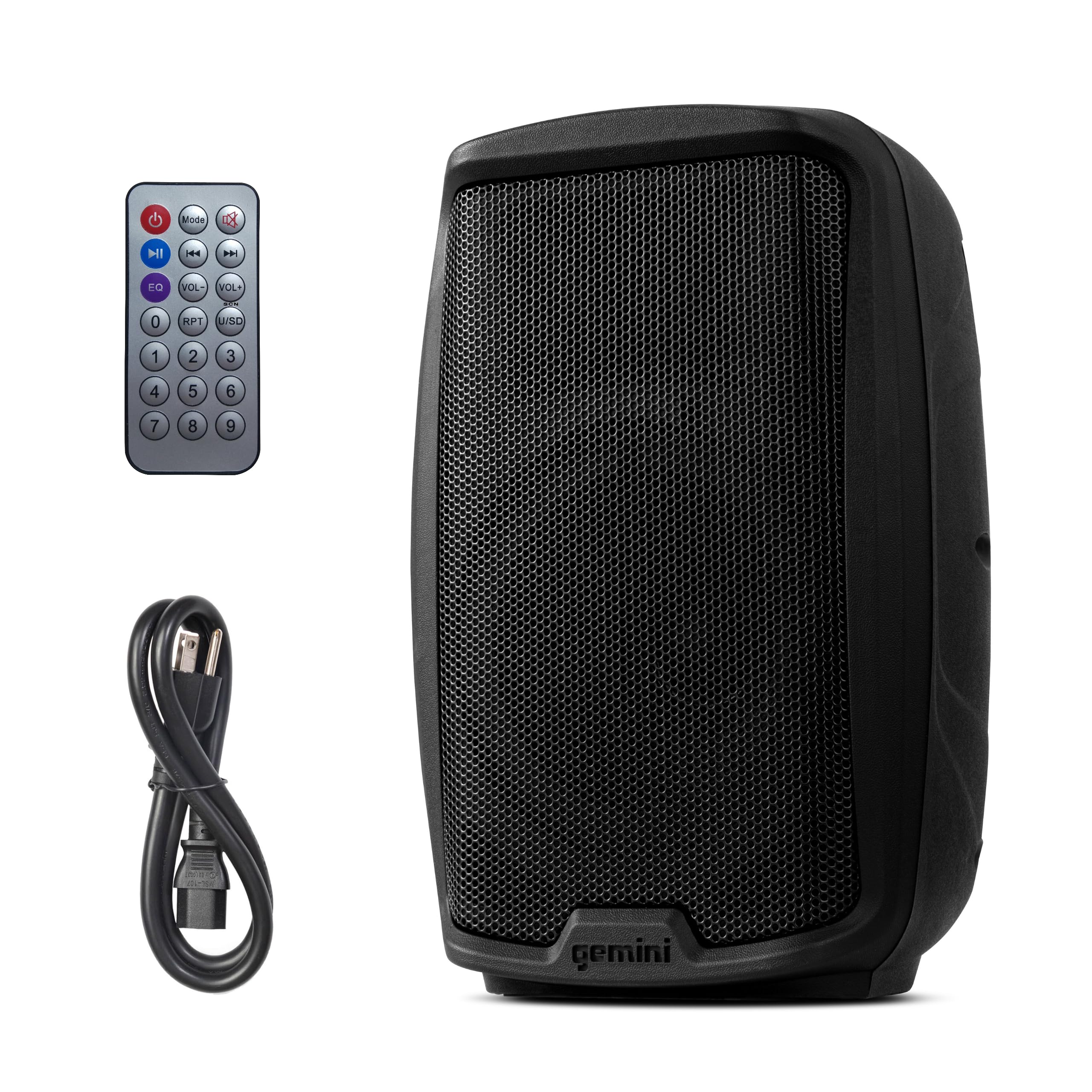
Image: Front view of the Gemini AS-2112BT 12” Bluetooth PA Speaker.
Control Panel (Rear View)
The rear panel of the speaker houses all input, output, and control functions. Familiarize yourself with these controls before operation.

Image: Detailed view of the rear control panel, showing various inputs, volume knobs, and media player controls.
Video: An overview of the Gemini AS-2112BT speaker, highlighting its features and design.
Key Features:
- 12-inch Woofer: Delivers deep bass (45Hz) and loud output (108dB SPL).
- 1-inch Titanium HF Compression Driver: Provides clear and detailed highs.
- Class AB Amplification: 1500W peak power for robust sound.
- Inputs: Dual switchable XLR/¼” mic and guitar inputs, RCA and 1/8” AUX in.
- Outputs: XLR mix output for daisy-chaining to additional speakers.
- Bluetooth Streaming: Wireless audio playback from compatible devices.
- TWS Link: Wirelessly pair with a second AS-series speaker for stereo sound.
- Media Player: USB and SD card slots for MP3/WAV playback, FM radio tuner.
- EQ Control: Onboard Bass & Treble equalization for sound adjustment.
- Portability: Impact-resistant ABS cabinet with top and side handles, weighing 25 lbs.
- Mounting Options: 35mm pole mount and 2x M8 fly points for flexible positioning.
Setup
1. Power Connection
Connect the provided power cable to the AC IN socket on the rear panel of the speaker and then to a suitable grounded power outlet. Ensure the power switch is in the OFF position before connecting.
2. Mounting Options
The AS-2112BT offers versatile mounting options:
- Pole Mount: The speaker features a 35mm pole mount socket on the bottom for use with standard speaker stands.

Image: Speaker shown mounted on a standard 35mm pole stand.
- Floor Monitor: The cabinet design allows the speaker to be placed on its side for use as a floor monitor.
- Fly Points: Two M8 fly points are provided for permanent installation. Consult a professional for safe overhead mounting.

Image: Close-up view of the M8 fly points on the top of the speaker for suspended installation.
Operating Instructions
1. Basic Operation
- Power On/Off: Flip the POWER switch on the rear panel to the ON position to power on the speaker. The power LED will illuminate.
- Master Volume: Adjust the MASTER VOLUME knob to control the overall output level of the speaker.
2. Bluetooth Pairing (TWS Link)
The AS-2112BT supports Bluetooth streaming and True Wireless Stereo (TWS) linking for a stereo sound experience with two speakers.
- Single Speaker Bluetooth:
- Turn on the speaker.
- Press the MODE button on the media player section until "Bluetooth" is selected.
- On your Bluetooth-enabled device (smartphone, tablet, etc.), search for "AS-2112BT" and pair.
- Once paired, you can stream audio wirelessly.
- TWS Linking (Two Speakers):
- Ensure both AS-series speakers are powered on and in Bluetooth mode.
- On one speaker, press and hold the LINK button. The display will show "LINK".
- The two speakers will automatically connect for TWS stereo playback.
- Now, connect your Bluetooth device to the primary speaker as described above. Audio will play in stereo across both speakers.

Image: Two speakers shown wirelessly connected, illustrating the TWS linking feature for stereo sound.
Video: A detailed guide on how to connect and set up a pair of Gemini 12" Powered Speakers for stereo sound.
3. USB/SD/FM Playback
- Insert a USB drive or SD card into the respective slot on the media player. The speaker will automatically switch to USB/SD mode and begin playback.
- Use the media player controls (PLAY/PAUSE, NEXT, PREVIOUS) to manage playback.
- Press the MODE button to cycle through USB, SD, and FM radio modes.
4. Microphone/Instrument Connection
The speaker features two input channels (CH1, CH2) that accept XLR or 1/4" connections for microphones or instruments (e.g., guitar).
- Connect your microphone or instrument to the desired input (MIC IN / LINE IN).
- Adjust the GAIN knob for the respective channel to set the input level.
5. EQ Adjustment
Use the BASS and TREBLE EQ knobs on the rear panel to fine-tune the sound output to your preference or venue acoustics.
6. Mix Output
The XLR MIX OUTPUT allows you to send the combined audio signal to another powered speaker, a subwoofer, or an external mixer for a larger sound system.
Maintenance
- Cleaning: Use a soft, dry cloth to clean the speaker cabinet. Do not use abrasive cleaners or solvents.
- Storage: Store the speaker in a cool, dry place away from direct sunlight and extreme temperatures.
- Inspection: Periodically check cables and connections for any signs of wear or damage.
Troubleshooting
| Problem | Possible Cause | Solution |
|---|---|---|
| No power | Power cable not connected or faulty outlet. | Check power cable connection. Try a different outlet. |
| No sound output | Master volume too low, input volume too low, incorrect input selected, faulty cable. | Increase master and input volumes. Check input source and cables. |
| Bluetooth not connecting | Speaker not in Bluetooth mode, device too far, interference, previously paired device. | Ensure speaker is in Bluetooth mode. Move device closer. Disconnect from other devices. |
| Distorted sound | Input gain too high, master volume too high, faulty audio source. | Reduce input gain and master volume. Test with a different audio source. |
Specifications
| Model Name | AS-2112BT |
| Speaker Type | PA Speaker |
| Speaker Maximum Output Power | 1500 Watts |
| Woofer Diameter | 12 Inches |
| Tweeter Diameter | 1 Inches |
| Frequency Response | 45 Hz |
| Connectivity Technology | Bluetooth, 1/8” & RCA Aux Inputs, 2 x ¼” jack and XLR Switchable Line/MIC Inputs |
| Material | ABS Plastic |
| Item Weight | 25.2 Pounds |
| Product Dimensions | 14.78"D x 12.17"W x 22.97"H |
| Power Source | Corded Electric |
| Mounting Type | Stand Mountable |
Warranty and Support
This product comes with a Limited Warranty. For detailed warranty information, please refer to the included warranty card or visit the Gemini Sound website. For technical support or service inquiries, please contact Gemini Sound customer service.
Manufacturer: Innovative Concepts and Designs
First Available: February 8, 2021


