
1. Introduction
Thank you for choosing the DEXTER 710W Drywall Sander. This powerful and versatile tool is designed for efficient and comfortable sanding of drywall, walls, and ceilings. Please read this manual carefully before operating the sander to ensure safe and effective use. Keep this manual for future reference.
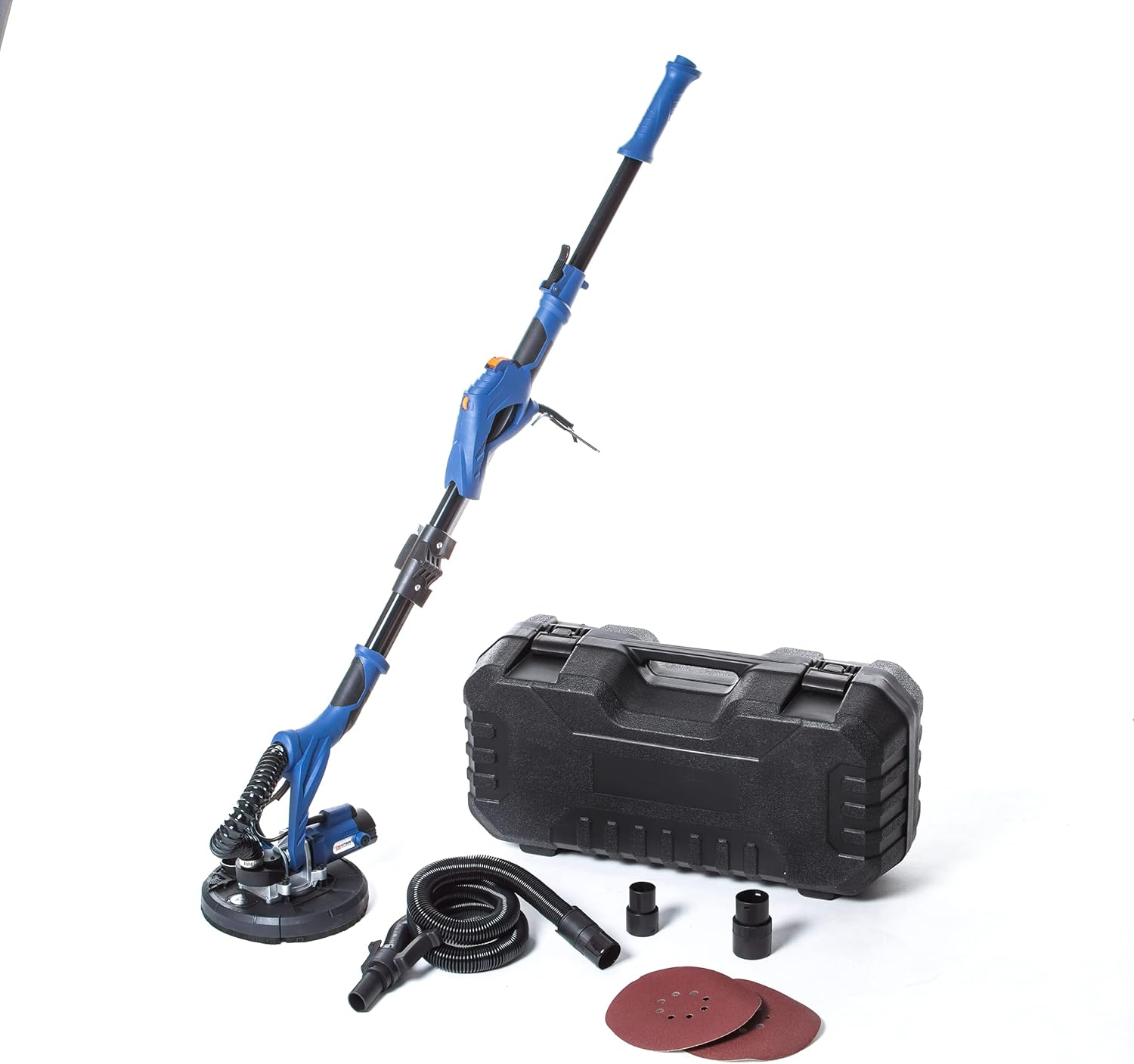
Figure 1: DEXTER 710W Drywall Sander with included accessories and carrying case.
2. Safety Instructions
Always follow basic safety precautions when using electrical tools to reduce the risk of fire, electric shock, and personal injury.
- Work Area Safety: Keep your work area clean and well-lit. Do not operate power tools in explosive atmospheres, such as in the presence of flammable liquids, gases, or dust.
- Electrical Safety: Avoid body contact with earthed or grounded surfaces. Do not expose power tools to rain or wet conditions. Do not abuse the cord.
- Personal Safety: Always wear eye protection, dust mask, non-skid safety shoes, and hearing protection when operating the sander. Dress properly; avoid loose clothing or jewelry.
- Tool Use and Care: Do not force the power tool. Use the correct power tool for your application. Disconnect the plug from the power source before making any adjustments, changing accessories, or storing power tools.
- Dust Management: This sander features an integrated dust collection system. Always ensure the dust bag is properly attached and emptied regularly to minimize airborne dust.
3. Package Contents
Carefully unpack the box and ensure all items are present and undamaged. If any items are missing or damaged, please contact your retailer.
- DEXTER 710W Drywall Sander (Model RM710)
- Carrying Case
- Dust Collection Hose
- Dust Bag
- Assorted Sandpaper Discs (225 mm diameter)
- Hex Key
- Carbon Brushes (spare set)
- User Manual

Figure 2: Included accessories for the DEXTER Drywall Sander.
4. Setup
Follow these steps to prepare your drywall sander for operation:
- Assemble the Sander: The sander is designed to be foldable for easy storage. Unfold the main shaft and secure the locking mechanisms until they click into place.
- Attach Sandpaper: The sanding pad uses a hook-and-loop system. Align a 225 mm sandpaper disc with the sanding pad and press firmly to secure it.
- Connect Dust Collection: Attach the dust collection hose to the dust port on the sander head. Connect the other end of the hose to the provided dust bag or an external vacuum cleaner for optimal dust extraction.
- Power Connection: Ensure the power switch is in the 'OFF' position. Plug the 4-meter power cord into a suitable electrical outlet (230V AC).

Figure 3: Key features of the DEXTER Drywall Sander, including its foldable design and dust reduction system.
5. Operating Instructions
The DEXTER 710W Drywall Sander is designed for ease of use and efficiency.
- Power On: Hold the sander firmly with both hands using the ergonomic handle. Press the power switch to turn on the tool. The progressive start feature ensures a smooth power-up.
- Adjust Speed: Use the variable speed dial to select the appropriate sanding speed for your material and desired finish. Start with a lower speed and increase as needed.
- Sanding Technique: Apply light, even pressure to the surface. Move the sander in smooth, overlapping motions. The 120° inclinable abrasive head allows for easy access to various angles and surfaces, including ceilings and corners.
- Anti-Vibration System: The integrated anti-vibration system reduces user fatigue, allowing for longer periods of comfortable operation.
- Dust Management: Regularly check and empty the dust bag to maintain optimal dust collection efficiency.
- Power Off: When finished, release the power switch and unplug the tool from the power source.
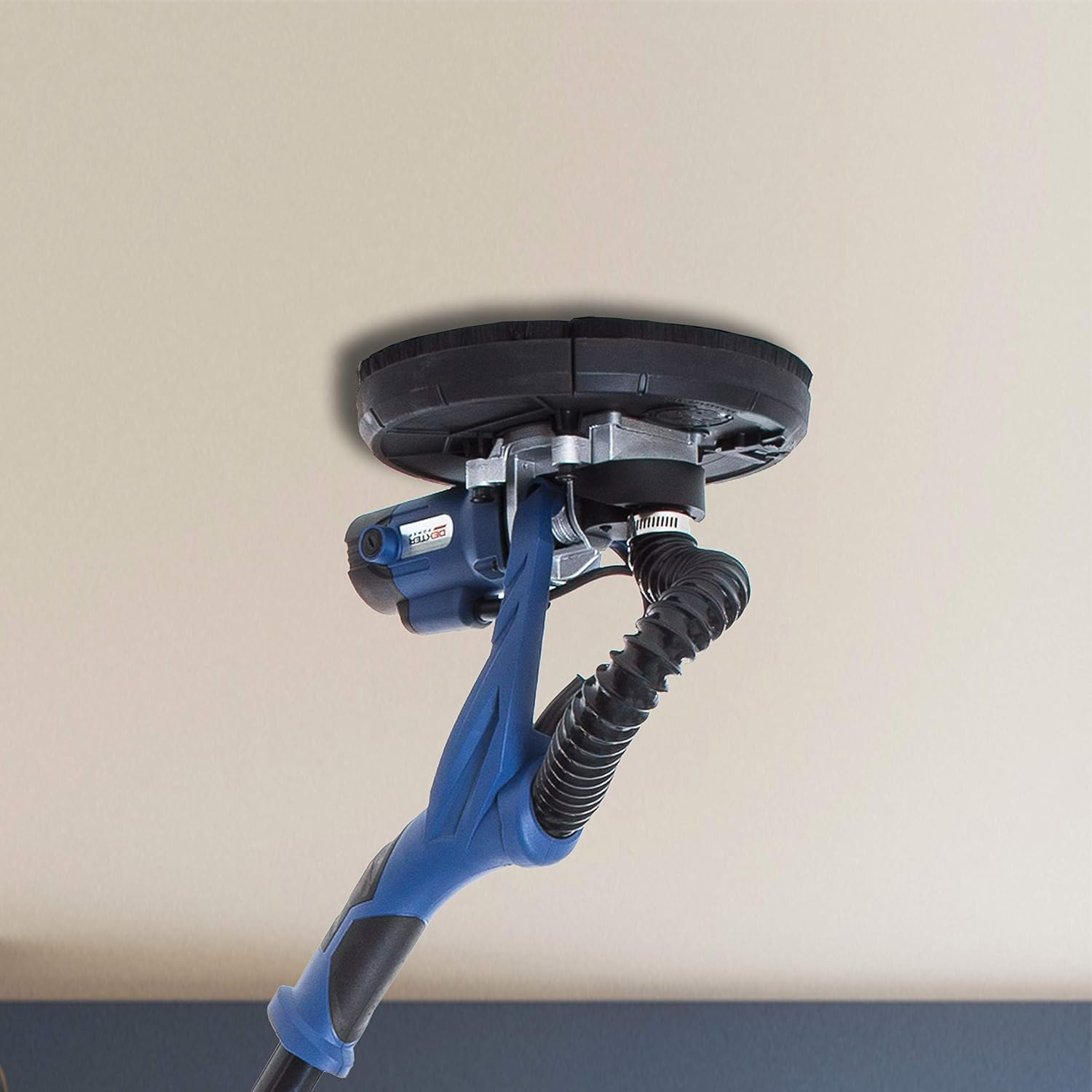
Figure 4: Sander being used to smooth a ceiling surface.

Figure 5: Sander being used to smooth a wall surface.
6. Maintenance
Regular maintenance ensures the longevity and optimal performance of your DEXTER Drywall Sander.
- Cleaning: After each use, wipe down the sander with a clean, damp cloth. Do not use harsh chemicals or abrasive cleaners. Ensure all ventilation openings are clear of dust and debris.
- Dust Bag/System: Empty the dust bag frequently. If using an external vacuum, clean its filter regularly. A clogged dust system reduces efficiency and can lead to overheating.
- Sandpaper Replacement: Replace sandpaper discs when they become worn or lose their abrasive quality. Ensure the sanding pad is clean before attaching a new disc.
- Carbon Brushes: Periodically check the carbon brushes for wear. Replace them when they are significantly worn down to maintain motor performance. Refer to the detailed instructions in the product guide for replacement.
- Storage: Store the sander in its carrying case in a dry, secure place, out of reach of children. The foldable design allows for easy storage.
7. Troubleshooting
If you encounter any issues with your sander, refer to the table below for common problems and solutions.
| Problem | Possible Cause | Solution |
|---|---|---|
| Sander does not turn on. | No power supply; Faulty power cord/plug; Worn carbon brushes. | Check power outlet; Inspect cord/plug for damage; Replace carbon brushes. |
| Poor sanding performance. | Worn sandpaper; Incorrect speed setting; Excessive pressure. | Replace sandpaper; Adjust speed dial; Apply lighter, even pressure. |
| Excessive dust. | Dust bag full or improperly attached; Clogged dust hose/port. | Empty dust bag and ensure proper attachment; Clear any blockages in hose/port. |
| Unusual noise or vibration. | Loose components; Damaged sanding pad; Motor issue. | Check all connections; Inspect sanding pad for damage; Contact customer support if motor issue is suspected. |
8. Technical Specifications
Key specifications for the DEXTER 710W Drywall Sander (Model RM710):
| Feature | Specification |
|---|---|
| Model Number | RM710 |
| Power | 710 W |
| Voltage | 230V AC |
| Power Source | Corded Electric |
| Abrasive Disc Diameter | 225 mm |
| Variable Speed | Yes |
| Anti-Vibration System | Yes |
| Cable Length | 4 meters |
| Product Dimensions | 71 x 22 x 12 cm |
| Weight (empty) | 10.67 kg |
9. Warranty and Support
This DEXTER 710W Drywall Sander is covered by a 2-year warranty from the date of purchase. This warranty covers defects in materials and workmanship under normal use.
For warranty claims, technical support, or further assistance, please refer to the detailed product guide provided with your purchase or contact your retailer. Additional information and support resources may also be available on the official Dexter brand website.


