
1. Introduction
The papalook BM1 FHD 1080P Baby Monitor provides a secure and reliable way to monitor your baby. Featuring a 5-inch HD display, 1080P video resolution, two-way audio, night vision, temperature and sound detection, and a 900ft range, this monitor ensures you stay connected with your little one. The system operates on a private 2.4GHz FHSS connection, ensuring no Wi-Fi interference or security concerns.
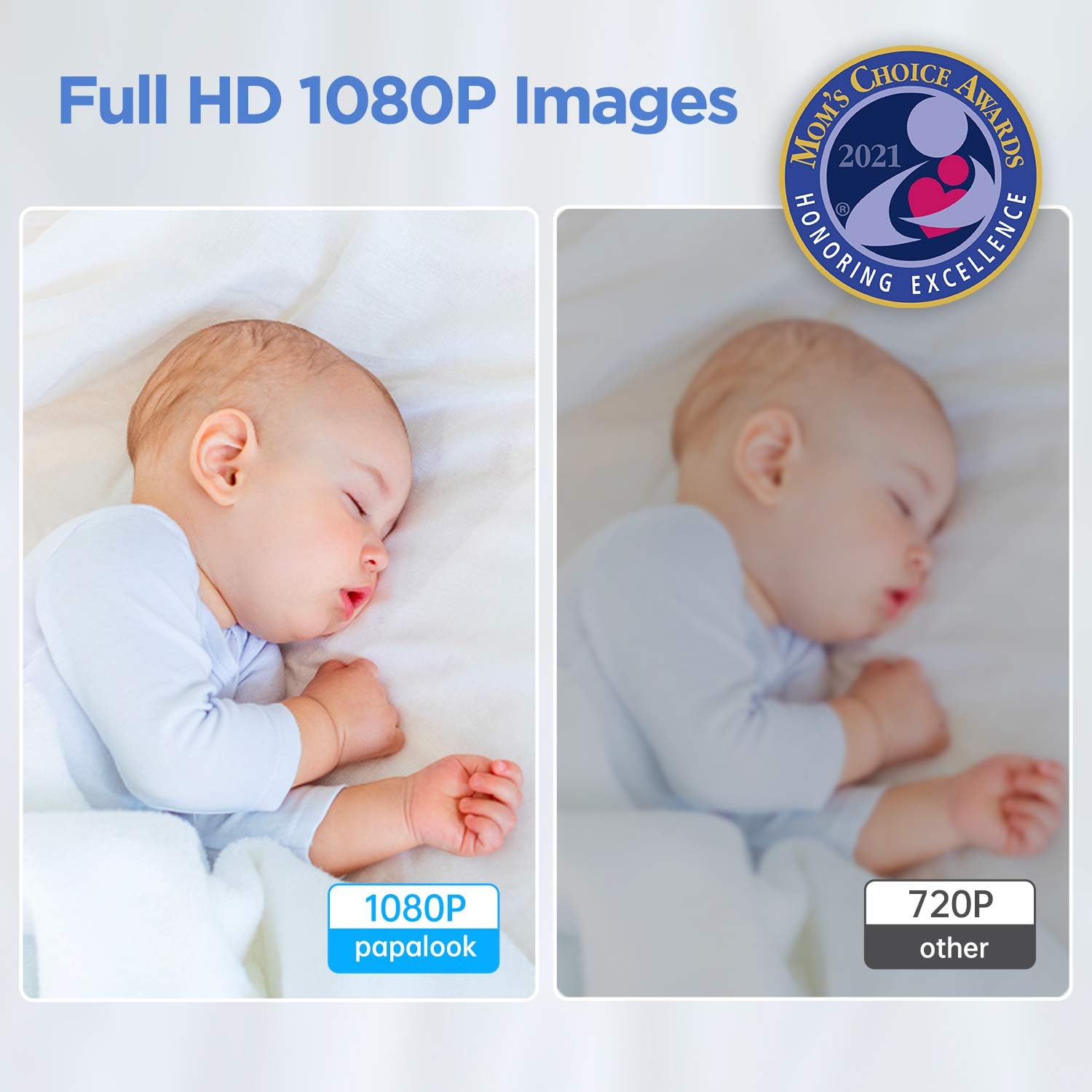
Image 1.1: The papalook BM1 Baby Monitor system, showing the camera unit and the parent monitor unit.
2. Package Contents
Please check the package contents to ensure all items are present:
- Baby Camera Unit (with blue ears)
- Parent Monitor Unit (5-inch HD display)
- Power Adapters (x2)
- User Manual
3. Product Overview
Familiarize yourself with the components of your papalook BM1 Baby Monitor.

Image 3.1: Detailed diagram showing the labeled parts of the Camera Unit and Parent Monitor Unit.
Camera Unit Features:
- Microphone: For two-way audio communication.
- 1080P Lens: High-definition video capture.
- Optical Sensor: Detects light levels for automatic night vision activation.
- Decorative Hole: Aesthetic design element.
- Camera Recording TF Card Slot: For local video storage (supports up to 256GB).
- Temperature Sensor: Monitors room temperature.
Parent Monitor Unit Features:
- 5" LCD Screen: High-definition display for live video feed.
- Power Button: To turn the monitor on/off.
- Sound Detection Switch / Alarm Confirmation Button: Manages sound alerts.
- RET / Menu Button: Accesses settings and returns to previous screens.
- Switch Camera Button: If multiple cameras are paired.
- Select Button / Camera Rotation Button: Navigates menus and controls camera pan/tilt.
- OK / Zoom Button: Confirms selections and activates digital zoom.
- Sound / Brightness Adjust: Controls audio volume and screen brightness.
- Interphone Button: Activates two-way audio communication.
- TF Card Slot: For local video storage on the monitor unit.
4. Setup
Follow these steps to set up your baby monitor:
- Charge the Parent Unit: Connect one power adapter to the Parent Monitor Unit and plug it into a power outlet. Allow it to fully charge before first use.
- Power the Camera Unit: Connect the second power adapter to the Baby Camera Unit and plug it into a power outlet. The camera will power on automatically.
- Position the Camera: Place the camera in your baby's room, ensuring a clear view of the crib or play area. The camera can be placed on a flat surface or mounted to a wall (mounting hardware not included). Ensure the temperature sensor (the small white tail) is positioned to accurately read the room temperature.
- Power On the Parent Unit: Press and hold the Power Button on the Parent Monitor Unit until the screen turns on.
- Automatic Pairing: The camera and monitor are pre-paired at the factory. The video feed should appear automatically on the monitor screen. If not, refer to the Troubleshooting section for manual pairing instructions.
Video 4.1: Official product video demonstrating the setup and key features of the papalook BM1 Baby Monitor.
5. Operating Instructions
5.1 Video Monitoring and Camera Control
The 5-inch HD display provides a live 1080P video feed of your baby's room. Use the directional buttons (Select Button / Camera Rotation Button) on the parent unit to pan and tilt the camera remotely, covering a wide 355° horizontal and 160° vertical range. Press the OK / Zoom Button to activate digital zoom for a closer look.

Image 5.1: The camera unit showcasing its wide-angle and pan-tilt-zoom (PTZ) capabilities.

Image 5.2: Comparison illustrating the clarity of 1080P Full HD images provided by the papalook BM1 monitor.
5.2 Two-Way Audio
To speak to your baby, press and hold the Interphone Button on the parent unit. Release the button to listen. This feature allows for comforting your baby from another room.

Image 5.3: Illustration of the two-way audio function, enabling communication between parent and baby.
5.3 Night Vision
The camera automatically switches to infrared night vision in low-light conditions, providing a clear black-and-white image of your baby without disturbing their sleep.

Image 5.4: The night vision feature in action, alongside the lullaby function.
5.4 Temperature and Sound Detection
The monitor continuously displays the room temperature detected by the camera's sensor. You can set alerts for temperature fluctuations. The sound detection feature can be adjusted to different sensitivity levels (Low, Medium, High) to alert you to your baby's cries or other significant sounds.

Image 5.5: The parent unit screen showing temperature and sound detection indicators.
5.5 Lullabies
The monitor includes a selection of lullabies to help soothe your baby. Access the music menu on the parent unit to choose and play different melodies.
Image 5.6: The lullaby feature can be activated to play soothing melodies for your baby.
5.6 Recording and Playback
Both the camera and monitor units have TF card slots for local storage (up to 256GB). You can record video manually or set up continuous recording. Access the Playback menu on the parent unit to review recorded footage.
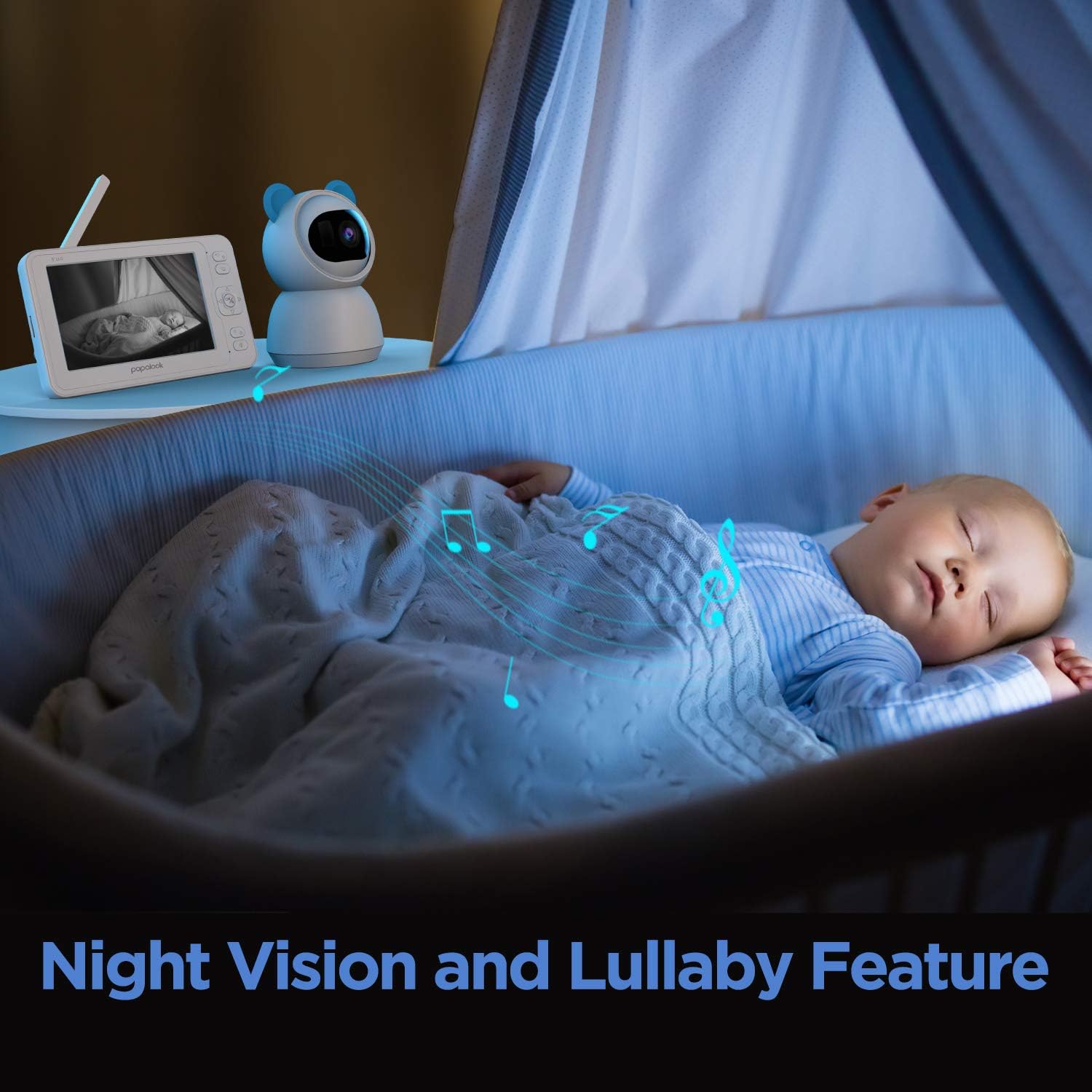
Image 5.7: The TF card slot on the monitor unit for recording and storage.
5.7 Range and Connectivity
The monitor utilizes a 2.4GHz FHSS private connection, offering a range of up to 900 feet in open areas. This ensures a secure and stable connection without relying on Wi-Fi.
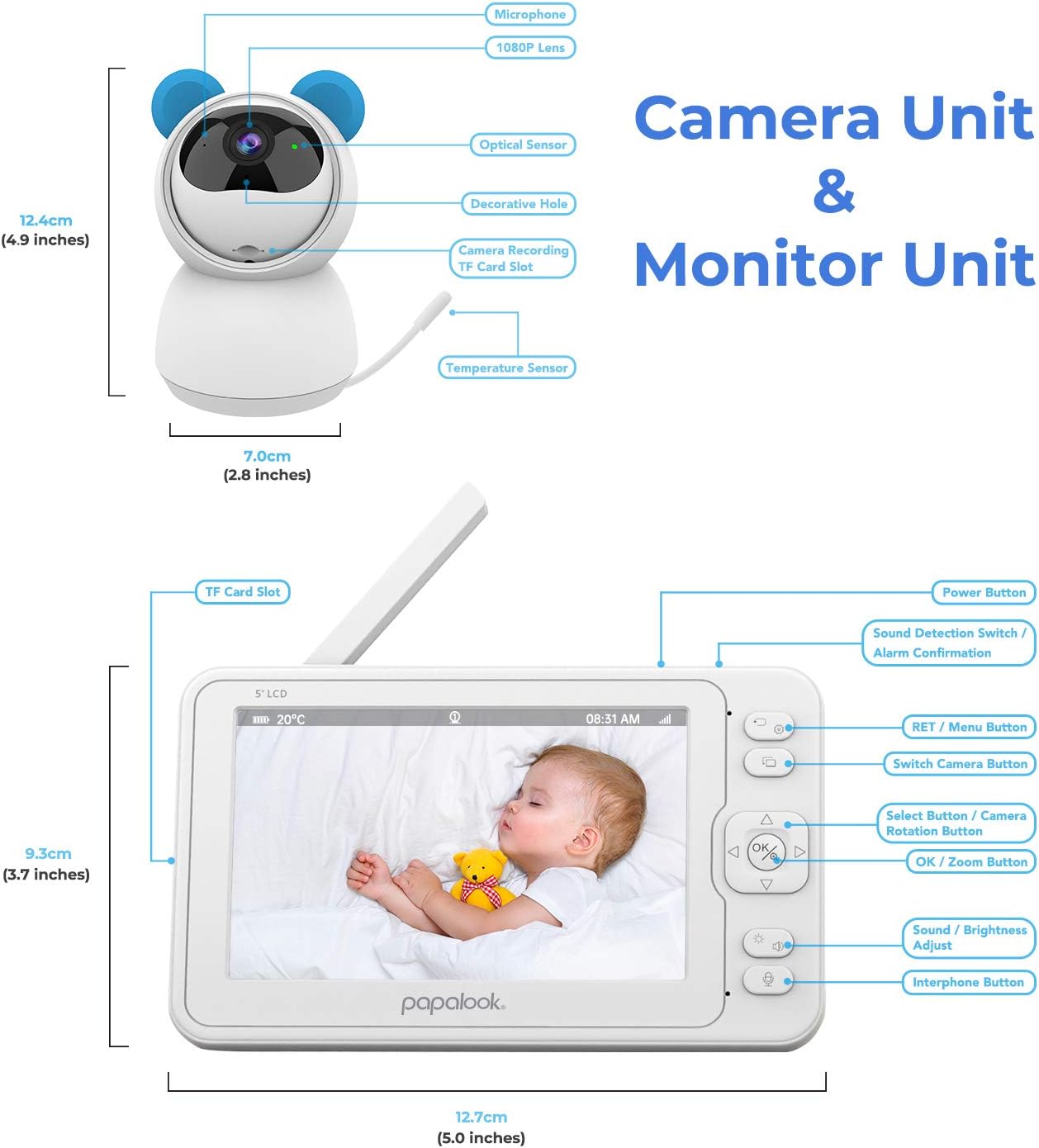
Image 5.8: Visual representation of the 900ft range and 2.4GHz FHSS private connection.
6. Maintenance
To ensure optimal performance and longevity of your baby monitor:
- Cleaning: Use a soft, dry cloth to clean the camera lens and monitor screen. Do not use abrasive cleaners or solvents.
- Placement: Avoid placing the camera or monitor in direct sunlight, near heat sources, or in damp environments.
- Battery Care: For the parent unit, avoid fully discharging the battery frequently to prolong its lifespan.
7. Troubleshooting
If you encounter issues with your papalook BM1 Baby Monitor, refer to the following common solutions:
- No Picture/Sound:
- Ensure both the camera and monitor units are powered on and charged.
- Check if the units are within range (up to 900ft in open areas).
- Try re-pairing the camera and monitor: Access the camera settings on the parent unit and follow the pairing instructions.
- Poor Picture Quality:
- Ensure the camera lens is clean and free from obstructions.
- Adjust the camera's position for better lighting.
- Check for potential interference from other 2.4GHz devices.
- Sound Issues (Too quiet/loud, static):
- Adjust the volume on the parent unit.
- Ensure the camera's microphone is not obstructed.
- Reduce interference by moving other electronic devices away from the monitor.
- Battery Drains Quickly:
- Ensure the parent unit is fully charged before use.
- Reduce screen brightness to conserve battery.
- The monitor has a running time of 10 hours and standby time of 15 hours.
8. Specifications
| Feature | Detail |
|---|---|
| Model Number | P-BM01 |
| Screen Size | 5 Inches |
| Video Resolution | FHD 1080P |
| Connectivity Technology | Wireless (2.4GHz FHSS) |
| Range | Up to 900ft (open area) |
| Two-Way Audio | Yes |
| Night Vision | Yes |
| Temperature Detection | Yes |
| Sound Detection | Yes (Adjustable Sensitivity) |
| Lullabies | Yes (8 popular melodies) |
| Storage | TF Card (up to 256GB, not included) |
| Camera Pan/Tilt | 355° Horizontal, 160° Vertical |
| Digital Zoom | Yes |
| Parent Unit Running Time | 10 hours |
| Parent Unit Standby Time | 15 hours |
| Product Dimensions | 6.22 x 3.7 x 0.51 inches (Parent Unit) |
| Item Weight | 1.9 pounds (Total) |
| Indoor/Outdoor Usage | Indoor |
9. Warranty and Support
For warranty information and customer support, please refer to the warranty card included in your product packaging or visit the official papalook website. Keep your purchase receipt as proof of purchase for warranty claims.
Manufacturer: papalook
Date First Available: April 2, 2021
