
1. Introduction
Thank you for choosing the VGR V-170 Professional Pro Li Outliner Electric Cordless Hair Clipper. This manual provides essential information for the safe and effective use, maintenance, and troubleshooting of your new grooming device. Please read it thoroughly before first use and keep it for future reference.
2. Safety Information
To reduce the risk of electric shock, injury, or fire, always follow these basic safety precautions:
- Do not immerse the appliance in water or other liquids.
- Keep the appliance away from children.
- Do not use the appliance if the cord or plug is damaged.
- Unplug the appliance before cleaning or maintenance.
- Use only the charger supplied with the appliance.
- Avoid using the trimmer on irritated or damaged skin.
- This appliance is intended for household use only.
3. Package Contents
Carefully unpack your VGR V-170 Hair Clipper and check that all items are present and in good condition. The package should contain:
- VGR V-170 Hair Clipper
- USB Type-C Charging Cable
- Cleaning Brush
- Lubricating Oil
- 4 Guide Combs (1mm, 2mm, 3mm, 4mm)
- Blade Protection Cap

Image: VGR V-170 Hair Clipper with all included accessories, including the clipper, charging cable, cleaning brush, oil, and four guide combs.
4. Product Overview
The VGR V-170 features a professional-grade T-blade designed for precise outlining and close cutting. Its ergonomic design ensures comfortable handling.

Image: Front view of the VGR V-170 Hair Clipper, showcasing its sleek black design and T-blade.
Key Features:
- Professional Barber Blade: Titanium steel T-blade for sharp, efficient cutting.
- USB Fast Charge: 1400mAh lithium battery, 2 hours charge for 180 minutes cordless use.
- Waterproof IPX5: Can be rinsed under running water for easy cleaning.
- Low Noise Motor: Powerful rotary motor for smooth operation.

Image: The VGR V-170 Hair Clipper partially submerged in water, demonstrating its IPX5 waterproof capability.
5. Setup
5.1 Charging the Clipper
- Before first use, fully charge the clipper for approximately 2 hours.
- Connect the USB Type-C charging cable to the charging port at the bottom of the clipper.
- Plug the other end of the USB cable into a USB adapter, laptop, car charger, or power bank.
- The indicator light will show charging status and turn off or change color when fully charged.

Image: Close-up view of the VGR V-170 Hair Clipper's charging port, highlighting the USB Type-C input.
5.2 Attaching Guide Combs
Select the desired guide comb (1mm, 2mm, 3mm, or 4mm) based on the hair length you wish to achieve.
- Ensure the clipper is turned off.
- Align the guide comb with the clipper blade and push it firmly until it clicks into place.
- To remove, gently pull the comb away from the blade.
6. Operating Instructions
6.1 General Hair Trimming
- Ensure hair is clean and dry.
- Attach the appropriate guide comb for your desired length.
- Turn on the clipper.
- Hold the clipper with the blade flat against the skin and move it slowly against the direction of hair growth.
- For best results, use smooth, overlapping strokes.
6.2 Outlining and Detailing (0mm Bald Head Clipper)
For precise lines, edging, and bald head trimming, remove the guide comb.
- Ensure the clipper is clean and oiled.
- Carefully position the edge of the blade against the skin at the desired starting point.
- Move the clipper slowly and steadily to create sharp lines and designs.
- The R-shaped round blade design ensures gentle contact with the skin.

Image: A man using the VGR V-170 Hair Clipper to precisely outline his hairline, demonstrating its use for detailing.
7. Maintenance
Regular cleaning and maintenance will ensure optimal performance and extend the life of your clipper.
7.1 Cleaning the Blades
- Turn off the clipper and unplug it from the charger.
- Use the provided cleaning brush to remove any loose hair from the blades.
- Since the clipper is IPX5 waterproof, you can rinse the blade head under running water. Ensure the clipper is completely dry before storing or recharging.
7.2 Oiling the Blades
After every few uses, or if the blades feel sluggish, apply a few drops of the provided lubricating oil to the blades.
- Turn off the clipper.
- Apply 1-2 drops of oil evenly across the top of the blades.
- Turn on the clipper for a few seconds to distribute the oil.
- Wipe off any excess oil with a soft cloth.
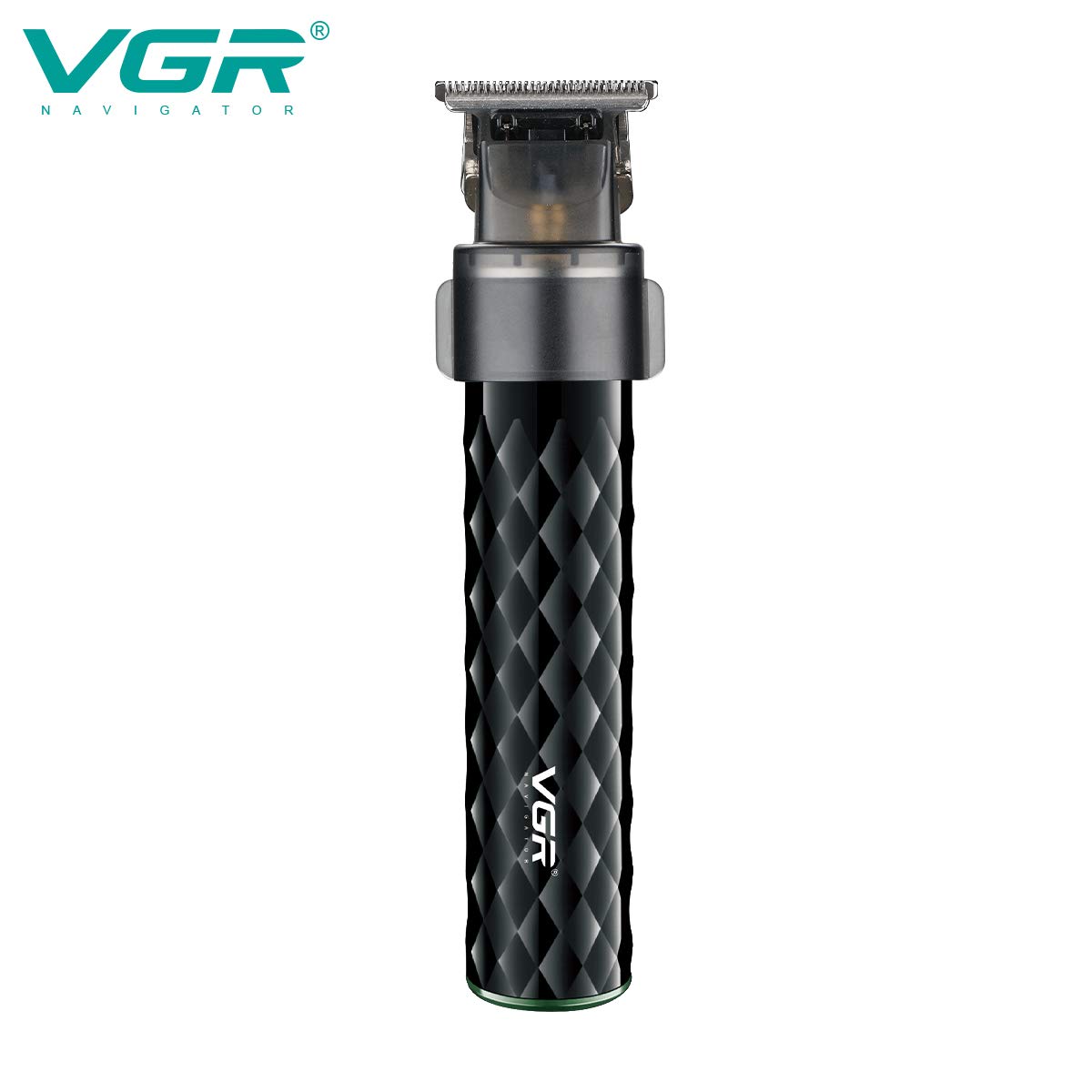
Image: Detailed view of the VGR V-170 Hair Clipper's T-blade, showing the precision cutting surface.
8. Troubleshooting
| Problem | Possible Cause | Solution |
|---|---|---|
| Clipper does not turn on. | Battery is low or depleted. | Charge the clipper fully. |
| Blades pull hair or cut poorly. | Blades are dirty or not oiled. | Clean and oil the blades as per maintenance instructions. |
| Clipper makes unusual noise. | Blades need lubrication or are misaligned. | Oil the blades. If noise persists, contact customer service. |
| Charging indicator not working. | Cable or adapter issue. | Try a different USB cable or power source. |
9. Specifications
- Model: V-170
- Blade Material: Ceramic, Titanium
- Power Source: Corded Electric / Battery
- Battery Type: Lithium Ion (1400mAh)
- Charging Time: Approx. 2 hours
- Usage Time: Approx. 180 minutes (cordless)
- Waterproof Rating: IPX5
- Dimensions (LxWxH): 7 x 9.9 x 20.4 cm
- Weight: 460 g
- Input: USB Type-C
10. Warranty and Support
The VGR V-170 Hair Clipper comes with a 1 Year Warranty against defects in materials and workmanship from the date of original purchase, provided it is purchased from an authorized seller like "VGR INDIA". This warranty does not cover intentional or unintentional damage by the user.
Initiating a Warranty Claim:
To initiate a warranty claim, please contact VGR INDIA at WARRANTY@VGRINDIA.CO.IN. Provide a clear description of the problem, associated pictures, and a copy of your original purchase invoice. Once the claim is verified, the company will, at its discretion, either repair or exchange the product. Customers are responsible for the cost of transporting the product to the service center, while VGR will cover the return shipping cost if a repair or exchange is necessary.
For further assistance or inquiries, please refer to the official VGR website or contact their customer support.
