
1. Introduction
Thank you for choosing the HOCO ES52 TWS Wireless Bluetooth 5.0 Earbuds. This manual provides essential information for the proper setup, operation, and maintenance of your new earbuds. Please read it carefully before use and retain it for future reference.
The HOCO ES52 earbuds feature Bluetooth 5.0 technology, a compact design, and a charging case with an LED digital power display. They are designed for convenient wireless audio and communication.
2. Package Contents
Ensure all items are present in the package:
- HOCO ES52 TWS Earbuds (Left and Right)
- Charging Case
- Charging Cable
- User Manual (this document)
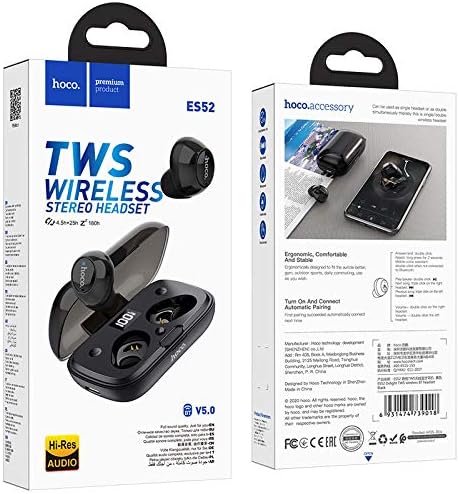
Image: The HOCO ES52 TWS Earbuds product packaging, showing the earbuds and charging case.
3. Setup
3.1 Initial Charging
Before first use, fully charge the earbuds and the charging case.
- Place both earbuds into the charging case.
- Connect the charging cable to the charging case's port and a USB power source.
- The LED digital display on the charging case will show the charging status.
- Charging time for the case is approximately 1.5 hours. Earbuds charge in about 1 hour.
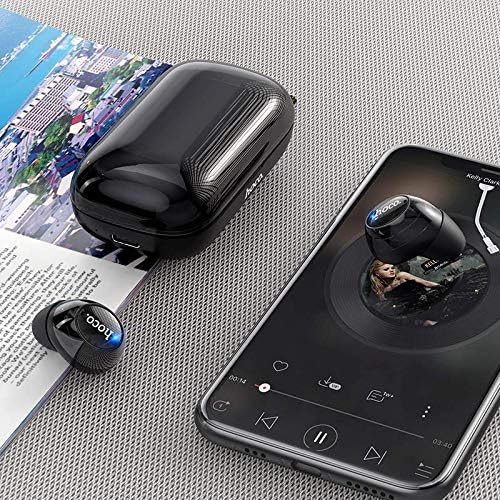
Image: The HOCO ES52 TWS earbuds securely placed within their charging case. The case features an LED digital display indicating the battery charge level for both the case and individual earbuds.
3.2 Pairing with a Device
To connect your earbuds to a Bluetooth-enabled device:
- Ensure the earbuds are charged.
- Open the charging case. The earbuds will automatically power on and enter pairing mode.
- On your device (smartphone, tablet, etc.), enable Bluetooth and search for available devices.
- Select "HOCO ES52" from the list of found devices.
- Once connected, the earbuds will indicate successful pairing (e.g., a voice prompt or LED indicator change).
- The earbuds support master-slave switching, allowing either earbud to be used independently after initial pairing.
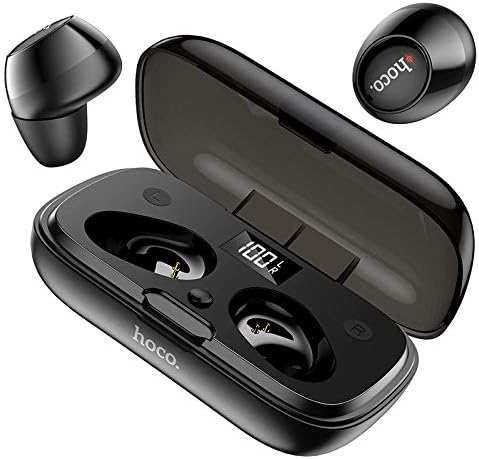
Image: This image shows the HOCO ES52 TWS earbuds alongside their open charging case, highlighting the compact design and how the earbuds fit inside.
4. Operating Instructions
4.1 Power On/Off
- Power On: Open the charging case, and the earbuds will automatically power on. Alternatively, press and hold the touch control area on both earbuds for a few seconds.
- Power Off: Place the earbuds back into the charging case and close the lid. They will automatically power off. Alternatively, press and hold the touch control area on both earbuds for a few seconds until they power off.
4.2 Music Playback
The earbuds feature touch controls for music management:
- Play/Pause: Tap the touch control area on either earbud once.
- Next Track: Triple-tap the touch control area on the right earbud.
- Previous Track: Triple-tap the touch control area on the left earbud.
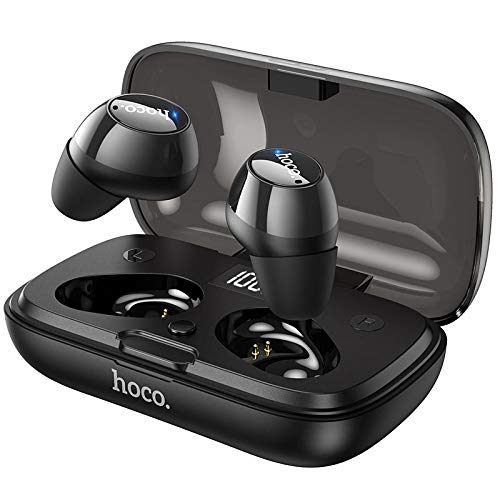
Image: The HOCO ES52 TWS earbuds are shown next to a smartphone displaying a music player interface, illustrating their use for audio playback.
4.3 Call Management
Manage phone calls using the touch controls:
- Answer/End Call: Tap the touch control area on either earbud once.
- Reject Call: Press and hold the touch control area on either earbud for 2 seconds.
4.4 Voice Assistant
Activate your device's voice assistant (Siri, Google Assistant, etc.):
- Activate Voice Assistant: Double-tap the touch control area on either earbud.
5. Maintenance
Proper care ensures the longevity of your HOCO ES52 earbuds:
- Cleaning: Use a soft, dry, lint-free cloth to clean the earbuds and charging case. Do not use harsh chemicals or abrasive materials.
- Storage: When not in use, store the earbuds in their charging case to protect them from dust and damage. Store in a cool, dry place.
- Battery Care: Avoid fully discharging the battery frequently. Charge the earbuds and case regularly, even if not used for extended periods, to maintain battery health.
- Water Resistance: The earbuds are not waterproof. Avoid exposure to liquids, moisture, or extreme temperatures.
6. Troubleshooting
If you encounter issues, try the following solutions:
| Problem | Solution |
|---|---|
| Earbuds not pairing |
|
| No sound from one earbud |
|
| Charging case not charging |
|
7. Specifications
Detailed technical specifications for the HOCO ES52 TWS Earbuds:
| Feature | Detail |
|---|---|
| Model Name | ES52 |
| Brand | HOCO |
| Bluetooth Version | 5.0 |
| Bluetooth Chip | JL AC6973 |
| Charging Case Battery Capacity | 350mAh |
| Earbud Battery Capacity | 40mAh (each) |
| Charging Time (Case) | Approx. 1.5 hours |
| Charging Time (Earbuds) | Approx. 1 hour |
| Talk/Music Time | Approx. 4.5 hours |
| Standby Time | Approx. 180 hours |
| Control Method | Touch |
| Included Components | Cable, Charging Station |
| Form Factor | In Ear |
| Material | Plastic |
| Color | Black |
| Dimensions (Charging Case) | 79 x 45.2 x 31 mm |
| Total Weight | 28 grams |
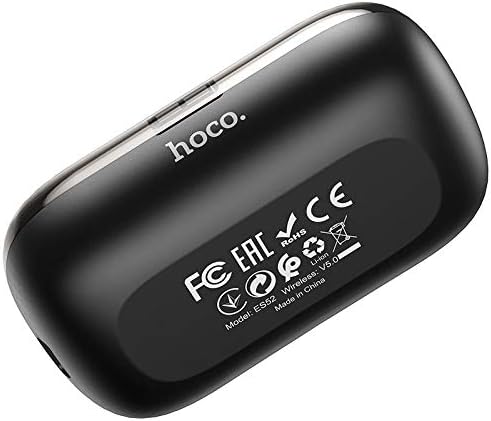
Image: A view of the back of the HOCO ES52 charging case, showing the model number ES52, Bluetooth version V5.0, and various regulatory certifications.
8. Warranty and Support
For warranty information or technical support, please refer to the documentation provided at the point of purchase or contact your retailer. Keep your proof of purchase for any warranty claims.


