
1. Important Safety Information
- This chair has a maximum weight capacity of 310 lbs (140 kg). Do not exceed this limit.
- Improper use of the adjustable backrest and headrest mechanisms may result in injury. Always follow the operating guidelines for safe adjustment.
- Ensure the chair is placed on a stable, flat surface before use.
- Keep fingers and clothing clear of moving parts during adjustment.
2. Product Overview
The DORTALA Foldable Floor Chair is designed for versatile use, offering comfortable seating with adjustable back and head support. Its foldable design allows for convenient storage.

Image: The DORTALA Foldable Floor Chair in its standard upright position, showcasing its grey fabric and cushioned design.
Key Features:
- Sturdy Steel Support: Reinforced steel frame for durability and stability, supporting up to 310 lbs.
- Multi-Position Adjustable Back: Backrest adjusts to 4 different positions for varied seating needs.
- 5-Position Adjustable Headrest: Headrest adjusts to 5 different angles for optimal head and neck support.
- Foldable Design: Easily folds for compact storage, saving space.
- Comfortable Materials: Filled with soft padded memory foam and covered with breathable linen fabric.
- Convenient Side Pocket: Integrated pocket for storing small items like books or mobile devices.
3. Setup and Unfolding
Initial Setup:
- Remove the chair from its packaging.
- Place the folded chair on a flat, stable surface.
- Gently pull the backrest upwards until it clicks into an upright position. The chair is designed to be used immediately without assembly.
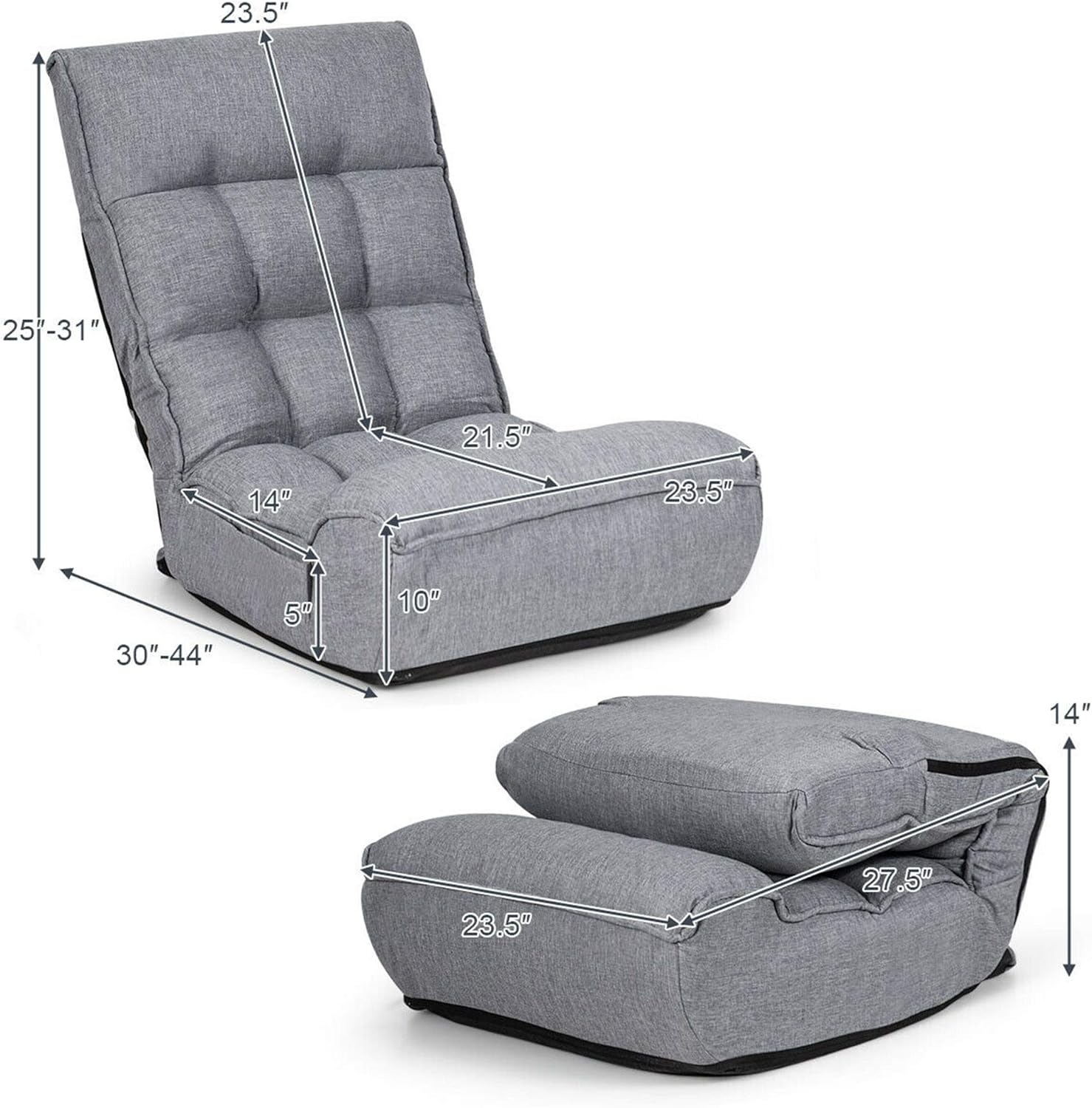
Image: A visual representation of the chair's dimensions in both its unfolded and folded states, illustrating its compact storage capability.
4. Operation
Adjusting the Backrest:
The backrest can be adjusted to 4 different positions to suit various activities such as reading, gaming, watching TV, or napping.
- To adjust, push the backrest forward until it fully collapses.
- Then, slowly lift the backrest to the desired angle. You will hear clicks as it locks into each of the 4 available positions.
- Ensure the backrest is securely locked in place before leaning back.
Adjusting the Headrest:
The headrest offers 5 different angles for personalized head and neck support.
- To adjust, gently push the headrest forward until it releases from its current position.
- Move the headrest to the desired angle and release. It will click into one of the 5 available positions.
- Verify the headrest is stable before resting your head.
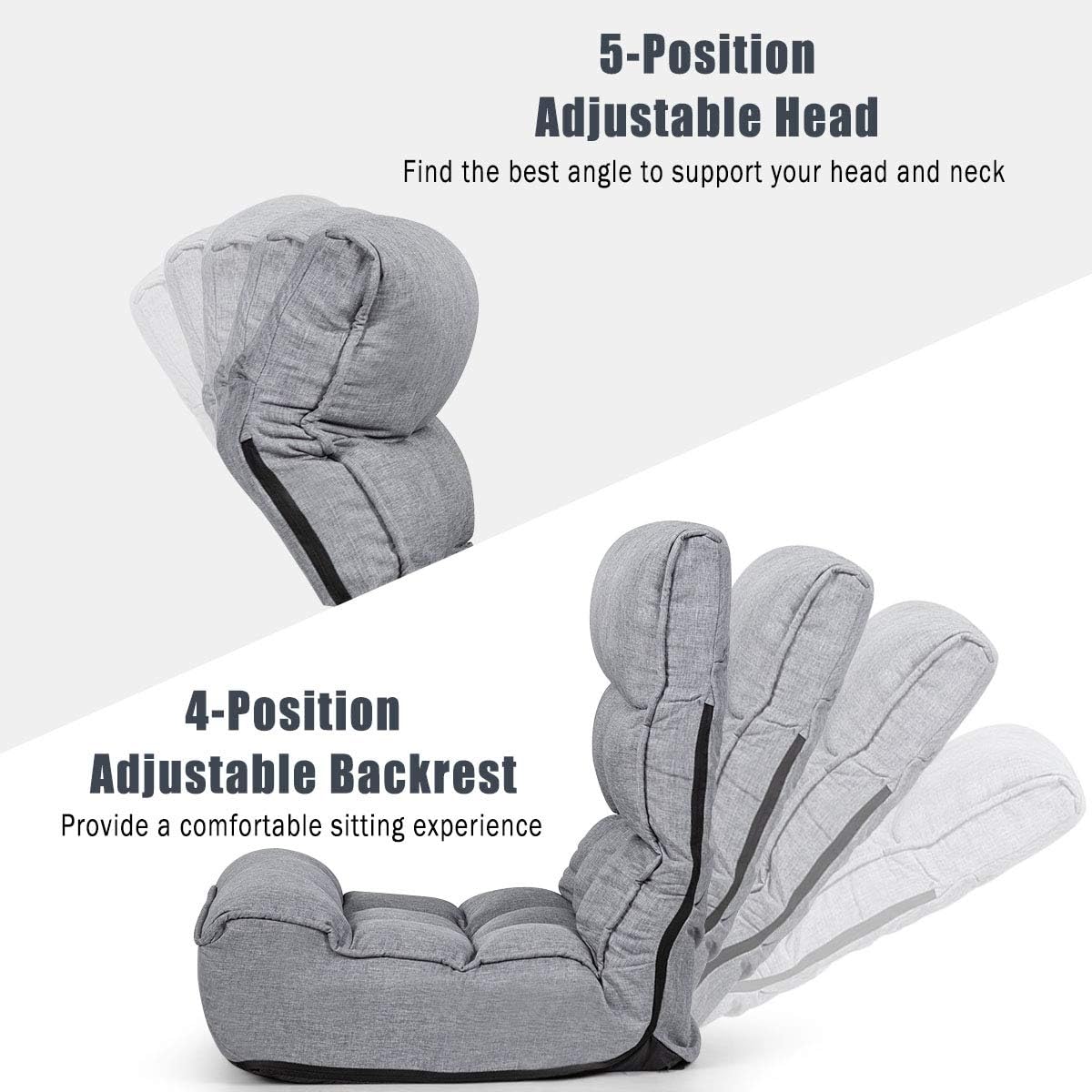
Image: A visual guide demonstrating the range of motion and adjustable positions for both the headrest and backrest.
5. Maintenance and Care
Cleaning Instructions:
- For general cleaning, wipe the chair with a clean, damp cloth.
- Avoid using harsh chemicals or abrasive cleaners, as these may damage the fabric.
- Spot clean any spills immediately with a mild detergent and water, then blot dry.
- Allow the chair to air dry completely before use.
Storage:
- To store, fully collapse the backrest and headrest.
- Fold the chair into its compact form.
- Store in a dry place away from direct sunlight to prevent fading and material degradation.
6. Troubleshooting
Common Issues:
- Chair not locking into position: Ensure the backrest/headrest is pushed fully forward to reset the mechanism before attempting to recline to a new position. Listen for a distinct click to confirm it is locked.
- Unstable seating: Verify the chair is placed on a flat, even surface. Check for any obstructions underneath the chair.
- Discomfort: Experiment with different backrest and headrest positions to find the most comfortable configuration for your body and activity.
7. Product Specifications
| Specification | Detail |
|---|---|
| Brand | DORTALA |
| Model Name | Banana |
| Item Model Number | DO-HW66375-CA |
| Color | Grey |
| Product Dimensions (Unfolded) | 30"D x 23.5"W x 25"H |
| Size (Adjustable Range) | 23.5" x 30"-44" x 25"-31" |
| Item Weight | 16.5 pounds |
| Maximum Weight Recommendation | 310 Pounds (140 kg) |
| Material | Alloy Steel (Frame), Memory Foam (Fill), Linen Fabric (Cover) |
| Back Style | Solid Back |
| Special Feature | Adjustable, Foldable |
| Reclining Position Count | 4 (Backrest) |
| Number of Height Positions | 5 (Headrest) |
| UPC | 685764571296 |
8. Warranty and Support
Warranty Information:
DORTALA products are manufactured with quality and care. For specific warranty details regarding your Foldable Floor Chair, please refer to the warranty card included with your purchase or contact DORTALA customer service.
Customer Support:
If you have any questions, concerns, or require assistance with your DORTALA Foldable Floor Chair, please contact our customer support team. You can typically find contact information on the DORTALA official website or through your retailer's support channels.
Please have your model number (DO-HW66375-CA) and purchase date available when contacting support.