
1. Introduction
This manual provides detailed instructions for the assembly, setup, usage, and maintenance of your new Teraves Modern L-Shaped Desk with 4-Tier Shelves. Please read this manual thoroughly before beginning assembly and retain it for future reference.

Figure 1.1: Teraves Modern L-Shaped Desk with 4-Tier Shelves.
2. Safety Information
- Maximum Weight Recommendation: The desk is designed to support a maximum weight of 450 pounds. Each shelf can bear 35 pounds. Do not exceed these limits.
- Assembly Caution: Exercise caution during assembly, especially when handling screws and wooden components. Wear gloves to prevent splinters or minor injuries from fiber material.
- Stability: Ensure all connections are securely tightened. The desk includes adjustable leg pads to maintain stability on uneven floors.
- Children and Pets: Keep small parts and packaging materials away from children and pets during assembly.
- Placement: Place the desk on a flat, stable surface. Avoid placing it in direct sunlight or near heat sources to prevent material damage.
3. Package Contents
Before beginning assembly, verify that all parts listed below are present and undamaged. If any parts are missing or damaged, please contact customer support.
- Desktop Panels (L-shaped sections)
- Metal Frame Components
- 4-Tier Shelf Panels
- Adjustable Leg Pads
- Assembly Hardware (screws, bolts, etc.)
- Assembly Tools (basic tools may be included, but personal tools are recommended for efficiency)
- Instruction Manual
4. Assembly Instructions
Assembly typically requires two people and can take approximately 2 hours. Follow these steps carefully:
- Unpack and Identify Parts: Carefully unpack all components and lay them out on a clean, soft surface to prevent scratches. Identify each part by referring to the included parts list.
- Assemble Frame: Begin by connecting the main metal frame components. Ensure all connections are finger-tightened initially.
- Attach Desktop Panels: Secure the desktop panels to the frame. Note that some users have reported minor gaps between panels; ensure proper alignment before fully tightening screws.
- Install Shelves: Attach the 4-tier shelf panels to the designated frame sections. These shelves are detachable, allowing for flexible storage configurations.
- Install Adjustable Leg Pads: Screw the adjustable leg pads into the bottom of the desk legs.
- Final Tightening: Once all components are in place and aligned, gradually tighten all screws and bolts. Avoid over-tightening.

Figure 4.1: Reference desk dimensions during assembly.

Figure 4.2: Example of cable management with the desk's design.
5. Setup and Usage
5.1. Desk Orientation
The L-shaped design allows for flexible placement in a corner or against a wall. The 4-tier shelves can be positioned on either the left or right side during assembly to suit your preference.
5.2. Workspace Optimization
- Monitor Placement: The spacious desktop accommodates multiple monitors. A compatible hole is provided for installing a monitor stand.
- Storage: Utilize the detachable 4-tier shelves for books, printers, computer towers, decorations, and other office supplies. Adjust shelf height as needed.
- Cable Management: Plan your cable routing to maintain a tidy workspace. The desk design allows for efficient cable organization.

Figure 5.1: Optimized monitor placement and user ergonomics.
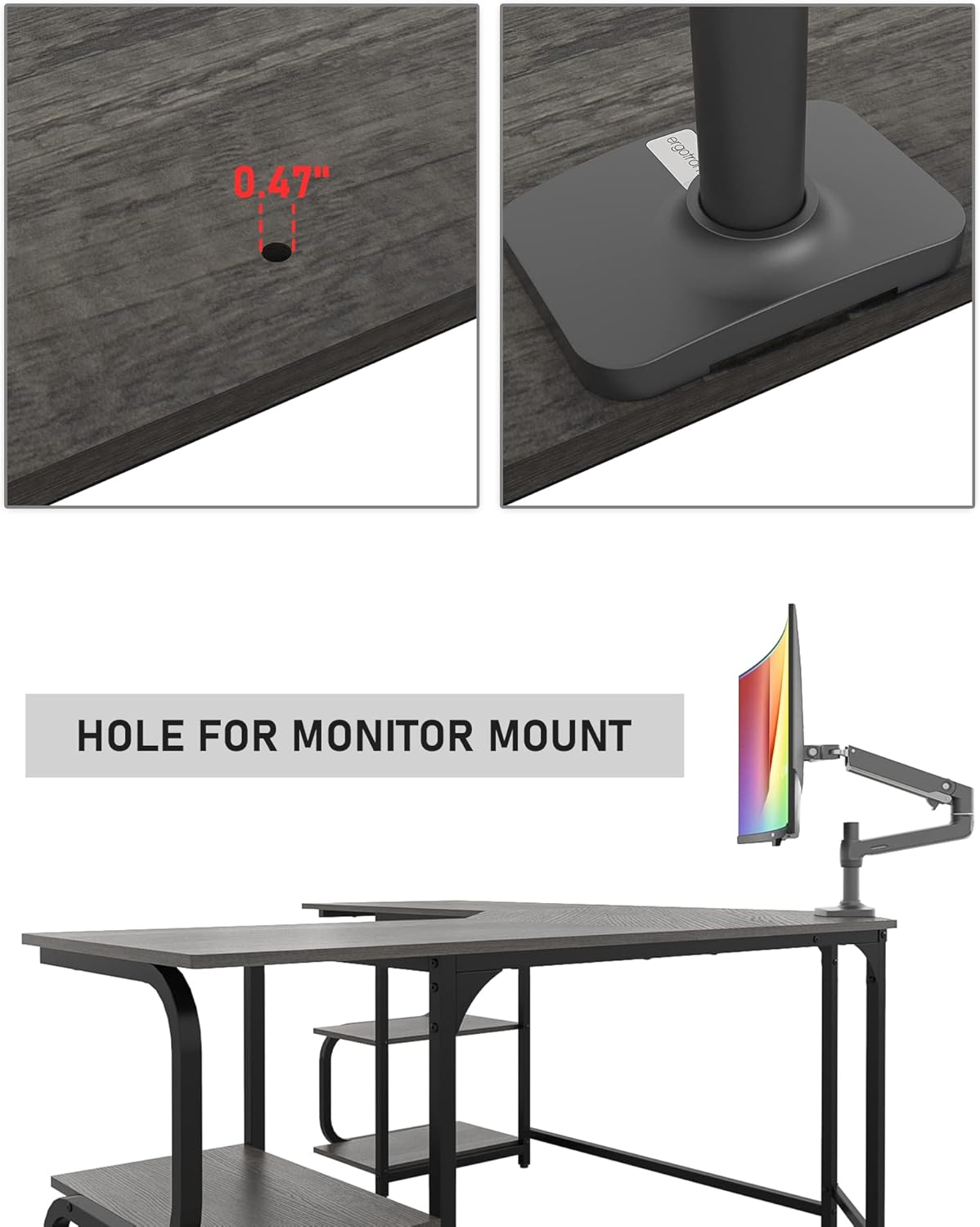
Figure 5.2: Dedicated hole for monitor stand installation.
5.3. Versatile Applications
This L-shaped desk is suitable for various uses:
- Home Office: Ideal for work, writing, and study.
- Gaming: Ample space for gaming setups, multiple monitors, and accessories.
- Crafting/Hobby: Provides a large surface for creative projects.

Figure 5.3: Example of a gaming setup on the desk.

Figure 5.4: Example of a crafting setup on the desk.
6. Maintenance
- Cleaning: Wipe surfaces with a soft, damp cloth. Avoid harsh chemicals or abrasive cleaners. The wood board is waterproof for easy cleaning.
- Tighten Fasteners: Periodically check and tighten all screws and bolts to ensure the desk remains stable.
- Adjust Leg Pads: If the desk wobbles, adjust the leg pads to level the surface.
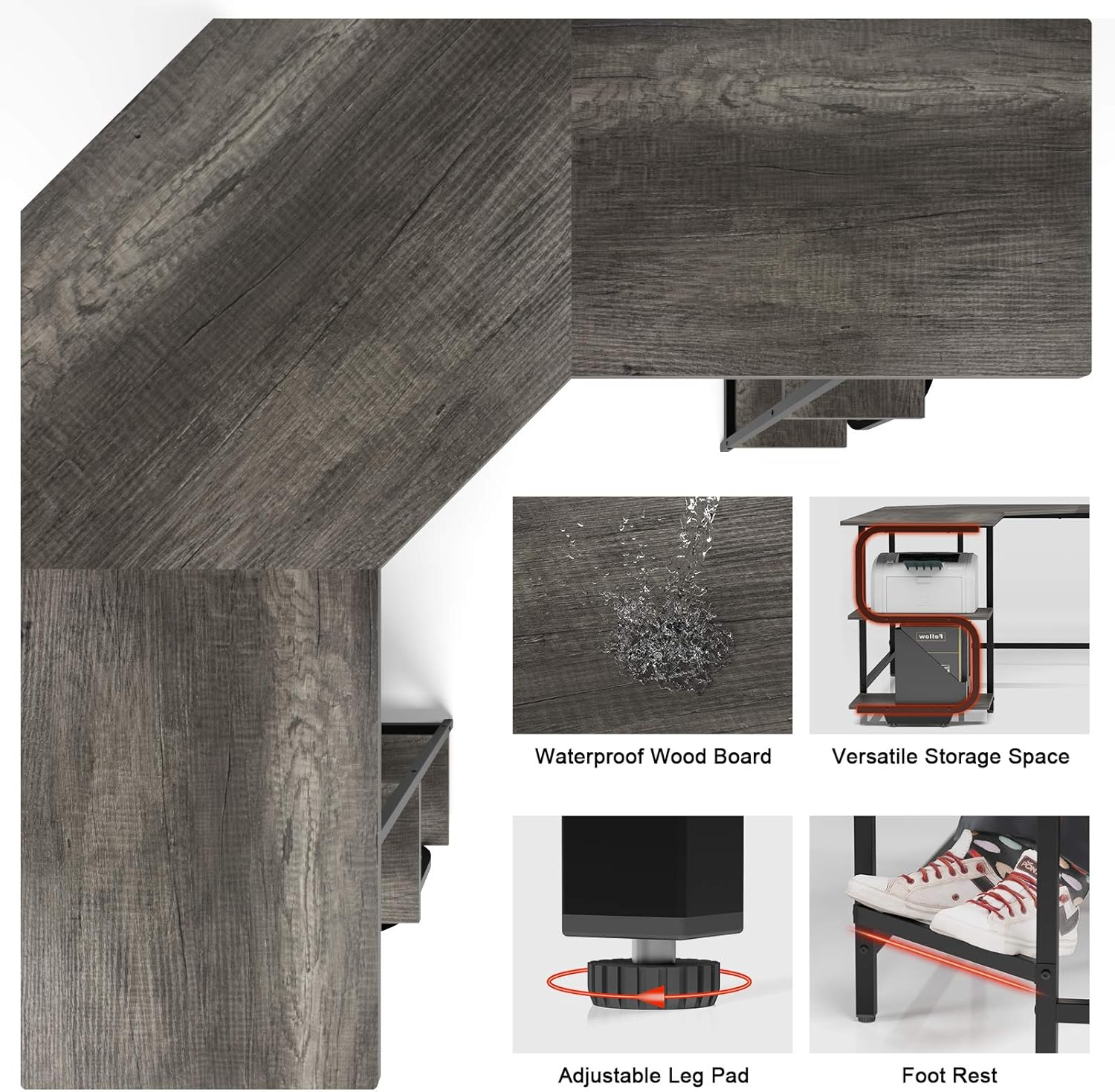
Figure 6.1: Key features including waterproof wood board and adjustable leg pads.
7. Troubleshooting
| Problem | Possible Cause | Solution |
|---|---|---|
| Desk wobbles | Uneven floor; loose fasteners | Adjust leg pads until stable; tighten all screws and bolts. |
| Gaps between desktop panels | Panels not fully aligned during assembly; fasteners not fully tightened. | Loosen fasteners, realign panels, then re-tighten. Ensure parts #13 and #14 (corner bars) are installed on the outside. |
| Fiber material/splinters during assembly | Manufacturing residue on wood edges. | Wear protective gloves during assembly. Carefully wipe down surfaces before use. |
8. Specifications
| Feature | Detail |
|---|---|
| Brand | Teraves |
| Model Number | VD-Cor-SS |
| Shape | L-Shape |
| Desk Design | Computer Desk |
| Product Dimensions | 64.84"D x 21.65"W x 29.6"H |
| Color | Black Oak+black Frame |
| Style | Modern |
| Base Material | Engineered Wood |
| Top Material Type | Engineered Wood |
| Finish Type | Wood Grain (Oak), Painted/ Powder Coated (Black) |
| Recommended Uses | Working, Writing, Gaming |
| Included Components | Monitor Arm Hole |
| Required Assembly | Yes |
| Maximum Weight Recommendation | 450 Pounds (Whole Desk) |
| Shelf Bearing Capacity | 35 Pounds (Each Shelf) |
| Recommended People for Assembly | 2 |
| Number of Shelves | 4 |
| Tabletop Thickness | 1 Inches |
9. Warranty and Support
9.1. Warranty Information
This product comes with a Limited Warranty. For specific details regarding coverage and duration, please refer to the warranty card included in your package or contact Teraves customer service.
9.2. Customer Support
For any questions, missing parts, or assistance with assembly, please contact Teraves customer support. Refer to the contact information provided in your product packaging or on the official Teraves website.
10. Product Videos
Teraves L-Shaped Desk Overview
This video provides a general overview of the Teraves L-Shaped Desk, highlighting its design and features.

