
CJ TECH T16S
CHJ_Tech T16S Full HD 1080P Webcam User Manual
Model: T16S | Brand: CJ TECH
Introduction
This manual provides detailed instructions for the setup, operation, maintenance, and troubleshooting of your CHJ_Tech T16S Full HD 1080P Webcam. Please read this manual thoroughly before using the product to ensure optimal performance and longevity.
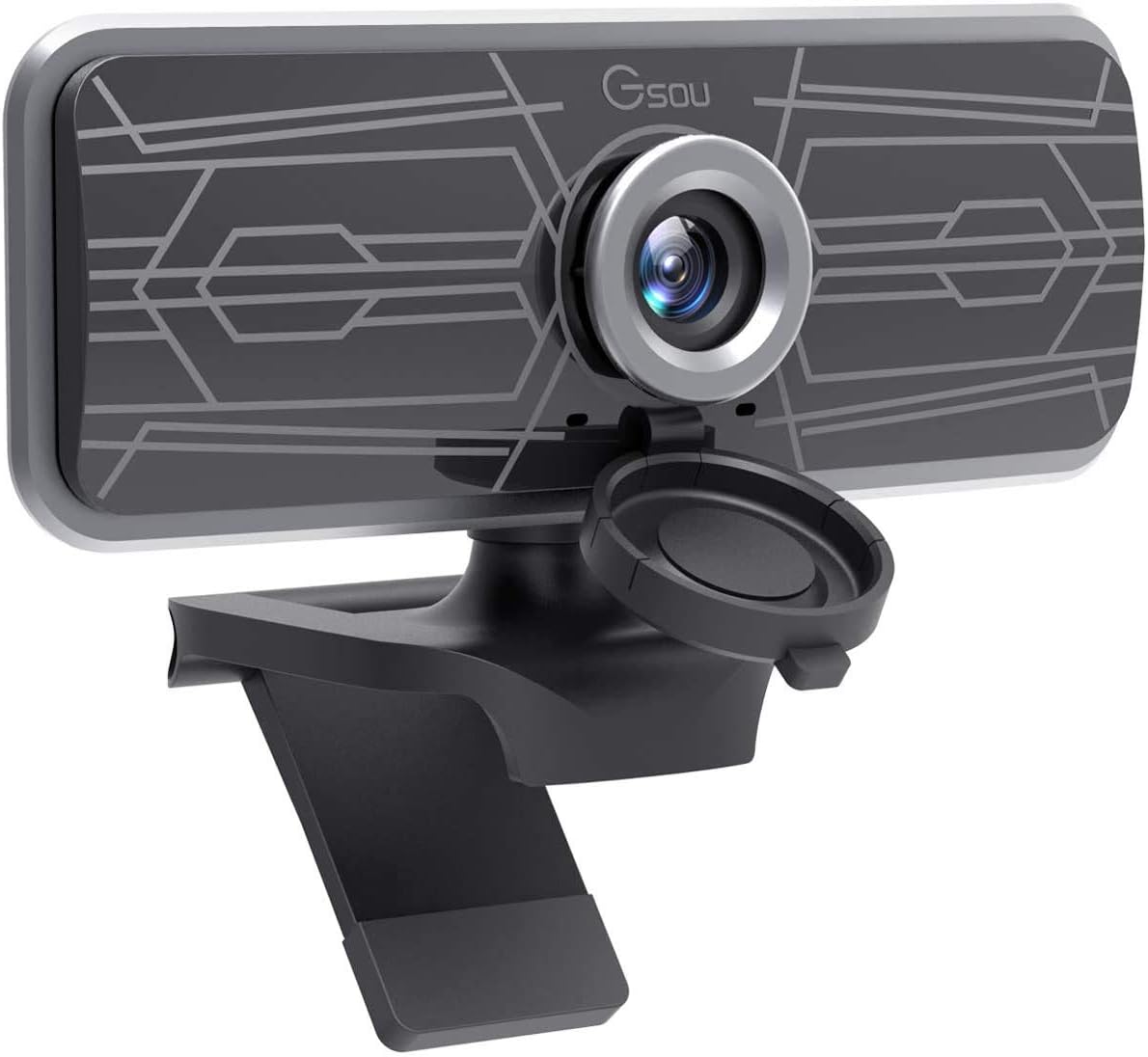
Image: The CHJ_Tech T16S Full HD 1080P Webcam, featuring a sleek black design with a silver lens ring and an integrated privacy cover, mounted on its adjustable stand.
1. Setup and Installation
The CHJ_Tech T16S Webcam is designed for easy plug-and-play installation, requiring no additional drivers or software for most operating systems.
1.1 Connecting the Webcam
- Unpack the Webcam: Carefully remove the webcam from its packaging.
- Position the Webcam: Place the webcam on top of your monitor, laptop screen, or a flat surface. The adjustable clip allows for secure mounting.
- Connect to USB Port: Plug the USB 2.0 cable from the webcam into an available USB port on your computer (PC, Mac, or Laptop). The webcam will light up upon successful connection.

Image: A hand plugging the webcam's USB cable into a laptop, illustrating the simple plug-and-play setup process without the need for drivers.
1.2 System Compatibility
The T16S webcam is widely compatible with various operating systems and communication platforms:
- Operating Systems: Windows XP (SP3), Windows 7, Windows 8, Windows 10, macOS, Android, Linux.
- Supported Platforms: Skype, Facetime, OBS, XBOX, Hangouts, Facebook, Twitter, YouTube, Twitch, WhatsApp, and more.
2. Operating the Webcam
Once connected, your T16S webcam is ready for use with your preferred video conferencing or streaming application.
2.1 Video and Audio Features
- Full HD 1080P Video: The webcam captures clear, high-definition video at 1080p resolution and 30 frames per second (FPS), ideal for video calls, conferencing, and live streaming.

Image: A comparison showing the superior clarity of 1080P Full HD video compared to 720P, highlighting the webcam's high-resolution capability.
- Wide-Angle View: Enjoy a 77-degree wide viewing angle, allowing more participants or a broader background to be included in your video feed.

Image: An illustration demonstrating the 77-degree wide viewing angle of the webcam, suitable for group meetings or capturing a wider scene.
- Built-in Microphone: The integrated digital microphone features noise reduction and echo-cancellation technology, ensuring clear audio capture within 3 meters, even in noisy environments.
- Fixed-Focus Lens: The fixed-focus lens keeps subjects in clear focus without manual adjustment, providing consistent image clarity.
2.2 Adjustable Design
- 360° Rotation: The webcam features a 360-degree horizontal rotation, allowing you to easily adjust the camera's direction without moving your device.
- Vertical Adjustment: The flexible shaft allows for 30-degree up and down vertical adjustment, helping you find the perfect angle.
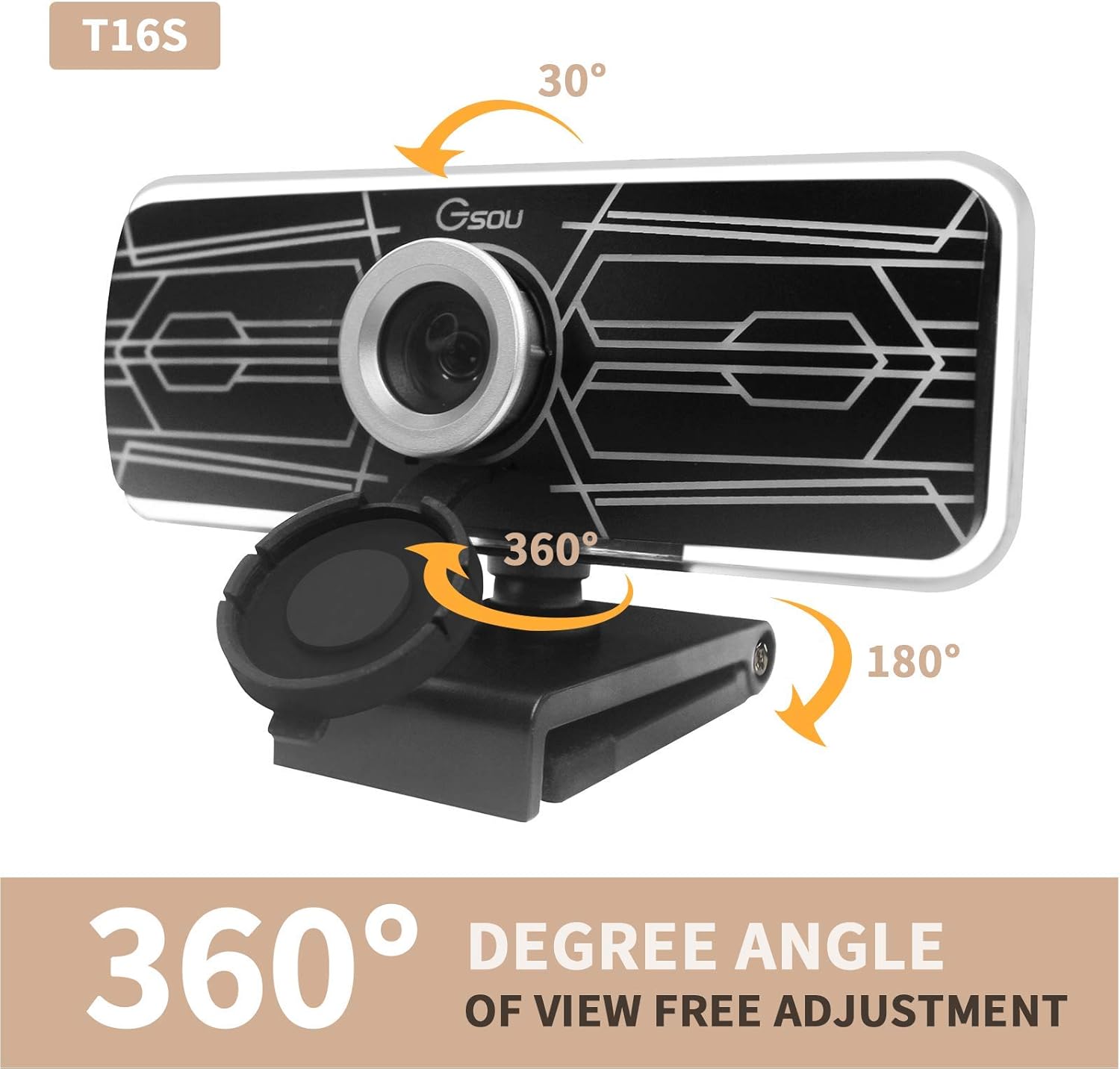
Image: Diagrams illustrating the webcam's 360-degree horizontal rotation and 30-degree vertical tilt capabilities for flexible positioning.
2.3 Privacy Protection
The webcam includes a fully anti-peeping cover to protect your privacy and security when the camera is not in use. Simply slide the cover over the lens to block the view.

Image: A visual representation of the built-in noise reduction microphone and the privacy cover, showing both open and closed states for enhanced security.
2.4 Usage Scenarios
The T16S webcam is versatile and suitable for a variety of applications:
- Online Learning & Teaching: Facilitate clear communication for virtual classrooms.
- Video Calling & Conferencing: Conduct professional meetings or personal calls with high-quality video and audio.
- Live Streaming: Provide crisp video for your streaming content.
- Gaming: Enhance your gaming experience with clear video communication.

Image: A collage of images demonstrating various uses for the T16S webcam, including online teaching, video conferencing, personal video calls, and game streaming.
3. Maintenance and Care
Proper care will ensure the longevity and optimal performance of your webcam.
- Cleaning the Lens: Use a soft, lint-free cloth specifically designed for optics to gently wipe the lens. Avoid abrasive materials or harsh chemicals.
- Cleaning the Body: Wipe the webcam body with a soft, damp cloth. Do not use liquid cleaners directly on the device.
- Storage: When not in use, store the webcam in a cool, dry place, away from direct sunlight and extreme temperatures.
- Avoid Drops: Handle the webcam with care to prevent damage from accidental drops or impacts.
4. Troubleshooting
If you encounter issues with your webcam, please refer to the following common solutions:
| Problem | Possible Cause | Solution |
|---|---|---|
| No image/video output. |
|
|
| No audio from microphone. |
|
|
| Image is blurry or dark. |
|
|
5. Product Specifications
| Feature | Detail |
|---|---|
| Model | T16S |
| Brand | CJ TECH |
| Video Capture Resolution | 1080p Full HD |
| Frame Rate | 30 FPS |
| Viewing Angle | 77 Degrees Wide-Angle |
| Microphone | Built-in Digital Microphone with Noise Reduction and Echo-Cancellation |
| Focus Type | Fixed-Focus |
| Connectivity | USB 2.0 (Plug & Play) |
| Rotation | 360° Horizontal, 30° Vertical Adjustment |
| Item Weight | 3.2 ounces (approx. 90.7 grams) |
| Product Dimensions | 4.17 x 1.85 x 2.3 inches (approx. 10.6 x 4.7 x 5.8 cm) |
| Compatibility | Windows XP (SP3), 7, 8, 10; macOS; Android; Linux |
6. Warranty Information
Please refer to the product packaging or the retailer's website for specific warranty details. Typically, electronic products come with a limited manufacturer's warranty covering defects in materials and workmanship for a specified period from the date of purchase.
Keep your purchase receipt as proof of purchase for any warranty claims.
7. Customer Support
For technical assistance, troubleshooting beyond this manual, or warranty inquiries, please contact CJ TECH customer support through the contact information provided on the product packaging or their official website.
When contacting support, please have your product model (T16S) and purchase details ready.
Ask a question about this manual
Ask about setup, troubleshooting, compatibility, parts, safety, or missing instructions. Manuals+ will review the question and use this page’s manual context to help answer it.