
1. Introduction
The RENPHO Digital Bluetooth Body Fat Scale is designed to provide comprehensive body composition analysis. This device measures 13 key body health indexes, including body weight, BMI, body fat percentage, and more, helping you track your health and fitness goals. Data is synchronized with the Renpho Health app for detailed reporting and progress tracking.
Important Safety Information:
- Consult your physician before beginning any diet or exercise program.
- This scale is not intended for medical diagnosis or treatment.
- Do not use if you are pregnant or have a pacemaker or other internal medical device.
- Keep out of reach of children.
2. Package Contents
Verify that all items are present in your package:
- RENPHO Digital Bluetooth Body Fat Scale
- 3 x AAA Batteries
- User Manual
3. Setup
3.1 Battery Installation
- Open the battery compartment on the back of the scale.
- Insert the 3 AAA batteries, ensuring correct polarity (+/-).
- Close the battery compartment securely.
3.2 App Download and Installation
The RENPHO scale operates with the 'Renpho Health' app. Download it from your device's app store:
- For iOS devices: Search 'Renpho Health' in the Apple App Store.
- For Android devices: Search 'Renpho Health' in the Google Play Store.
3.3 Pairing with the App
- Ensure Bluetooth is enabled on your smartphone.
- Open the 'Renpho Health' app.
- Step onto the scale barefoot. The scale will automatically turn on and attempt to pair.
- Follow any on-screen prompts in the app to complete the pairing process. Your measurements will appear in the app.
3.4 Initial Calibration
For accurate readings, place the scale on a hard, flat surface. Avoid carpets or uneven flooring. Step on the scale briefly to turn it on, then step off. Wait for the display to show '0.0' or 'CAL' before taking your first measurement. This ensures proper calibration.
4. Operating Instructions
4.1 Taking a Measurement
- Place the scale on a hard, flat surface.
- Open the Renpho Health app on your smartphone and ensure Bluetooth is active.
- Step onto the scale barefoot, ensuring your feet are centered on the electrodes.
- Stand still until your weight is displayed on the scale's LED screen and all body composition data is transferred to the app.

Image: RENPHO Digital Bluetooth Body Fat Scale displaying weight, with a smartphone showing the connected app interface.
4.2 Understanding Display Readings
The scale features a lighted LED display that shows your body weight. For detailed body composition analysis, refer to the Renpho Health app.

Image: Close-up of the RENPHO scale's clear LED display showing a weight reading.
4.3 Using the Renpho Health App
The Renpho Health app is your central hub for tracking and analyzing your health data.
- Data Tracking: The app provides a detailed report of 13 body composition metrics, including weight, BMI, body fat, visceral fat, muscle mass, bone mass, protein, basal metabolism, metabolic age, subcutaneous fat, and body water.
- User Profiles: The app supports an unlimited number of users, allowing multiple family members to track their individual progress on one scale.
- Baby Weighing Mode: Utilize the baby weighing mode to accurately measure the weight of infants or pets.
- Data Synchronization: The Renpho Health app can sync data with popular fitness applications such as MyFitnessPal, Samsung Health, Apple Health, Fitbit, and Google Fit. You can also export data in CSV format.

Image: Screenshot showing the Renpho Health app's compatibility with various third-party fitness applications.
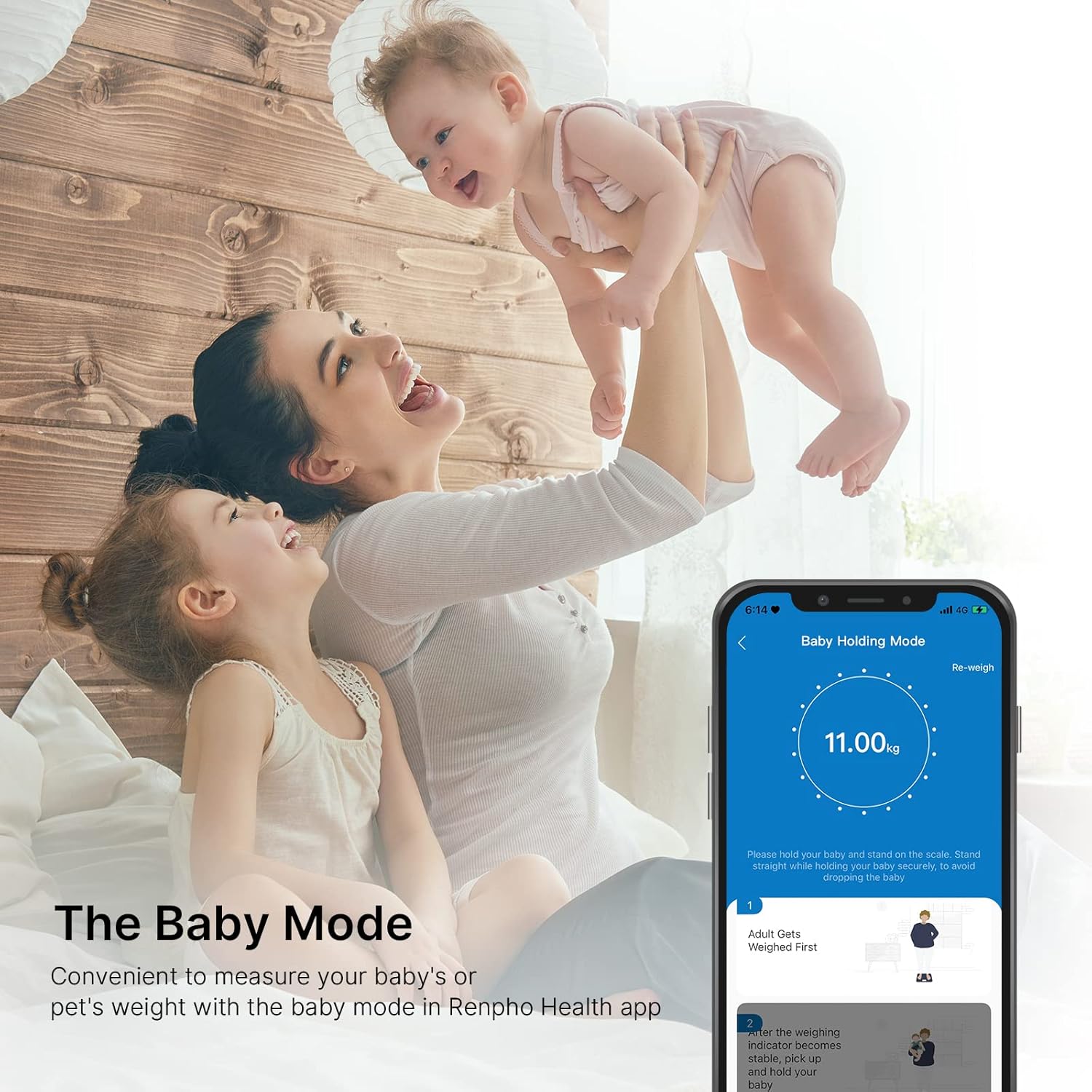
Image: A mother holding a baby, demonstrating the 'Baby Holding Mode' feature in the Renpho Health app for weighing infants.
4.4 Measurement Analysis Report
After each measurement, the app generates a detailed analysis report, providing insights into your body status and progress over time. You can view trends and comparisons within the app.

Image: A smartphone screen displaying a detailed measurement analysis report from the Renpho Health app, showing various body composition metrics.
5. Maintenance
5.1 Cleaning
To clean the scale, wipe the surface with a damp cloth. Do not use abrasive cleaners or immerse the scale in water.
5.2 Storage
Store the scale in a cool, dry place, away from direct sunlight and extreme temperatures. Ensure it is placed flat to prevent damage.
5.3 Battery Replacement
When the display shows a 'Lo' indicator, it's time to replace the batteries. Follow the battery installation steps in Section 3.1.
6. Troubleshooting
| Problem | Possible Cause | Solution |
|---|---|---|
| Scale does not turn on | Batteries are dead or incorrectly installed. | Check battery polarity or replace batteries. |
| Inaccurate readings | Scale is on an uneven surface; not calibrated; user is wearing socks/shoes. | Place scale on a hard, flat surface. Perform initial calibration (step on, step off, wait for '0.0'). Ensure bare feet are on electrodes. |
| App not connecting to scale | Bluetooth is off; app not open; scale not in pairing mode. | Ensure Bluetooth is on. Open Renpho Health app. Step on scale to activate. Restart phone/app if necessary. |
| 'Lo' displayed | Low battery. | Replace batteries. |
| 'Err' displayed | Overload or measurement error. | Ensure weight is within the maximum capacity (396 lb / 180 kg). Step off and try again. |
7. Specifications
- Product Dimensions: 10.24 x 0.79 x 10.24 inches
- Weight: 2.2 Pounds
- Item Model Number: UK-R-A002-BK
- Batteries: 3 AAA batteries (included)
- Manufacturer: RENPHO
- Display Type: LED
- Weight Limit: 396 Pounds / 180 kg
- Measurement Increments: 0.1 lb / 0.05 kg
- Platform Material: 5mm Tempered Glass
8. Warranty Information
RENPHO products come with a standard manufacturer's warranty. For specific details regarding your product's warranty period and terms, please refer to the warranty card included with your purchase or visit the official RENPHO website. Keep your purchase receipt as proof of purchase for warranty claims.
9. Support
For further assistance, technical support, or customer service inquiries, please visit the official RENPHO website or contact their customer support team directly. You can also find more information and products on the RENPHO Store on Amazon.