
1. Introduction
This manual provides detailed instructions for the installation and operation of your ASVEGEN Wireless Charger, specifically designed for the Audi Q7 models manufactured between 2016 and 2019. This product offers convenient and fast wireless charging for compatible smartphones, integrating seamlessly into your vehicle's center console.
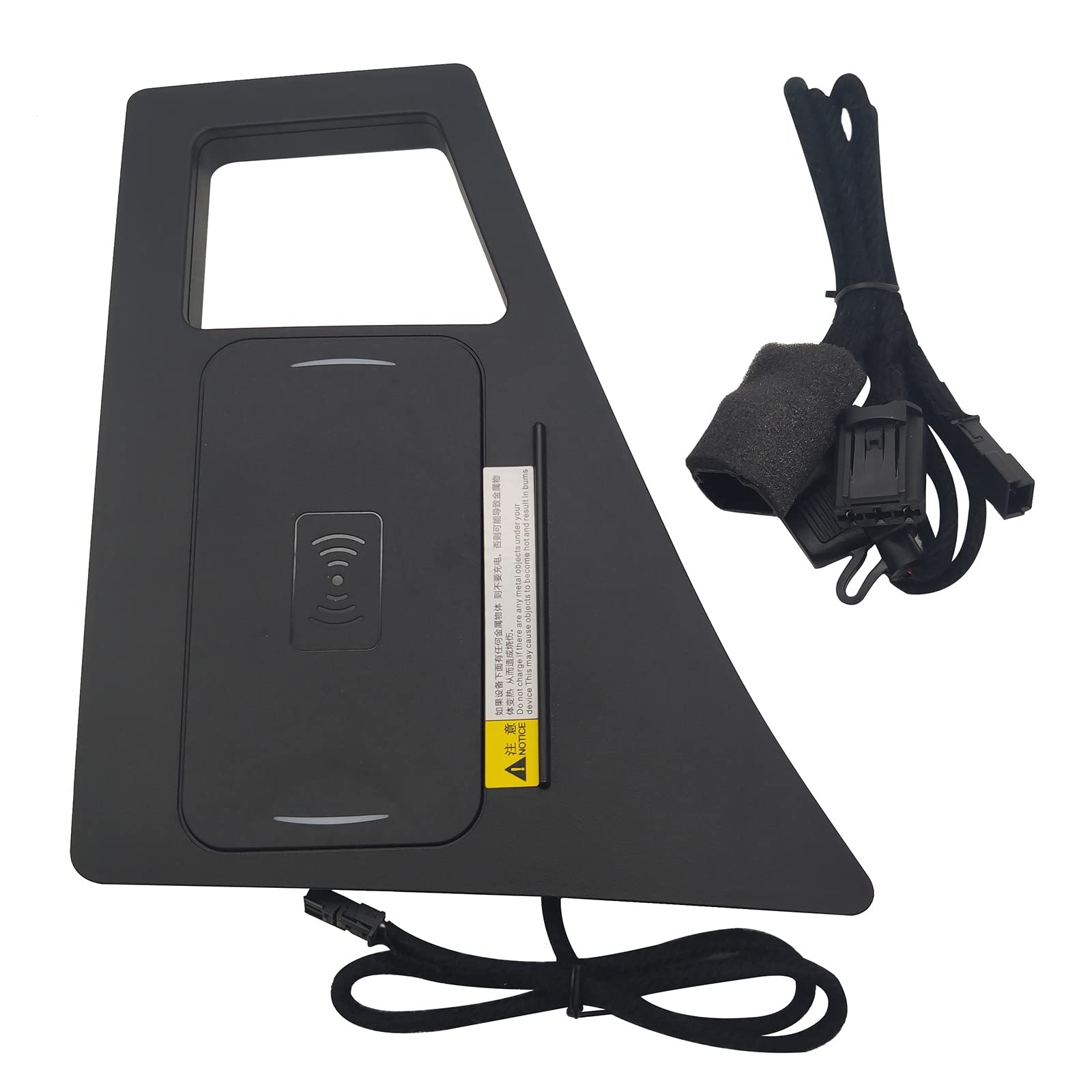
Figure 1: ASVEGEN Wireless Charger and Installation Area
The image displays the ASVEGEN wireless charger unit alongside an illustration of its designated installation spot within the Audi Q7's center console. The charger is a black, custom-fit mat with a wireless charging symbol, and a cable for power connection. The installation area is highlighted in red, indicating where the charger will be integrated.
2. Product Features
- Vehicle Specific Design: Custom-fit wireless car phone charging mat for Audi Q7 2016-2019 (left-hand drive models).
- Universal Phone Compatibility: Suitable for most smartphones that support fast wireless charging, regardless of size or shape.
- Fast Charging: Delivers 15W fast phone charging, ensuring efficient power delivery.
- Safety Assured: Designed for durability and safety, preventing harm to your device.
- Easy Installation: Simple plug-and-play setup with an included installation guide.
- Integrated Storage: The charging box design also functions as a convenient storage compartment.
- Clutter-Free: Eliminates the need for messy cables, providing a clean interior aesthetic.
3. Technical Specifications
| Parameter | Value |
|---|---|
| Implementation Standard | QI standard WPC QI 2.1 |
| Input Voltage | 9-16V |
| Input Power | 5V/1A, 9V/1.2A |
| Operating Frequency | 110KHz-205KHz |
| Charging Distance | 6-8mm |
| Charging Efficiency | >75% |
| Operating Temperature | -20°C to +80°C |
| Wattage | 15 watts |
| Total USB Ports | 1 (for power connection) |
| Color | Black |
| Compatible Devices | Qi-enabled Cellular Phones |
| Package Dimensions | 10.63 x 8.07 x 1.93 inches |
| Item Weight | 15.2 ounces |
4. Setup and Installation
The ASVEGEN Wireless Charger is designed for straightforward installation. Follow these steps carefully:

Figure 2: Visual Installation Guide
This image provides a comprehensive 10-step visual guide for installing the wireless charger. It shows the process from identifying the installation area to connecting the wiring and reassembling the console. Each step is accompanied by a small image demonstrating the action.
- Identify Installation Area: Locate the designated area in your Audi Q7's center console, typically near the gear shifter.
- Remove Shifter Cap: Gently grab and pull off the shifter cap.
- Remove Shifter Handle: Carefully remove the shifter handle.
- Remove Rubber Mat: Take out the rubber mat from the cup holder area.
- Unscrew Components: Unscrew any visible screws securing the console components.
- Lift Center Piece: Carefully lift the center console piece to access the wiring.
- Unplug Cigarette Lighter: Disconnect the cigarette lighter power cable.
- Plug in New Charger: Connect the new wireless charger's plug into the vehicle's power source.
- Hide Wiring: Route and hide the charger's wire neatly through the corner of the console.
- Alternative Power (if needed): If the charger does not work with the primary connection, try plugging it into the spare power source.
- Reassemble: Put all removed components back in place, ensuring they are securely fastened.
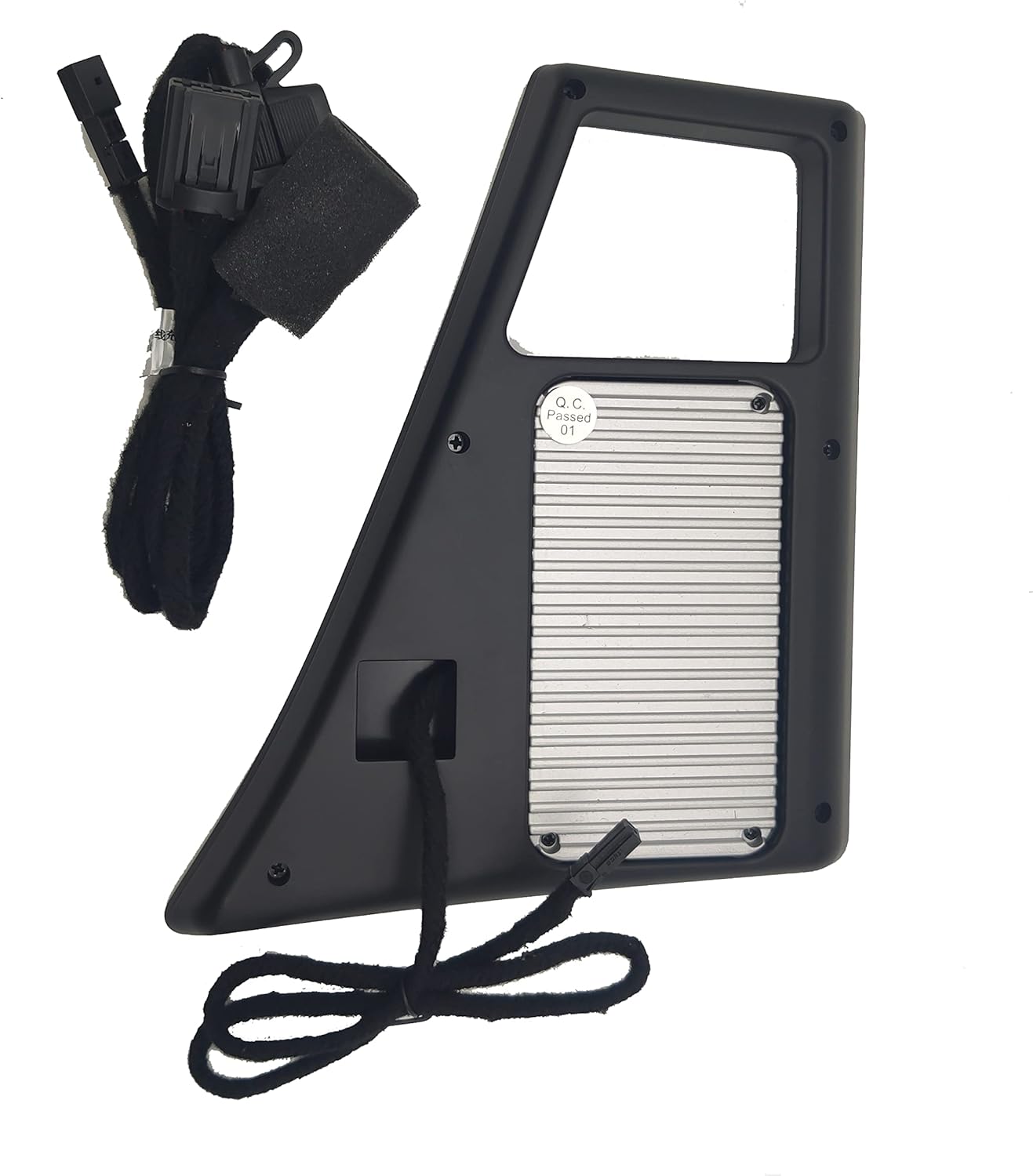
Figure 3: Charger Wiring
This image shows the underside of the wireless charger, highlighting its integrated wiring harness. The wiring is designed to connect directly to your vehicle's existing power outlets, ensuring a clean and integrated installation without visible external cables.
Installation Video Tutorial
Video 1: Product Installation Tutorial
This video provides a step-by-step visual guide for installing the wireless charger. It demonstrates the process of disassembling the console, connecting the power, and reassembling, offering a clear and practical walkthrough for users.
5. Operating Instructions
Using your ASVEGEN Wireless Charger is simple and intuitive:
- Ensure the charger is correctly installed and powered on.
- Place your Qi-enabled smartphone directly onto the charging mat in the center console.
- The charger will automatically detect your device and begin charging. A charging indicator (if available on your phone or the charger) will confirm the connection.
- For optimal charging, ensure your phone is centered on the charging pad.

Figure 4: Phone Charging in Console
The image shows a smartphone placed on the ASVEGEN wireless charger, which is seamlessly integrated into the Audi Q7's center console. The phone's screen displays a charging icon and battery percentage, indicating active wireless charging.
6. Troubleshooting
If you encounter issues with your wireless charger, refer to the following common solutions:
- Charger Not Working:
If the wireless charger does not function, first check the power connections. Ensure all plugs are securely connected. The product image below illustrates a common troubleshooting step for power connections. - Phone Not Charging:
Ensure your smartphone is Qi-enabled and placed correctly on the charging pad. Remove any thick phone cases that might interfere with wireless charging. - Slow Charging:
Verify that your phone supports fast wireless charging. Ensure no foreign objects are between the phone and the charging pad. - Phone Overheating:
This can occur if the phone is not properly aligned or if there are foreign objects. Remove the phone, allow it to cool, and re-position it correctly. - Intermittent Charging:
Check for loose connections or ensure the phone is stable on the pad, especially during vehicle movement.

Figure 5: Power Connection Troubleshooting
This image provides a visual troubleshooting tip for when the wireless charger is not working. It shows two electrical connectors, labeled 'no.1' and 'no.2', with an instruction to "Unplug no.1 then plug with no.2." This suggests an alternative wiring configuration or a reset procedure for the power connection.
7. Safety Information
- Do not place metal objects, magnetic cards, or other foreign materials on the charging pad, as this may interfere with charging or cause damage.
- Avoid exposing the charger to extreme temperatures, direct sunlight for prolonged periods, or moisture.
- Do not attempt to disassemble or modify the charger.
- Keep out of reach of children.
8. Warranty and Support
For warranty information, technical support, or customer service inquiries, please refer to the contact details provided with your purchase or visit the official ASVEGEN website. Please retain your proof of purchase for any warranty claims.