
1. Important Safety Instructions
Please read and understand all instructions before assembling and using this product. Failure to follow these instructions may result in electric shock, fire, or serious injury.
- Do not connect electricity until the lamp is fully assembled.
- Ensure the power cord is not pinched or damaged during assembly.
- Use only the specified bulb type and wattage (E26 base, Max 150W).
- Keep the lamp away from water and moisture.
- Do not attempt to modify or repair the lamp yourself. Contact qualified service personnel.
- Unplug the lamp from the power outlet before cleaning or changing the bulb.
- This product is intended for indoor use only.
2. Package Contents
Verify that all components are present before beginning assembly:
- Floor Lamp Frame
- Lampshade
- 9W LED Bulb
- Charging Station (integrated)
- User Manual
- Plastic Clips for cord management
3. Assembly Instructions
Assembly is quick and requires no additional tools. Follow these steps:
- Carefully unpack all components and lay them out on a clean, flat surface.
- Attach the bottom shelf to the base frame, ensuring all connections are secure.
- Connect the vertical support poles, stacking the shelves one by one.
- Secure the top frame, which includes the light socket and charging station.
- Install the lampshade onto the top frame.
- Screw the provided 9W LED bulb into the lamp socket.
- Use the included plastic clips to neatly secure the power cord along one of the vertical poles.
For a visual guide, please watch the assembly video:
Video: How to Assemble the OUTON Shelf Floor Lamp. This video demonstrates the step-by-step assembly process for the lamp.

Image: Illustration showing two people easily assembling the floor lamp, highlighting the simple process.

Image: The assembled floor lamp showcasing its three open shelves, ideal for storage and display.
4. Operating Instructions
4.1 Power On/Off and Color Temperature Adjustment
The lamp features a convenient pull chain switch and offers three color temperature settings:
- Pull Chain Switch: Pull the chain once to turn the lamp ON. Pull it again to cycle through the three color temperatures (Warm, Cool White, Daylight). Pull it a fourth time to turn the lamp OFF.
- Memory Function: The lamp will remember your last selected color temperature setting when turned off and will resume that setting when turned back on.

Image: A person reading next to the floor lamp, illustrating the pull chain switch and memory function for easy control.

Image: Three scenes demonstrating the different color temperature options: Warm White, Natural White, and Daylight, suitable for various scenarios.
4.2 Charging Station
The integrated charging station allows you to power multiple devices simultaneously:
- 1 Type-C Fast Charging Port: For compatible devices.
- 1 5V/2A USB Port: For standard USB charging.
- 1 AC Outlet: For plugging in other electronic devices.
The charging station functions whether the lamp is on or off, helping to reduce cable clutter.
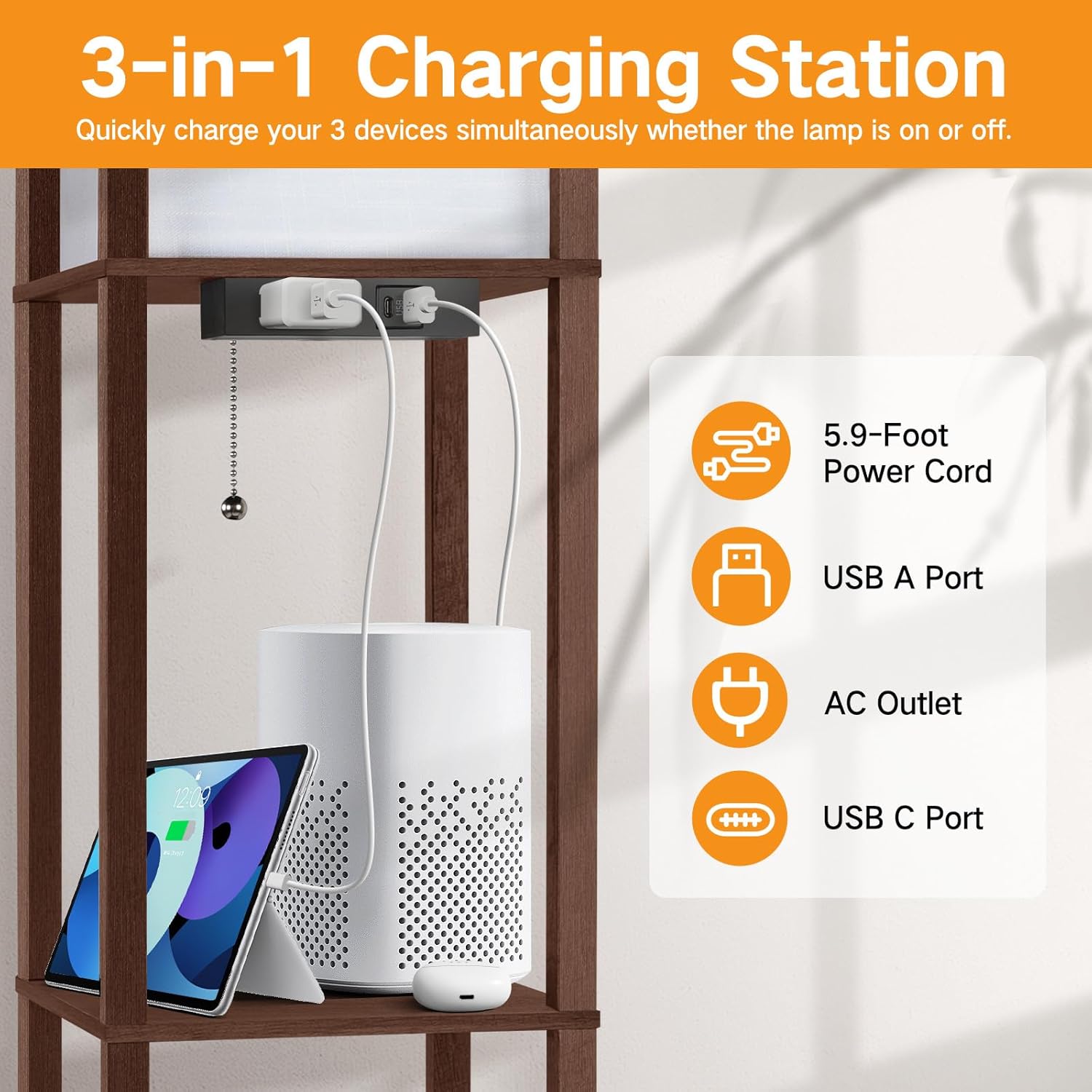
Image: A close-up of the integrated charging station with a Type-C port, USB port, and AC outlet, showing devices being charged.
5. Maintenance
5.1 Cleaning
- Always unplug the lamp before cleaning.
- Wipe the wooden frame and shelves with a soft, dry cloth.
- For the lampshade, use a soft, lint-free cloth or a feather duster to remove dust. Do not use liquid cleaners on the lampshade.
5.2 Bulb Replacement
- Ensure the lamp is unplugged and the bulb has cooled down before attempting to replace it.
- Unscrew the old bulb counter-clockwise.
- Screw in a new E26 base bulb clockwise. The maximum wattage for the bulb is 150W.

Image: Various E26 standard bulbs, illustrating the compatibility of the lamp with different bulb types.
6. Troubleshooting
- Lamp does not turn on:
- Check if the power cord is securely plugged into a working outlet.
- Ensure the bulb is screwed in correctly and is not burnt out. Replace if necessary.
- Verify that the pull chain switch is functioning by pulling it multiple times.
- Charging ports are not working:
- Confirm the lamp's main power cord is plugged in.
- Test with different devices and cables to rule out device/cable issues.
- Ensure the devices are compatible with the charging port specifications (e.g., Type-C fast charging, 5V/2A USB).
- Lamp is unstable/wobbles:
- Check that all screws and connections made during assembly are tightened.
- Ensure the lamp is placed on a flat, level surface.
7. Specifications
| Feature | Detail |
|---|---|
| Brand | OUTON |
| Model | B08R896XS2 |
| Product Dimensions | 10.25"D x 10.25"W x 63.7"H |
| Item Weight | 12.1 Pounds |
| Finish Type | Walnut Painted |
| Base Material | Wood |
| Shade Material | Wood |
| Bulb Base | E26 |
| Wattage (Included Bulb) | 9 Watts |
| Max Wattage (Compatible Bulb) | 150 Watts |
| Color Temperature | Warm, Cool White, Daylight |
| Switch Type | Pull Chain |
| Charging Ports | 1 Type-C, 1 5V/2A USB, 1 AC Outlet |
| Additional Features | Memory Function, Energy Efficient |
| Indoor/Outdoor Usage | Indoor |
8. Warranty and Support
For warranty information or technical support, please refer to the contact details provided with your purchase documentation or visit the official OUTON website. Keep your purchase receipt for warranty claims.


