
1. Important Safety Instructions
Please read all instructions carefully before using this appliance and retain them for future reference. Failure to follow these instructions may result in electric shock, fire, or serious injury.
- Electrical Safety: Ensure the voltage rating on the appliance matches your local power supply (220-240V~50Hz). Do not overload electrical outlets.
- Placement: Position the heater on a firm, level surface. Maintain a safe distance from walls, furniture, curtains, and other flammable materials (at least 1 meter). Do not cover the heater.
- Ventilation: Do not block air inlets or outlets. Ensure proper air circulation around the heater.
- Water and Moisture: Do not use the heater in bathrooms, laundry areas, or similar wet locations. Never immerse the heater in water or other liquids.
- Children and Pets: Keep the heater out of reach of children and pets. Supervise children when the heater is in use.
- Overheat Protection: This heater is equipped with an overheat protection system. If the heater overheats, it will automatically shut off. Unplug the heater and allow it to cool down before restarting.
- Maintenance: Unplug the heater before cleaning or performing any maintenance. Do not attempt to repair the appliance yourself; contact qualified service personnel.
- Power Cord: Do not run the power cord under carpeting or cover it with throw rugs. Position the cord away from high traffic areas to prevent tripping.
2. Product Overview
The BION 1500W Floor Convector Heater is designed to provide efficient and comfortable heating for indoor spaces. It features a modern design with a user-friendly LED display and convenient remote control operation.
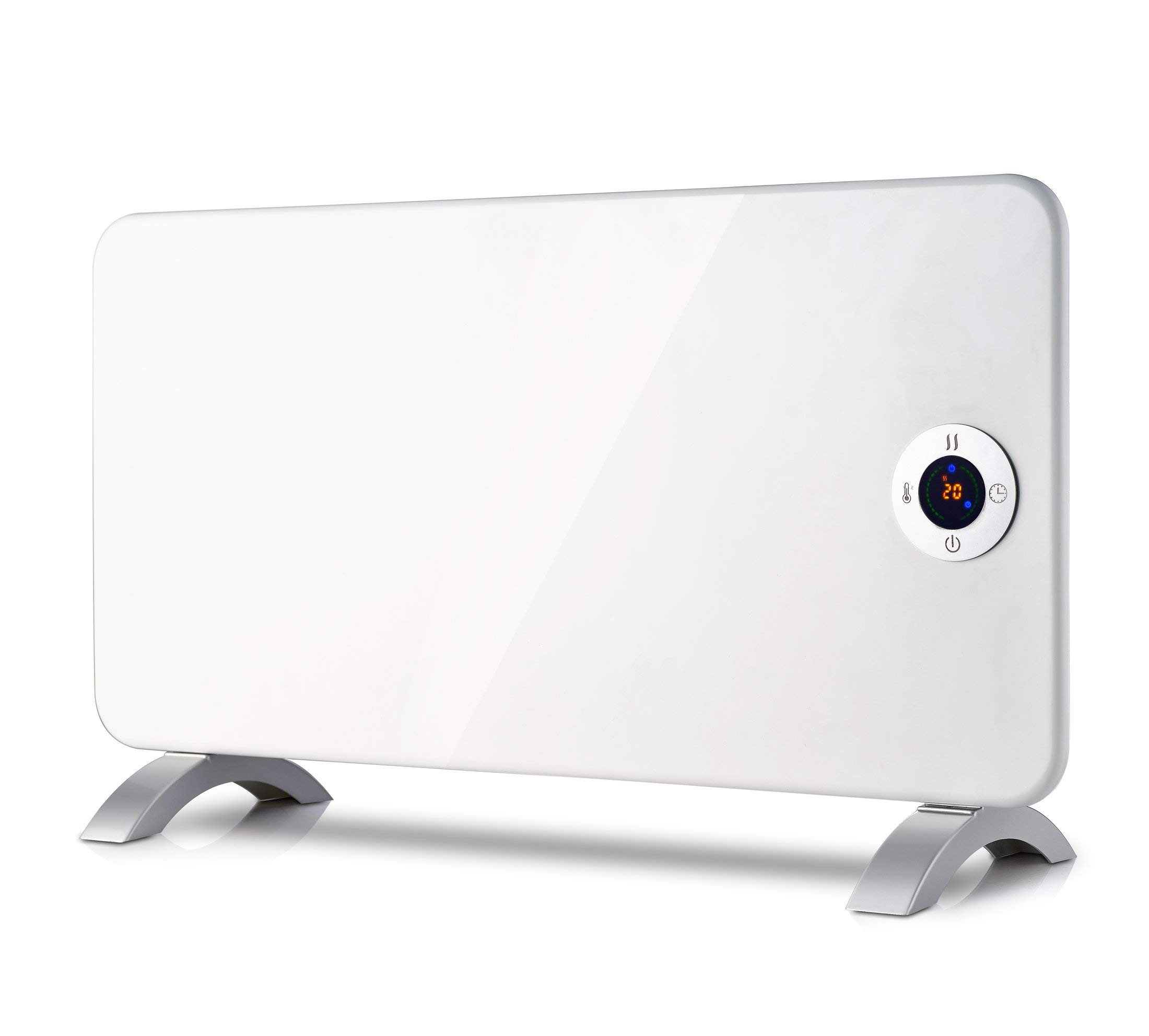
Image 2.1: Top view of the BION 1500W Floor Convector Heater, highlighting the integrated control panel and the 'bion' brand logo. A warning symbol for 'DO NOT COVER' is also visible.
Key Features:
- Floor-standing convector heater with digital display.
- Adjustable thermostat for precise temperature control.
- LED display for clear indication of settings.
- Convenient remote control operation.
- Overheat protection system for enhanced safety.
- Power supply: 220-240V~50Hz.
- Product weight: 4.8 kg.
Package Contents:
- BION 1500W Floor Convector Heater
- Remote Control
- User Manual
3. Setup
- Unpacking: Carefully remove the heater from its packaging. Retain the packaging for future storage or transport.
- Placement: Place the heater on a stable, flat, and heat-resistant surface. Ensure there is at least 1 meter (3 feet) of clear space around the heater from any walls, furniture, curtains, or other combustible materials. Do not place it directly under a power outlet.
- Power Connection: Plug the power cord into a grounded 220-240V~50Hz electrical outlet. Ensure the power cord is not damaged or pinched.
4. Operating Instructions
The heater can be operated using the control panel on the unit or the provided remote control.
4.1 Control Panel Overview

Image 4.1: Detailed view of the heater's control panel. It features a central LED display, power button (bottom), temperature setting button (left, thermometer icon), heat mode button (top, wavy lines icon), and timer button (right, clock icon). The display shows "25" indicating the set temperature.
- Power Button (⏻): Turns the heater ON or OFF.
- Temperature Button (⏰): Adjusts the desired temperature. Press to cycle through temperature settings.
- Heat Mode Button (≈): Selects different heating modes (e.g., low, high, eco).
- Timer Button (⏱): Sets the operating timer.
- LED Display: Shows the current temperature setting, timer, or selected mode.
4.2 Basic Operation
- Power On: Press the Power button (⏻) on the control panel or remote control. The LED display will illuminate.
- Set Temperature: Press the Temperature button (⏰) repeatedly to select your desired room temperature. The display will show the set temperature (e.g., "23" or "25"). The heater will automatically adjust its output to maintain this temperature.

Image 4.2: The control panel displaying "23", indicating a set temperature of 23 degrees Celsius.
- Select Heat Mode: Press the Heat Mode button (≈) to cycle through available heating power levels or modes.
- Set Timer: Press the Timer button (⏱) to set an auto-off timer. Each press typically increases the timer duration by one hour. The display will show the remaining hours.
- Power Off: Press the Power button (⏻) again to turn off the heater. Always unplug the heater from the power outlet when not in use for extended periods.
4.3 Remote Control
The remote control provides convenient access to all functions of the heater from a distance. Ensure the remote control has working batteries (not included, typically AAA). Point the remote control directly at the heater's receiver for optimal performance.
The buttons on the remote control correspond to the functions on the main control panel: Power, Temperature, Heat Mode, and Timer.
5. Maintenance
Regular cleaning and proper storage will ensure the longevity and efficient operation of your heater.
- Before Cleaning: Always unplug the heater from the power outlet and allow it to cool down completely before cleaning.
- Exterior Cleaning: Wipe the exterior surfaces of the heater with a soft, damp cloth. Do not use abrasive cleaners, solvents, or harsh chemicals, as these can damage the finish.
- Dust Removal: Use a vacuum cleaner with a brush attachment to remove dust from the air inlet and outlet grilles. This helps maintain efficient airflow.
- Storage: When not in use, store the heater in a cool, dry place, preferably in its original packaging, to protect it from dust and damage.
- Cord Care: Do not wrap the power cord tightly around the heater. Avoid kinking or stressing the cord.
6. Troubleshooting
If you experience issues with your BION heater, please refer to the following common problems and solutions:
| Problem | Possible Cause | Solution |
|---|---|---|
| Heater does not turn on. | No power supply. Power button not pressed. Overheat protection activated. | Check if the power cord is securely plugged into a working outlet. Press the Power button. Unplug the heater, let it cool for 30 minutes, then plug it back in. Ensure air inlets/outlets are not blocked. |
| Heater is on but not producing heat. | Temperature setting is too low. Heat mode not selected. | Increase the desired temperature setting. Press the Heat Mode button to select a heating level. |
| Remote control is not working. | Dead batteries. Obstruction between remote and heater. | Replace batteries (AAA). Ensure a clear line of sight to the heater's receiver. |
| Heater emits unusual noise or smell. | Dust accumulation. Internal malfunction. | Unplug and clean the heater as per maintenance instructions. If the issue persists, discontinue use and contact customer support. |
If the problem persists after trying these solutions, please contact customer support.
7. Specifications
| Brand | BION |
| Model | 1500W Floor Convector Heater |
| Power Output | 1500 Watts |
| Voltage | 220-240V~ |
| Frequency | 50Hz |
| Dimensions (L x W x H) | 76 x 24 x 43 cm (approximately) |
| Weight | 4.8 kg (4 Kilograms) |
| Color | White |
| Special Features | Adjustable Thermostat, LED Display, Remote Control, Overheat Protection |
| ASIN | B08R68W5CC |
8. Warranty and Support
This product comes with a standard manufacturer's warranty. Please refer to the warranty card included in your package for specific terms and conditions, including the warranty period and coverage details.
For technical support, troubleshooting assistance, or warranty claims, please contact the retailer or the manufacturer's customer service department. Contact information can typically be found on the product packaging or the manufacturer's official website.
When contacting support, please have your product model number (1500W Floor Convector Heater) and ASIN (B08R68W5CC) ready.