
Introduction
Thank you for choosing the AlphaMed U80A Automatic Digital Blood Pressure Monitor. This device is designed for convenient and accurate blood pressure measurement at home. Please read this manual thoroughly before use to ensure proper operation and safety.
What's in the Box
- 1x AlphaMed U80A Blood Pressure Monitor
- 1x Standard Upper Arm Cuff (fits arm circumference 9-17 inches)
- 1x Extra Large Upper Arm Cuff (fits arm circumference 13-21 inches)
- 4x AAA Batteries
- 1x Nylon Carry Bag
- 1x User Manual

Image Description: A clear overhead view of all items included in the AlphaMed U80A Blood Pressure Monitor package. This includes the main monitor unit, two different sized arm cuffs (standard 9-17in and extra-large 13-21in), four AAA batteries, a nylon carry bag, and the instruction manual.
Product Features
- Dual Cuff Sizes: Includes a standard cuff (9-17 inches) and an extra-large cuff (13-21 inches) to accommodate various arm sizes.
- High Accurate Algorithm: Utilizes a smart chip for fast and precise measurements based on extensive clinical data.
- Large Backlit LCD Display: Features an easy-to-read screen with oversized numbers for clear visibility, even in low light.
- Simple Operation: Designed with large, intuitive buttons for straightforward use.
- 2-User Memory: Stores up to 500 readings for each of two different users, totaling 1000 memories.
- Dual Power Options: Can be powered by 4 AAA batteries (included) or via a USB Type-C port (adapter not included).
- Portable Design: Comes with a nylon carry bag for easy transport.
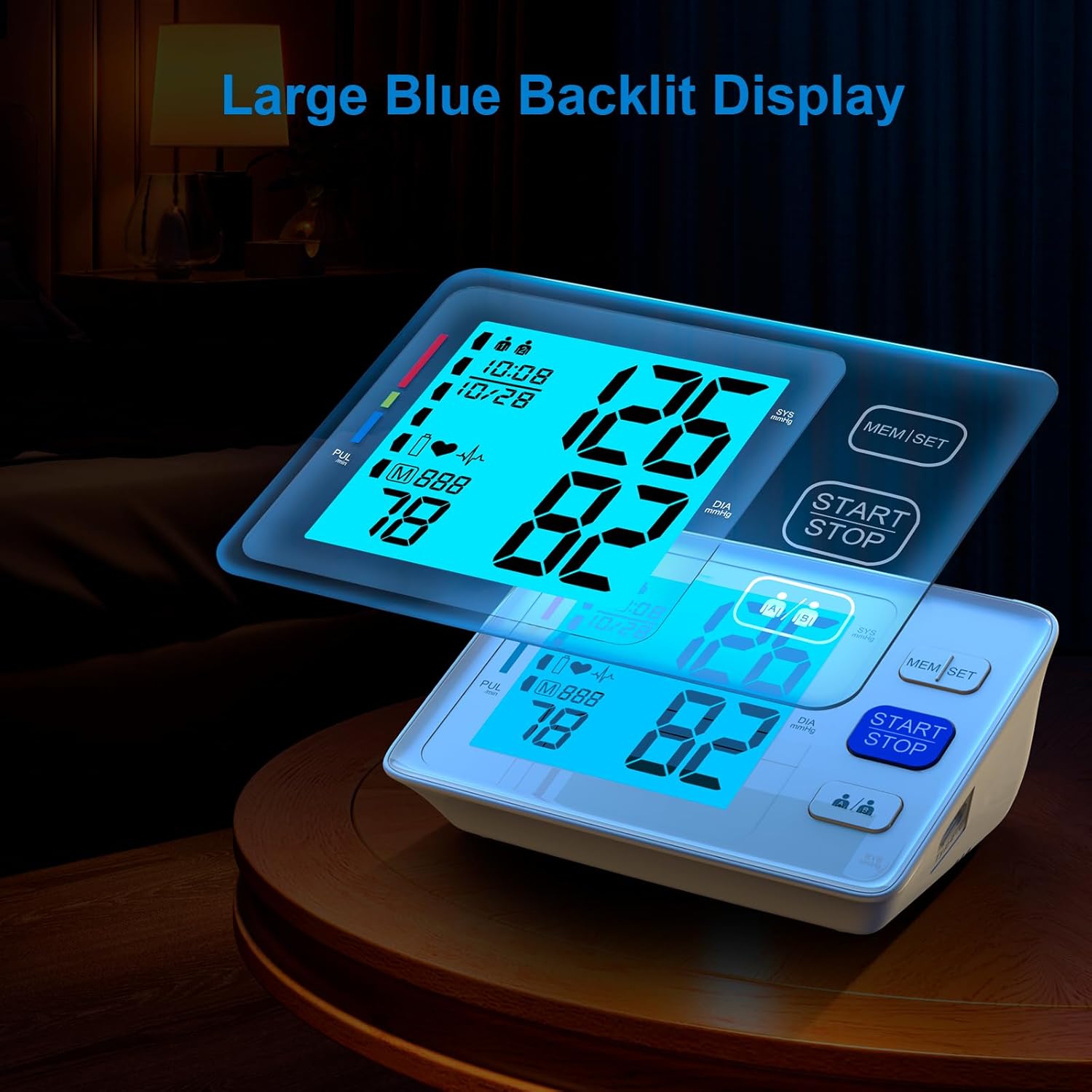
Image Description: The AlphaMed U80A monitor showcasing its large, bright blue backlit LCD display. The screen clearly shows large numerical readings for systolic and diastolic blood pressure, pulse rate, and includes indicators for date, time, and user profile.

Image Description: A split image demonstrating the dual user mode of the AlphaMed U80A monitor. Two individuals, an elderly man and a young woman, are shown with their respective blood pressure readings displayed on separate monitor interfaces, highlighting the 2x500 memory capacity for two users.
Setup
1. Battery Installation
- Open the battery compartment cover on the back of the monitor.
- Insert 4 AAA batteries, ensuring correct polarity (+/-).
- Close the battery compartment cover.
The monitor can also be powered via a USB Type-C cable (not included) connected to a compatible adapter. Using the USB power will not deplete the installed batteries.

Image Description: The AlphaMed U80A monitor is shown with its battery compartment open, revealing four AAA batteries. Next to it, a USB-C cable is plugged into the monitor, illustrating the dual power options: battery or USB.
2. Attaching the Arm Cuff
- Select the appropriate cuff size (standard or extra-large) for your arm.
- Insert the air plug of the cuff firmly into the air socket on the side of the monitor.
3. Setting Date and Time
Refer to the instruction manual for detailed steps on setting the year, month, day, hour, and minute. This ensures accurate time-stamping of your measurements.
Video Description: This video demonstrates the unboxing of the AlphaMed Blood Pressure Monitor, showing the included components. It then illustrates the process of installing the AAA batteries, connecting the arm cuff to the monitor, and briefly shows the large backlit display in action. The video highlights the ease of setup and the clear visibility of the readings.
Operating Instructions
1. Applying the Arm Cuff
- Sit comfortably with your feet flat on the floor.
- Place the cuff on your bare upper arm, 2-3 cm (approximately 1 inch) above the elbow joint.
- Ensure the red area on the cuff is positioned over your main artery on the inside of your elbow.
- Tighten the cuff securely but not too tightly.

Image Description: A person is shown with the AlphaMed U80A blood pressure cuff correctly placed on their upper arm, giving a thumbs-up. The monitor displays clear readings. Below, two cuffs are illustrated with their respective arm size ranges: 9-17 inches and 13-21 inches, emphasizing the adjustable and comfortable fit.
2. Taking a Measurement
- Press the 'START/STOP' button to begin the measurement.
- The cuff will inflate automatically, and the measurement will start. Remain still and silent during this process.
- Once the measurement is complete, the systolic pressure, diastolic pressure, and pulse rate will be displayed on the screen.
3. Understanding Your Readings
The monitor displays your systolic (SYS) and diastolic (DIA) blood pressure, along with your pulse rate (PUL). The WHO/ISH classification indicator on the left side of the screen provides a visual guide to your blood pressure category (e.g., optimal, normal, high normal, mild hypertension, moderate hypertension, severe hypertension).
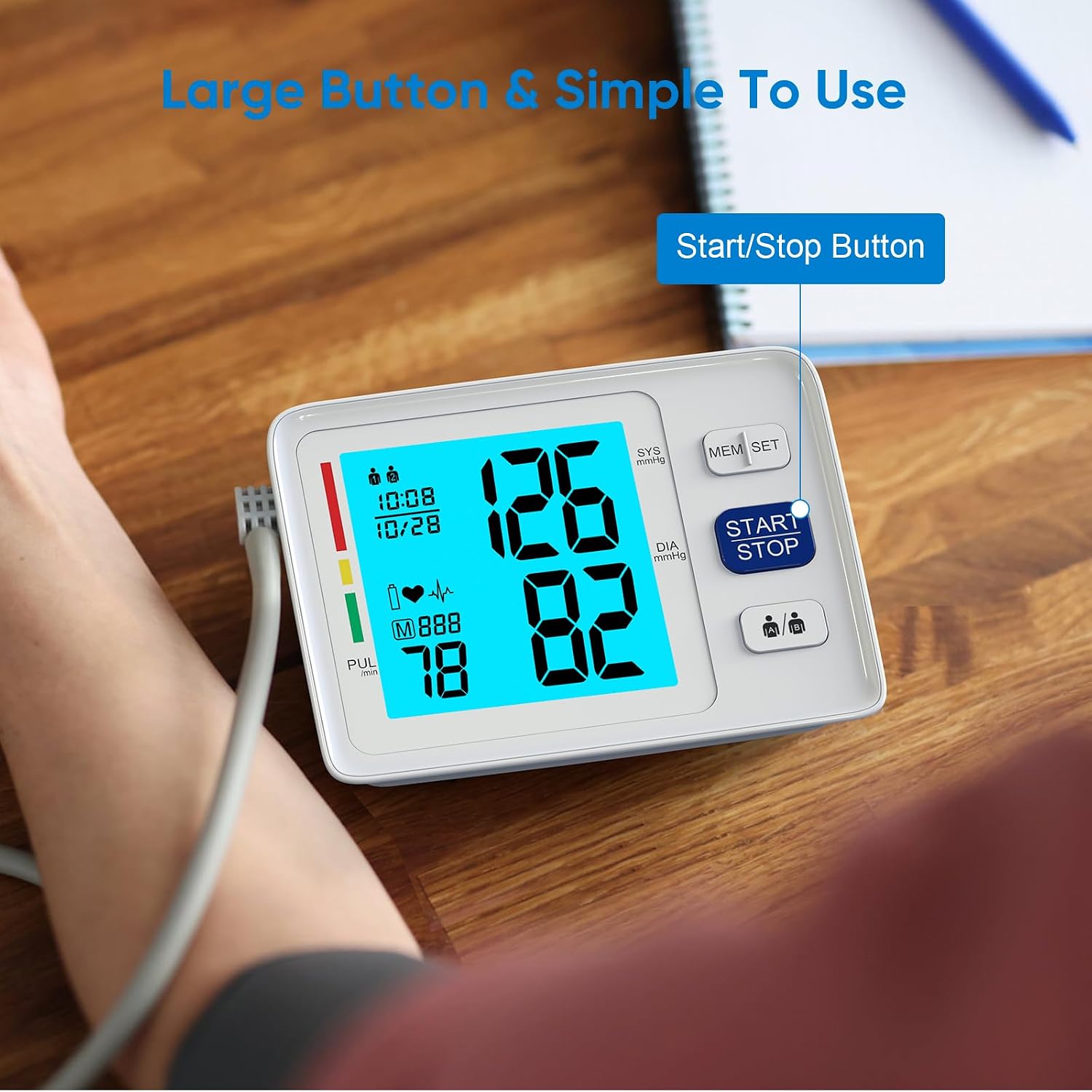
Image Description: A close-up of the AlphaMed U80A Blood Pressure Monitor in use, with the cuff on a person's arm. The large 'START/STOP' button is prominent, and the backlit display shows clear, oversized numbers for blood pressure and pulse readings, highlighting its simple operation.
4. Memory Function and Dual User Mode
The device supports two users (User 1 and User 2) and stores up to 500 readings for each. Use the user selection button to switch between users. Press the 'MEM/SET' button to review past measurements.
Maintenance
- Clean the monitor unit with a soft, dry cloth. Do not use abrasive cleaners or volatile solvents.
- Store the unit in the provided carry bag in a dry, cool place.
- Remove batteries if the unit will not be used for a long period.
- Do not wash the cuff. Wipe it clean with a damp cloth if necessary.
Troubleshooting
| Error Indicator | Cause | Correction |
|---|---|---|
| E-1 | Cuff not wrapped properly or air leakage. | Rewrap the cuff securely. Check for air leaks. |
| E-2 | Movement during measurement. | Remain still and silent during measurement. |
| E-3 | Irregular heartbeat detected. | Consult your physician if this occurs frequently. |
| Low Battery Indicator | Batteries are low. | Replace all 4 AAA batteries with new ones. |
| No Display | No power or unit malfunction. | Check battery installation/charge. Contact support if issue persists. |
Specifications
- Model Number: U80A
- Brand: AlphaMed
- Display Type: LCD with Backlight
- Cuff Sizes: Standard (9-17 inches), Extra Large (13-21 inches)
- Power Source: 4x AAA Batteries (included) or USB Type-C (adapter not included)
- Memory: 2 users x 500 readings each
- Included Components: Monitor, 2 Cuffs, 4 AAA Batteries, Carry Bag, User Manual
- Product Dimensions: 1"L x 1"W x 1"Th
- Item Weight: 1.52 Pounds
Safety Information
Legal Disclaimer:
Statements regarding dietary supplements have not been evaluated by the FDA and are not intended to diagnose, treat, cure, or prevent any disease or health condition. Always consult with a healthcare professional for diagnosis and treatment of any medical condition.
Do not use this device on infants or individuals unable to express consent. Keep out of reach of children. Do not use the device in a moving vehicle or during medical procedures.
Warranty and Support
For warranty information or technical support, please refer to the contact details provided on the product packaging or visit the official AlphaMed website. Keep your purchase receipt as proof of purchase for any warranty claims.