
1. Introduction
This manual provides essential information for the safe and efficient use of your Cecotec GrandHeat 2500 Built-In Digital Microwave Oven. Please read these instructions carefully before operating the appliance and retain them for future reference.
The GrandHeat 2500 is a 25-liter capacity built-in digital microwave oven with 900 W microwave power and a 1000 W grill. It features 10 pre-configured functions, multi-cooking capabilities, a quick start option, and an automatic start function. The appliance includes a 31.5 cm diameter turntable and a child safety lock for secure operation.
2. Important Safety Instructions
WARNING: To reduce the risk of fire, electric shock, injury to persons, or exposure to excessive microwave energy, observe the following basic precautions:
- Read all instructions before using the appliance.
- Do not attempt to operate this oven with the door open or if the door is damaged, as this can result in harmful exposure to microwave energy.
- Do not heat liquids or other foods in sealed containers, as they are liable to explode.
- Only allow children to use the oven without supervision when adequate instructions have been given so that the child is able to use the oven in a safe way and understands the hazards of improper use.
- Do not use corrosive chemicals or vapors in this appliance.
- Do not operate this appliance if it has a damaged cord or plug, if it is not working properly, or if it has been damaged or dropped.
- Ensure the appliance is properly grounded.
- Always use oven mitts when handling hot items from the microwave.
- Do not use metal utensils or containers in the microwave mode.
3. Product Overview
The Cecotec GrandHeat 2500 microwave oven is designed for built-in installation, offering a sleek integration into your kitchen cabinetry. It features a digital control panel for precise operation.
Components:
- Control Panel: Digital display with buttons and a rotary knob for setting time and functions.
- Oven Cavity: 25-liter capacity with glass interior.
- Turntable: Glass plate with a diameter of 31.5 cm for even heating.
- Grill Rack: For use with the grill function.
- Door: Opens by pressing a button, with a left-hand hinge.

Figure 3.1: Cecotec GrandHeat 2500 Built-In Digital Microwave Oven installed in a modern kitchen.

Figure 3.2: Front view of the Cecotec GrandHeat 2500 Built-In Digital Microwave Oven.
4. Setup and Installation
The GrandHeat 2500 is designed for built-in installation. Professional installation is recommended to ensure proper fit and electrical connection.
Installation Requirements:
- Ensure the installation cabinet meets the required dimensions for a secure fit.
- Provide adequate ventilation around the appliance as specified in the full installation guide (not included in this manual).
- Connect the appliance to a grounded 220V power supply.
Dimensions:
Refer to the diagrams below for detailed product and cavity dimensions.

Figure 4.1: External dimensions of the microwave oven.

Figure 4.2: Internal cavity dimensions and installation space requirements.
5. Operating Instructions
Familiarize yourself with the control panel before operating the microwave oven.
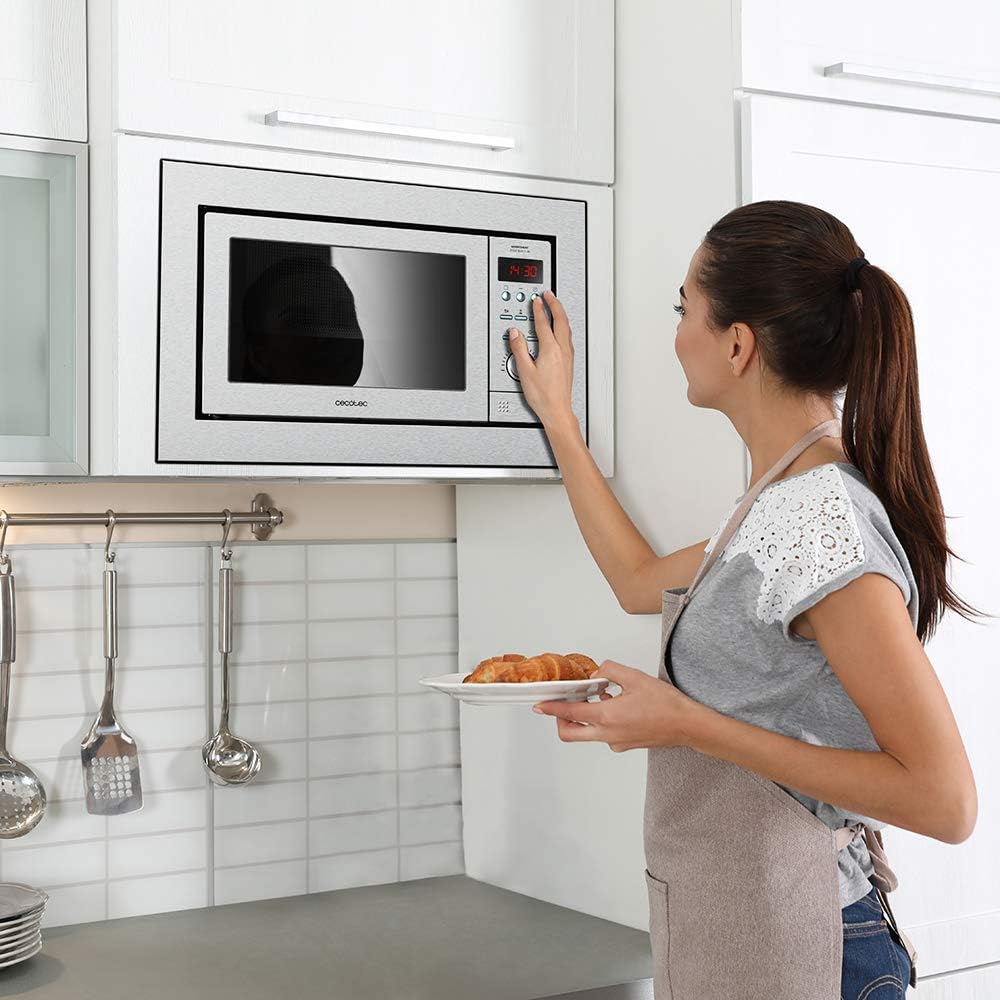
Figure 5.1: User interacting with the control panel.
5.1 Basic Microwave Operation
- Place food in a microwave-safe container on the turntable.
- Close the door securely.
- Select the desired power level (6 available levels up to 900 W).
- Set the cooking time using the rotary knob or numerical buttons. The timer can be set up to 90 minutes.
- Press the Start button to begin cooking.
5.2 Grill Function
The 1000 W grill function allows for browning and crisping food. Use the included grill rack for optimal results.
- Place food on the grill rack.
- Select the grill function.
- Set the desired grilling time.
- Press Start.
5.3 Combined Functions
The microwave and grill functions can be combined for sequential operation.
5.4 Pre-configured Functions
The appliance includes 10 pre-configured functions for common food types:
- Reheat drinks
- Vegetables
- Popcorn
- Pasta
- Reheat food
- Pizza
- Potatoes
- Dinner function
- Beef
- Pork
5.5 Multi-cooking
This feature allows you to combine up to 3 different cooking modes to operate in sequence, customizing the heating process for complex dishes.
5.6 Quick Start
The Quick Start function initiates immediate cooking at maximum power for a predefined time, up to a maximum of 12 minutes. This is useful for rapid heating.
5.7 Automatic Start
You can program the microwave to start a specific cooking program at a designated time.
5.8 Defrost by Weight
The defrost by weight mode thaws food quickly and evenly, helping to preserve its original texture and freshness.
5.9 Child Safety Lock
Activate the child safety lock to prevent unintended operation of the control panel, ensuring safety in households with children.
6. Maintenance and Cleaning
Regular cleaning and maintenance will ensure the longevity and optimal performance of your microwave oven.
6.1 Cleaning the Interior
- Unplug the microwave before cleaning.
- Wipe the interior cavity with a damp cloth and mild detergent after each use.
- For stubborn stains, place a bowl of water with lemon slices inside and microwave for a few minutes to loosen residue.
- Remove and wash the glass turntable and roller ring in warm, soapy water.
6.2 Cleaning the Exterior
- Wipe the exterior surfaces with a soft, damp cloth.
- Avoid abrasive cleaners or scouring pads, as they can damage the finish.
- Clean the door seals and adjacent parts regularly to ensure proper sealing.
7. Troubleshooting
If you encounter issues with your microwave oven, refer to the following common problems and solutions:
| Problem | Possible Cause | Solution |
|---|---|---|
| Microwave does not start. | Door not closed properly; Power cord unplugged; Fuse blown or circuit breaker tripped. | Ensure door is firmly closed; Check power connection; Check household fuse/circuit breaker. |
| Food not heating. | Incorrect power level or cooking time set; Metal in microwave. | Adjust power level and time; Remove any metal objects. |
| Turntable not rotating. | Turntable not correctly placed; Obstruction under turntable. | Ensure turntable is seated correctly on the roller ring; Remove any obstructions. |
| Unusual noise during operation. | Food container touching cavity walls; Turntable not properly aligned. | Reposition food container; Realign turntable. |
If the problem persists after attempting these solutions, please contact customer support.
8. Technical Specifications
| Feature | Specification |
|---|---|
| Brand | Cecotec |
| Model Number | 01390 |
| Capacity | 25 Liters |
| Microwave Power | 900 Watts (6 levels) |
| Grill Power | 1000 Watts |
| Product Dimensions (L x W x H) | 61.5 x 41 x 45.5 cm |
| Weight | 18 Kilograms |
| Voltage | 220 Volts |
| Annual Energy Consumption | 10 kilowatt-hours per year |
| Noise Level | 10 Decibels |
| Installation Type | Built-In |
| Special Features | Defrost, Timer, Turntable, Programmable, Shortcut Keys, Control Panel Safety Lock |
| Cooking Mode | Radiant and Convection |
| Color | Steel |
| Door Hinge | Left |
| Material | Glass |
| Interior Coating | Glass |
| Components Included | Microwave, Instruction Manual |
| Spare Parts Availability | 10 Years |
9. Warranty and Customer Support
Your Cecotec GrandHeat 2500 Built-In Digital Microwave Oven comes with a manufacturer's warranty. Please refer to the warranty card included with your purchase for specific terms and conditions.
For technical assistance, spare parts, or any questions regarding your appliance, please contact Cecotec customer support. Contact information can typically be found on the official Cecotec website or in the documentation provided with your product.
When contacting support, please have your model number (01390) and purchase date available.


