
1. Introduction
The Phanteks Evolv Shift 2 Air is a compact and stylish mini-ITX PC chassis designed for users seeking a small footprint without compromising on performance. Its unique vertical form factor, combined with highly breathable fabric side panels, ensures efficient airflow for high-end components. This manual provides essential information for setting up, operating, and maintaining your Evolv Shift 2 Air case.

Figure 1.1: Front view of the Phanteks Evolv Shift 2 Air mini-ITX case in Anthracite Grey.
2. Features
- Unique Vertical Chassis Design: Offers an ultra-small footprint for space saving and easy access to I/O ports.
- High-End GPU Support: Accommodates powerful graphics cards with up to 2.9 slot coolers.
- Premium Build Quality: Features breathable fabric side panels and anodized aluminum front and rear panels for durability and aesthetics.
- Optimized Airflow: High airflow grills on the top, bottom, rear, and fabric side panels ensure ample ventilation.
- Integrated D-RGB Lighting: Built-in stylish lighting patterns that can be expanded and synchronized with other Phanteks D-RGB products or compatible motherboards.
3. Package Contents
Please verify that all components are present in the package before proceeding with installation:
- Phanteks Evolv Shift 2 Air Mini-ITX Case
- Accessory Box (containing screws, zip ties, etc.)
- User Manual / Installation Guide
- D-RGB Controller (integrated)
- PCIe 3.0 x16 Riser Cable (pre-installed)
4. Setup and Installation
Due to the compact nature of the Evolv Shift 2 Air, it is crucial to follow the recommended installation order to ensure a smooth build process. Refer to the detailed illustrations for each step.
4.1 Disassembly and Access
Carefully remove the side panels and top panel to gain access to the internal components. The top panel can be opened by pressing down on it, revealing the I/O ports and internal access.

Figure 4.1: Exploded view of the Evolv Shift 2 Air, showing removable panels and internal frame.
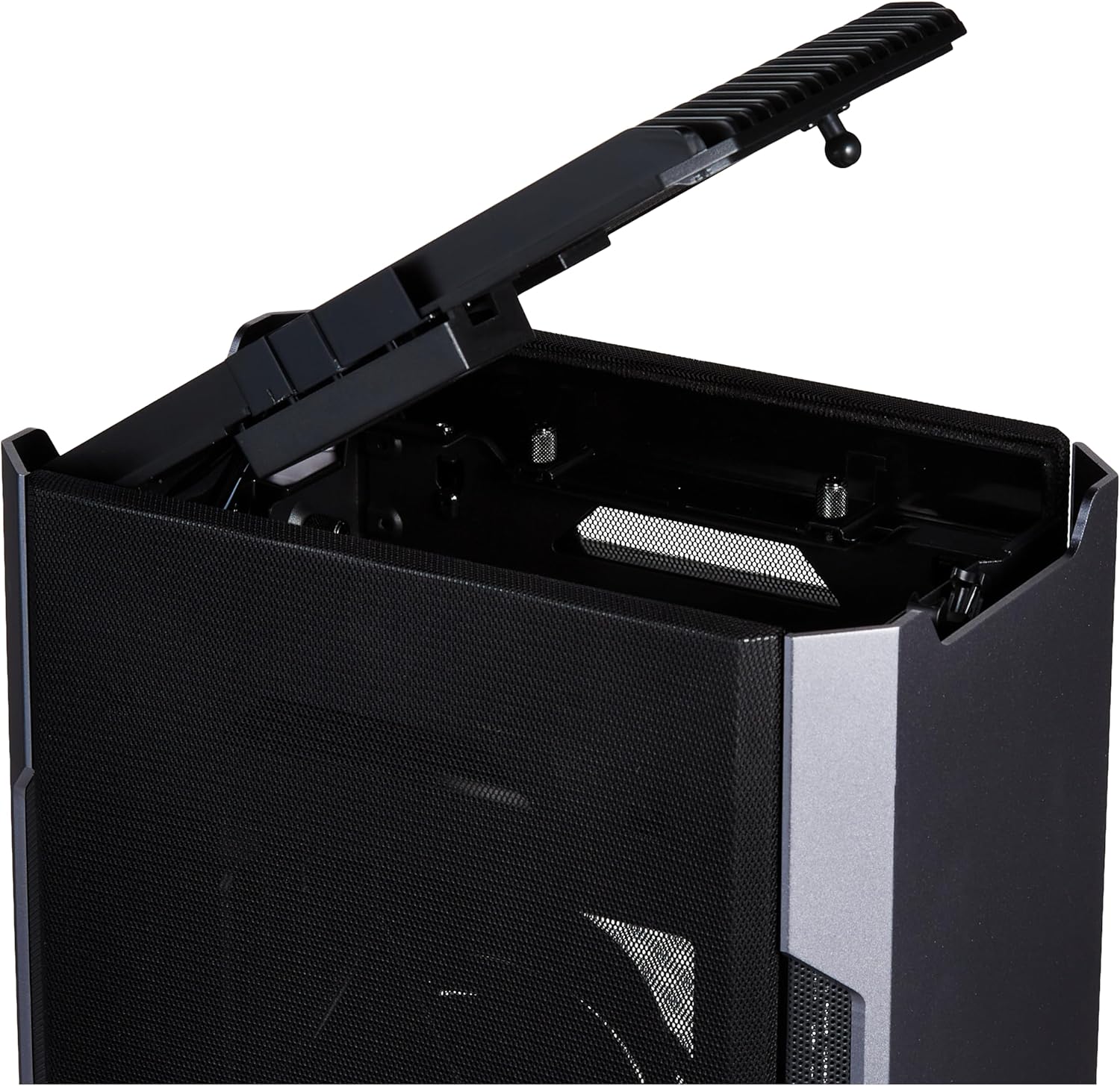
Figure 4.2: The top panel of the case can be opened for access to the I/O ports and internal components.
4.2 Motherboard and CPU Cooler Installation
- Install your Mini-ITX motherboard into the designated tray.
- Mount your CPU and CPU cooler (air cooler or AIO liquid cooler) onto the motherboard before installing it into the case, if possible, to simplify the process.
4.3 Graphics Card Installation
The Evolv Shift 2 Air supports vertical GPU mounting using the pre-installed PCIe 3.0 x16 riser cable. Ensure your graphics card is securely fastened.
Important Note on PCIe Riser Cable: The included riser cable is PCIe 3.0 compatible. If you are using a modern graphics card (PCIe 4.0 or 5.0), you may experience a black screen or instability. To resolve this, you must enter your motherboard's BIOS/UEFI settings and manually set the PCIe slot speed to PCIe Gen 3.0 before installing the graphics card. Alternatively, you can purchase a separate PCIe 4.0 compatible riser cable.

Figure 4.3: Internal layout with a motherboard, CPU cooler, and vertically mounted graphics card.
4.4 Power Supply and Storage Installation
- Install an SFX or SFX-L power supply in the designated rear mount area.
- Mount 2.5-inch SSDs or 3.5-inch HDDs in the available drive bays.

Figure 4.4: Rear power input connection point.
4.5 Cable Management
Utilize the provided cable routing channels and tie-down points to manage cables effectively. Proper cable management is essential for airflow and aesthetics in a compact chassis.

Figure 4.5: Bottom I/O ports, including USB ports.
5. Operating Instructions
5.1 Powering On
Connect the power cable to the case and a wall outlet. Press the power button located on the top panel to turn on your system.
5.2 D-RGB Lighting Control
The Evolv Shift 2 Air features integrated D-RGB lighting. Use the dedicated D-RGB control buttons on the top panel to cycle through various lighting modes and colors. For advanced control and synchronization with other Phanteks D-RGB products or compatible motherboards, refer to your motherboard's software or Phanteks' D-RGB ecosystem documentation.

Figure 5.1: D-RGB control buttons located on the top panel.

Figure 5.2: Illuminated D-RGB lighting on the top of the case.
6. Maintenance
6.1 Cleaning
Regularly clean the exterior of the case with a soft, damp cloth. For the fabric side panels, a soft brush or vacuum cleaner with a brush attachment can be used to remove dust. Ensure the system is powered off and unplugged before cleaning.
6.2 Dust Filters
The Evolv Shift 2 Air features removable dust filters. Periodically remove and clean these filters to maintain optimal airflow and prevent dust buildup inside the case. Rinse with water and allow to air dry completely before re-installing.
7. Troubleshooting
- System Not Powering On:
- Ensure the power cable is securely connected to both the case and the wall outlet.
- Verify that the power supply switch is in the 'ON' position.
- Check all internal power connections (24-pin ATX, CPU power, GPU power) are firmly seated.
- No Display Output (Black Screen):
- Confirm your monitor cable is connected to the graphics card, not the motherboard's integrated graphics port (unless using integrated graphics).
- If using a modern GPU, ensure your motherboard's BIOS/UEFI PCIe slot setting is set to PCIe Gen 3.0, as the included riser cable is PCIe 3.0 compatible.
- Reseat the graphics card and the PCIe riser cable.
- Overheating Issues:
- Ensure all case fans and CPU cooler fans are spinning correctly.
- Clean dust filters and internal components to improve airflow.
- Verify proper thermal paste application on the CPU.
- D-RGB Lighting Not Working:
- Check the D-RGB cable connection from the case to the motherboard or D-RGB controller.
- Ensure the D-RGB controller is receiving power.
- Top Panel Not Latching Shut:
- Inspect the latching mechanism for any obstructions or damage.
- Ensure all internal cables are routed away from the latching area.
If you encounter persistent issues not covered here, please contact Phanteks customer support for further assistance.
8. Specifications
| Feature | Detail |
|---|---|
| Brand | Phanteks |
| Series | Evolv Shift 2 Air |
| Model Number | PH-ES217A_AG02 |
| Case Type | Mini-Tower |
| Motherboard Compatibility | Mini ITX |
| Material | Aluminum, Fabric |
| Color | Gray (Anthracite Grey) |
| Item Weight | 12.97 pounds (5.88 kg) |
| Product Dimensions (LxWxH) | 19.69 x 19.69 x 11.02 inches (50 x 50 x 28 cm) |
| Number of USB 3.0 Ports | 2 |
| Power Supply Mounting Type | Rear Mount (SFX/SFX-L) |
| Cooling Method | Air |
| Fan Size Support | 120 Millimeters (various locations) |
| Recommended Uses | Gaming |
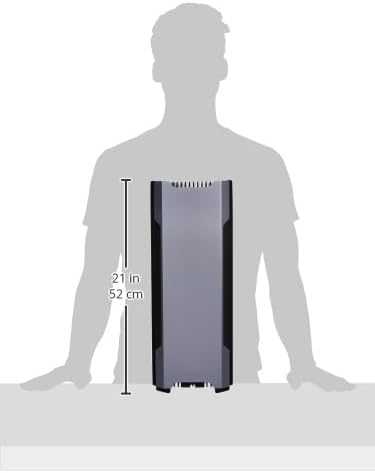
Figure 8.1: Product dimensions diagram.
9. Warranty and Support
Phanteks products are covered by a manufacturer's warranty. For detailed warranty terms and conditions, please refer to the warranty information provided with your product or visit the official Phanteks website. For technical support, troubleshooting assistance, or replacement parts, please contact Phanteks customer service through their official support channels.
Official Phanteks Website: www.phanteks.com


