
1. Introduction
Thank you for choosing the Deerma 124-660-205 Handheld Dust Mite Vacuum Cleaner. This device is designed for efficient removal of dust mites, allergens, and fine dust from various surfaces such as mattresses, sofas, and carpets. Featuring powerful suction, UV-C sterilization, and HEPA filtration, it helps create a healthier living environment. Please read this manual thoroughly before use to ensure safe and optimal operation.
2. Safety Instructions
- Always ensure the power supply voltage matches the rating indicated on the appliance.
- Do not immerse the appliance, power cord, or plug in water or other liquids.
- Keep the appliance away from heat sources, direct sunlight, and sharp edges.
- Do not use the appliance on wet surfaces or to pick up liquids.
- Ensure the dust cup and filter are correctly installed before operation.
- The UV-C lamp emits ultraviolet light. Avoid direct exposure to eyes and skin. The infrared sensing protection will automatically turn off the UV light when lifted from a surface.
- This appliance is for household use only. Do not use it for commercial or industrial purposes.
- Keep out of reach of children.
3. Product Features

Compact Design: The Deerma 124-660-205 features a sleek, ergonomic design for comfortable handling and effective cleaning.

Powerful Suction: Equipped with a high-efficiency DC motor, this vacuum delivers strong suction to deeply remove dust mites and allergens from fabric surfaces.
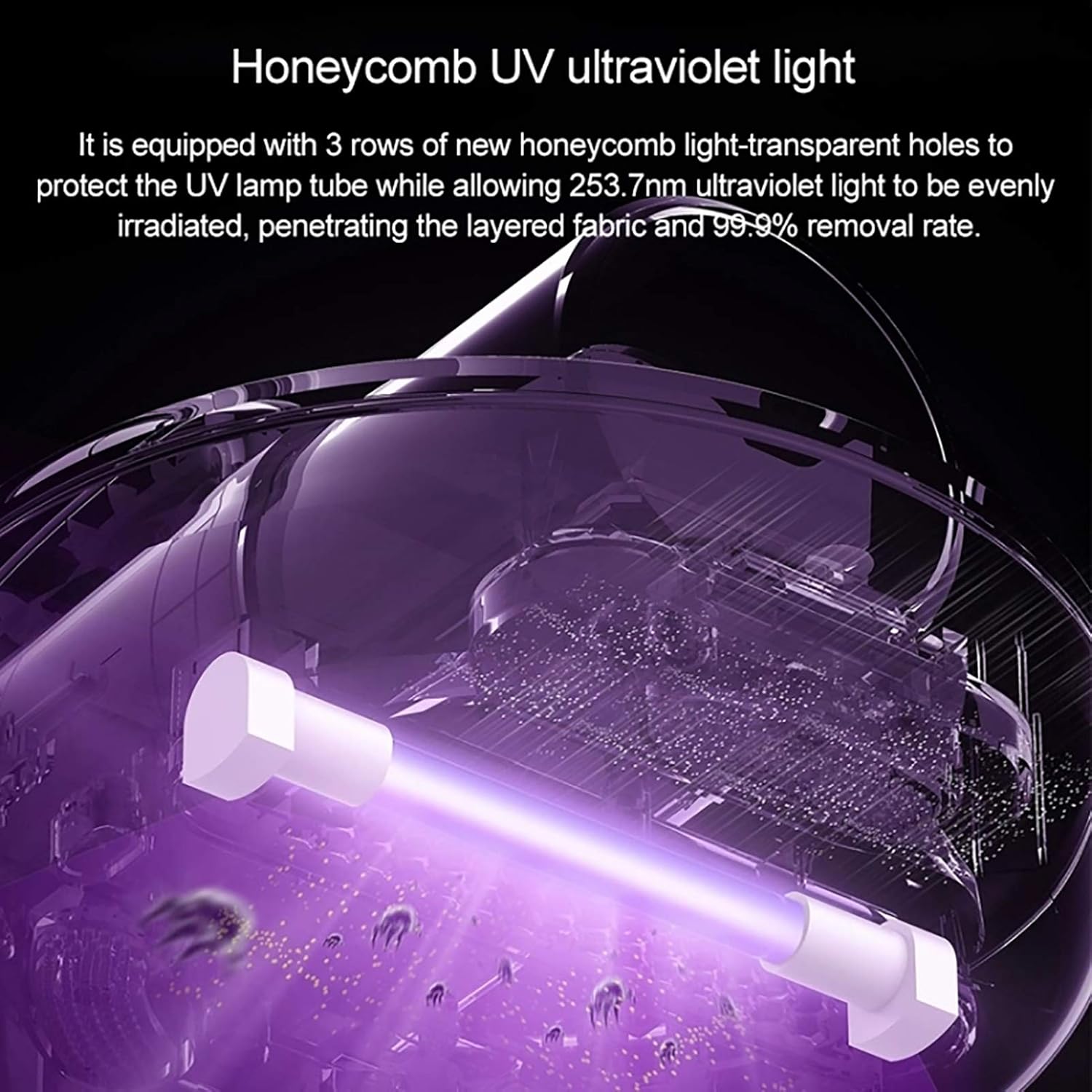
UV-C Germicidal Lamp: Utilizes a honeycomb UV ultraviolet light with a wavelength of 253.7nm for effective sterilization and mite removal, achieving up to 99.9% removal rate. Features an anti-leak design and automatic shut-off when lifted.
HEPA Filtration System: The 0.3mm HEPA filter captures most dust mites, allergens, hair, and dander, ensuring clean air exhaust. The filter net is washable for easy maintenance.
- High-Frequency Tapping: Features a vibration mechanism that taps surfaces to dislodge deeply embedded dust mites and dirt, facilitating their removal by suction.
- Hot Air Dehumidification: Synchronous hot air exhaust system helps to dry the cleaned surface, reducing humidity in mattresses and inhibiting the reproduction of dust mites.
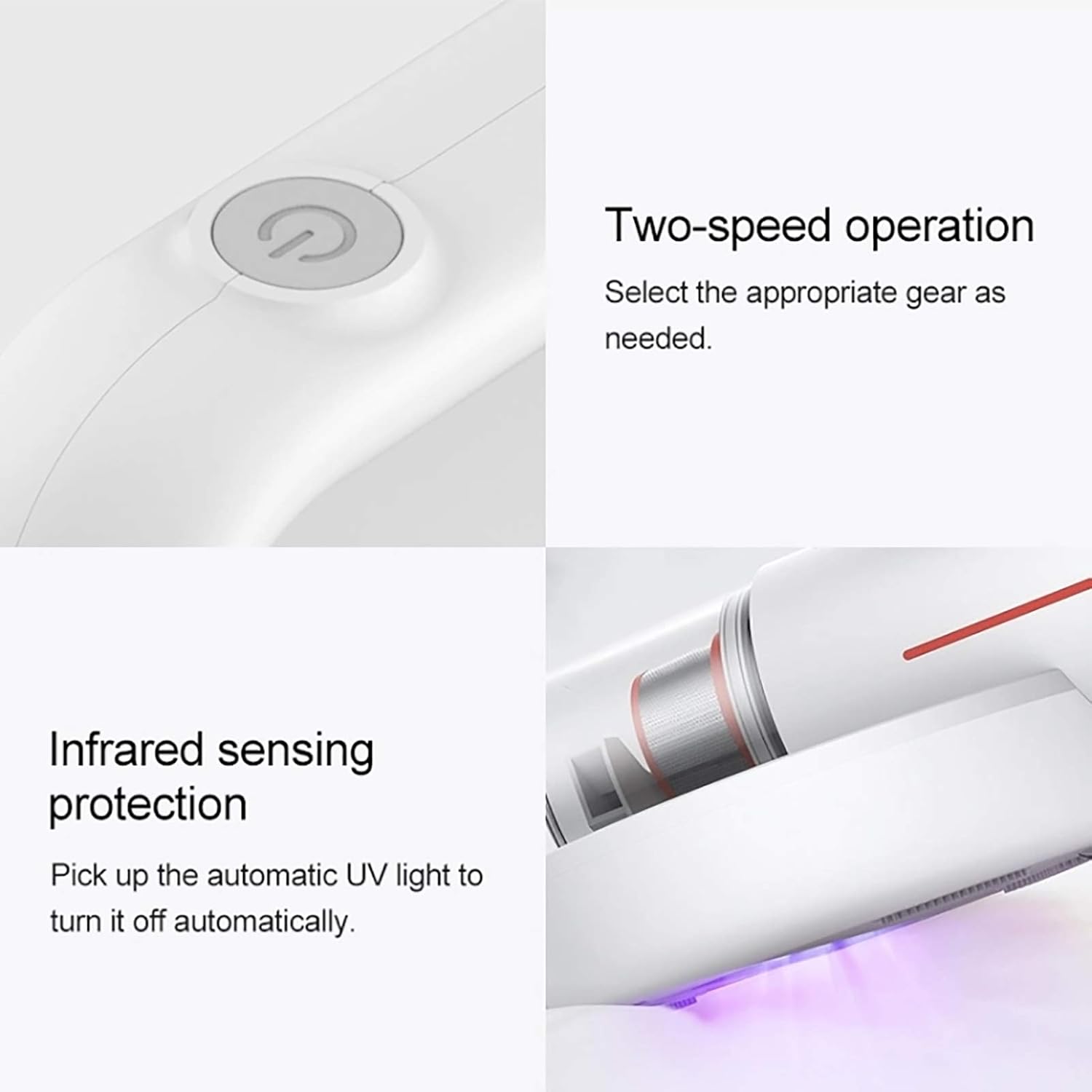
- Two-Speed Operation: Allows selection of appropriate suction power based on cleaning needs.
- Infrared Sensing Protection: Automatically deactivates the UV-C lamp when the device is lifted from the surface, ensuring user safety.
4. Setup
- Unpack: Carefully remove all components from the packaging. Retain packaging for future storage or transport.
- Charge Battery: Before first use, fully charge the vacuum cleaner. Place the vacuum on its charging base. The charging indicator light will show the charging status. A full charge provides approximately 30 minutes of operation.
- Assemble Dust Cup: Ensure the dust cup and HEPA filter are securely attached to the main unit. Refer to the markings on the device for correct alignment.

The vacuum cleaner on its charging base, indicating its cordless operation after charging.
5. Operating Instructions
- Power On/Off: Press the power button located on the handle to turn the vacuum cleaner on or off.
- Select Speed: Use the speed selection button (if available, typically near the power button) to switch between different suction modes (e.g., standard and strong).
- Activate UV-C Lamp: The UV-C lamp will automatically activate when the vacuum is placed on a flat surface and the power is on. The infrared sensor ensures the lamp turns off if lifted, preventing direct exposure.
- Cleaning Surfaces: Gently glide the vacuum cleaner over the surface to be cleaned (e.g., mattress, sofa, carpet). Ensure the base of the vacuum makes full contact with the surface for effective UV-C sterilization and tapping action.
- Targeted Cleaning: For heavily soiled areas or deep cleaning, move the vacuum slowly and methodically.
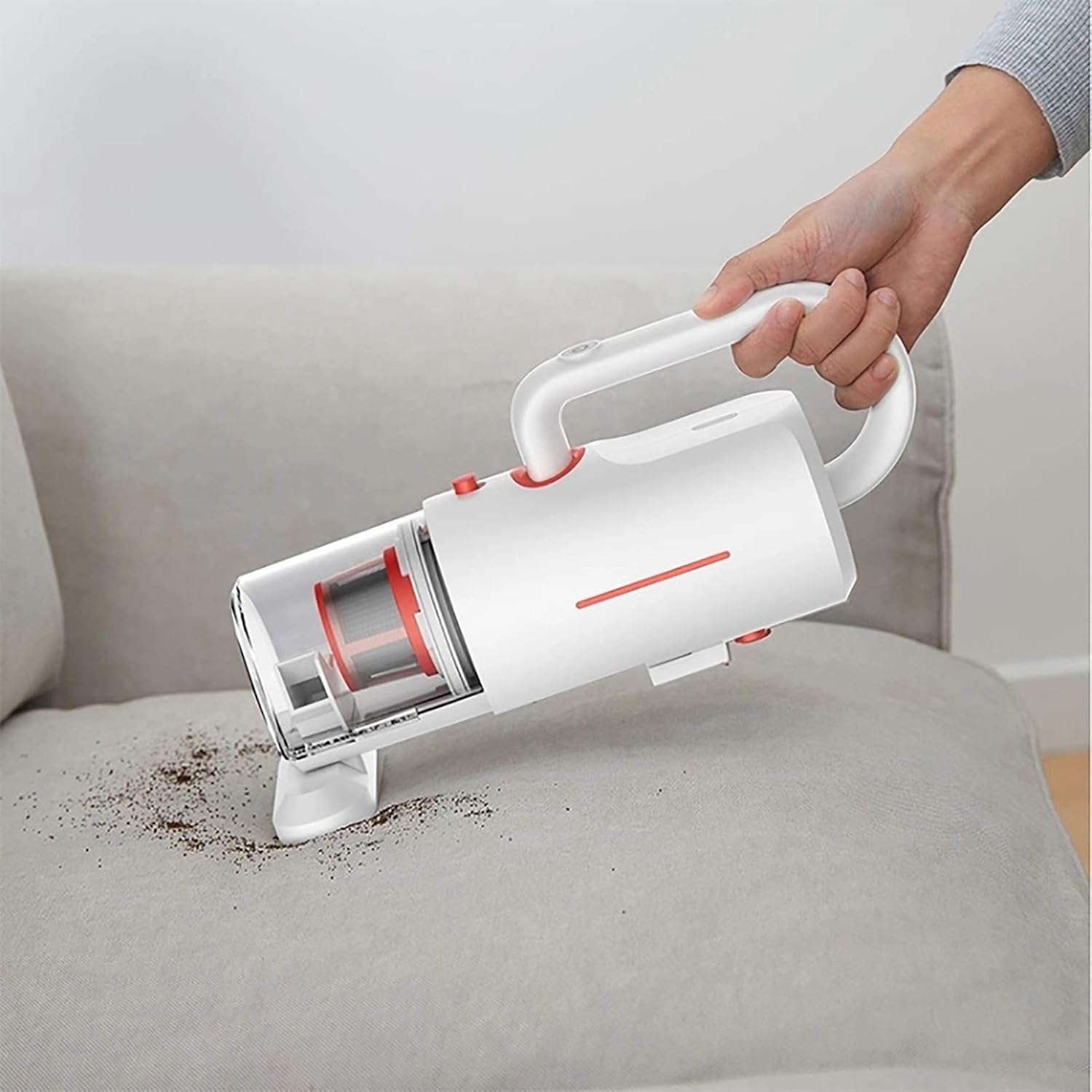
Using the vacuum to clean a sofa, demonstrating its versatility for upholstered furniture.

The vacuum being used to clean a car seat, highlighting its portable and versatile application.
6. Maintenance
Regular maintenance ensures optimal performance and extends the lifespan of your vacuum cleaner.
6.1. Emptying the Dust Cup
- Ensure the vacuum cleaner is turned off.
- Detach the dust cup from the main unit according to the product's design (usually a release button or twist mechanism).
- Empty the collected dust and debris into a waste bin.
- Reattach the dust cup securely.
6.2. Cleaning the HEPA Filter
- After emptying the dust cup, remove the HEPA filter.
- Tap the filter gently to remove loose dust.
- Rinse the HEPA filter under running water until clean. Do not use detergents.
- Allow the filter to air dry completely for at least 24 hours before reinserting it into the vacuum cleaner. Do not use the vacuum with a wet filter.
6.3. Cleaning the UV-C Lamp and Sensors
- Wipe the UV-C lamp and infrared sensors with a soft, dry cloth to remove any dust or debris.
- Do not use abrasive cleaners or solvents.
7. Troubleshooting
| Problem | Possible Cause | Solution |
|---|---|---|
| Vacuum does not turn on. | Battery is depleted. | Charge the vacuum cleaner fully. |
| Reduced suction power. | Dust cup is full. | Empty the dust cup. |
| HEPA filter is clogged. | Clean or replace the HEPA filter. Ensure it is completely dry before reinserting. | |
| UV-C lamp not working. | Vacuum is lifted from surface. | Ensure the vacuum is placed firmly on the cleaning surface. |
| Lamp is damaged. | Contact customer support for assistance. |
8. Specifications
| Feature | Specification |
|---|---|
| Brand | Deerma |
| Model Number | 124-660-205 |
| Power | 350 Watts |
| Voltage | 220 Volts |
| Noise Level | 80 Decibels |
| Dimensions (L x W x H) | 6.14 x 7.48 x 3.31 cm |
| Weight | 8.2 Kilograms |
| Filter Type | Cartridge (HEPA) |
| Power Source | Electric Cord (for charging) |
| Battery Type | 1 Lithium-ion (rechargeable) |
| Special Features | HEPA, Lightweight, UV-C Sterilization, High-Frequency Tapping, Hot Air Dehumidification |
9. Warranty and Support
For warranty information and customer support, please refer to the warranty card included with your product or visit the official Deerma website. Keep your purchase receipt as proof of purchase for any warranty claims.


