Young 6-in-1 Universal Remote Control User Manual
Model: YY-PIONEER 6IN1
Introduction
This manual provides comprehensive instructions for the Young 6-in-1 Universal Remote Control, designed for use with various television brands including Pioneer, Viore, Polaroid, RCA, Vios, and Speler. Please read this manual carefully before using your new remote control to ensure proper setup and operation.
Setup
1. Remote Control Overview
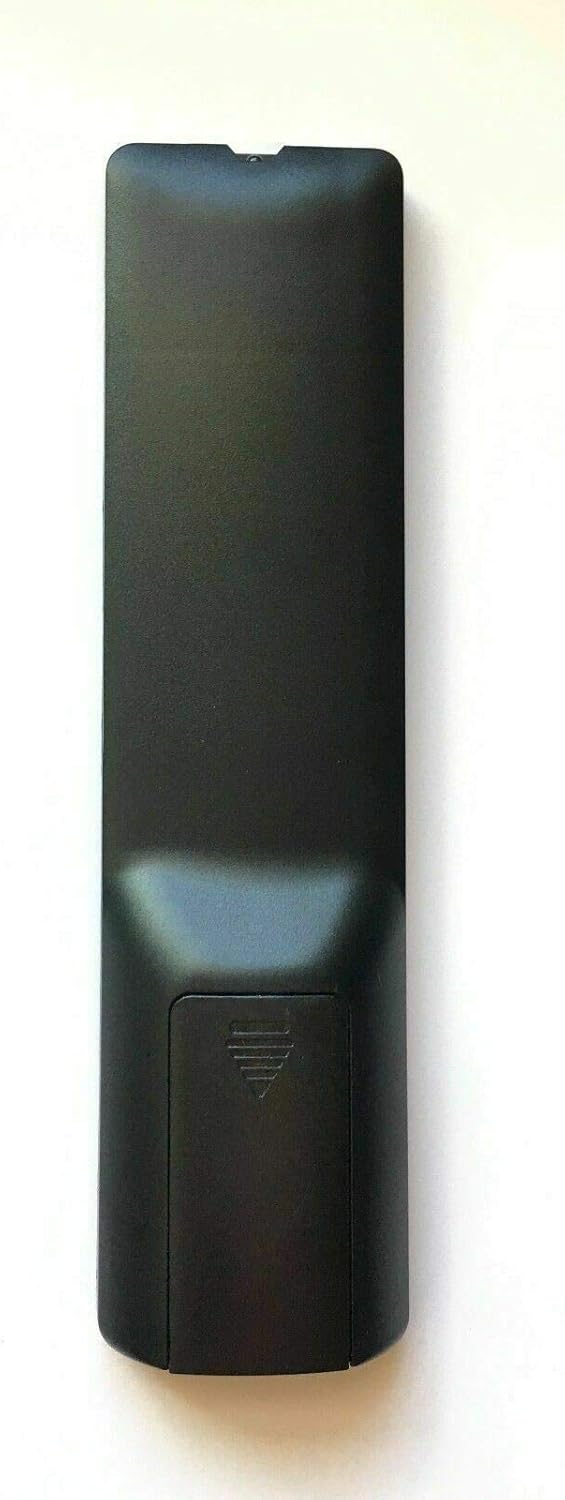
Image: Rear view of the Young 6-in-1 Universal Remote Control, highlighting the battery compartment location.
Familiarize yourself with the remote control's layout before proceeding with battery installation.
2. Battery Installation
The remote control requires two (2) AAA alkaline batteries (not included) for operation. Follow these steps to install the batteries:
- Locate the battery compartment cover on the back of the remote control.
- Press down on the tab and slide the cover downwards to open the compartment.
- Insert two AAA batteries, ensuring the positive (+) and negative (-) terminals align with the markings inside the compartment.
- Slide the battery compartment cover back into place until it clicks securely.

Image: Rear view of the remote control with the battery cover removed, showing the correct orientation for inserting two AAA batteries.
3. Initial Operation and Programming
The remote control is designed to work directly with the specified TV brands. After installing batteries, point the remote at your TV and attempt to use it.
- Direct Use: For many compatible TVs, the remote will function immediately after battery installation.
- If Not Working Directly (Method 1): If the remote does not operate your TV, press and hold the "Power" button and the "1" button simultaneously for 1 second. Release both buttons and then attempt to use the remote.
- If Not Working Directly (Method 2): If Method 1 is unsuccessful, press and hold the "Power" button and the "2" button simultaneously for 1 second. Release both buttons and then attempt to use the remote.
These methods attempt to cycle through internal codes for broader compatibility with the listed TV brands.
Operating Instructions
This section outlines the general functions of the buttons on your Young 6-in-1 Universal Remote Control.

Image: Front view of the Young 6-in-1 Universal Remote Control, displaying the layout of all control buttons.
- Power (Red Button): Turns the TV on or off.
- Mute (Green Button): Mutes or unmutes the TV audio.
- YPbPr, CC, MTS, VGA, TV, AV, HDMI: Input selection buttons for various video and audio sources. Press the corresponding button to switch to that input.
- CHLIST, EPG, FAV, ASPECT: Special function buttons for channel list, electronic program guide, favorites, and aspect ratio adjustment, respectively.
- Navigation Pad (Up, Down, Left, Right, ENTER): Used to navigate menus and confirm selections.
- EXIT: Exits current menu or function.
- TV DISPLAY: Displays current TV information.
- VOL +/-: Adjusts the volume up or down.
- CH +/-: Changes the channel up or down.
- S.M, P.M: Service Menu and Picture Mode buttons (functions may vary by TV model).
- Number Buttons (0-9): Directly enter channel numbers.
- RECALL: Switches between the current and previously viewed channel.
Maintenance
- Battery Replacement: Replace batteries when the remote's performance degrades or it stops responding. Always replace both batteries at the same time with new AAA alkaline batteries.
- Cleaning: Use a soft, dry cloth to clean the remote control. Do not use liquid cleaners or abrasive materials, as they may damage the remote.
- Storage: If the remote will not be used for an extended period, remove the batteries to prevent leakage and potential damage.
Troubleshooting
- Remote is not responding:
- Ensure batteries are installed correctly with proper polarity.
- Replace old batteries with new AAA alkaline batteries.
- Ensure there are no obstructions between the remote and the TV's infrared sensor.
- Try the initial programming steps (holding "Power" + "1" or "Power" + "2" for 1 second).
- Some functions are not working:
- The remote is designed for universal compatibility, but some advanced or brand-specific functions may not be supported.
- Ensure the remote is correctly programmed for your TV model using the "Power" + "1" or "Power" + "2" methods.
- To return to factory settings:
If you wish to reset the remote control to its factory default settings, press and hold the "Power" button and the "0" button simultaneously for 1 second. Release both buttons. This will clear any programmed codes.
Specifications
| Model Number | YY-PIONEER 6IN1 |
| Brand | Young |
| Compatible Devices | Television (Pioneer, Viore, Polaroid, RCA, Vios, Speler) |
| Connectivity Technology | Infrared |
| Power Source | 2 x 1.5V AAA Alkaline Batteries |
| Product Dimensions | 7 x 2 x 1 inches |
| Item Weight | 4 ounces |
| Manufacturer | Young Electronics |
Warranty and Support
Information regarding product warranty and customer support is not provided within this manual. For warranty details or technical assistance, please refer to the product packaging or contact the manufacturer, Young Electronics, directly.
You may also visit the product's listing page on Amazon for additional support information: Amazon Product Page


