
Introduction
The Apple MagSafe Duo Charger provides convenient wireless charging for your compatible iPhone, Apple Watch, and AirPods with a wireless charging case. Its foldable design makes it ideal for both home use and travel. This manual provides essential information for setting up, operating, maintaining, and troubleshooting your MagSafe Duo Charger.
Package Contents
- MagSafe Duo Charger
- USB-C to Lightning Cable (1 meter)
Note: A compatible USB-C power adapter (sold separately) is required for operation. For optimal fast charging, an Apple 20W USB-C Power Adapter or higher is recommended.
Setup
- Unfold the MagSafe Duo Charger to its flat position.
- Connect the USB-C end of the included cable to a compatible USB-C power adapter (not included).
- Connect the Lightning end of the cable to the Lightning port on the MagSafe Duo Charger.
- Plug the power adapter into a wall outlet.

Image: The MagSafe Duo Charger unfolded, ready for use. It features two distinct charging pads: a larger circular pad for iPhone and AirPods, and a smaller, adjustable circular pad for Apple Watch.
Operating Instructions
Charging an iPhone or AirPods
- Place your MagSafe-compatible iPhone or AirPods with a wireless charging case onto the larger circular charging pad.
- Ensure the device is centered on the pad for optimal charging. For iPhones, the magnetic alignment will assist in proper placement.
- A charging indicator will appear on your device's screen.
Charging an Apple Watch
- The Apple Watch charging puck can be used flat or raised. To raise it, gently push the puck upwards.
- Place your Apple Watch onto the smaller charging puck. The magnetic connection will secure it.
- Ensure the watch is properly aligned.
- A charging indicator will appear on your Apple Watch screen.
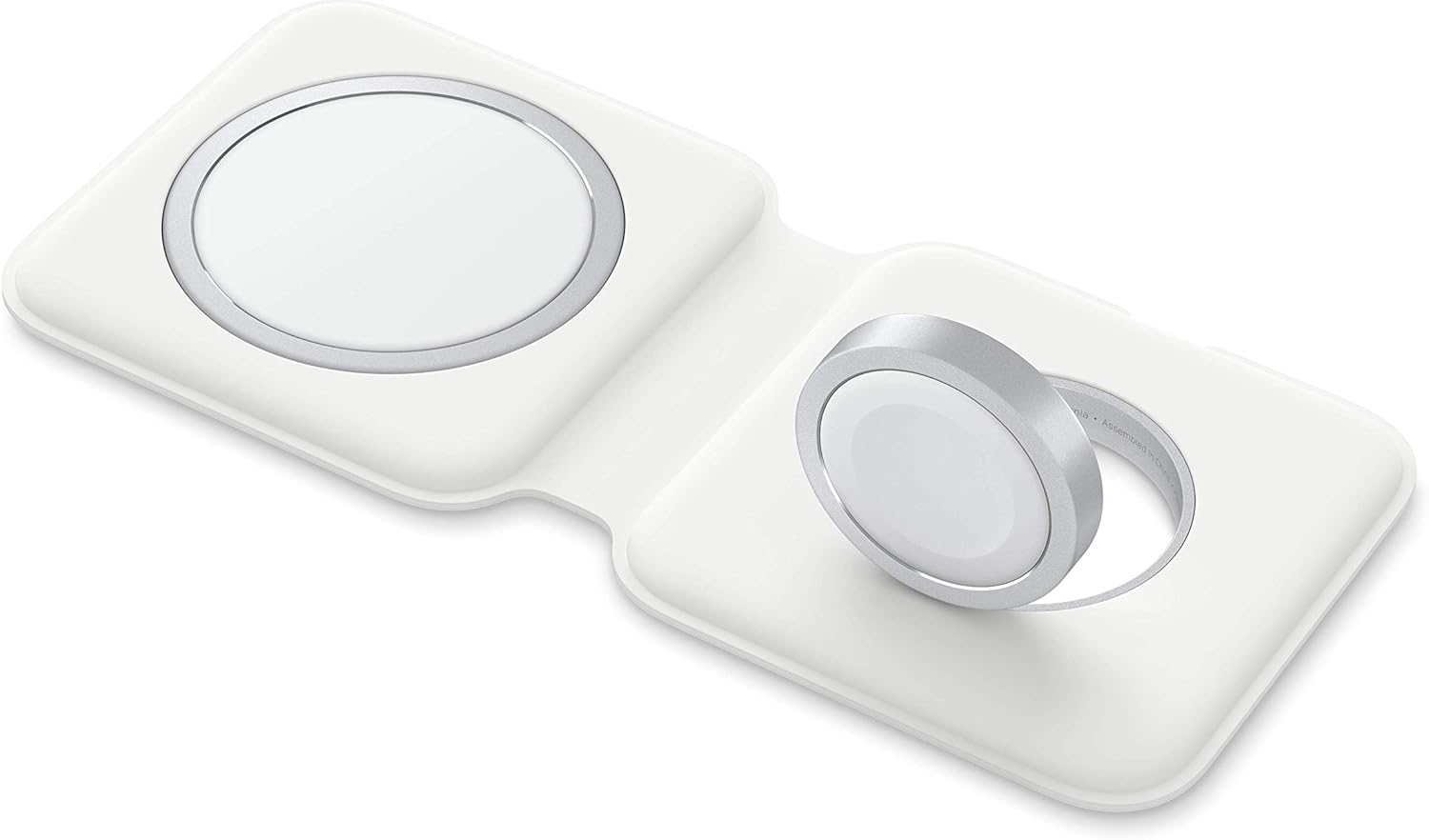
Image: The MagSafe Duo Charger with its Apple Watch charging puck in the raised position, allowing for easier placement of the watch, especially with closed-loop bands.
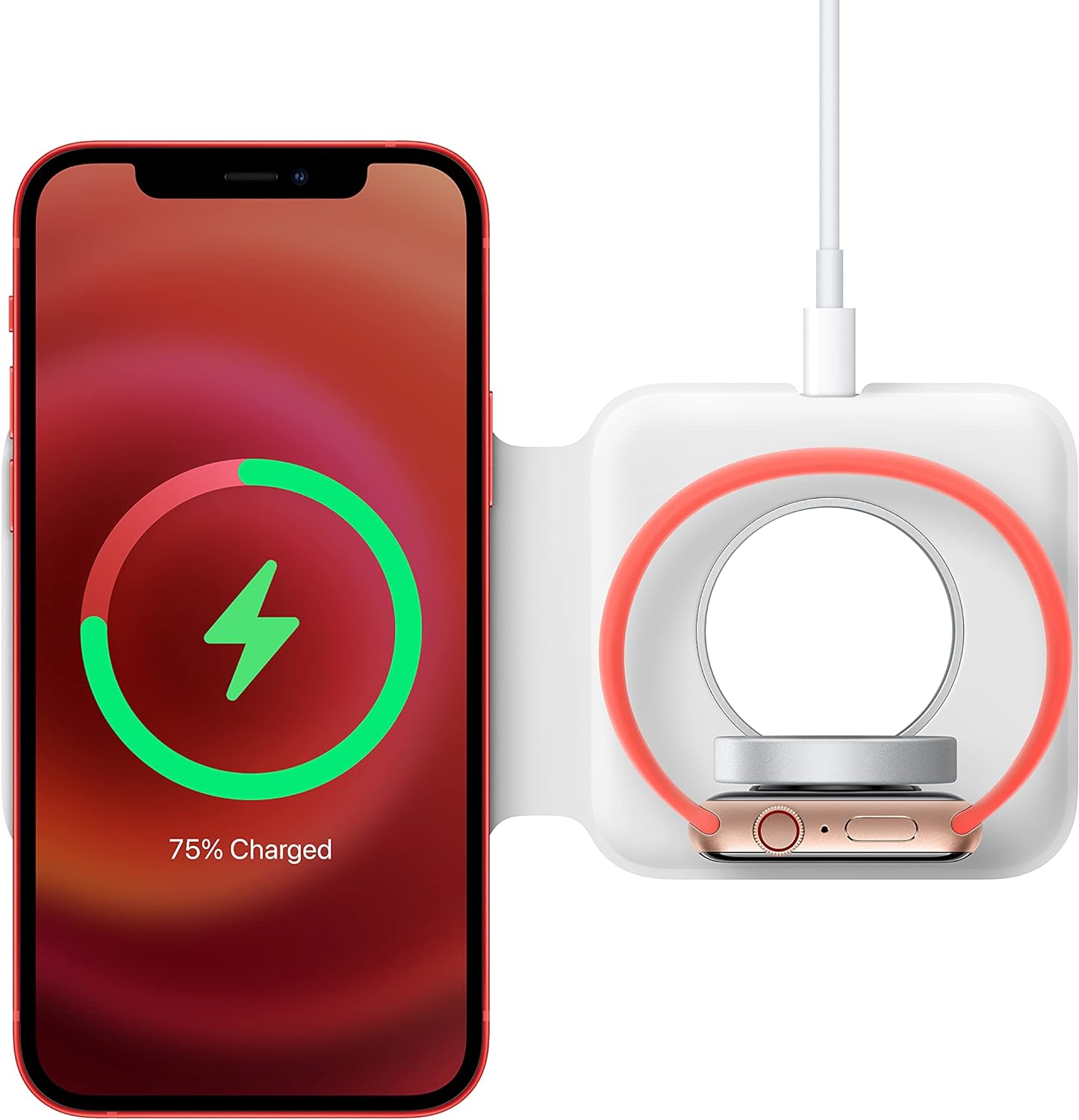
Image: An iPhone and an Apple Watch are simultaneously charging on the MagSafe Duo Charger. The iPhone screen displays a 75% charge level with the charging icon.
Portability
The MagSafe Duo Charger folds neatly in half for compact storage and easy transport. This design makes it convenient for travel.
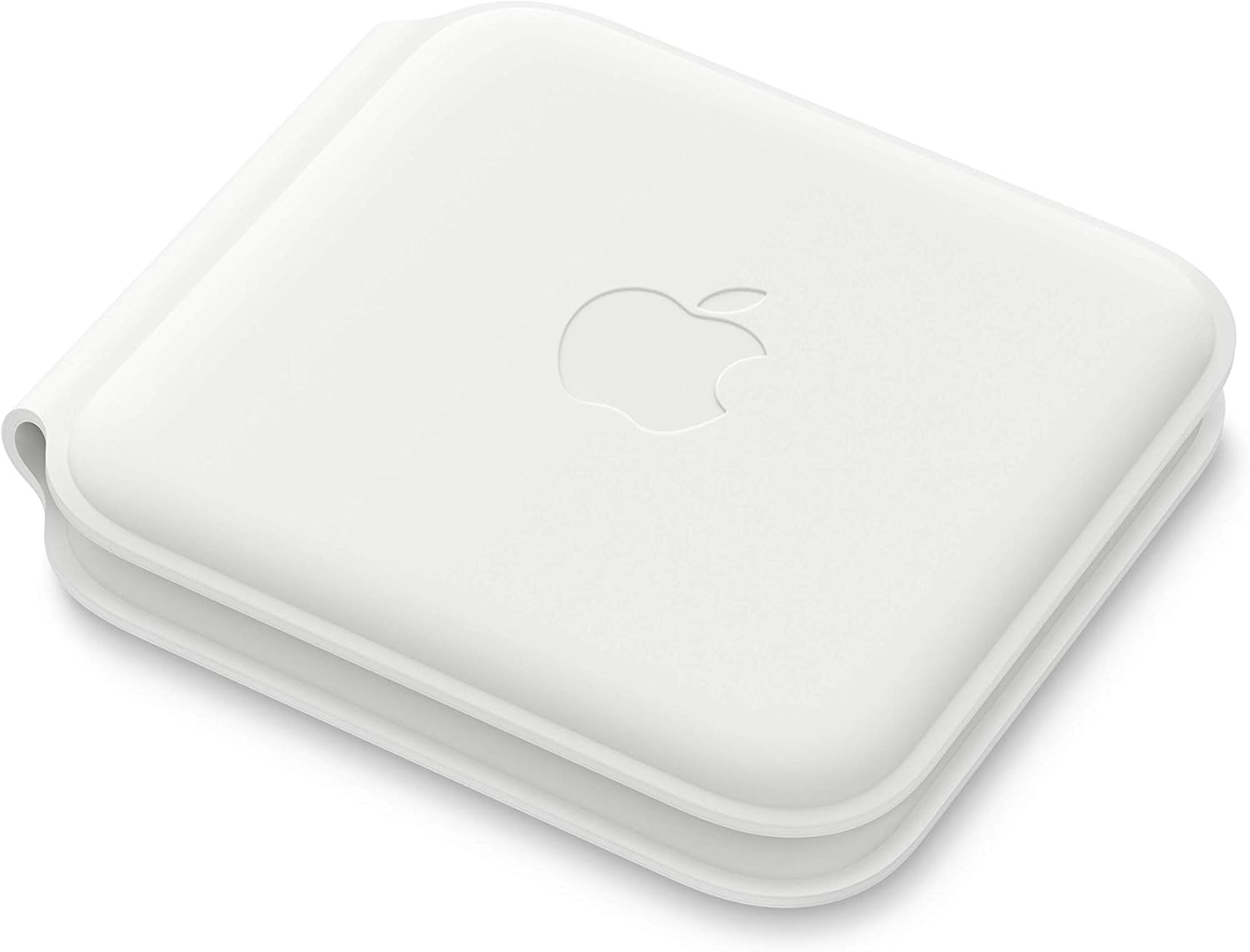
Image: The MagSafe Duo Charger folded into a compact square, displaying the Apple logo on its exterior, indicating its portability.
Compatibility
The MagSafe Duo Charger is compatible with a wide range of Apple devices:
- iPhones: iPhone 8 and later, including iPhone 16 Pro, iPhone 16 Pro Max, iPhone 16, iPhone 16 Plus, iPhone 16e, iPhone 15 Pro, iPhone 15 Pro Max, iPhone 15, iPhone 15 Plus, iPhone 14 Pro, iPhone 14 Pro Max, iPhone 14, iPhone 14 Plus, iPhone 13 Pro, iPhone 13 Pro Max, iPhone 13 mini, iPhone 13, iPhone SE (3rd generation), iPhone 12 Pro, iPhone 12 Pro Max, iPhone 12 mini, iPhone 12, iPhone 11 Pro, iPhone 11 Pro Max, iPhone 11, iPhone SE (2nd generation), iPhone XS, iPhone XS Max, iPhone XR, iPhone X, iPhone 8, iPhone 8 Plus.
- Apple Watch: All Apple Watch models.
- AirPods: AirPods models with a wireless charging case, including AirPods Pro 2, AirPods Pro 2 with MagSafe Charging Case (Lightning), AirPods Pro (1st generation) with MagSafe Lightning Charging Case, AirPods (3rd generation) with MagSafe Charging Case, AirPods (3rd generation) with Lightning Charging Case, AirPods with Wireless Charging Case (2nd generation).
- Other Qi-certified devices: The MagSafe Duo Charger can also charge other Qi-certified devices, though magnetic alignment may not be available.
Maintenance
- Cleaning: Disconnect the charger from power before cleaning. Use a soft, lint-free cloth slightly dampened with water. Avoid harsh chemicals or abrasive materials.
- Storage: When not in use, fold the charger for compact storage. Store in a cool, dry place away from direct sunlight.
- Safety: Ensure the power adapter is plugged into the wall outlet first before connecting the MagSafe Duo Charger to the cable. This helps prevent potential electrical surges.
Troubleshooting
- Device not charging:
- Ensure the MagSafe Duo Charger is properly connected to a working power adapter and wall outlet.
- Verify that your device is correctly placed and centered on the charging pad.
- Remove any thick cases or metallic objects from your device that might interfere with wireless charging.
- Check if the charging cable is securely connected to both the charger and the power adapter.
- Slow charging:
- For optimal charging speeds, use a 20W or higher USB-C power adapter. Lower wattage adapters may result in slower charging.
- Ensure your device is not running power-intensive applications while charging.
- Charger feels warm:
- It is normal for the charger to become slightly warm during use. If it becomes excessively hot, disconnect it from power and allow it to cool down.
Specifications
| Model Number | MHXF3AM/A |
| Brand | Apple |
| Product Dimensions | 7.08 x 3.67 x 1.07 inches |
| Item Weight | 1.6 ounces |
| Connector Type | USB Type C (for power adapter connection) |
| Input Voltage | 9 Volts |
| Amperage | 2 Amps |
| Special Features | Fast charging, travel-friendly, wireless charging, charging indicator, lightweight design, magnetic, MagSafe compatible, multi-device charging. |
Warranty and Support
The Apple MagSafe Duo Charger is covered by Apple's standard limited warranty. For detailed warranty information, technical support, or service, please visit the official Apple Support website or contact Apple customer service.
Online Support: support.apple.com


