1. Introduction
Thank you for choosing the 1 Hora Wireless Headphones. This manual provides essential information for setting up, operating, and maintaining your new headphones. Please read it carefully before use to ensure optimal performance and longevity of your device.
Package Contents:
- 1 Hora Wireless Headphones (Left & Right)
- Charging Case
- USB Charging Cable
- User Manual
2. Getting Started (Setup)
2.1 Charging the Headphones and Case
Before first use, fully charge both the headphones and the charging case. Place the headphones into the charging case. Connect the USB charging cable to the charging port on the case and the other end to a USB power source (e.g., computer, wall adapter). The LED digital display on the case will show the battery percentage, indicating charging status.
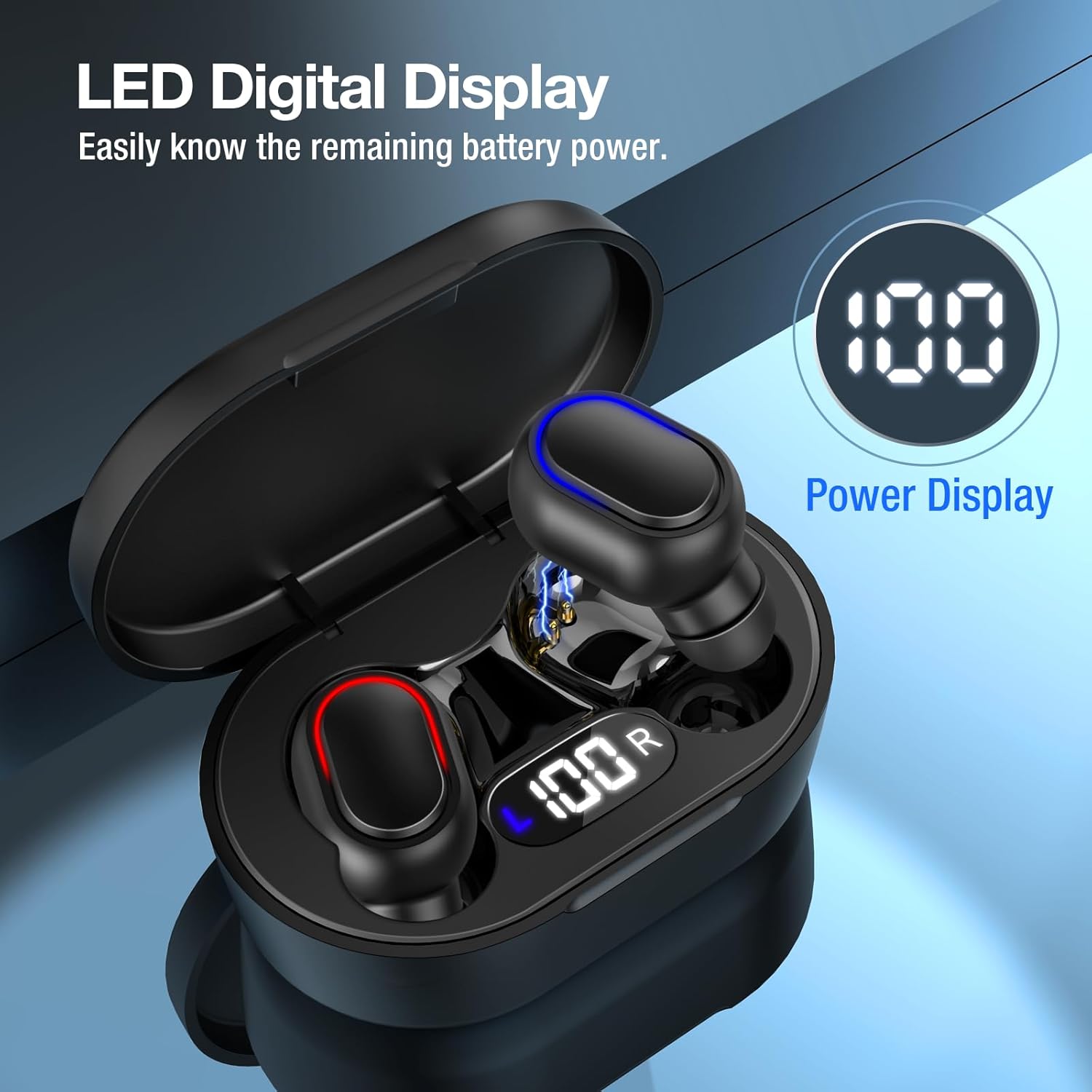
Image: The charging case features an LED digital display that clearly indicates the remaining battery power, ensuring you always know when to recharge.
A full charge provides approximately 7 hours of playtime for the headphones, and the charging case can recharge the headphones up to 3 times, extending total listening time to about 24 hours.

Image: This illustration highlights the extended battery life, showing 7 hours of playtime per single charge and the ability to recharge the headphones 3 times using the case, providing up to 24 hours of total usage.
2.2 Powering On/Off
- Power On: The headphones will automatically power on when removed from the charging case.
- Power Off: Place the headphones back into the charging case to automatically power them off and begin charging.
2.3 Pairing with a Device
The headphones are designed for easy and fast connection. They will enter pairing mode automatically when taken out of the charging case.
- Ensure the headphones are charged and removed from the charging case.
- On your device (smartphone, tablet, laptop), go to Bluetooth settings and turn Bluetooth on.
- Search for available devices. You should see "AUT114" in the list.
- Select "AUT114" to connect. Once connected, a voice prompt will confirm the successful pairing.

Image: This image demonstrates the easy and fast connection process, showing a smartphone's Bluetooth settings with 'AUT114' successfully connected to the headphones, which are placed in their open charging case.
3. Operating Your Headphones
3.1 Touch Controls
The 1 Hora Wireless Headphones feature intuitive touch controls for managing your audio and calls.
- Play/Pause: Single tap on either earbud.
- Next Song: Double tap on the right earbud.
- Previous Song: Double tap on the left earbud.
- Volume Up: Triple tap on the right earbud.
- Volume Down: Triple tap on the left earbud.
- Answer/End Call: Single tap on either earbud during an incoming call.
- Reject Call: Press and hold either earbud for 2 seconds during an incoming call.
- Activate Voice Assistant: Press and hold either earbud for 3 seconds.

Image: This diagram illustrates the various touch control functions available on the headphones, including commands for media playback, volume adjustment, and call management.
3.2 Audio Quality
Experience clear stereo sound with 8mm drivers, designed for an immersive listening experience whether you are playing music or receiving calls.

Image: This graphic visually represents the clear stereo sound quality, showing the headphones alongside musical notes and sound waves emanating from an 8mm driver, indicating high-fidelity audio for both music and calls.
3.3 Wide Compatibility
The 1 Hora Wireless Headphones are compatible with a wide range of Bluetooth-enabled devices, including laptops, tablets, and smartphones across various operating systems (Windows, iOS, Android).

Image: This image illustrates the wide compatibility of the headphones, showcasing them alongside a variety of devices such as laptops, tablets, and smartphones, indicating seamless connectivity across different platforms.
4. Care and Maintenance
- Cleaning: Use a soft, dry, lint-free cloth to clean the headphones and charging case. Do not use harsh chemicals or abrasive materials.
- Storage: When not in use, store the headphones in their charging case to protect them from dust and damage.
- Battery Care: Avoid exposing the battery to extreme temperatures. For long-term storage, charge the headphones and case to about 50% every few months to preserve battery health.
- Water Resistance: These headphones are not waterproof. Avoid exposure to liquids.
5. Troubleshooting
If you encounter any issues, please refer to the following common problems and their solutions:
| Problem | Solution |
|---|---|
| Headphones do not power on. | Ensure the headphones are charged. Place them in the charging case and connect the case to a power source. |
| Cannot pair with device. | Ensure Bluetooth is enabled on your device. Make sure the headphones are in pairing mode (taken out of the case). Forget the device from your Bluetooth list and try pairing again. |
| No sound from headphones. | Check volume levels on both the headphones and your connected device. Ensure headphones are properly paired and connected. |
| Poor sound quality / Disconnections. | Move closer to your device to reduce interference. Ensure there are no physical obstructions between the headphones and the device. Recharge the headphones. |
6. Product Specifications
- Brand: 1 Hora
- Model Number: AUT114-E
- Connectivity: Bluetooth (Version 5.3, inferred from product title)
- Ear Placement: In Ear
- Noise Control: None
- Headphone Jack: No Jack
- Battery Life: Approx. 7 hours (headphones), 3 additional charges from case (approx. 24 hours total)
- Package Dimensions: 11.7 x 7.9 x 3.2 cm
- Item Weight: 60 g
- Country of Origin: China
7. Warranty and Support
7.1 Warranty Information
Your 1 Hora Wireless Headphones are covered by a standard manufacturer's warranty against defects in materials and workmanship. Please retain your proof of purchase for warranty claims. The warranty period begins from the date of purchase. This warranty does not cover damage caused by misuse, accident, unauthorized modification, or normal wear and tear.
7.2 Customer Support
For further assistance, technical support, or warranty inquiries, please contact our customer service team. Refer to the contact information provided on the product packaging or the official 1 Hora website.