
SMALLRIG 2983-CF-FBA-US
SmallRig S5 S5D Cage Kit Instruction Manual
Model: 2983-CF-FBA-US
Brand: SMALLRIG
1. Introduction
This manual provides detailed instructions for the installation, operation, and maintenance of your SmallRig S5 S5D Cage Kit. This aluminum alloy camera cage is specifically designed to enhance the functionality and protection of your Panasonic LUMIX S5 or S5D camera, offering various mounting points for accessories.
2. Key Features
- Prevent Twisting: The cage secures to the camera via a 1/4’’-20 screw on the bottom and an M2.5 screw on the right side for further security to prevent twisting.
- Multiple Thread Holes: Features multiple 1/4’’-20 and 3/8’’-16 threads for accessories, such as top handles and monitor mounts.
- Cold Shoe and NATO Rail: Integrates a cold shoe on the top for microphones and lights, and comes with a NATO rail on the left side for NATO handles and magic arms.
- Allen Wrench: A flat head screwdriver with an Allen wrench is included to secure the camera screw and stores conveniently on the bottom of the cage.
- Strap Slot: The cage provides a strap slot on the side for a carry strap.
- Optional Cable Clamp: Optional Cable Clamp 1679 is separately available to protect the port.

Figure 2.1: Overview of Key Features and Mounting Points.
3. Package Contents
The SmallRig S5 S5D Cage Kit includes the following:
- 1 x SmallRig Camera Cage (Model 2983)
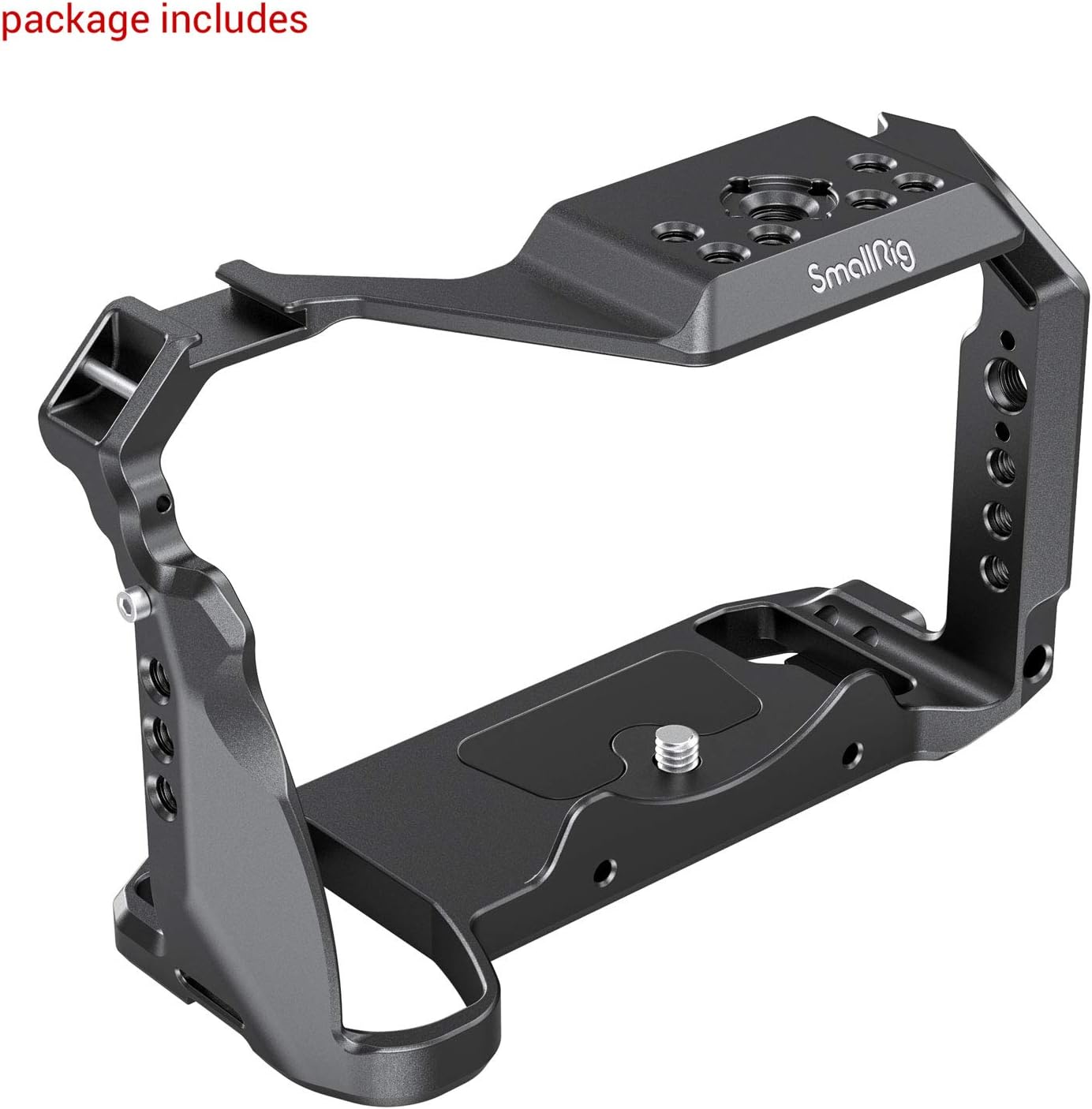
Figure 3.1: Package Contents - One SmallRig Camera Cage.
4. Compatibility
This cage is specifically designed for the Panasonic LUMIX S5 and S5D cameras. It provides a form-fitting full cage solution for protection and accessory mounting.

Figure 4.1: Compatibility with Panasonic LUMIX S5.
5. Setup and Installation
Follow these steps to properly install the SmallRig cage onto your Panasonic LUMIX S5/S5D camera:
- Place your Panasonic LUMIX S5/S5D camera into the SmallRig cage.
- Secure the camera to the cage using the 1/4’’-20 screw located on the bottom of the cage. Tighten firmly.
- For additional security and to prevent twisting, use the M2.5 screw on the right side of the cage to further secure it to the camera. The built-in flat head screwdriver with Allen wrench can be used for this purpose.

Figure 5.1: Installation Steps for the Camera Cage.
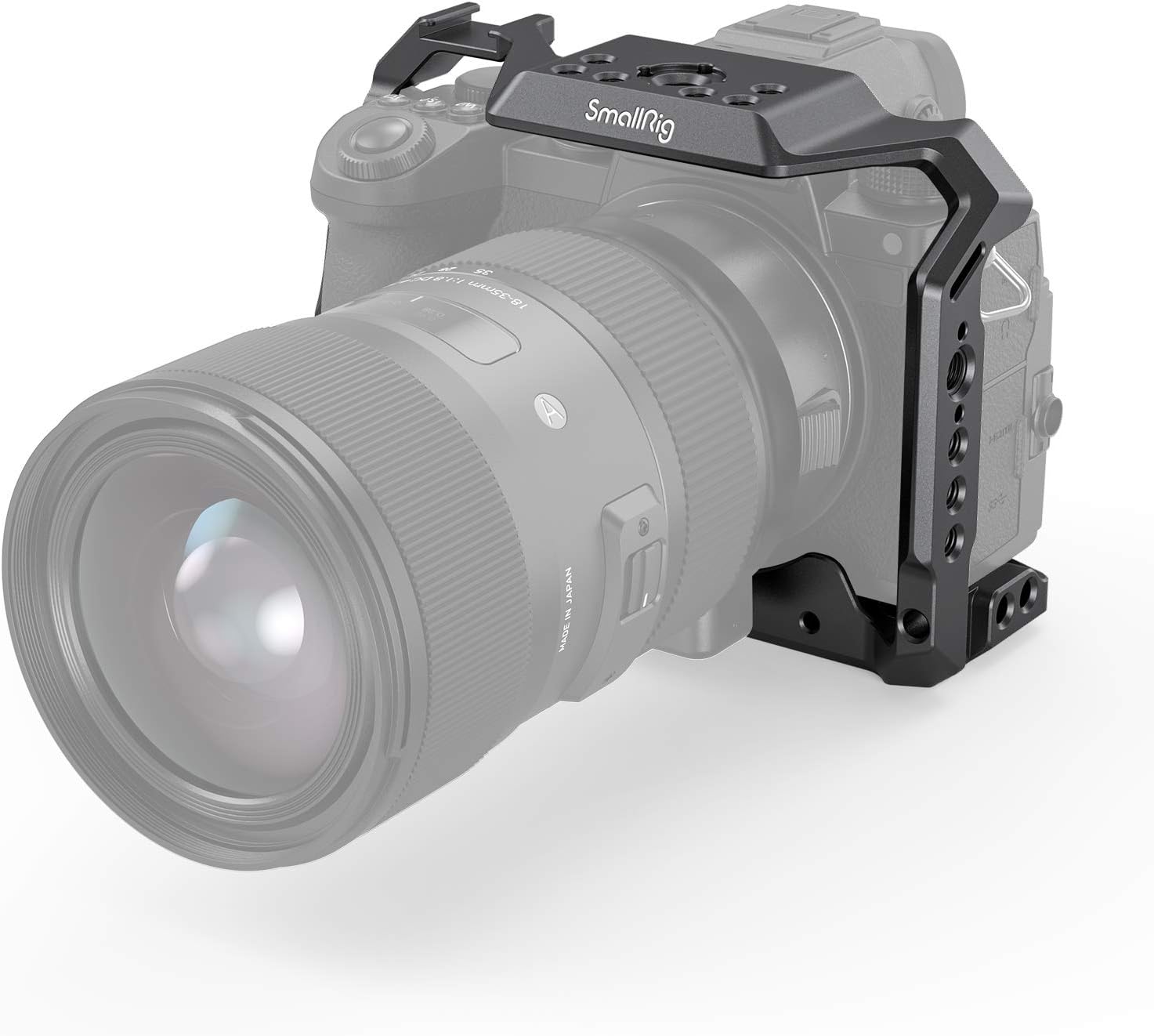
Figure 5.2: SmallRig Cage installed on Panasonic LUMIX S5.
6. Operating and Usage
The SmallRig S5 S5D Cage provides numerous mounting options for various camera accessories, enhancing your filmmaking and photography setup.
- Cold Shoe Mount: Use the integrated cold shoe on the top of the cage to attach accessories such as microphones or LED lights.
- NATO Rail: The NATO rail on the left side allows for quick attachment and detachment of NATO-compatible accessories like NATO handles or magic arms.
- Threaded Holes: Utilize the multiple 1/4’’-20 and 3/8’’-16 ARRI locating holes for attaching a wide range of accessories, including top handles, monitor mounts, and articulating arms.
- Strap Slots: Attach a camera strap to the designated slots on the side of the cage for secure carrying.

Figure 6.1: Multiple Mounting Points.

Figure 6.2: Example of Cage with Accessories.
6.1. Product Demonstration Video
Video 6.1: A demonstration of the SmallRig Cage for Panasonic S5 Camera 2983, showcasing its features and installation.
7. Specifications
| Product Dimensions | 5.87 x 4.25 x 2.8 inches (149 x 108 x 71 mm) |
|---|---|
| Item Weight | 7.1 ounces (202g ± 5g) |
| Model Number | 2983-CF-FBA-US |
| Compatibility | Panasonic LUMIX S5, S5D |
| Material | Aluminum Alloy |
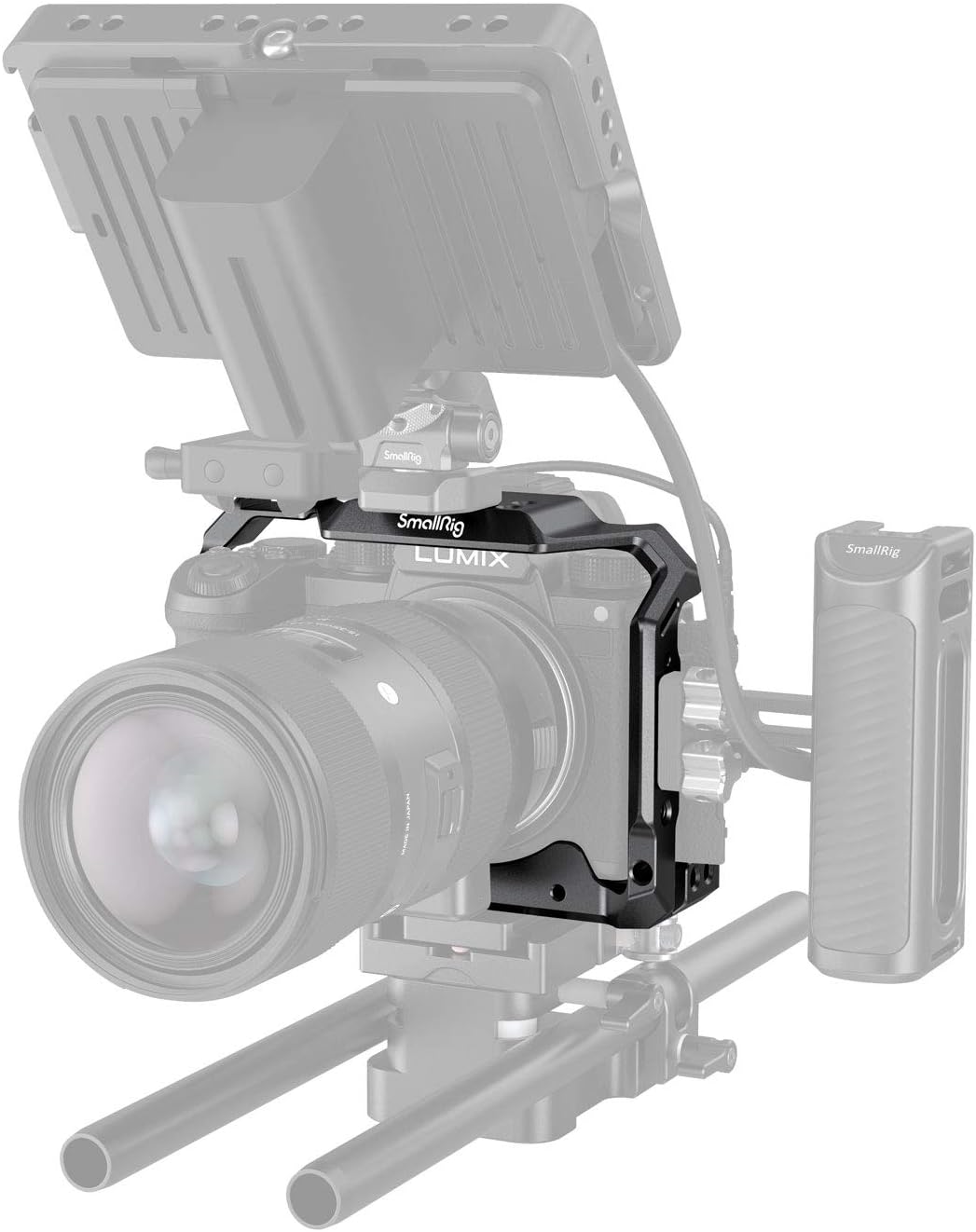
Figure 7.1: Product Dimensions.
8. Troubleshooting
If you encounter any issues with your SmallRig S5 S5D Cage Kit, please consider the following common solutions:
- Cage not fitting properly: Ensure you have the correct model of camera (Panasonic LUMIX S5 or S5D). Double-check that all screws are aligned and tightened correctly.
- Accessories not mounting securely: Verify that the accessories are compatible with 1/4’’-20, 3/8’’-16 ARRI, cold shoe, or NATO rail standards. Ensure screws are fully tightened.
- Twisting of camera within cage: Make sure both the 1/4’’-20 bottom screw and the M2.5 side screw are securely fastened.
For further assistance, please refer to the contact information in Section 9.
9. Warranty and Support
SmallRig products are designed for durability and performance. For information regarding warranty coverage, product support, or to purchase replacement parts, please visit the official SmallRig website or contact their customer service directly.
Official Website: www.smallrig.com
Customer Service: Refer to the contact section on the official website for email or phone support.
Ask a question about this manual
Ask about setup, troubleshooting, compatibility, parts, safety, or missing instructions. Manuals+ will review the question and use this page’s manual context to help answer it.