
Introduction
This manual provides essential information for the safe and efficient operation of your Comiso X26M Portable Bluetooth Speaker. Please read thoroughly before use to ensure optimal performance and longevity of your device.
Safety Information
- Do not expose the speaker to extreme temperatures or direct sunlight for prolonged periods.
- Keep away from open flames and heat sources.
- Do not disassemble, modify, or attempt to repair the device yourself. Contact qualified service personnel if needed.
- Ensure the rubber port cover is securely closed when the speaker is exposed to water or dust to maintain its IP65 rating.
- Use only the provided charging cable or a certified equivalent.
Package Contents
- Comiso X26M Portable Bluetooth Speaker
- USB-C Charging Cable
- Carabiner Clip
- User Manual
Product Overview
The Comiso X26M is a compact, waterproof, and dustproof portable Bluetooth speaker designed for both indoor and outdoor use. It delivers balanced, detailed 360° HD sound, supports wireless stereo pairing (TWS), features a built-in microphone for hands-free calls, and includes a TF card slot for direct music playback.
Controls and Ports
The speaker's top panel features intuitive controls for power, volume, and playback. The charging port, TF card slot, and reset button are located at the bottom, protected by a durable rubber cover.

Image: The Comiso X26M speaker in pink, held in a hand, highlighting its compact size and top control panel.

Image: A close-up of the speaker's top panel, displaying the power, volume, and playback control buttons.

Image: A detailed view of the speaker's base, with the protective rubber flap open to reveal the USB-C charging port, TF card slot, and reset button.
Setup
Charging the Speaker
Before first use, fully charge the speaker to ensure maximum battery life.
- Open the rubber cover located at the bottom of the speaker.
- Connect the provided USB-C cable to the charging port and a compatible USB power source (e.g., wall adapter, computer USB port).
- The LED indicator will illuminate to show the charging status. It will turn off or change color when fully charged.
- Once fully charged, disconnect the cable and close the rubber cover securely to maintain waterproof and dustproof integrity.
Bluetooth Pairing
Connect your Comiso X26M speaker to your Bluetooth-enabled device.
- Press and hold the power button (G) on the top panel until you hear an audible prompt and the LED indicator flashes blue, indicating pairing mode.
- On your device (smartphone, tablet, etc.), enable Bluetooth and search for available devices.
- Select "Comiso X26M" from the list of found devices to connect. A confirmation tone will sound upon successful pairing, and the LED will turn solid blue.
Operating Instructions
Basic Functions
- Power On/Off: Press and hold the power button (G).
- Play/Pause: Press the Play/Pause button (||).
- Volume Up/Down: Press the '+' or '-' buttons.
- Next/Previous Track: Press and hold the '+' (next) or '-' (previous) buttons.
- Answer/End Call: Press the Play/Pause button (||) during an incoming call.
- Reject Call: Press and hold the Play/Pause button (||) during an incoming call.
Wireless Stereo Pairing (TWS)
To achieve an immersive 360° stereo surround sound experience, you can pair two Comiso X26M speakers together.
- Ensure both Comiso X26M speakers are powered on and not connected to any other Bluetooth device.
- On one speaker, press the TWS pairing button (triangle icon). The LED will flash, indicating it's searching for another speaker.
- The speakers will automatically connect to each other. A confirmation tone will sound, and the LEDs on both speakers will indicate a successful TWS connection.
- Once paired, connect your device to one of the speakers via Bluetooth as described in the "Bluetooth Pairing" section. Both speakers will now play audio in stereo.
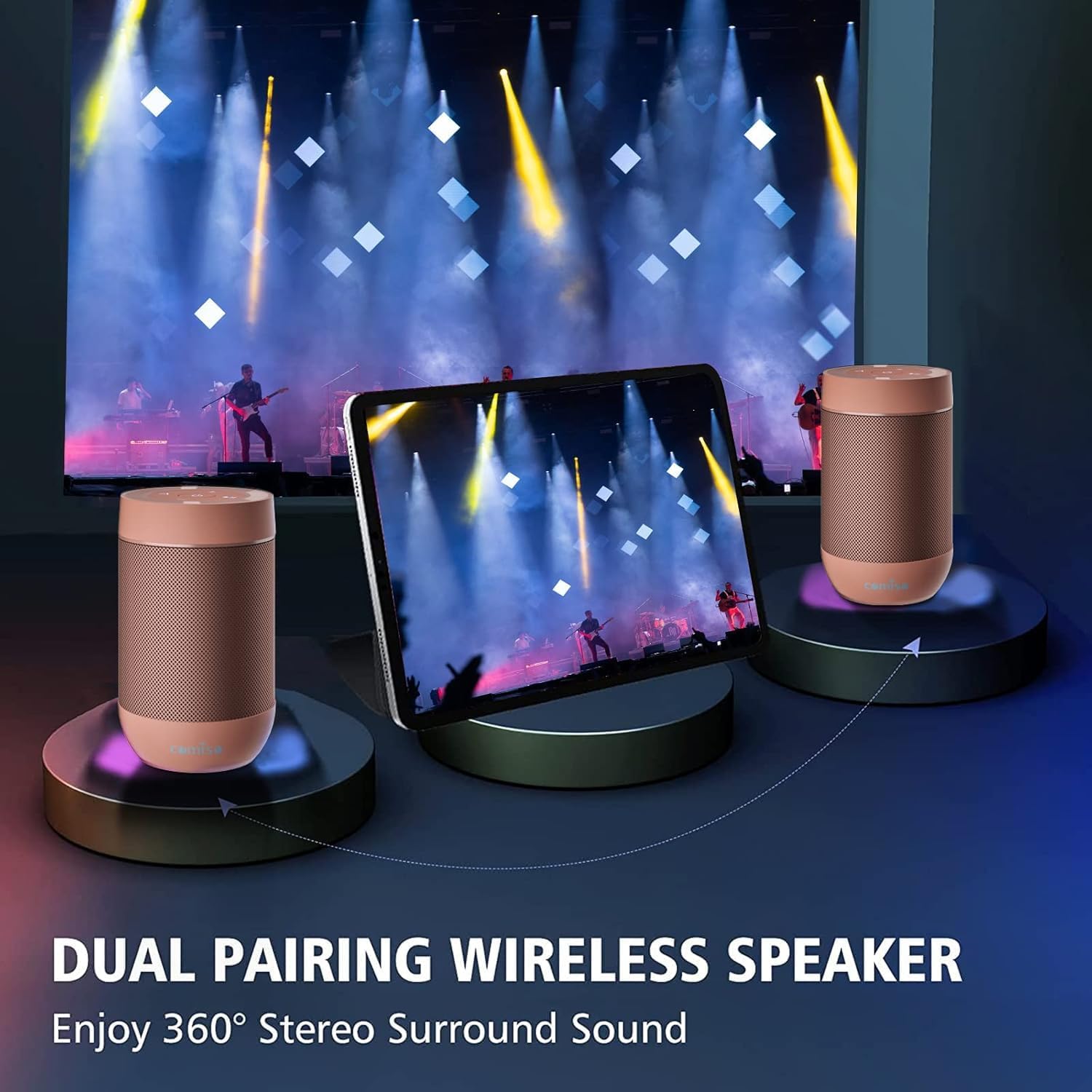
Image: Two Comiso X26M speakers demonstrating the wireless stereo pairing feature, enhancing the audio experience.
TF Card Playback
The speaker supports direct music playback from a TF (Micro SD) card.
- Open the rubber cover at the bottom of the speaker.
- Insert a TF card (up to 64GB, formatted to FAT32, containing MP3 audio files) into the designated slot.
- The speaker will automatically switch to TF card mode and begin playback.
- Use the playback controls on the top panel to manage your music.
Maintenance
- Clean the speaker with a soft, damp cloth. Do not use abrasive cleaners, alcohol, or harsh chemicals.
- Ensure the rubber port cover is securely sealed when not charging or using the TF card to maintain water and dust resistance.
- Store the speaker in a cool, dry place away from direct sunlight and extreme temperatures when not in use.
- If the speaker will not be used for an extended period, charge it fully every 3 months to preserve battery health.
Troubleshooting
| Problem | Solution |
|---|---|
| Speaker does not power on. | Ensure the battery is charged. Connect to a power source using the USB-C cable. If unresponsive, try pressing the reset button located under the rubber cover. |
| Cannot pair via Bluetooth. | Ensure the speaker is in pairing mode (flashing blue LED). Turn off Bluetooth on other nearby devices that might be trying to connect. Try resetting the speaker and your device's Bluetooth settings. |
| No sound or low volume. | Adjust both the speaker's volume and your connected device's volume. Ensure the speaker is properly connected via Bluetooth or TF card. |
| TF card not playing. | Ensure the TF card is formatted to FAT32 and contains MP3 files. The maximum supported size is 64GB. Reinsert the card firmly. |
| Poor sound quality. | Ensure the speaker is within Bluetooth range of your device. Check for obstacles between the speaker and device. Ensure the audio source quality is good. |
Specifications
| Feature | Detail |
|---|---|
| Model Name | X26M |
| Brand | Comiso |
| Connectivity Technology | Wireless (Bluetooth 5.3) |
| Waterproof Rating | IP65 |
| Special Features | Built-in Microphone, TF Card Support, Wireless Stereo Pairing (TWS) |
| Audio Output Mode | Stereo |
| Speaker Maximum Output Power | 5 Watts |
| Battery Capacity | 1350 mAh |
| Charging Time | 2 Hours |
| Bluetooth Range | 100 Feet |
| Product Dimensions | 2.2"D x 2.2"W x 3.6"H |
| Item Weight | 5.9 ounces |
Warranty and Support
This product comes with a limited warranty. For warranty claims, technical support, or any inquiries, please contact Comiso customer service. Refer to the official Comiso website or your purchase documentation for specific contact details and warranty terms.
Additional Information
For more product details, accessories, and usage tips, visit the official Comiso Store: Comiso Store on Amazon.


