
Introduction
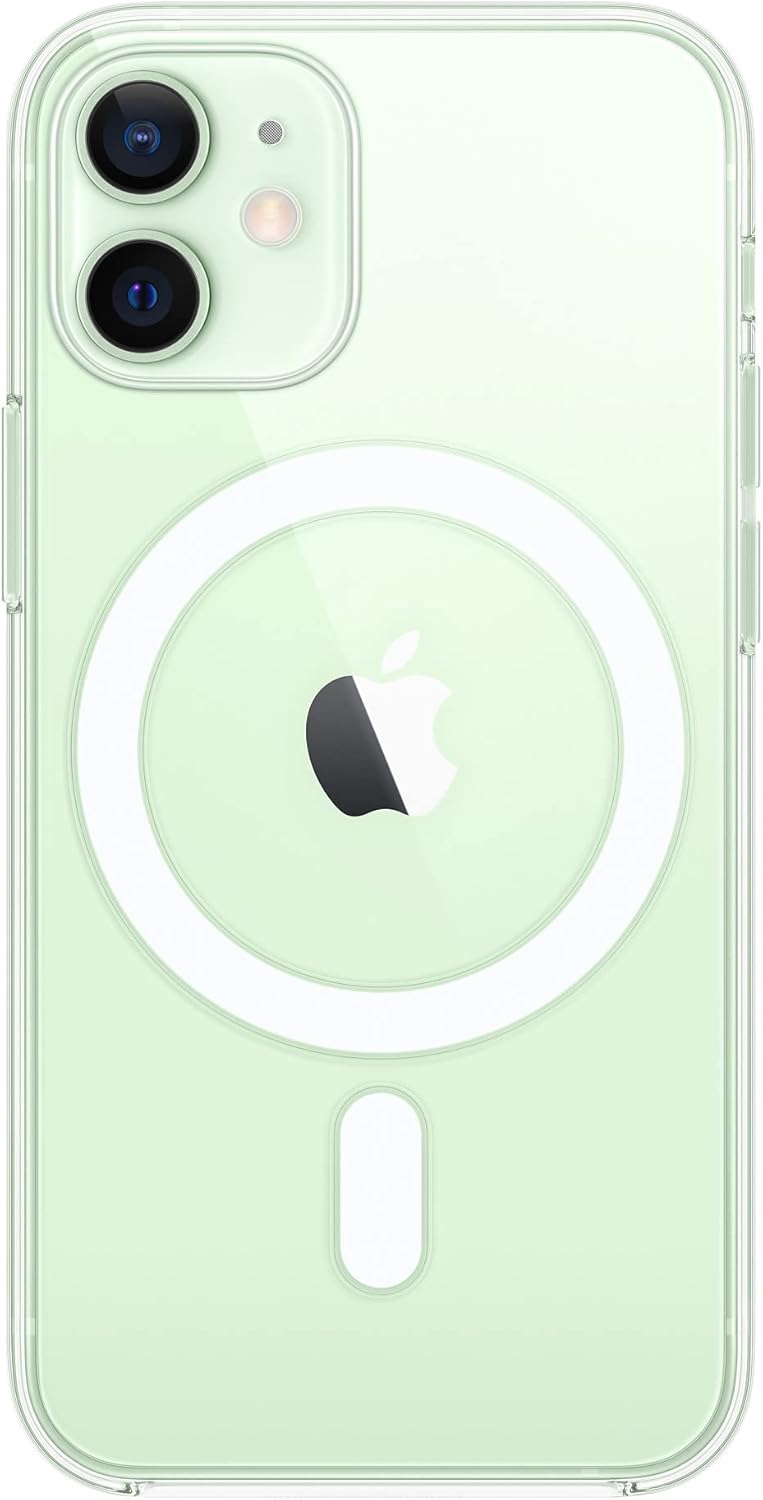
This manual provides instructions for the proper use and maintenance of your Apple iPhone 12 Mini Clear Polycarbonate Case with MagSafe. This case is designed to protect your iPhone 12 Mini while maintaining its aesthetic and enhancing its MagSafe capabilities.
Setup: Case Installation
To install the case on your iPhone 12 Mini, follow these steps:
- Ensure your iPhone 12 Mini is clean and free of dust or debris.
- Align the iPhone with the case, starting with the volume buttons side.
- Gently press the iPhone into the case, ensuring all edges and corners are securely fitted. The flexible materials allow for easy installation and removal.


Operating: MagSafe Functionality
The integrated MagSafe technology in this case provides enhanced functionality for your iPhone 12 Mini.
- Magnetic Alignment: The case features built-in magnets that align perfectly with your iPhone 12 Mini, ensuring a secure attachment for MagSafe accessories.
- Wireless Charging: For faster and easier wireless charging, simply leave the case on your iPhone and snap on a MagSafe charger, or place it on a Qi-certified charger. The case's design ensures optimal charging performance.
Maintenance and Care
To ensure the longevity and clarity of your case, follow these maintenance guidelines:
- Cleaning: Wipe the case regularly with a soft, damp, lint-free cloth. Avoid abrasive materials or harsh chemicals, as these can damage the scratch-resistant coating.
- Preventing Yellowing: The materials and coatings are optimized to resist yellowing over time. However, prolonged exposure to direct sunlight or extreme temperatures may accelerate material degradation.
- Storage: When not in use, store the case in a cool, dry place away from direct sunlight.


Troubleshooting
If you encounter any issues with your case, consider the following:
- Case Fit: Ensure the case is correctly aligned and snapped onto your iPhone 12 Mini. A proper fit is crucial for protection and MagSafe functionality.
- Wireless Charging Issues: If wireless charging is not working, verify that your MagSafe or Qi-certified charger is properly connected and that no foreign objects are between the phone and the charger.
- Scratches: While the case has a scratch-resistant coating, it is not entirely scratch-proof. Avoid contact with sharp objects or abrasive surfaces.
Specifications
| Feature | Detail |
|---|---|
| Product Name | Apple iPhone 12 Mini Clear Polycarbonate Case with MagSafe |
| Model Number | MHLL3ZM/A |
| Compatible Phone Models | iPhone 12 Mini |
| Material | Optically clear polycarbonate and flexible materials |
| Color | Clear |
| Special Features | Integrated MagSafe magnets, scratch-resistant coating, optimized to prevent yellowing |
| Product Dimensions | 5.89 x 3.24 x 0.57 inches |
| Item Weight | 1.76 ounces |
| Manufacturer | Apple |
Warranty and Support
For warranty information and technical support, please refer to the official Apple support resources.
- Apple Support Website: Visit support.apple.com for comprehensive support articles, troubleshooting guides, and contact options.
- Product Registration: Register your Apple product to receive updates and support.


