
1. Important Safety Instructions
Read all instructions before using this appliance. Failure to follow these instructions may result in electric shock, fire, or serious injury.
- Ensure the power supply voltage matches the rating label on the appliance.
- Do not operate the appliance with a damaged cord or plug.
- Keep the appliance away from water or other liquids.
- Do not block air inlets or outlets. Maintain adequate clearance around the unit.
- Unplug the appliance before cleaning or performing any maintenance.
- This appliance is for indoor use only.
- Do not use in areas with flammable or explosive gases.
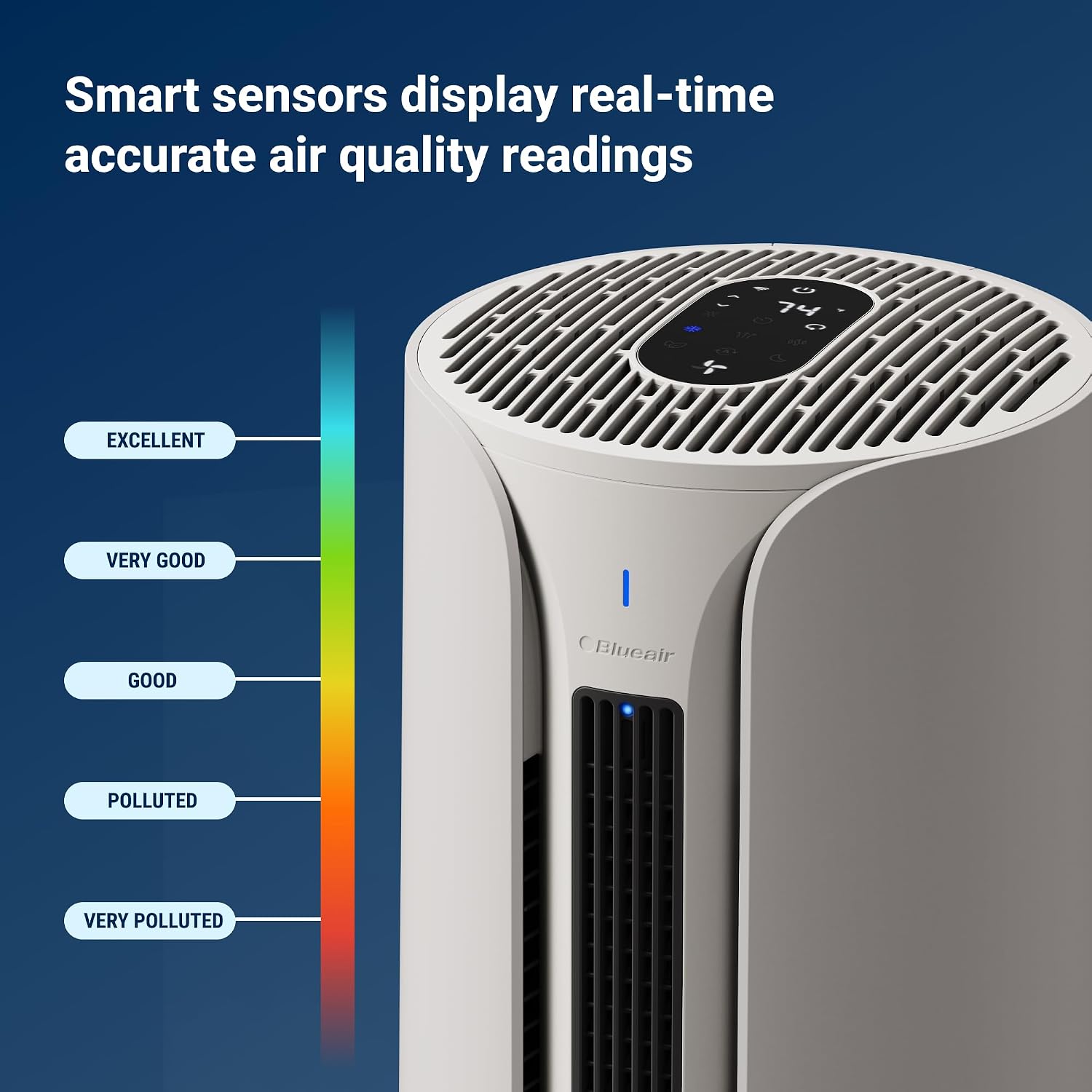
Figure 1: Safety features of the ComfortPure T10i, including display lock, heat-resistant materials, auto-shut off, and anti-tipping design.
2. Product Overview
2.1 Introduction
The BLUEAIR ComfortPure T10i is a 3-in-1 appliance designed to provide year-round comfort by combining air purification with cooling and heating functionalities. It utilizes HEPASilent technology for efficient air cleaning.
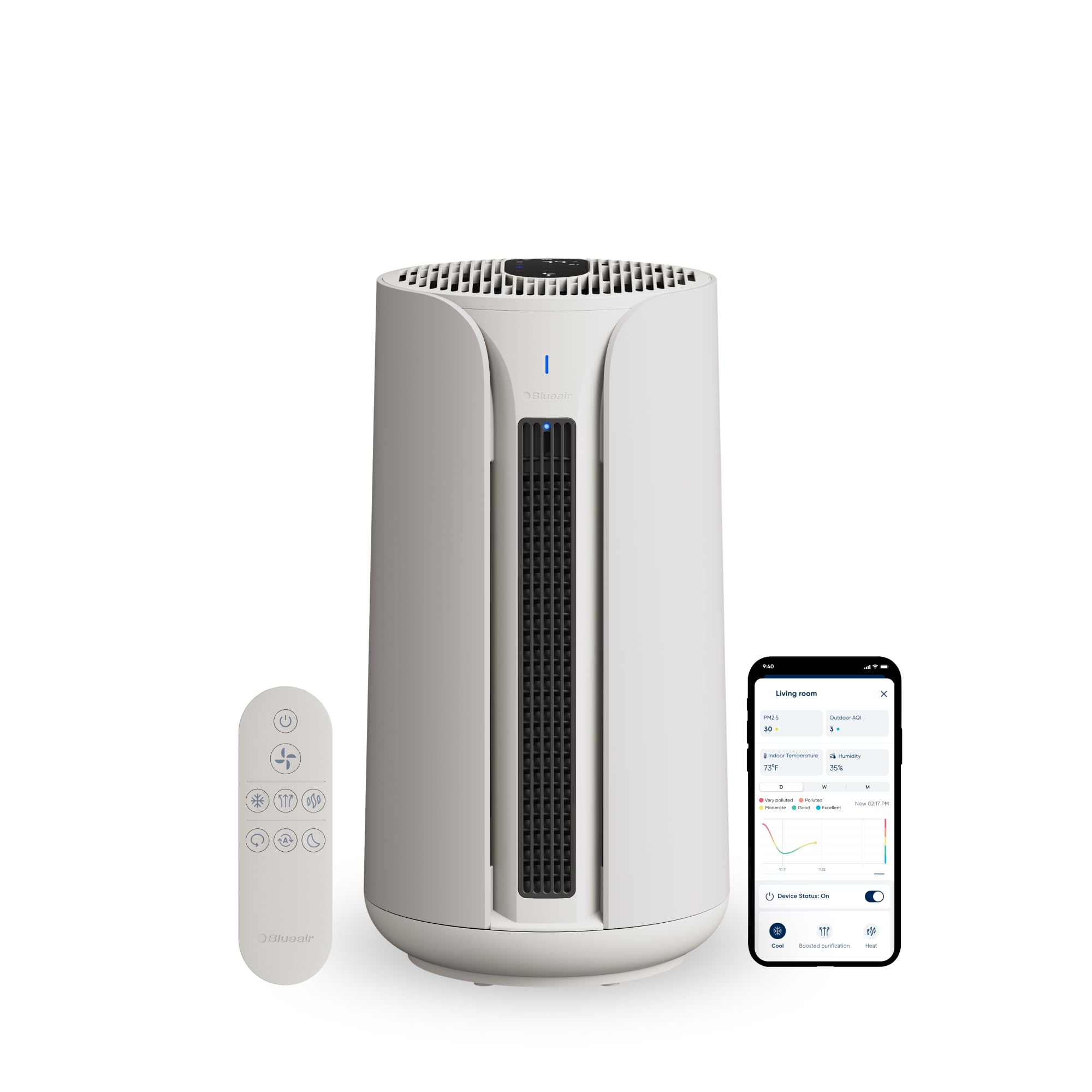
Figure 2: The ComfortPure T10i unit, illustrating its multi-functionality.
2.2 Key Features
- 3-in-1 Functionality: Cools, heats, and purifies air.
- TripleFlow Technology: Optimizes purified airflow for cooling, heating, and purification modes.
- HEPASilent Filtration: Removes 99.97% of airborne particles down to 0.1 micron, including allergens, dust, smoke, and odors.
- PTC Heating Technology: Provides rapid heating.
- Dual Jetstream Outlets: Delivers powerful purified airflow for cooling.
- 350-degree Oscillation: Distributes air evenly.
- Multiple Control Options: Touchscreen interface, remote control, and Blueair app.
- Smart Sensors: Real-time air quality readings.

Figure 3: TripleFlow technology illustrating purified air, heat, and cooling fan outputs.
3. Setup
3.1 Unpacking and Placement
- Carefully remove the ComfortPure T10i from its packaging.
- Place the unit on a firm, level surface.
- Ensure there is at least 10 cm (4 inches) of clear space around all sides of the unit for optimal airflow.
- Avoid placing the unit near heat sources, direct sunlight, or in damp environments.
3.2 Filter Installation
The ComfortPure T10i comes with filters pre-installed. If replacing filters, follow these steps:
- Unplug the unit from the power outlet.
- Locate the filter compartment, typically at the base or side of the unit.
- Open the compartment cover.
- Remove the old filter(s) and dispose of them properly.
- Insert the new HEPASilent filter(s), ensuring they are correctly oriented.
- Close the filter compartment cover securely.
- Plug the unit back into the power outlet.

Figure 4: Filter components and their placement within the unit.
4. Operation
4.1 Control Methods
The ComfortPure T10i can be controlled using its integrated touchscreen, the included remote control, or the Blueair mobile application.
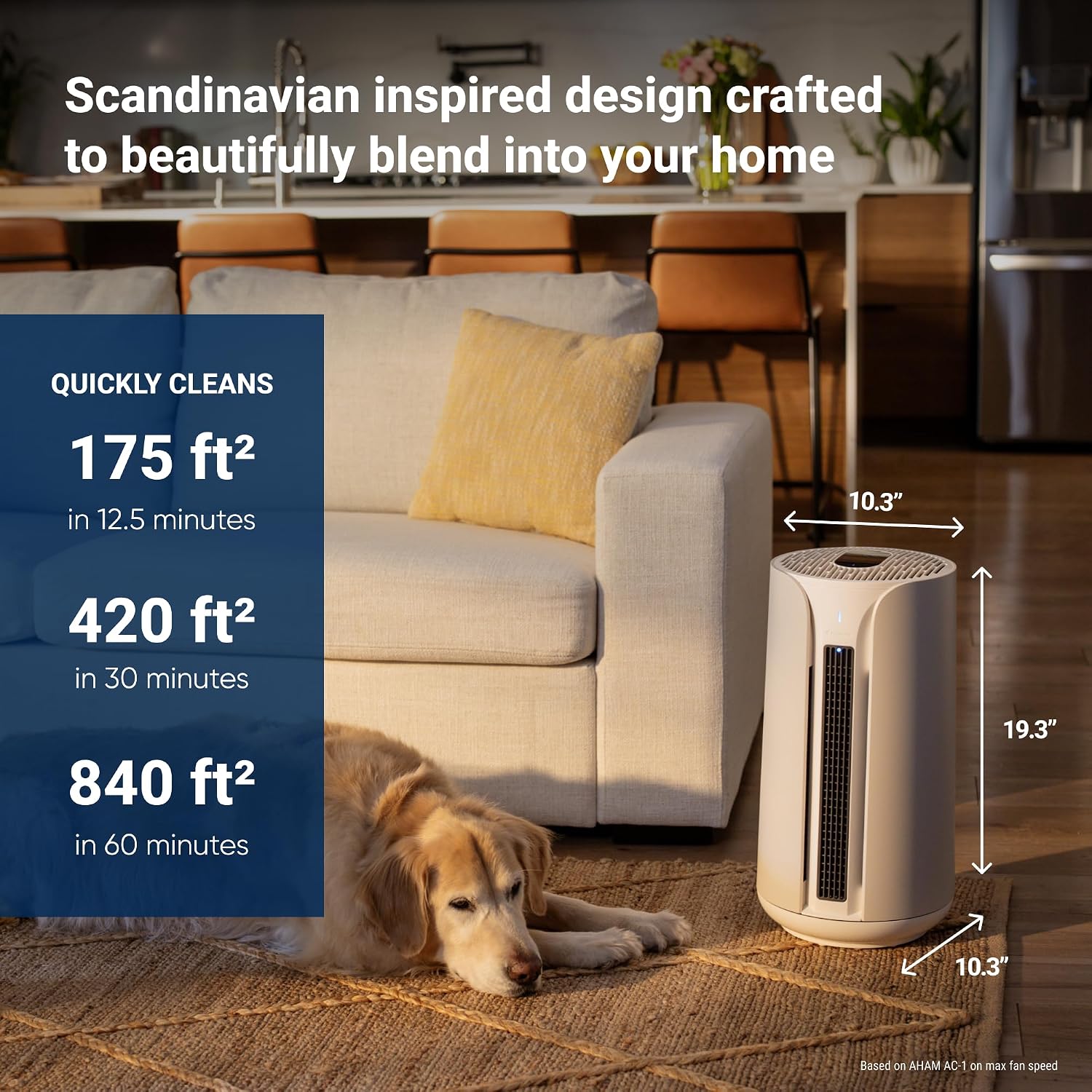
Figure 5: Three methods for controlling the ComfortPure T10i: remote, app, and touchscreen.
4.1.1 Touchscreen Interface
The top panel of the unit features a touchscreen display for direct control of all functions, including power, mode selection, fan speed, oscillation, and timer settings.
4.1.2 Remote Control
Use the provided remote control to adjust settings from a distance. Ensure the remote has working batteries and is pointed towards the unit's sensor.
4.1.3 Blueair App
Download the Blueair app from your device's app store. Follow the in-app instructions to connect your ComfortPure T10i. The app allows for advanced control, scheduling, and monitoring of air quality.

Figure 6: The Blueair mobile application interface for comprehensive control.
4.2 Operating Modes
- Purification Mode: The unit continuously purifies the air using HEPASilent filtration.
- Cooling Mode: Activates the fan to circulate purified air, providing a cooling effect. This functions as a fan and is not an air conditioning unit.
- Heating Mode: Engages the PTC heating element to warm the purified air. Heating functions can only be controlled manually via the user interface for safety.

Figure 7: Cooling mode utilizing dual jetstream outlets for purified airflow.

Figure 8: Heating mode providing warm, purified air.
4.3 Oscillation
The unit offers up to 350-degree oscillation to distribute purified and conditioned air throughout the room. Adjust the oscillation angle via the touchscreen, remote, or Blueair app.
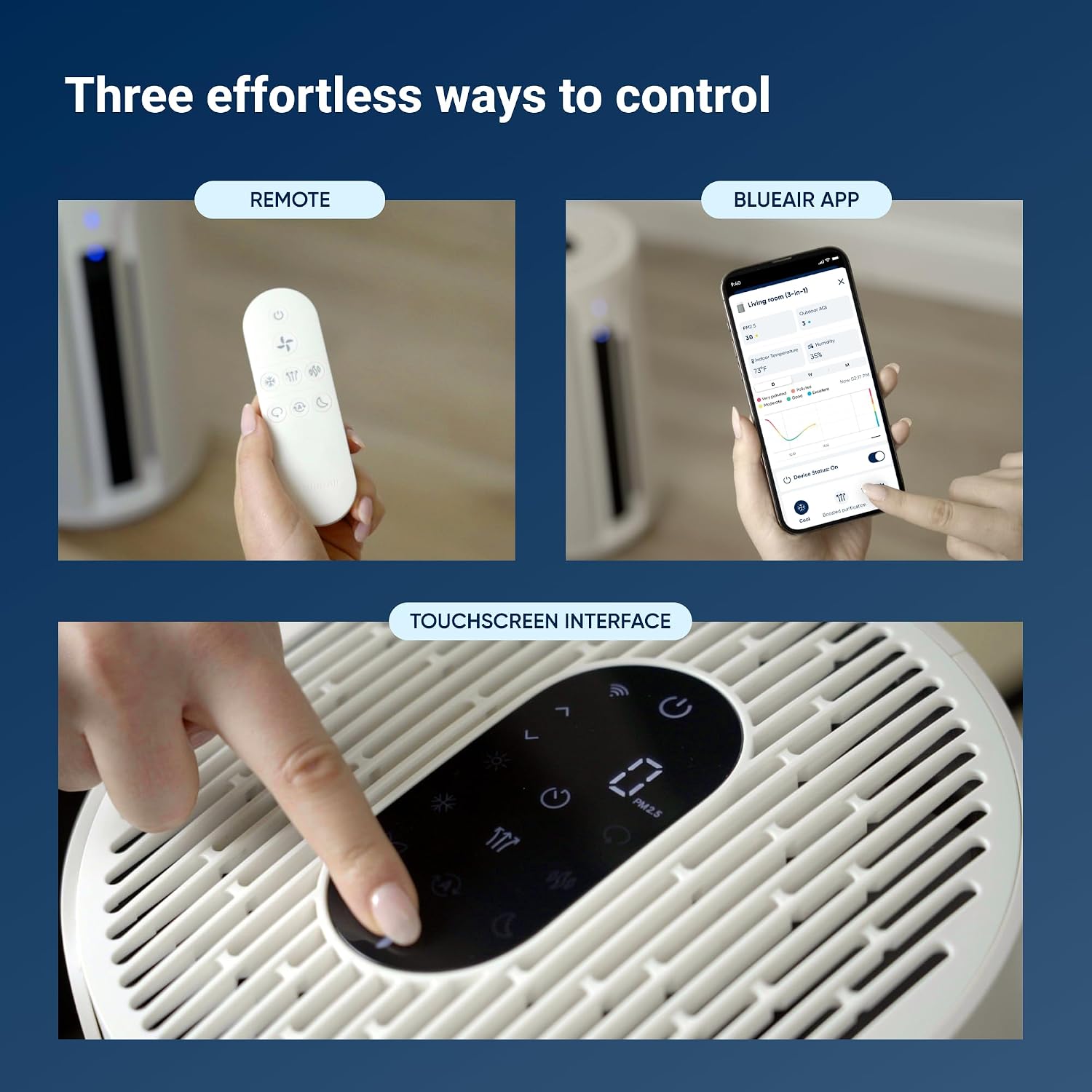
Figure 9: Oscillation feature distributing air across the room.
4.4 Air Quality Monitoring
Integrated smart sensors continuously monitor the air quality in your environment and display real-time readings on the unit's screen and within the Blueair app. The display uses a color-coded scale to indicate air quality levels.
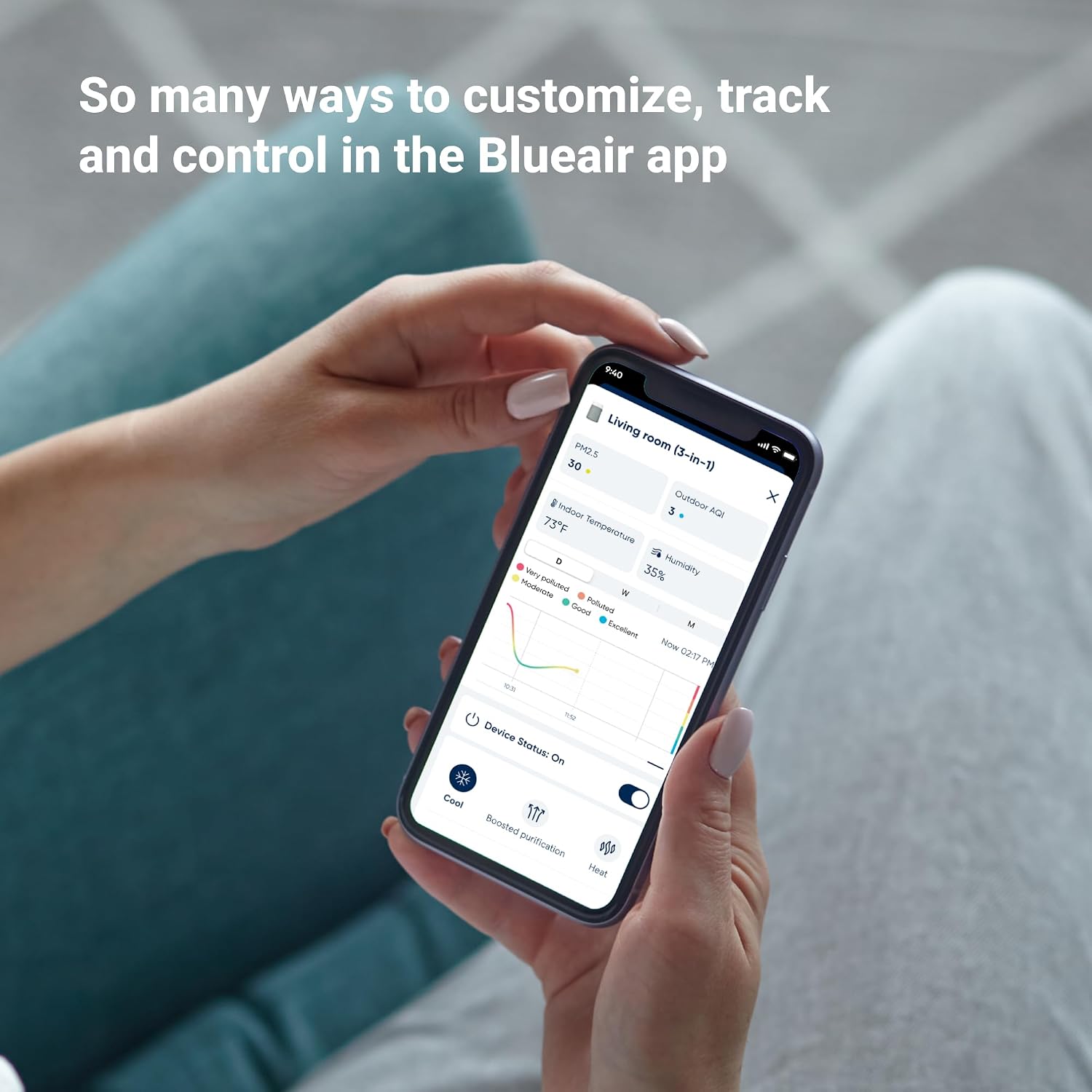
Figure 10: Real-time air quality display and indicator scale.
5. Maintenance
5.1 Filter Replacement
The filter lifetime depends on usage and air quality. The unit will indicate when a filter change is required. Refer to Section 3.2 for detailed filter installation steps.
- Always use genuine BLUEAIR replacement filters to ensure optimal performance and maintain warranty validity.
- Dispose of used filters according to local regulations.
5.2 Cleaning the Unit
- Unplug the appliance before cleaning.
- Wipe the exterior surfaces with a soft, damp cloth. Do not use abrasive cleaners or solvents.
- Gently vacuum the air intake and outlet grilles to remove dust accumulation.
- Do not allow water to enter the unit.
6. Troubleshooting
If you experience issues with your ComfortPure T10i, refer to the following common problems and solutions:
| Problem | Possible Cause | Solution |
|---|---|---|
| Unit does not turn on. | No power, loose plug, power outage. | Check power cord connection, ensure outlet is functional, check circuit breaker. |
| No airflow or weak airflow. | Blocked air inlets/outlets, dirty filter, incorrect fan speed setting. | Clear obstructions, clean or replace filter, increase fan speed. |
| Air quality reading seems inaccurate. | Sensor obstruction, high dust levels near sensor. | Ensure sensor area is clean and unobstructed. Allow time for sensor to adjust. |
| Heating function not working. | Safety lockout, manual control required. | Ensure heating is activated manually via the unit's touchscreen. Check for error codes. |
If the problem persists after attempting these solutions, please contact customer support.
7. Specifications
| Feature | Detail |
|---|---|
| Brand | BLUEAIR |
| Model Number | BLU-112644_1 |
| Product Dimensions (D x W x H) | 26.2D x 26.2W x 50.2H centimetres |
| Item Weight | 6.3 Kilograms |
| Power Source | Corded Electric |
| Control Method | App, Remote, Touch |
| Filter Type | HEPA |
| Floor Area Coverage | 36 Square Meters |
| Noise Level | 52 Decibels |
| Particle Retention Size | 0.1 Micron |
| Contaminant Filtration Capability | Smoke, Dust, Allergens, Viruses, Bacteria |
| Special Features | 3-in-1 Air Purifier with Heating and Cooling Functionality |
| UPC | 689122029856 |
8. Warranty and Support
8.1 Warranty Information
BLUEAIR products are covered by a limited warranty. Please refer to the warranty card included with your product or visit the official BLUEAIR website for detailed terms and conditions. Keep your proof of purchase for warranty claims.
8.2 Customer Support
For technical assistance, troubleshooting not covered in this manual, or to order replacement parts and filters, please contact BLUEAIR customer support:
- Website: www.blueair.com
- Phone: Refer to your regional BLUEAIR website for local contact numbers.


