
Introduction
Thank you for choosing the Blackview BV9900E Rugged Smartphone. This manual provides essential information and instructions to help you set up, operate, and maintain your device. Please read this manual carefully before using your smartphone to ensure proper functionality and safety.
The Blackview BV9900E is designed for durability and performance, featuring advanced camera capabilities, a powerful processor, and robust protection against environmental elements.
Product Overview
The Blackview BV9900E combines high-performance features with a rugged design, making it suitable for demanding environments. Key components and features include:
- AI Quad Camera System: 48MP main camera, 16MP ultra-wide, 2MP depth, 0.3MP auxiliary, with Super Night Mode and Underwater Mode.
- Powerful Processor: MediaTek Helio P90 Octa-core AI processor for smooth operation.
- Ample Storage: 6GB RAM and 128GB internal storage.
- Durable Display: 5.84-inch FHD+ Waterdrop screen protected by Corning Gorilla Glass 5.
- Extreme Durability: IP68 & IP69K waterproof and dustproof, MIL-STD-810G certified for drop resistance, and IceMode for operation in temperatures down to -30°C.
- Long-lasting Battery: 4380mAh battery with 10W wireless charging and 18W fast charging support.
- Advanced Sensors: Integrated heart rate monitor and barometer.
- Connectivity: Dual SIM support, 4G LTE, NFC, GPS, GLONASS, Beidou, Galileo.
Official product video showcasing the Blackview BV9900E's key features, including its ruggedness, camera capabilities, performance, and various sensors.
What's in the Box

The retail package for the Blackview BV9900E includes the smartphone, a pair of earphones, a SIM ejector tool, a user manual, a screen protector, a power adapter, and a USB Type-C charging cable.
- Blackview BV9900E Smartphone
- USB Type-C Cable
- Power Adapter
- Earphones
- SIM Ejector Tool
- Screen Protector
- User Manual
Setup
1. Inserting SIM Cards and MicroSD Card
The Blackview BV9900E supports Dual SIM cards (Nano SIM size) and a MicroSD card for expandable storage. Note that if two SIM cards are used, a MicroSD card cannot be inserted simultaneously, as it shares a slot with one of the SIM cards.
- Locate the SIM card tray on the side of the device.
- Insert the SIM ejector tool into the small hole next to the tray and push gently until the tray pops out.
- Place your Nano SIM card(s) and/or MicroSD card into the designated slots on the tray, ensuring correct orientation.
- Carefully push the tray back into the device until it is flush with the side.
2. Initial Power On and Setup
- Press and hold the Power button (located on the right side) until the Blackview logo appears.
- Follow the on-screen prompts to complete the initial setup, including language selection, Wi-Fi connection, Google account login, and security settings (fingerprint, PIN, pattern).
Operating Instructions
Display and Interface
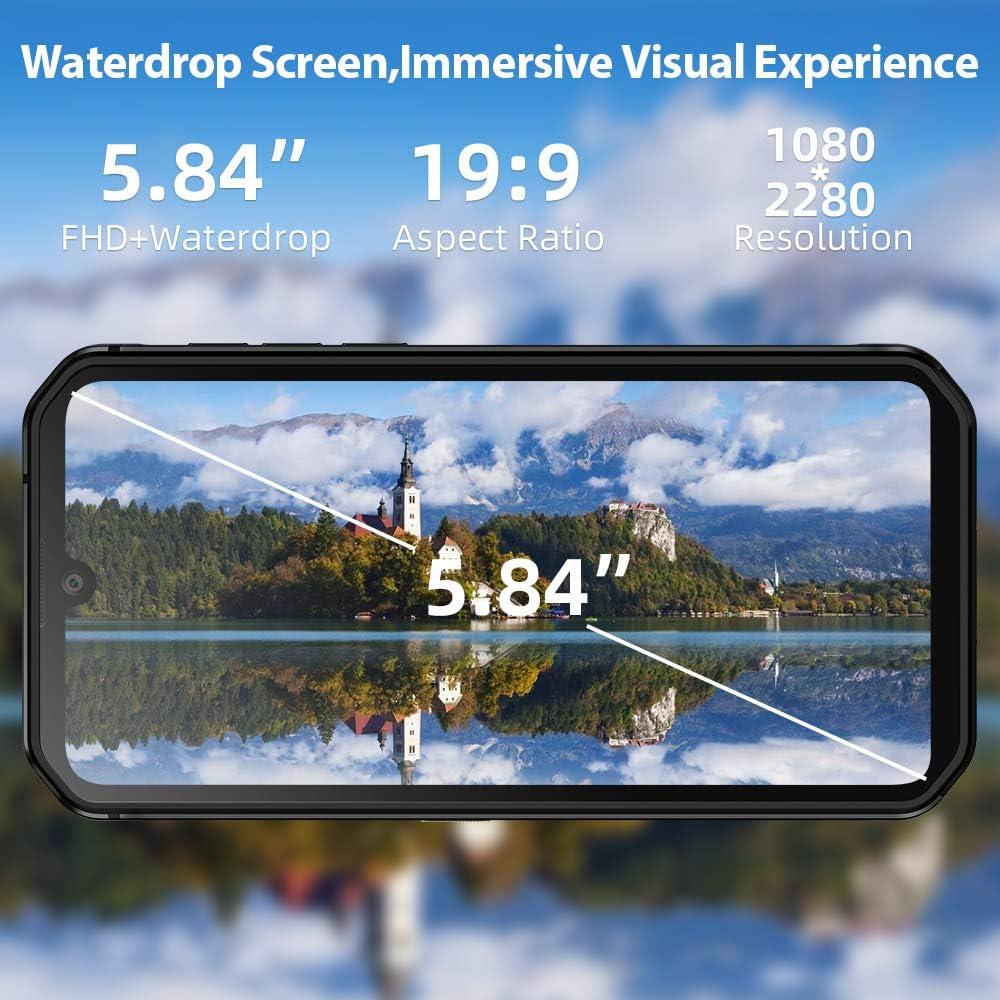
The 5.84-inch FHD+ Waterdrop screen offers a wide field of view with a resolution of 1080x2280 pixels.
The BV9900E features a 5.84-inch FHD+ Waterdrop display with a resolution of 1080 x 2280 pixels and a 19:9 aspect ratio. Navigation is primarily via the touchscreen. The device runs on Android 10, offering a user-friendly interface and access to a wide range of applications.
- Home Screen: Access your apps, widgets, and notifications.
- Notifications Panel: Swipe down from the top of the screen to view notifications and quick settings.
- Settings: Access device settings for customization and management.
- Dark Mode: Android 10 supports a system-wide Dark Mode, which can be enabled in display settings for improved visual comfort and battery saving.
Camera Functions

The Blackview BV9900E features a 48MP AI Quad Rear Camera with a 16MP ultra-wide lens, supporting Super Night Shot Mode and 120° ultra-wide field of view HDR.
The BV9900E is equipped with a versatile AI Quad Camera system:
- Main Camera: 48MP sensor for high-resolution photos.
- Ultra-wide Angle: 16MP lens with a 120° field of view for expansive shots.
- Macro Lens: 4cm focus macro lens for detailed close-up photography.
- Front Camera: 16MP for selfies and video calls.
- Video Recording: Supports 4K video recording at 30 frames per second (fps).
- Special Modes:
- Super Night Mode: Enhances low-light photography for clearer images in dark conditions.
- Underwater Mode: Allows for photography and videography while submerged. Ensure all ports are securely sealed before using this mode.
To use the camera, open the Camera app. You can switch between photo, video, and other modes by swiping across the screen or selecting the desired mode from the interface. Tap the shutter button to capture an image or start/stop video recording.
Sensors and Tools

The Blackview BV9900E integrates multiple sensors, including GPS, Glonass, Beidou, Galileo for navigation, a heart rate monitor, and a barometer.
- GPS Navigation: Supports GPS, GLONASS, Beidou, and Galileo for accurate positioning.
- Heart Rate Monitor: Located on the rear of the device, use the dedicated app to measure your heart rate.
- Barometer: Measures atmospheric pressure, useful for outdoor activities and altitude tracking.
- Side-Mounted Fingerprint Sensor: For secure and quick unlocking of the device.
- NFC (Near Field Communication): For contactless payments and quick data transfer.
Durability Features

The Blackview BV9900E features an extremely solid structure with a metal frame, secured screws, shock-proof liquid silicone, and Corning Gorilla Glass 5 for enhanced durability.
The Blackview BV9900E is built to withstand harsh conditions:
- IP68 & IP69K Rating: Certified for water and dust resistance. It can withstand submersion in water up to 1.5 meters for 30 minutes.
- MIL-STD-810G Compliance: Meets military standards for durability, including resistance to drops from up to 1.5 meters.
- Corning Gorilla Glass 5: Provides enhanced scratch and drop resistance for the display.
- IceMode: Allows the phone to function in extremely cold temperatures, down to -30°C. This mode optimizes essential functions for cold environments.
While the device is rugged, it is important to ensure all port covers are securely closed before exposing it to water or dust to maintain its protective ratings.
Charging and Battery
The BV9900E is equipped with a 4380mAh Lithium-ion battery, offering extended usage times. It supports both wired and wireless charging.
- Wired Charging: Use the provided USB Type-C cable and power adapter for 18W fast charging. A full charge takes approximately 2.5 hours.
- Wireless Charging: The device supports 10W wireless charging. Place the phone on a compatible wireless charging pad.
- Battery Life: The average battery life is approximately 5 years, with up to 6 hours of talk time.
To optimize battery life, consider adjusting screen brightness, disabling unnecessary background apps, and using power-saving modes when available.
Connectivity
The Blackview BV9900E offers comprehensive connectivity options:
- 4G LTE: Supports global 4G LTE bands for reliable cellular connectivity.
- Dual 4G VoLTE: Allows for voice calls over LTE on both SIM cards simultaneously.
- Wi-Fi: Connect to wireless networks for internet access.
- Bluetooth: For connecting to wireless accessories like headphones or speakers.
- NFC: Enable NFC for contactless payments and quick pairing with other NFC-enabled devices.
Maintenance
To ensure the longevity and optimal performance of your Blackview BV9900E, follow these maintenance guidelines:
- Cleaning: Use a soft, damp cloth to clean the device. Avoid harsh chemicals or abrasive materials.
- Port Covers: Always ensure all port covers (USB-C, SIM tray) are securely closed to maintain water and dust resistance.
- Software Updates: Regularly check for and install system updates to ensure your device has the latest features and security patches.
- Storage Management: Periodically clear unnecessary files and apps to free up storage space and improve performance.
- Temperature: Avoid exposing the device to extreme temperatures outside its operating range, except when using IceMode in cold conditions.
Troubleshooting
If you encounter issues with your Blackview BV9900E, try the following solutions:
| Problem | Possible Solution |
|---|---|
| Device not powering on | Ensure the battery is charged. Connect to a charger for at least 15 minutes, then try powering on again. |
| Apps crashing or freezing | Close background apps. Clear app cache or data. Restart the device. Ensure sufficient storage space. |
| Poor call quality | Check network signal strength. Ensure SIM cards are correctly inserted. Try enabling or disabling VoLTE in settings. |
| Water or dust ingress (despite ratings) | Immediately power off the device. Do not attempt to charge. Contact customer support. Ensure all port covers were properly sealed. |
| Battery draining quickly | Adjust screen brightness. Disable GPS, Wi-Fi, Bluetooth when not in use. Check battery usage in settings to identify power-hungry apps. |
| Fingerprint sensor not working | Ensure your finger is clean and dry. Re-register your fingerprints in settings. |
If the problem persists, please contact Blackview customer support for further assistance.
Specifications

Physical dimensions of the Blackview BV9900E smartphone.
| Feature | Detail |
|---|---|
| Model Name | BV9900E |
| Operating System | Android 10 (as per feature bullets, though specs list 9.0) |
| Processor | MediaTek Helio P90 Octa-core, 2200 MHz |
| RAM | 6 GB |
| Internal Storage | 128 GB |
| Expandable Storage | Up to 128 GB (MicroSD, shares SIM slot) |
| Display Size | 5.84 inches |
| Display Resolution | 1080 x 2280 FHD+ |
| Display Type | LCD |
| Display Protection | Corning Gorilla Glass 5 |
| Rear Camera | 48 MP (main) + 16 MP (ultra-wide) + 2 MP + 0.3 MP (quad setup) |
| Front Camera | 16 MP |
| Video Resolution | 4K at 30 fps |
| Battery Capacity | 4380 mAh (Lithium-ion) |
| Charging | 18W Fast Charge, 10W Wireless Charge |
| SIM Card Type | Nano SIM (Dual SIM support) |
| Connectivity | 4G LTE, Wi-Fi, Bluetooth, NFC |
| Navigation | GPS, GLONASS, Beidou, Galileo |
| Sensors | Fingerprint (side-mounted), Heart Rate Sensor, Barometer |
| Durability Ratings | IP68, IP69K, MIL-STD-810G |
| Operating Temperature | Supports -30°C (IceMode) |
| Dimensions (L x W x T) | 15.6 x 7.8 x 1.4 cm (156.5 x 78.3 x 14.2 mm) |
| Weight | 230 Grams |
Warranty and Support
Blackview provides a standard warranty for its products. Please refer to the warranty card included in your product packaging for specific terms and conditions, including warranty period and coverage.
For technical support, troubleshooting assistance, or warranty claims, please visit the official Blackview website or contact their customer service. Contact information can typically be found on the Blackview website or in the documentation provided with your device.
When contacting support, please have your device model (BV9900E) and serial number ready.


