
1. Introduction
This manual provides detailed instructions for the Naroote USB Bluetooth 5.0 Transmitter Receiver, Model YET-TR6. This versatile 4-in-1 device allows you to wirelessly transmit and receive audio, enhancing connectivity for a wide range of devices including PCs, cars, headphones, and speakers. Please read this manual carefully before use to ensure proper operation and to maximize your experience with the product.
2. Product Overview
2.1 Package Contents
- 1 x Naroote USB Bluetooth 5.0 Transmitter Receiver (Model YET-TR6)
- 1 x USB Cable
- 1 x User Manual (this document)
2.2 Device Features
- Bluetooth 5.0 Technology: Provides a stable and efficient wireless connection.
- 4-in-1 Functionality: Operates as both a transmitter (TX) and receiver (RX).
- Wide Compatibility: Connects to various audio devices via USB and 3.5mm auxiliary input/output.
- Compact Design: Small form factor for easy portability and integration.
- Plug and Play: Automatic power-on and pairing mode upon USB connection.
- Extended Range: Supports a wireless connection distance of up to 10 meters (33 feet) without obstacles.
2.3 Device Diagram

Figure 1: Front view of the Naroote USB Bluetooth 5.0 Transmitter Receiver. It features a USB-A connector, a central button, and indicators for "TRANSMIT" and "RECEIVE" modes.

Figure 2: The Naroote USB Bluetooth 5.0 Transmitter Receiver shown alongside the included 3.5mm audio cable, which is used for connecting to audio sources or output devices.

Figure 3: Two devices illustrating the "TRANSMIT" (blue light) and "RECEIVE" (red light) indicators, signifying the active mode of operation.
3. Setup
The Naroote USB Bluetooth 5.0 Transmitter Receiver is designed for simple plug-and-play operation.
- Power On: Insert the USB-A connector of the device into any standard USB port (e.g., on a PC, car charger, USB wall adapter, or speaker with a USB port). The device will automatically power on.
- Mode Selection: The device will automatically enter pairing mode. The LED indicator will flash, indicating it is ready to connect.
- Connect Audio Cable: Depending on whether you are using Transmitter (TX) or Receiver (RX) mode, connect the 3.5mm audio cable to the device's 3.5mm port and to your audio source (for TX mode) or audio output device (for RX mode).
4. Operating Modes
The device supports both Transmitter (TX) and Receiver (RX) modes. The mode is typically determined by how the 3.5mm audio cable is connected and the device it's paired with. The central button on the device can be used to switch between modes or initiate pairing.
4.1 Transmitter (TX) Mode
In TX mode, the device sends audio wirelessly from a non-Bluetooth audio source (like a TV, PC, or MP3 player) to a Bluetooth-enabled receiving device (like Bluetooth headphones or speakers).
- Connect Audio Source: Plug one end of the 3.5mm audio cable into the device's 3.5mm port and the other end into the audio output (e.g., headphone jack) of your non-Bluetooth audio source.
- Power On: Insert the USB connector into a power source (e.g., USB port on TV, PC, or a USB charger). The device will power on and the "TRANSMIT" indicator (blue light) should illuminate or flash.
- Pairing: Put your Bluetooth headphones or speaker into pairing mode. The Naroote device will automatically search for and connect to nearby Bluetooth receiving devices.
- Audio Playback: Once connected, audio from your source device will be transmitted wirelessly to your Bluetooth headphones or speaker.
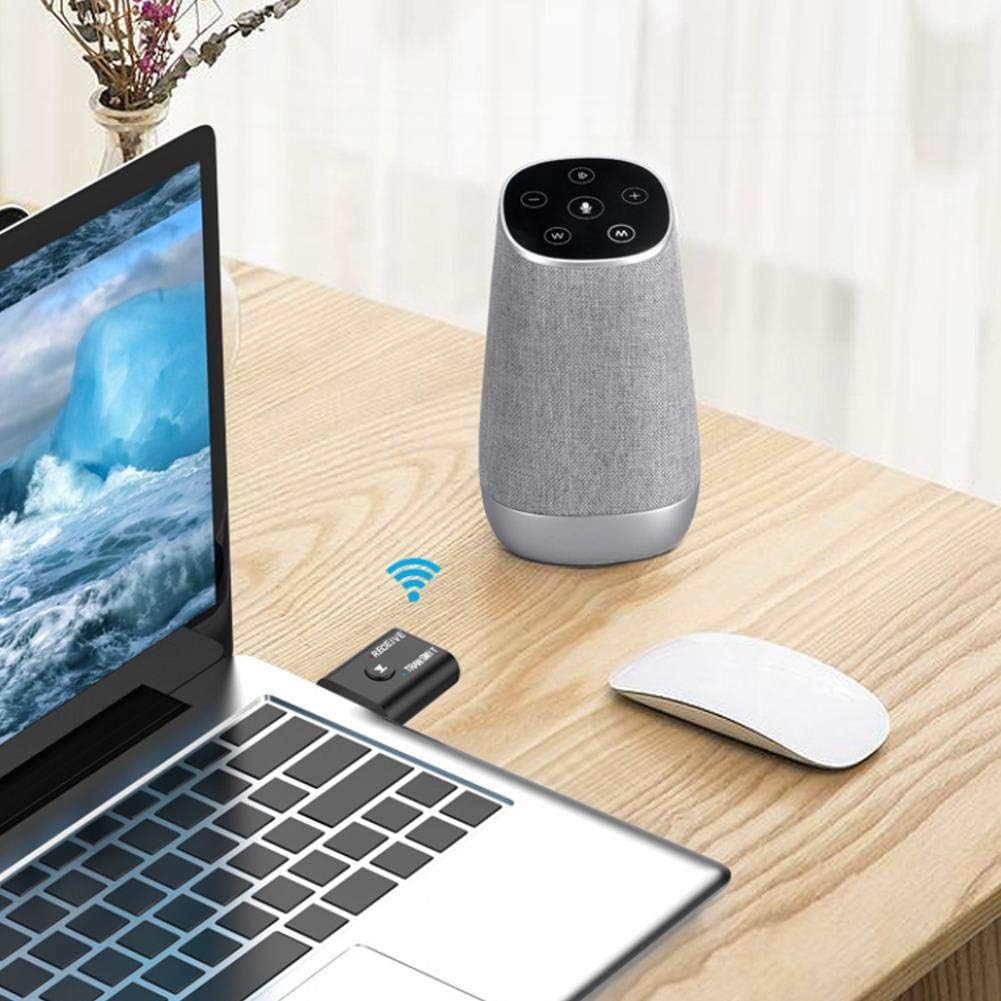
Figure 4: Example of the device in Transmitter mode, connected to a laptop via USB and transmitting audio wirelessly to a nearby Bluetooth speaker.
4.2 Receiver (RX) Mode
In RX mode, the device receives audio wirelessly from a Bluetooth-enabled source (like a smartphone or tablet) and outputs it to a non-Bluetooth audio system (like car stereo, home stereo, or wired headphones).
- Connect Audio Output: Plug one end of the 3.5mm audio cable into the device's 3.5mm port and the other end into the auxiliary input (AUX-in) of your non-Bluetooth audio system (e.g., car stereo, home speaker).
- Power On: Insert the USB connector into a power source (e.g., car USB port, USB wall adapter). The device will power on and the "RECEIVE" indicator (red light) should illuminate or flash.
- Pairing: On your smartphone or tablet, enable Bluetooth and search for the Naroote device (it may appear as "YET-TR6" or similar). Select it to pair.
- Audio Playback: Once connected, audio from your smartphone will be received wirelessly by the Naroote device and played through your connected audio system.

Figure 5: The device in Receiver mode, connected to a car's USB port and auxiliary input, receiving audio from a smartphone for in-car entertainment.

Figure 6: The device connected to a traditional wired speaker, enabling it to receive audio wirelessly from a smartphone.
5. Maintenance
To ensure the longevity and optimal performance of your Naroote USB Bluetooth 5.0 Transmitter Receiver, follow these simple maintenance guidelines:
- Cleaning: Use a soft, dry cloth to wipe the device. Avoid using liquid cleaners or solvents, as they may damage the surface or internal components.
- Storage: When not in use, store the device in a cool, dry place, away from direct sunlight and extreme temperatures.
- Handling: Handle the device with care. Avoid dropping it or subjecting it to strong impacts.
- Moisture: Keep the device away from water and high humidity.
6. Troubleshooting
If you encounter issues with your Naroote USB Bluetooth 5.0 Transmitter Receiver, please refer to the following common problems and solutions:
- Device does not power on:
- Ensure the USB connector is fully inserted into a working USB port.
- Try a different USB port or power adapter.
- Cannot pair with a Bluetooth device:
- Make sure the Naroote device is in pairing mode (LED indicator flashing).
- Ensure your target Bluetooth device (headphones, speaker, smartphone) is also in pairing mode.
- Move the devices closer to each other.
- Turn off and on both devices, then try pairing again.
- Clear previous Bluetooth connections on your target device if necessary.
- No audio or poor audio quality:
- Check that the 3.5mm audio cable is securely connected to both the Naroote device and the audio source/output.
- Ensure the correct mode (TX or RX) is active for your setup.
- Adjust the volume on both the source device and the receiving device.
- Reduce the distance between the Naroote device and the paired Bluetooth device, and remove any obstructions.
- Test with a different audio cable.
- Intermittent connection:
- Ensure there are no strong interference sources (e.g., Wi-Fi routers, microwaves) nearby.
- Keep the device within its operational range (up to 10 meters).
- Re-pair the devices.
7. Specifications

Figure 7: Dimensions of the Naroote USB Bluetooth 5.0 Transmitter Receiver: approximately 42mm x 25mm x 10mm.
| Feature | Detail |
|---|---|
| Model | YET-TR6 |
| Bluetooth Version | 5.0 |
| Functionality | Transmitter (TX) and Receiver (RX) |
| Working Range | 8-10 meters (without obstacles) |
| Connectivity | USB, 3.5mm Auxiliary |
| Power Source | Corded Electric (via USB) |
| Material | Acrylonitrile Butadiene Styrene (ABS) |
| Dimensions (Approx.) | 42 x 25 x 10 mm (1.65 x 0.98 x 0.39 inches) |
| Weight (Approx.) | 1.13 ounces |
8. Warranty and Support
Naroote products undergo strict quality inspections to ensure reliability. For any issues or support inquiries, please contact your retailer or the manufacturer directly. Please retain your proof of purchase for warranty claims.