
Clarke EX20 100H
Clarke EX20 100H Carpet Extractor User Manual
Model: EX20 100H (56105289)
1. Introduction
This manual provides essential information for the safe and efficient operation, maintenance, and troubleshooting of your Clarke EX20 100H Carpet Extractor. Please read this manual thoroughly before operating the machine to ensure proper use and to prevent injury or damage.

Figure 1: The Clarke EX20 100H Carpet Extractor, a powerful machine designed for deep carpet cleaning.
2. Safety Information
Always observe the following safety precautions to reduce the risk of fire, electric shock, or injury.
- Read all instructions: Familiarize yourself with the machine's operation before use.
- Electrical Safety: Ensure the power cord and plug are in good condition. Do not operate with a damaged cord or plug. Connect to a properly grounded outlet only.
- Chemicals: Use only recommended cleaning solutions. Follow manufacturer's instructions for chemical handling and disposal.
- Ventilation: Operate in a well-ventilated area.
- Personal Protective Equipment (PPE): Wear appropriate PPE, such as gloves and eye protection, when handling cleaning solutions or operating the machine.
- Supervision: Do not allow children or untrained personnel to operate the machine.
- Storage: Store the machine in a dry, secure location away from extreme temperatures.
- Maintenance: Disconnect power before performing any maintenance or cleaning.
3. Setup
Follow these steps to prepare your Clarke EX20 100H for operation:
- Unpack the Extractor: Carefully remove the unit from its packaging. Inspect for any shipping damage.
- Assemble Handle: Attach the handle assembly to the main unit. Ensure all fasteners are securely tightened.
- Fill Solution Tank: Open the solution tank cap. Fill the tank with the appropriate carpet cleaning solution mixed according to the solution manufacturer's instructions. Do not overfill.
- Connect Hoses: Connect the vacuum hose and solution hose to the appropriate ports on the machine and the cleaning wand. Ensure connections are secure to prevent leaks.
- Plug In: Connect the power cord to a grounded electrical outlet.
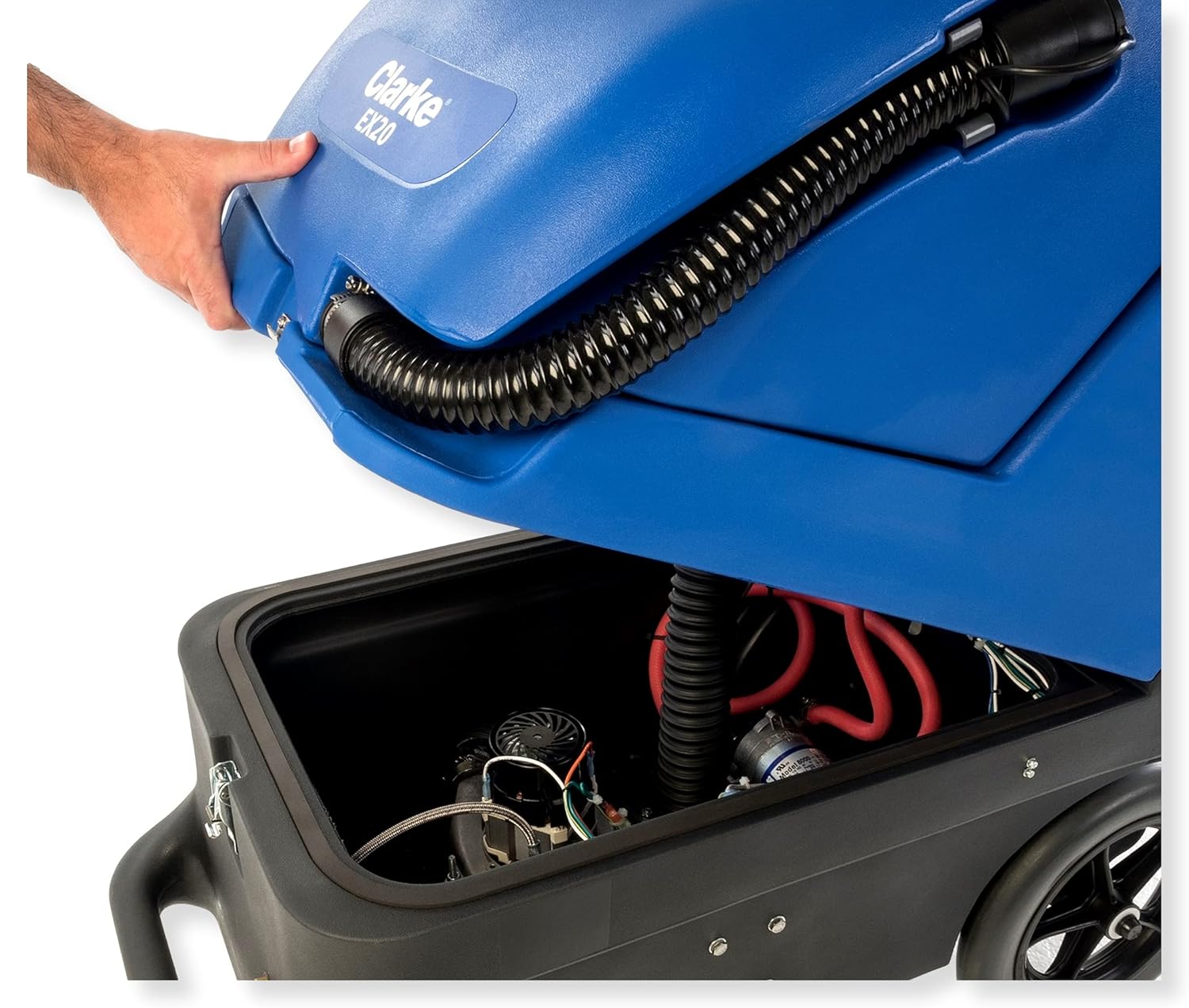
Figure 2: Accessing the internal components and tanks of the Clarke EX20 100H by lifting the top cover.
4. Operating Instructions
Once the unit is set up, follow these steps for effective carpet extraction:
- Pre-Vacuum: Thoroughly vacuum the carpet area to remove loose dirt and debris before extraction.
- Turn On Power: Locate the control panel on the machine. Turn on the vacuum and pump switches. The Clarke EX20 100H operates at 100 PSI.
- Begin Cleaning: With the cleaning wand, make slow, overlapping passes over the carpet. Depress the solution trigger to apply cleaning solution while pulling the wand towards you to extract the dirty water.
- Empty Recovery Tank: When the recovery tank is full (indicated by a decrease in vacuum suction or a float shut-off), turn off the machine, disconnect the wand, and empty the dirty water into a suitable drain.
- Refill Solution Tank: Refill the solution tank as needed.
- Rinse (Optional): For heavily soiled carpets or to remove detergent residue, you may perform a rinse pass using only clean water in the solution tank.
- Post-Cleaning: Allow the carpet to dry completely before allowing foot traffic. Use fans or open windows to aid drying.
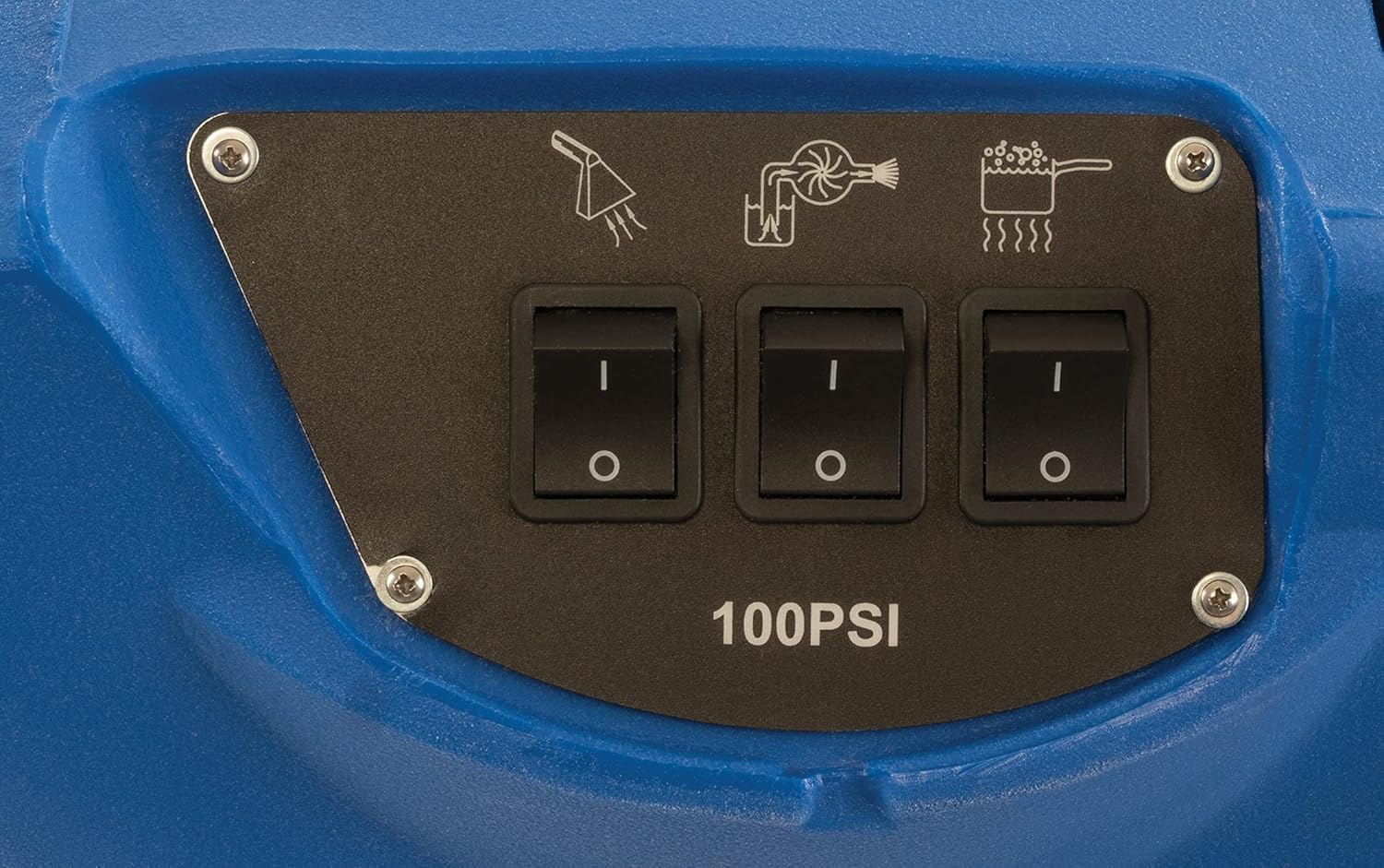
Figure 3: The control panel features clearly labeled switches for activating the spray, vacuum, and heating functions.
5. Maintenance
Regular maintenance ensures the longevity and optimal performance of your extractor.
- After Each Use:
- Empty and rinse both the solution and recovery tanks with clean water.
- Clean the recovery tank filter to prevent clogs.
- Rinse the cleaning wand and hoses.
- Wipe down the exterior of the machine with a damp cloth.
- Monthly:
- Inspect hoses and connections for wear or damage. Replace if necessary.
- Check the condition of the power cord and plug.
- Clean the spray jets on the wand to ensure even solution distribution.
- Storage: Store the machine in a dry, climate-controlled environment. Do not store with water in the tanks.
6. Troubleshooting
Refer to the table below for common issues and their solutions.
| Problem | Possible Cause | Solution |
|---|---|---|
| No suction | Recovery tank full; Clogged vacuum hose/filter; Loose hose connection; Damaged vacuum motor. | Empty recovery tank; Clean hose/filter; Secure connections; Contact service. |
| No spray | Solution tank empty; Clogged spray jet; Pump not on; Damaged pump. | Refill solution tank; Clean spray jet; Turn on pump switch; Contact service. |
| Machine not turning on | No power to outlet; Power cord damaged; Internal electrical issue. | Check outlet/breaker; Inspect cord (replace if damaged); Contact service. |
| Leaking water | Loose hose connections; Damaged seals/gaskets; Cracked tank. | Tighten connections; Inspect and replace seals; Contact service. |
7. Specifications
Key technical specifications for the Clarke EX20 100H Carpet Extractor:
| Feature | Detail |
|---|---|
| Product Type | Janitorial Supply |
| Package Dimensions | 52 x 45 x 28 inches; 87 Pounds |
| Country Of Origin | Mexico |
| Package Weight | 87.0 Lbs |
| Item Model Number | EX20 100H |
| Date First Available | October 6, 2020 |
| Manufacturer | Nilfisk, Inc. |
| ASIN | B08KSF87MX |
| Brand | Clarke |
| Style | Modern |
| UPC | 706155019187 |
8. What's in the Box
The following items are included with your Clarke EX20 100H Carpet Extractor:
- Carpet Extractor Unit
9. Warranty and Support
For warranty information, technical support, or service inquiries, please refer to the warranty card included with your product or contact Clarke customer service. Keep your purchase receipt as proof of purchase for warranty claims.
For further assistance, you may visit the official Clarke website or contact your authorized dealer.
Related documentsEX20 100H


Ask a question about this manual
Ask about setup, troubleshooting, compatibility, parts, safety, or missing instructions. Manuals+ will review the question and use this page’s manual context to help answer it.