
Introduction
Thank you for choosing the Monster Clarity 700dB AirLinks Wireless Earbuds. These earbuds are designed to provide a premium audio experience with features like HiFi Sound, AptX support, and Active Noise Cancellation. This manual will guide you through the setup, operation, and maintenance of your new earbuds to ensure optimal performance and longevity.
What's in the Box
- Monster Clarity 700dB AirLinks Wireless Earbuds (Left and Right)
- Wireless Charging Case
- USB Charging Cable
- Multiple Sizes of Ear Tips
- User Manual
Setup
1. Charging the Earbuds and Case
Before first use, fully charge the earbuds and the charging case. Place the earbuds into the charging case. Connect the USB charging cable to the charging port on the case and to a power source. The indicator lights on the case will show the charging status. A full charge provides over 100 hours of playtime with the case.

Image: High-capacity charging case for Monster Clarity 700dB AirLinks Wireless Earbuds, illustrating its ability to fully charge the earphones multiple times and extend playtime to over 100 hours. It also highlights a 5-minute quick charge feature for an hour of playtime.
2. Pairing with Your Device
- Open the charging case. The earbuds will automatically enter pairing mode.
- On your device (smartphone, tablet, etc.), go to Bluetooth settings.
- Select 'Monster Clarity 700dB' from the list of available devices.
- Once connected, you will hear an audible confirmation.
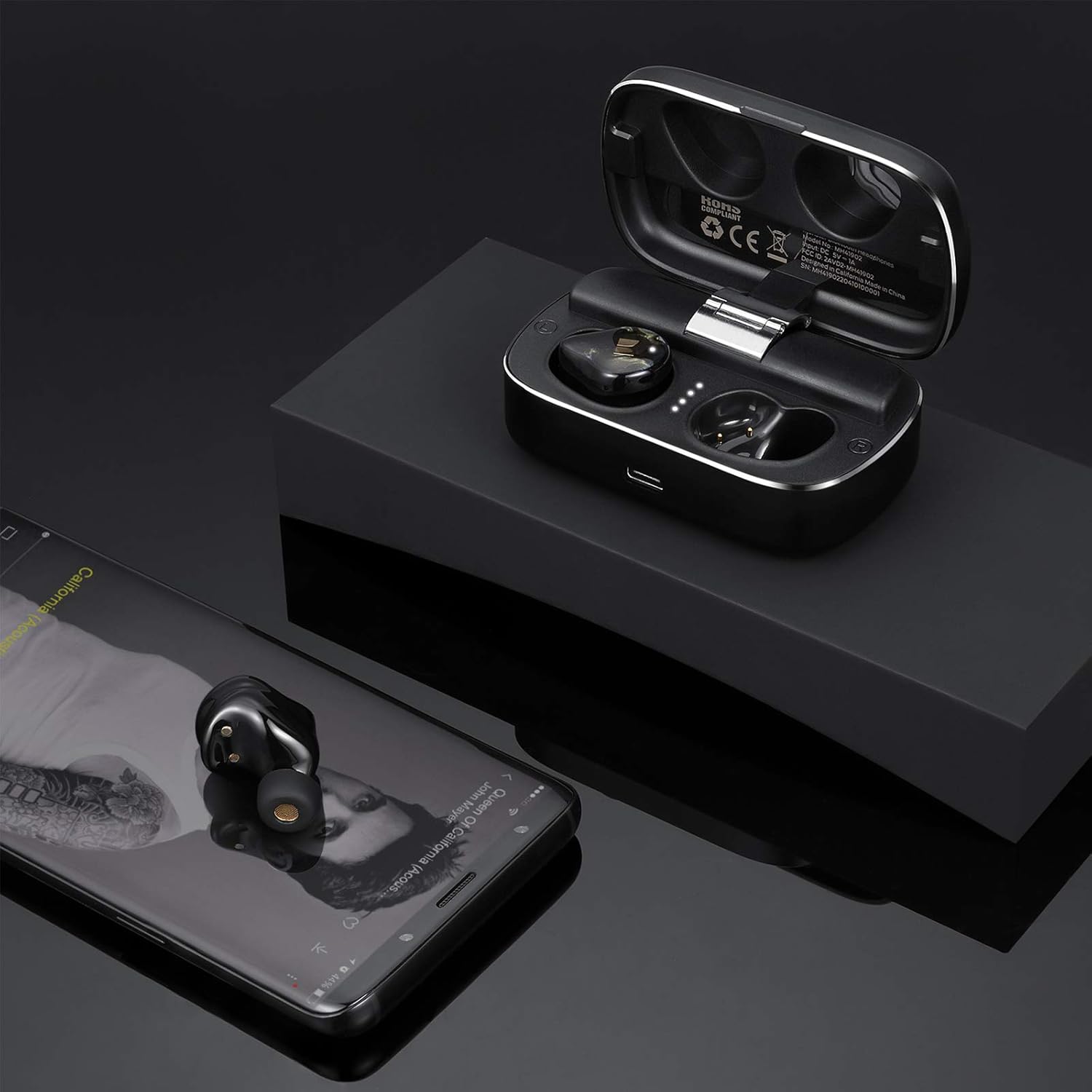
Image: Monster Clarity 700dB AirLinks Wireless Earbuds shown with their charging case and a smartphone, demonstrating the earbuds' readiness for use after pairing with a device for audio playback.
3. Fitting the Earbuds
Choose the ear tips that provide the most comfortable and secure fit for your ears. A proper fit is crucial for optimal sound quality and noise cancellation. Gently insert the earbuds into your ear canal and twist slightly to secure them.

Image: An illustration detailing the ergonomic design of the Monster Clarity 700dB AirLinks Wireless Earbuds, showing how they are engineered for a comfortable and secure fit within the ear, even during physical activities.
Operating Instructions
Touch Controls
The Monster Clarity 700dB AirLinks feature multi-function touch controls on each earbud. Specific functions may vary slightly depending on your device and application, but common controls include:
- Play/Pause: Single tap on either earbud.
- Next Track: Double tap on the right earbud.
- Previous Track: Double tap on the left earbud.
- Answer/End Call: Single tap on either earbud during an incoming call or active call.
- Reject Call: Press and hold either earbud for 2 seconds during an incoming call.
- Activate Voice Assistant (Siri/Google Assistant): Triple tap on either earbud.
- Active Noise Cancellation (ANC) On/Off: Press and hold the left earbud for 2 seconds.

Image: A visual representation of the multi-function touch interface on the Monster Clarity 700dB AirLinks Wireless Earbuds, detailing the various touch gestures for controlling music playback, calls, and activating voice assistants.
Microphone Usage
The earbuds are equipped with an integrated microphone for hands-free calling. Ensure the earbuds are properly connected to your device to use the microphone function during calls.
Active Noise Cancellation (ANC)
The Active Noise Cancellation feature helps reduce ambient noise for a more immersive listening experience. Activate or deactivate ANC using the touch controls as described above.
Maintenance
Water Resistance (IPX5)
The Monster Clarity 700dB AirLinks are IPX5 water resistant, meaning they can withstand splashes and sweat. They are suitable for sports and exercise. However, they are not designed for submersion in water. Do not expose them to heavy rain or submerge them.

Image: A close-up view of the Monster Clarity 700dB AirLinks Wireless Earbuds with water droplets, visually confirming their IPX5 water-resistant rating, suitable for use during workouts or in light rain.
Cleaning
Regularly clean your earbuds and charging case with a soft, dry, lint-free cloth. Remove ear tips and clean them with mild soap and water, then dry thoroughly before reattaching. Avoid using abrasive materials or harsh chemicals.
Troubleshooting
| Problem | Possible Cause | Solution |
|---|---|---|
| Earbuds not pairing | Earbuds not in pairing mode; Bluetooth off on device; interference. | Ensure earbuds are in pairing mode (open case). Turn Bluetooth off and on again on your device. Move closer to your device. |
| Only one earbud playing sound | Earbuds not properly connected to each other or device. | Place both earbuds back in the charging case, close the lid, wait a few seconds, then open again to re-establish connection. Re-pair with your device if necessary. |
| Loud voice prompts ('pairing', 'paired', 'disconnected') | System volume for voice prompts is high. | This is a known characteristic. There is currently no user-adjustable setting for prompt volume. Ensure earbuds are in your ears before powering on or connecting to minimize discomfort. |
| Poor sound quality / No bass | Improper ear tip fit; low battery; source audio quality. | Ensure you have the correct size ear tips for a secure seal. Fully charge the earbuds. Try different audio sources or files. |
| Earbuds not charging | Charging cable or port issue; dirty contacts. | Check the charging cable and power source. Ensure charging contacts on earbuds and case are clean and dry. |
Specifications
| Feature | Detail |
|---|---|
| Brand | Monster |
| Model Number | MH41902 |
| Ear Placement | In Ear |
| Form Factor | In Ear |
| Noise Control | Active Noise Cancellation |
| Wireless Communication Technology | Bluetooth |
| Built-In Media | Wireless Charging Case |
| Frequency Range | 20Hz - 20kHz |
| Additional Features | Microphone Included, Noise Cancellation, USB connectivity, sports-and-exercise, water-resistant, wireless |
| Enclosure Material | Plastic |
| Water Resistance Level | Water Resistant (IPX5) |
| Control Type | Media Control |
| Dimensions (Case) | Approximately 3.35 x 1.26 x 1.02 inches |
| Weight (Total) | Approximately 10.58 ounces |
Official Product Video
Video: An official product overview of the Monster Clarity 700dB AirLinks Wireless Earbuds, highlighting key features such as water resistance, microphone, USB connectivity, noise-canceling capability, and suitability for sports and exercise. It also details the compact design and Bluetooth connectivity.
Warranty and Support
Your Monster Clarity 700dB AirLinks Wireless Earbuds come with a manufacturer's warranty. Please refer to the warranty card included in your product packaging for specific terms and conditions. For technical support, troubleshooting assistance, or warranty claims, please visit the official Monster website or contact their customer service department.


