
Introduction
This manual provides essential information for setting up, operating, and maintaining your Apple Watch Series 6 (GPS, 40mm). Please read this guide thoroughly to ensure proper use and to take full advantage of its features.
What's in the Box
- Aluminum Case
- Sport Band
- 1m Magnetic Charging Cable

Image: The Apple Watch Series 6 (Product) RED aluminum case, a matching red sport band, and the white magnetic charging cable.
Setup
- Charge Your Apple Watch: Connect the magnetic charging cable to the back of your Apple Watch and plug the USB-C end into a power adapter (sold separately) or a USB-C port.
- Power On: Press and hold the side button until the Apple logo appears.
- Pair with iPhone: Open the Apple Watch app on your iPhone. Follow the on-screen instructions to pair your watch. Ensure your iPhone is running iOS 14 or later.
- Customize Settings: During setup, you can customize various settings, including language, wrist preference, and Apple ID.
Operating Your Apple Watch
Blood Oxygen Measurement
The Apple Watch Series 6 can measure your blood oxygen saturation (SpO2) using the Blood Oxygen app. This feature uses red and green LEDs and infrared light to measure the light reflected back from your blood.
- Ensure your Apple Watch is snug but comfortable on your wrist.
- Open the Blood Oxygen app on your watch.
- Keep your wrist flat and still for 15 seconds.
- Results are displayed on the watch and saved in the Health app on your iPhone.
Note: Blood Oxygen app measurements are not intended for medical use, including self-diagnosis or consultation with a doctor, and are only designed for general fitness and wellness purposes.
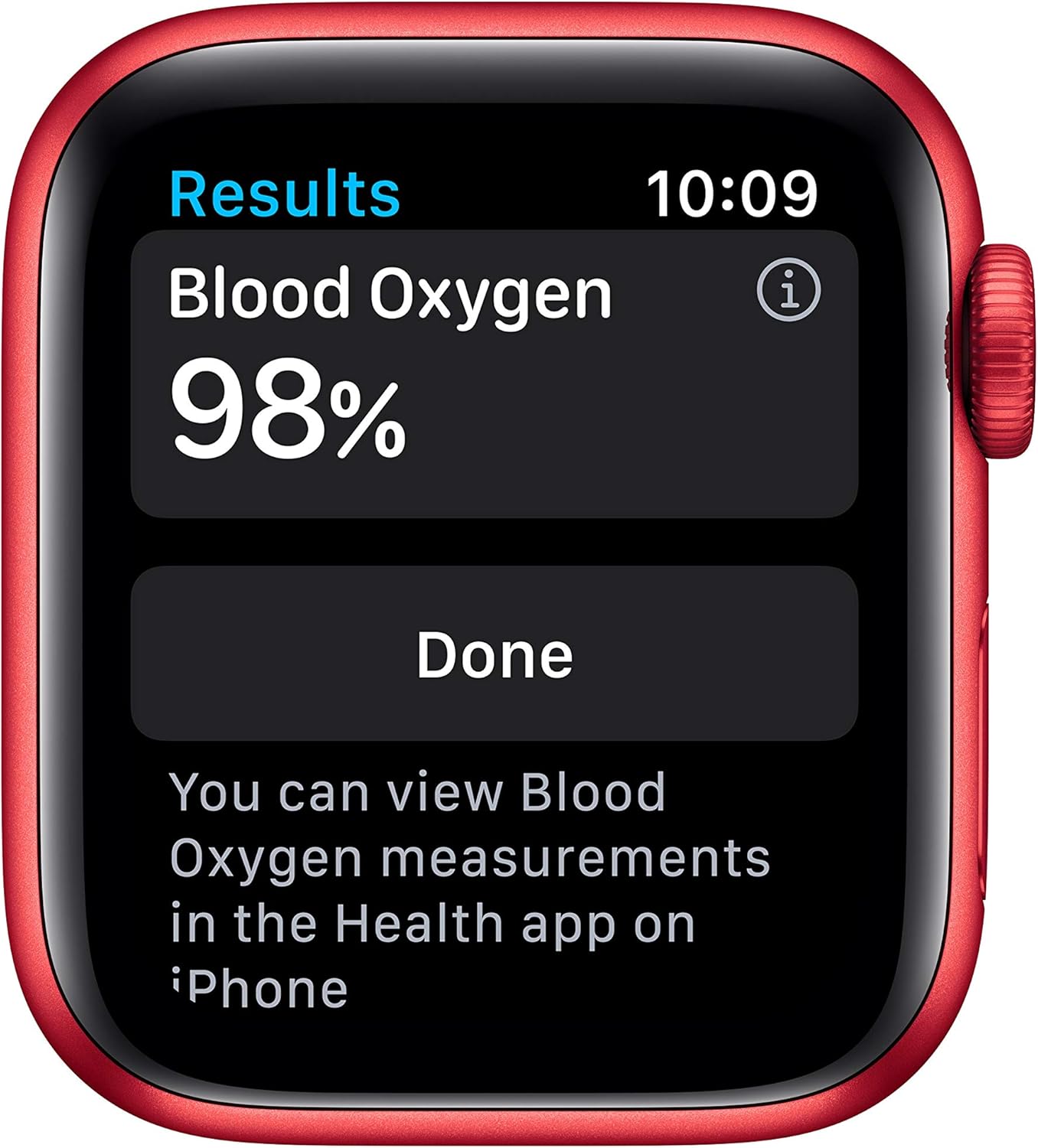
Image: The Apple Watch Series 6 screen showing a Blood Oxygen reading of 98% with the text "You can view Blood Oxygen measurements in the Health app on iPhone."
ECG App
The ECG app on Apple Watch Series 6 can generate an electrocardiogram similar to a single-lead ECG. This allows you to record your heart rhythm and check for signs of atrial fibrillation (AFib).
- Open the ECG app on your watch.
- Rest your arms on a table or your legs.
- Place your finger on the Digital Crown and hold it for 30 seconds.
- The ECG waveform will be displayed, and results are saved in the Health app on your iPhone.
Note: The ECG app is available on Apple Watch Series 4 and later (not including Apple Watch SE) with the latest version of iOS and watchOS. This ECG does not show signs of a heart attack. If you experience symptoms, consult a medical professional.

Image: A close-up view of the Apple Watch Series 6's red Digital Crown and side button on the right side of the watch case.
Activity Tracking and Workouts
Track your daily activity and various workouts with the Activity app and Workout app. The watch monitors your Move, Exercise, and Stand rings, and provides detailed metrics for your workouts.
- Activity Rings: Close your Move, Exercise, and Stand rings daily to achieve your fitness goals.
- Workout App: Choose from a variety of workouts like running, walking, cycling, yoga, swimming, and dance. The watch is swimproof.
- Fitness+ Integration: Seamlessly integrate with Apple Fitness+ for guided workouts (subscription required).

Image: The Apple Watch Series 6 screen showing workout data for swimming, including elapsed time, active calories, total calories, laps, and total distance in yards.
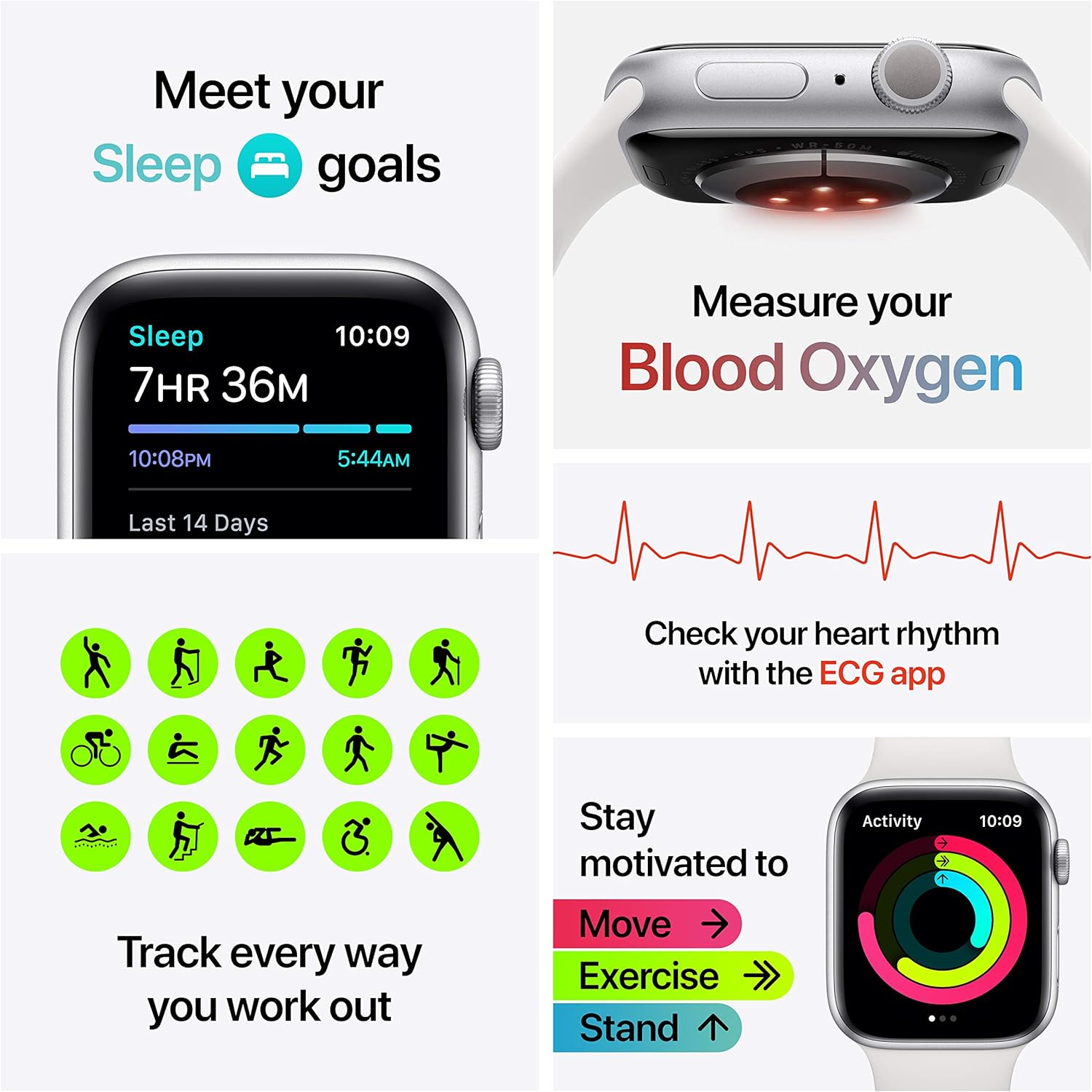
Image: A collage illustrating various health and fitness features of the Apple Watch Series 6, including sleep tracking, blood oxygen measurement, ECG, and activity tracking icons with the Move, Exercise, and Stand rings.
Communication and Connectivity
With the GPS model, you can receive calls and reply to texts directly from your wrist when your iPhone is nearby or connected to Wi-Fi.
- Calls and Texts: Make and receive calls, and send messages using your watch.
- Music and Podcasts: Sync your favorite music, podcasts, and audiobooks for offline listening.
- Emergency SOS: Hold the side button to quickly call emergency services.
- Fall Detection: The watch can detect a hard fall and initiate an emergency call if you are unresponsive.

Image: The Apple Watch Series 6 in (Product) RED with a matching sport band, showing a vibrant watch face with various complications including activity rings, UV index, and temperature.

Image: An advertisement for Apple Fitness+ showing the Apple Watch Series 6 and an iPhone displaying a workout session, with the text "Get 3 months free when you buy an Apple Watch."
Sleep Tracking
Monitor your sleep patterns and trends with the Sleep app. Set a sleep schedule and track your time in bed to help achieve your sleep goals.
- Set your desired sleep schedule in the Health app on your iPhone.
- Wear your Apple Watch to bed.
- View your sleep data, including time asleep and sleep trends, in the Health app.

Image: The Apple Watch Series 6 screen showing the Music app interface, playing "Future Nostalgia" by Dua Lipa, flanked by two Apple AirPods Pro earbuds.
Always-On Retina Display
The Always-On Retina display is 2.5 times brighter outdoors when your wrist is down, making it easier to see your watch face and complications at a glance.
Maintenance
- Cleaning: Clean your Apple Watch and band regularly with a soft, lint-free cloth. If necessary, lightly dampen the cloth with fresh water.
- Avoid Soaps and Cleaners: Do not use soaps, cleaning products, abrasive materials, or compressed air, as these can damage the watch.
- Drying: After swimming or heavy sweating, dry your Apple Watch and band thoroughly.
- Band Care: Different band materials require specific care. Refer to Apple's official support for detailed band cleaning instructions.
Troubleshooting
- Watch Not Responding: Force restart your Apple Watch by holding both the Digital Crown and the side button for at least 10 seconds until you see the Apple logo.
- Pairing Issues: Ensure Bluetooth is enabled on your iPhone and both devices are charged. Try restarting both devices.
- App Not Working: Try restarting the app on your watch. If the issue persists, restart your Apple Watch.
- Battery Life: Optimize battery life by adjusting settings like Always-On Display, background app refresh, and notifications.
Specifications
| Feature | Detail |
|---|---|
| Model Name | Apple Watch Series 6 |
| ASIN | B08J5RBMRN |
| Item Model Number | Series 6 GPS |
| Product Dimensions | 1.57 x 1.34 x 0.42 inches |
| Item Weight | 1.08 ounces |
| Operating System | watchOS |
| Special Feature | Activity Tracker, Blood Oxygen Sensor, ECG App, Always-On Retina Display |
| Connectivity Technology | Bluetooth, GPS, NFC, Wi-Fi (5GHz) |
| Battery Type | Lithium Polymer (1 included) |
| Screen Size | 40 Millimeters |
Warranty and Support
Your Apple Watch Series 6 is covered by Apple's standard limited warranty. For detailed warranty information, technical support, and service options, please visit the official Apple Support website or contact Apple customer service.
You can find additional resources and contact information at support.apple.com/watch.
Official Product Video: Apple Watch Series 6 Features and Fitness+
Video: A comprehensive overview of the Apple Watch Series 6, demonstrating key features such as blood oxygen measurement, ECG, activity tracking, communication, and sleep monitoring. It also highlights the integration with Apple Fitness+ for guided workouts.


