
1. Introduction
The Matchbox Action Drivers Fire Station Rescue Playset offers an interactive experience for children aged 3 and up. This playset features realistic details, lights, and sounds, allowing for engaging rescue scenarios. It includes a fire station with double garage doors, a training tower with a pop-up fire, and a 1:64 scale fire truck. The playset is designed to connect with other Matchbox and Hot Wheels City sets for expanded play.
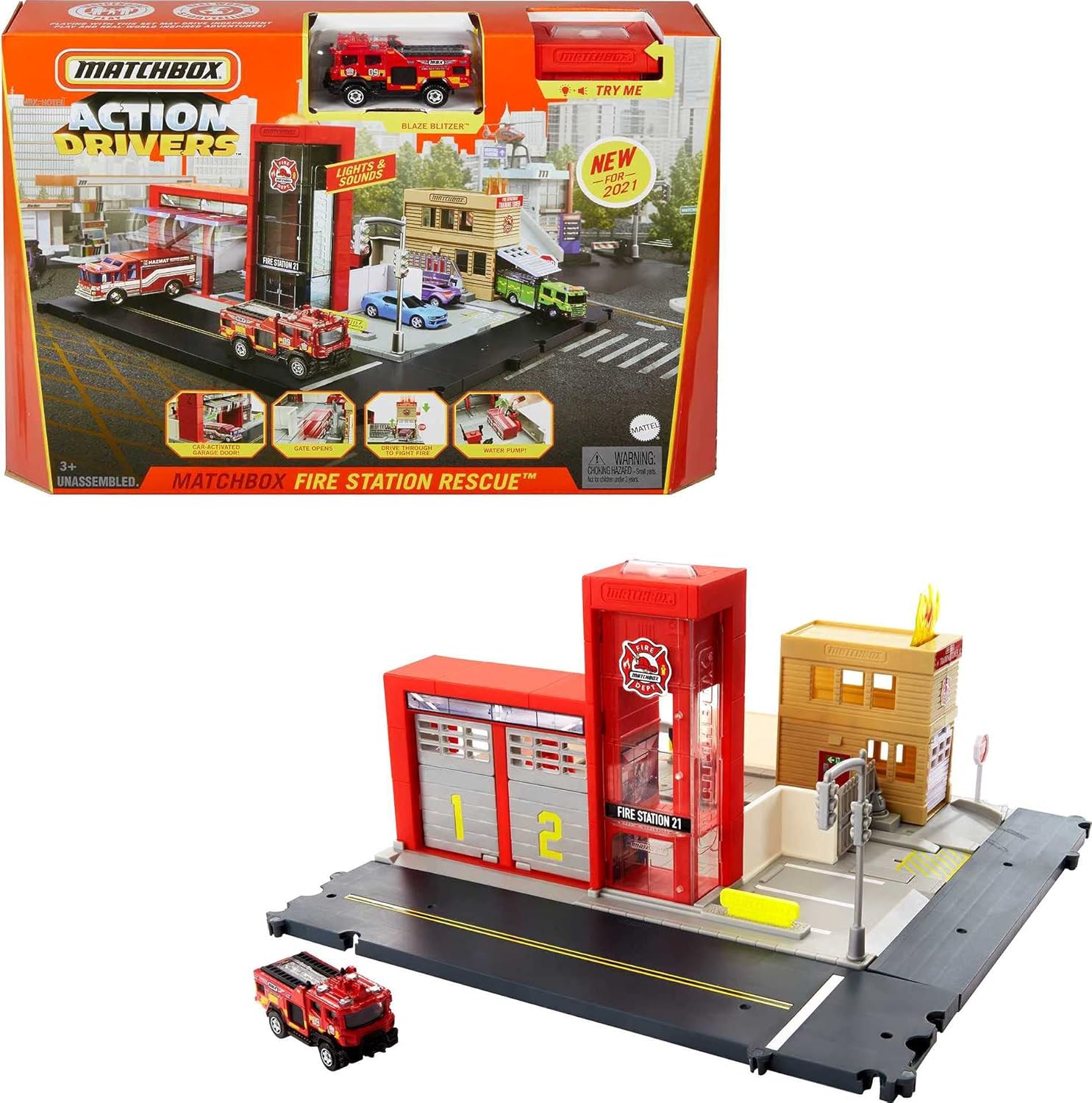
Image 1.1: The Matchbox Action Drivers Fire Station Rescue Playset, shown both in its packaging and fully assembled with the included fire truck.
2. Important Safety Information
- Adult Supervision Recommended: Always supervise children during play to ensure safe use.
- Small Parts Warning: This product contains small parts which may pose a choking hazard for children under 3 years of age.
- Battery Safety: The playset requires 3 LR44 button cell batteries (included). Ensure batteries are inserted correctly. Do not mix old and new batteries, or different types of batteries. Remove exhausted batteries promptly. Dispose of batteries responsibly.
- Avoid Water: Keep the electronic components of the playset away from water to prevent damage.
- Flashing Lights/Sounds: This toy produces flashing lights and sounds. Discontinue use if it causes discomfort or adverse reactions in sensitive individuals.
3. Package Contents
Verify that all components are present before assembly:
- Fire Station Playset Base
- Fire Station Building with Double Garage Doors
- Training Tower with Pop-Up Fire Mechanism
- 1 x Matchbox 1:64 Scale Fire Truck (Blaze Blitzer)
- Road Track Sections
- Various Accessories (e.g., traffic light, gates, refueling pumps)
- 3 x LR44 Batteries (pre-installed or included separately)
- Instruction Sheet
4. Setup and Assembly
Adult assembly is required. Follow these steps to set up your Fire Station Rescue Playset:
- Unpack Components: Carefully remove all parts from the packaging.
- Assemble Base: Connect the road track sections to the main fire station base. Ensure all connection points are securely fastened. The track sections are designed to interlock.
- Attach Buildings: Securely attach the Fire Station building and the Training Tower to their designated spots on the base.
- Install Accessories: Place the traffic light, gates, and refueling pumps in their respective slots on the playset.
- Battery Installation: If batteries are not pre-installed, locate the battery compartment (usually on the underside of the main fire station building) and insert 3 LR44 batteries, observing polarity.

Image 4.1: A child interacting with the assembled Fire Station Playset, demonstrating how it can connect with other Matchbox Action Drivers sets to create a larger city environment.
Connecting to Other Playsets: The Fire Station Rescue Playset features track connection points on all four sides, allowing it to be combined with other Matchbox Action Drivers playsets or Hot Wheels City sets (sold separately) to expand your play world.
5. Operating Instructions
Experience the interactive features of your Fire Station Rescue Playset:
- Activating Lights and Sounds:
- Press the button on top of the main fire station building to activate emergency lights and sounds.
- Drive the fire truck through the garage doors. The doors will automatically open, triggering lights and various announcements (e.g., "Assistance needed! Deploy Engine 1 and Engine 2!").
Video 5.1: Demonstration of the Matchbox Action Drivers Fire Station Rescue Playset's interactive features, including lights, sounds, and moving parts.
- Fire Training Tower:
- Place a vehicle (like the included fire truck) on the top platform of the Training Tower. The pretend fire will pop up.
- Drive the fire truck through the Training Tower's garage door. As the truck passes through, the fire will retract, simulating extinguishing the blaze.
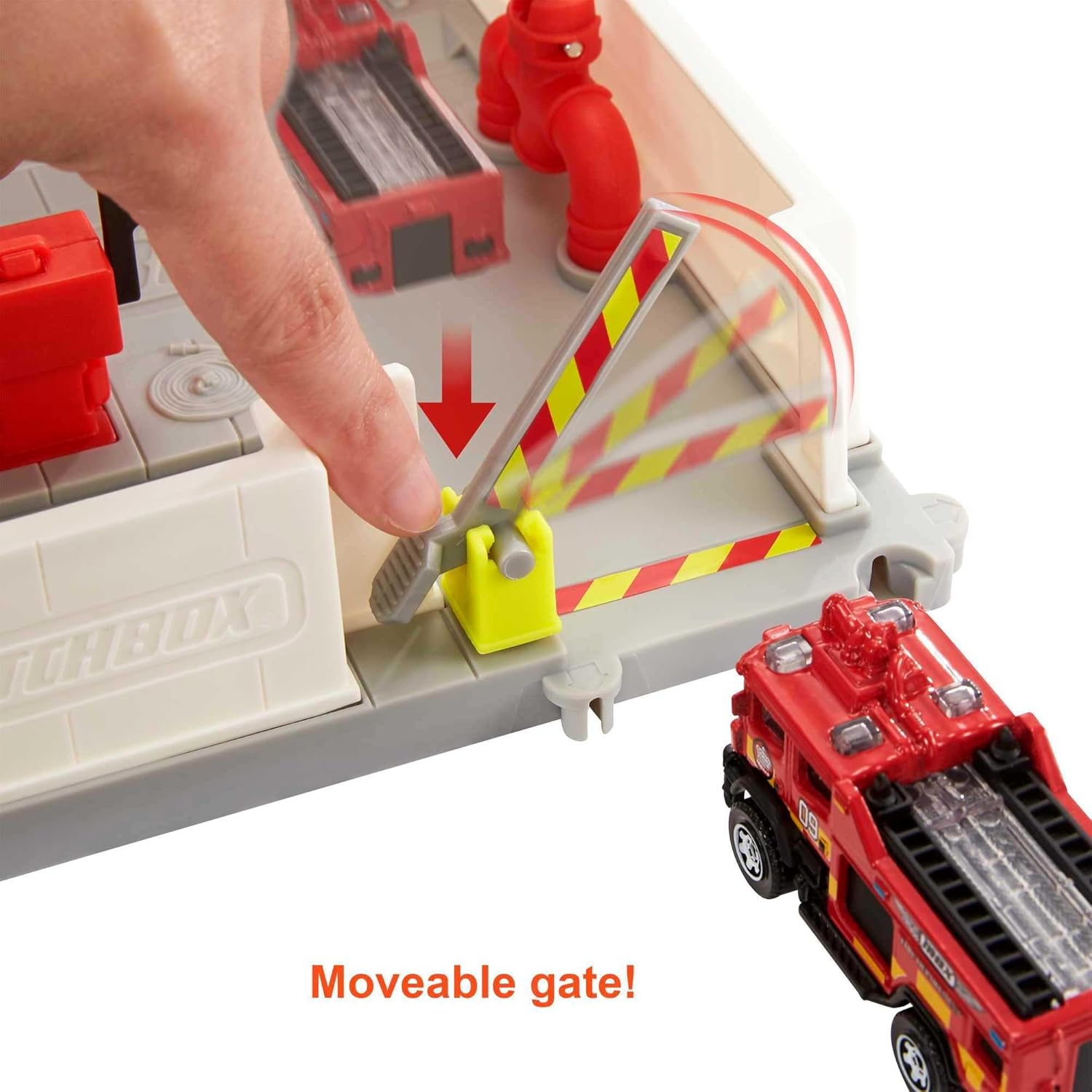
Image 5.1: Close-up of the Training Tower showing the pop-up fire mechanism. Driving a vehicle through the tower will make the fire retract.
- Interactive Gates:
- The playset features car-activated gates. Drive a vehicle towards a gate, and it will open to allow passage.
- There are also manually moveable gates that can be operated by hand to control vehicle flow.

Image 5.2: A fire truck activating a gate on the playset, demonstrating the interactive gate feature.
- Refueling Area:
- Utilize the designated refueling pumps for pretend gas and water refills for your fire truck.
6. Maintenance and Care
- Cleaning: Wipe the playset and vehicles with a soft, damp cloth. Do not immerse electronic parts in water.
- Storage: Store the playset in a dry, cool place away from direct sunlight when not in use.
- Battery Replacement: When lights dim or sounds become faint, replace the LR44 batteries. Refer to the battery installation steps in Section 4.
7. Troubleshooting
| Issue | Possible Cause | Solution |
|---|---|---|
| Lights/Sounds not working | Dead or incorrectly installed batteries. | Replace batteries with new LR44 batteries, ensuring correct polarity. |
| Garage doors not opening | Vehicle not positioned correctly on the trigger point. | Ensure the vehicle's wheels are directly over the trigger mechanism in front of the doors. |
| Training Tower fire not retracting | Vehicle not driven completely through the tower. | Push the vehicle fully through the tower's garage door to activate the retraction mechanism. |
| Playset sections not connecting | Misalignment of connection points. | Ensure all tabs and slots are correctly aligned before pressing sections together. |
8. Specifications
- Model Number: GVY87
- Brand: Matchbox
- Product Dimensions: 13.75 x 13.75 x 7.24 inches
- Item Weight: 2 pounds
- Recommended Age: 3 years and up
- Batteries: 3 x LR44 (included)
- Manufacturer: Mattel
9. Warranty and Support
For warranty information or customer support, please refer to the contact details provided on the product packaging or visit the official Matchbox website. Keep your purchase receipt as proof of purchase.


