
1. Introduction
Thank you for choosing the Krups Grind Aroma Coffee Maker. This appliance is designed to provide you with a superior coffee experience, offering the flexibility to brew coffee from freshly ground beans or pre-ground coffee. With its integrated conical burr grinder and programmable features, you can enjoy delicious coffee tailored to your preferences every day. Please read this manual carefully before first use to ensure safe and optimal operation.
2. Safety Instructions
- Always ensure the appliance is unplugged before cleaning or when not in use.
- Do not immerse the appliance, power cord, or plug in water or any other liquid.
- Keep the appliance out of reach of children.
- Do not operate the appliance if the power cord or plug is damaged. Contact authorized service for repair.
- Use the appliance only for its intended purpose of brewing coffee.
- Avoid contact with hot surfaces, such as the warming plate and carafe, during and after operation. Use handles or knobs.
- Ensure the carafe is properly placed on the warming plate before brewing.
- Do not place the appliance on or near a hot gas or electric burner, or in a heated oven.
- Regularly descale the coffee maker as instructed in the maintenance section to ensure proper functioning and longevity.
3. Components Overview
Familiarize yourself with the main parts of your Krups Grind Aroma Coffee Maker:
- Bean Hopper: For whole coffee beans.
- Integrated Conical Burr Grinder: Grinds whole beans.
- Water Reservoir: For filling with water.
- Filter Holder: Holds the coffee filter (permanent or paper).
- Control Panel: Digital display and buttons for operation.
- Glass Carafe: Collects brewed coffee.
- Warming Plate: Keeps coffee warm after brewing.
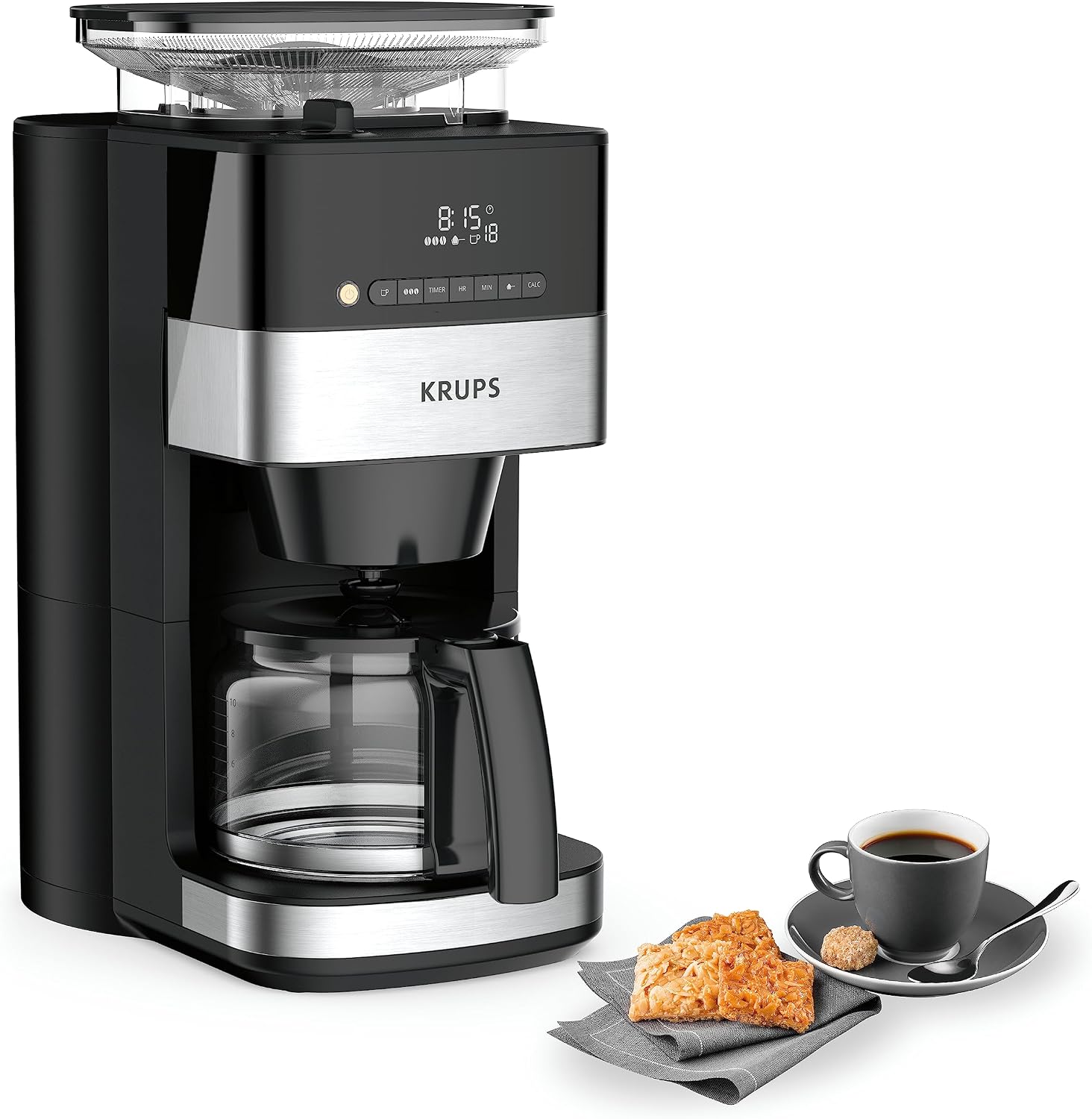
Figure 3.1: The Krups Grind Aroma Coffee Maker, showcasing its sleek design alongside a cup of coffee and pastries.
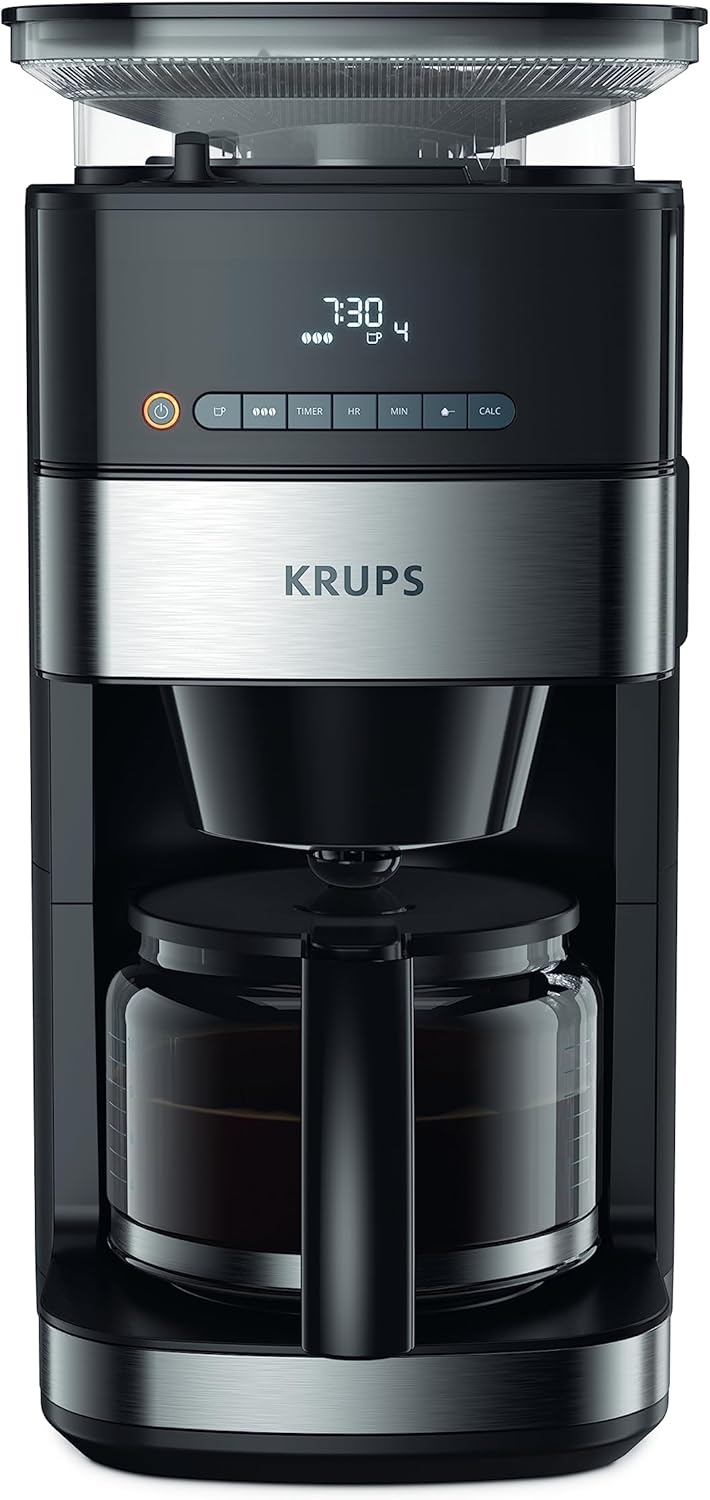
Figure 3.2: A direct front view of the Krups Grind Aroma Coffee Maker, highlighting its compact form.

Figure 3.3: A detailed view of the digital control panel, featuring an LED display and intuitive buttons for various settings.

Figure 3.4: The top section of the coffee maker, clearly showing coffee beans loaded into the integrated conical burr grinder.
4. Setup
- Unpacking: Carefully remove all packaging materials and dispose of them responsibly.
- Placement: Place the coffee maker on a stable, flat, heat-resistant surface, away from water sources and direct heat.
- Initial Cleaning: Before first use, clean all removable parts (carafe, filter holder, bean hopper, grinder components) with warm soapy water. Rinse thoroughly and dry. Run two full cycles with only water to flush the internal system.
- Power Connection: Plug the power cord into a grounded electrical outlet.
5. Operating Instructions
5.1. Brewing with Whole Coffee Beans
- Fill Water Reservoir: Open the water reservoir lid and fill with fresh, cold water up to the desired number of cups indicated on the water level indicator. Do not exceed the MAX line.
- Add Coffee Beans: Open the bean hopper lid and add whole coffee beans. The capacity is sufficient for up to 10 cups.
- Insert Filter: Place a permanent filter or a paper filter (size 4) into the filter holder.
- Select Grind Fineness: Use the grind adjustment dial (usually located near the bean hopper) to select your desired grind fineness. A finer grind is suitable for stronger coffee, while a coarser grind is for lighter coffee.
- Select Number of Cups: On the control panel, use the appropriate button (e.g., 'Cups' or 'Quantity') to select the number of cups you wish to brew.
- Adjust Intensity (Optional): Press the 'Intensity' button to cycle through the 3 available intensity levels (light, medium, strong) according to your taste.
- Start Brewing: Press the 'On/Off' button to start the brewing process. The grinder will activate first, followed by the brewing cycle.
5.2. Brewing with Pre-Ground Coffee
- Fill Water Reservoir: Follow step 1 from section 5.1.
- Add Ground Coffee: Place a permanent filter or a paper filter (size 4) into the filter holder. Add the desired amount of pre-ground coffee directly into the filter. Do not add ground coffee to the bean hopper.
- Select Ground Coffee Mode: Press the 'Ground Coffee' button (often indicated by a coffee scoop icon) to bypass the grinder.
- Select Number of Cups: Follow step 4 from section 5.1.
- Start Brewing: Press the 'On/Off' button to start the brewing process.

Figure 5.1: The coffee maker ready for use, demonstrating the versatility of brewing with either whole beans or pre-ground coffee.
5.3. Programming the Timer (24-Hour Delay Brew)
- Prepare Coffee Maker: Follow steps for either whole beans or pre-ground coffee (sections 5.1 or 5.2), ensuring water and coffee are loaded.
- Set Current Time: If not already set, adjust the current time on the digital display using the 'HR' (Hour) and 'MIN' (Minute) buttons.
- Activate Timer: Press the 'TIMER' button. The display will show a flashing clock icon or 'PROG'.
- Set Desired Brew Time: Use the 'HR' and 'MIN' buttons to set the time you want the coffee to start brewing.
- Confirm: Press the 'TIMER' button again to confirm the setting. The timer indicator will illuminate, and the display will revert to the current time. Your coffee maker is now programmed to start brewing at the set time.

Figure 5.2: A hand demonstrating the use of the control panel, specifically highlighting the timer function for scheduled brewing.
5.4. Keep Warm Function
After brewing, the coffee maker automatically enters a 30-minute keep warm cycle. The warming plate will keep the coffee hot during this period. After 30 minutes, the appliance will automatically shut off for safety and energy saving.
6. Maintenance
6.1. Daily Cleaning
- Unplug: Always unplug the coffee maker and allow it to cool completely before cleaning.
- Empty and Rinse: Empty the carafe, filter holder, and bean hopper. Rinse them under running water.
- Wash Removable Parts: The carafe, filter holder, bean hopper, and grinder components can be washed with warm soapy water. Rinse thoroughly and dry.
- Wipe Exterior: Wipe the exterior of the coffee maker with a damp cloth. Do not use abrasive cleaners or scouring pads.

Figure 6.1: A hand demonstrating the removal of the integrated bean container and grinder, highlighting the ease of cleaning these components.
6.2. Descaling
Regular descaling is crucial to maintain the performance and lifespan of your coffee maker, especially in areas with hard water. The appliance features a pre-programmed descaling function.
- Prepare Descaling Solution: Mix a descaling solution according to the manufacturer's instructions (e.g., white vinegar and water, or a commercial descaling agent).
- Fill Water Reservoir: Pour the descaling solution into the water reservoir up to the MAX line.
- Activate Descaling Cycle: Refer to your control panel for the specific descaling activation method. This usually involves pressing and holding a 'CALC' or 'Clean' button, or a combination of buttons. The display may show a descaling indicator.
- Run Cycle: The coffee maker will run a descaling cycle, which may involve intermittent brewing and pauses.
- Rinse Cycles: After the descaling cycle is complete, empty the carafe and run at least two full cycles with fresh, clean water to thoroughly rinse the system and remove any residual descaling solution.
7. Troubleshooting
| Problem | Possible Cause | Solution |
|---|---|---|
| Coffee does not brew. | No water in reservoir; appliance not plugged in; timer not set correctly. | Fill water reservoir; check power connection; verify timer settings. |
| Weak coffee. | Insufficient coffee; grind too coarse; descaling needed. | Add more coffee; adjust grind fineness to finer setting; perform descaling. |
| Grinder not working. | No beans in hopper; bean hopper/grinder clogged; ground coffee mode selected. | Add beans; clean bean hopper and grinder components; ensure whole bean mode is selected. |
| Coffee overflows filter. | Too much coffee; filter clogged; carafe not placed correctly. | Reduce coffee amount; clean filter holder; ensure carafe is fully inserted. |
8. Specifications
- Brand: KRUPS
- Model Number: KM8328
- Color: Black
- Product Dimensions (L x W x H): 38.1 x 28.7 x 48.4 cm (15 x 11.3 x 19.1 inches)
- Capacity: 1.25 Liters (approx. 10 cups)
- Power: 1000 Watts
- Voltage: 220 Volts
- Material: Stainless Steel Finish
- Automatic Shut-off: Yes (after 30 minutes of warming)
- Noise Level: 44 dB
- Special Features: Automatic shut-off after 30 minutes, two preparation modes (whole beans or ground coffee), easy maintenance, visible water level, easy control panel with digital display, programmable up to 24 hours, infinite coffee variety.
- Item Weight: 4.5 Kilograms (9.9 lbs)

Figure 8.1: The coffee maker with its approximate dimensions, showing a width of 36 cm and a height of 43 cm.
9. Warranty and Support
KRUPS is committed to providing durable and high-quality products. This product benefits from a 15-year repairability commitment at a fair price, supported by our network of 6200 authorized repair centers worldwide. This commitment contributes to environmental protection and waste reduction.
For further assistance, spare parts, or to locate a repair center, please visit the official KRUPS website or contact their customer support.
You can also visit the KRUPS Brand Store for more information and products.

Figure 9.1: KRUPS' 15-year repairability commitment, highlighting their dedication to product longevity and sustainability.


