
1. Introduction
Thank you for choosing the GUY-TECH AC Adapter Charger. This adapter is specifically designed to provide reliable power to your ATALAX AL-Q8 Portable Wireless Speaker. This manual provides essential information for the safe and efficient use of your new power supply.
2. Safety Information
- Ensure the adapter is used only with the ATALAX AL-Q8 Portable Wireless Speaker. Using it with incompatible devices may cause damage.
- Do not expose the adapter to water, moisture, or extreme temperatures.
- Avoid dropping or subjecting the adapter to strong impacts.
- Do not attempt to disassemble or modify the adapter.
- Keep out of reach of children.
- Unplug the adapter from the wall outlet when not in use for extended periods.
3. Package Contents
Please verify that all items are present in your package:
- 1 x GUY-TECH AC Power Adapter (Model: QDQ0010)
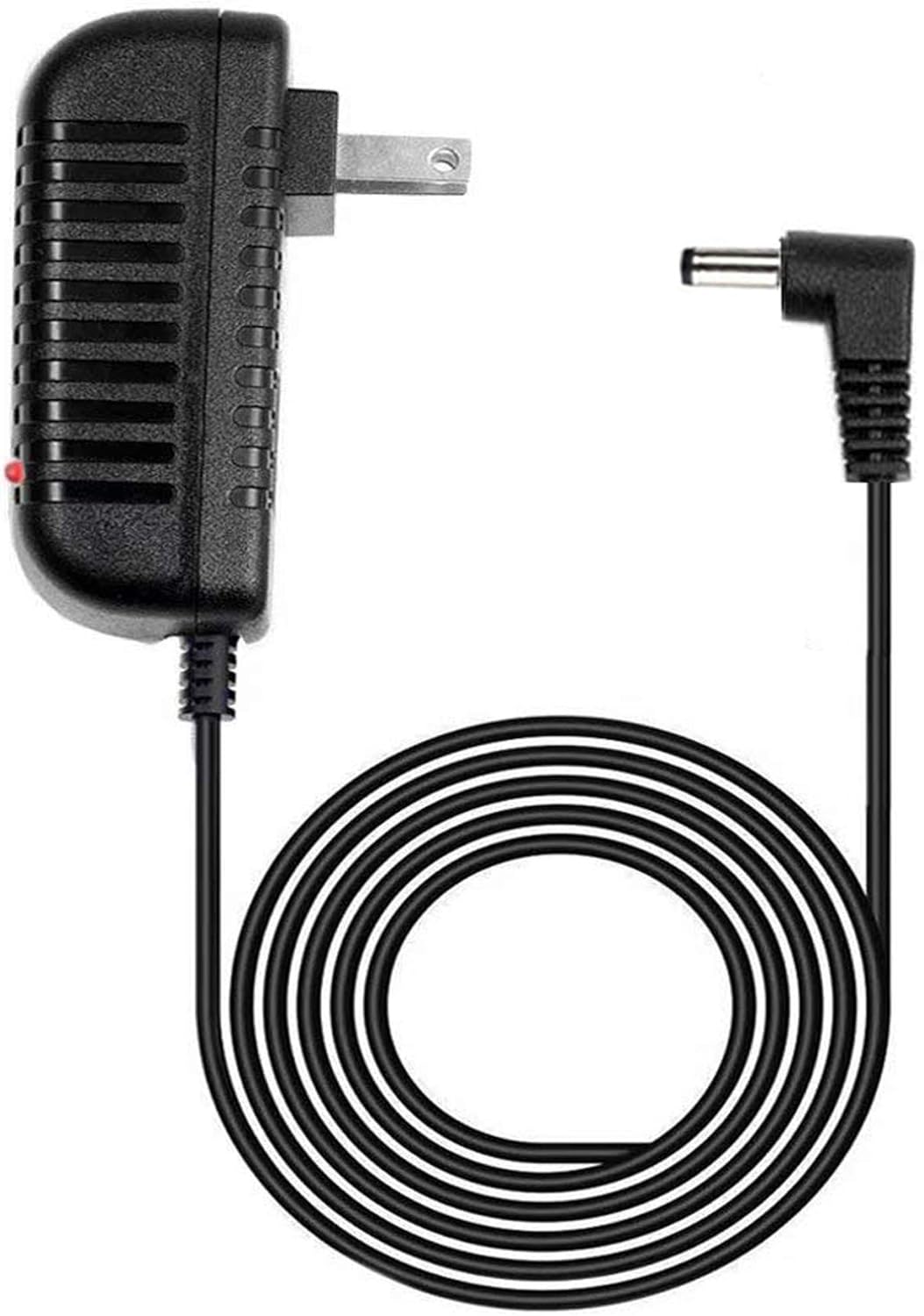
Image 1: The GUY-TECH AC Adapter Charger, featuring a black casing, standard US plug, and a 5-foot coiled DC power cable with an L-shaped barrel connector. A small red LED indicator is visible on the adapter body.
4. Setup
- Identify the Power Port: Locate the DC power input port on your ATALAX AL-Q8 Portable Wireless Speaker.
- Connect the Adapter: Insert the DC barrel connector of the GUY-TECH AC Adapter into the power input port of your ATALAX AL-Q8 speaker. Ensure a secure connection.
- Plug into Wall Outlet: Insert the AC plug of the adapter into a standard wall power outlet.
- Verify Power: The LED indicator on the adapter will illuminate, indicating that power is being supplied.
5. Operating Instructions
Once connected, the adapter will provide continuous power to your ATALAX AL-Q8 speaker. The integrated LED indicator serves as a visual confirmation that the adapter is receiving power from the wall outlet and is ready to supply power to your device.

Image 2: A graphic highlighting two key features: a 5-foot cable length and an LED indicator light, both enclosed in orange-bordered circles.
6. Maintenance
- Cleaning: Disconnect the adapter from both the wall outlet and the speaker before cleaning. Use a soft, dry cloth to wipe the surface. Do not use liquid cleaners or abrasive materials.
- Storage: When not in use, store the adapter in a cool, dry place, away from direct sunlight and moisture. Avoid tightly coiling the cable to prevent damage.
- Cable Inspection: Periodically inspect the power cord and connectors for any signs of wear, fraying, or damage. If damage is observed, discontinue use immediately.
7. Troubleshooting
| Problem | Possible Cause | Solution |
|---|---|---|
| Speaker not powering on. | Adapter not properly connected; Wall outlet not active; Adapter malfunction. | Ensure both ends of the adapter are securely connected. Test the wall outlet with another device. If the LED indicator is off, the adapter may be faulty. |
| LED indicator is off. | No power from wall outlet; Adapter malfunction. | Check if the wall outlet is working. Try a different outlet. If still off, the adapter may require replacement. |
| Adapter feels unusually hot. | Overload; Poor ventilation; Internal fault. | Disconnect immediately. Ensure the adapter is not covered and has adequate ventilation. If overheating persists, discontinue use. |
8. Specifications
| Feature | Detail |
|---|---|
| Brand | GUY-TECH |
| Model Number | QDQ0010 |
| Input Voltage | 100-240V AC |
| Output Type | DC Power |
| Cable Length | 5 Feet |
| Connector Type | DC Barrel Connector (L-shaped) |
| Special Features | LED Indicator |
| Compatible Device | ATALAX AL-Q8 Portable Wireless Speaker |
| Color | Black |
| Item Weight | 3.52 ounces |
| Package Dimensions | 5.55 x 4.25 x 2.09 inches |
| Included Components | 1 x Power Adapter |
9. Warranty and Support
For warranty information or technical support, please refer to the documentation included with your original product purchase or contact the seller directly. Keep your purchase receipt as proof of purchase.

