
1. Introduction
This manual provides essential information for the safe and effective operation, maintenance, and setup of your STANLEY SM16-IN 1650W 10-inch Compound Mitre Saw. Please read and understand all instructions before using the tool. Retain this manual for future reference.
1.1 General Safety Warnings
WARNING: Read all safety warnings, instructions, illustrations, and specifications provided with this power tool. Failure to follow all instructions listed below may result in electric shock, fire, and/or serious injury. Save all warnings and instructions for future reference.
Always wear appropriate personal protective equipment, including eye protection, hearing protection, and a dust mask, when operating the mitre saw.
2. Product Overview and Components
The STANLEY SM16-IN Compound Mitre Saw is designed for precise cutting of wood and aluminum. It features a powerful 1650W motor and a 254mm blade diameter, delivering 4800 RPM for efficient operation.
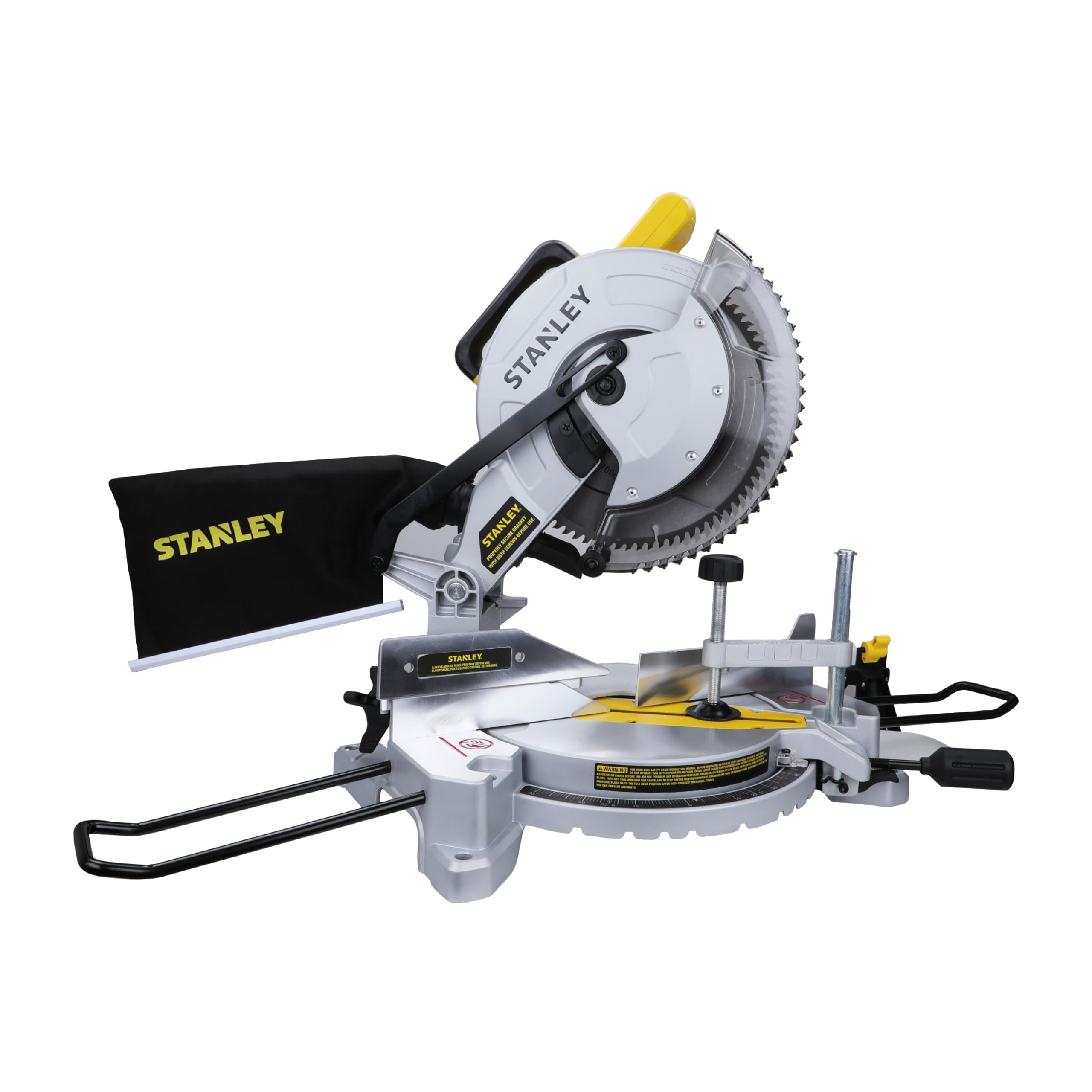
Figure 1: STANLEY SM16-IN Compound Mitre Saw
This image displays the complete STANLEY SM16-IN 1650W 10-inch Compound Mitre Saw, showcasing its yellow and black design and overall structure.
2.1 Key Features
- Powerful Motor: 1650W motor provides ample power for heavy-duty wood and aluminum cutting.
- High Speed: 4,800 RPM for fast and clean cuts.
- Accurate Cutting: LED shadow cut line ensures 100% accurate and consistent cut precision.
- Versatile Cutting Capacity: Maximum cutting capacity up to H75 mm x W140 mm.
- Precision Fence: Machined fence and tall sliding fence support maintain perpendicularity with the blade for cutting accuracy.
- Portability: Lightweight design and built-in carry handle for easy transport.
- Durability: Durable motor designed for long-term application use.
2.2 Component Identification
Familiarize yourself with the various parts of your mitre saw before operation.

Figure 2: Upper Components of the Mitre Saw
This image provides a detailed view of the upper section of the STANLEY SM16-IN Mitre Saw, with key components such as the Operating Handle, Trigger Switch, Carrying Handle, Lower Guard, and Date Code clearly labeled for identification.

Figure 3: Lower Components of the Mitre Saw
This image details the lower section of the STANLEY SM16-IN Mitre Saw, labeling important parts like the Left Side Fence, Mitre Scale, Mitre Lock Knob, Mitre Detent, Table, Lock Down Pin, Right Side Fence, Bench Mounting Holes, and Holes for Work Support.
2.3 Included Accessories
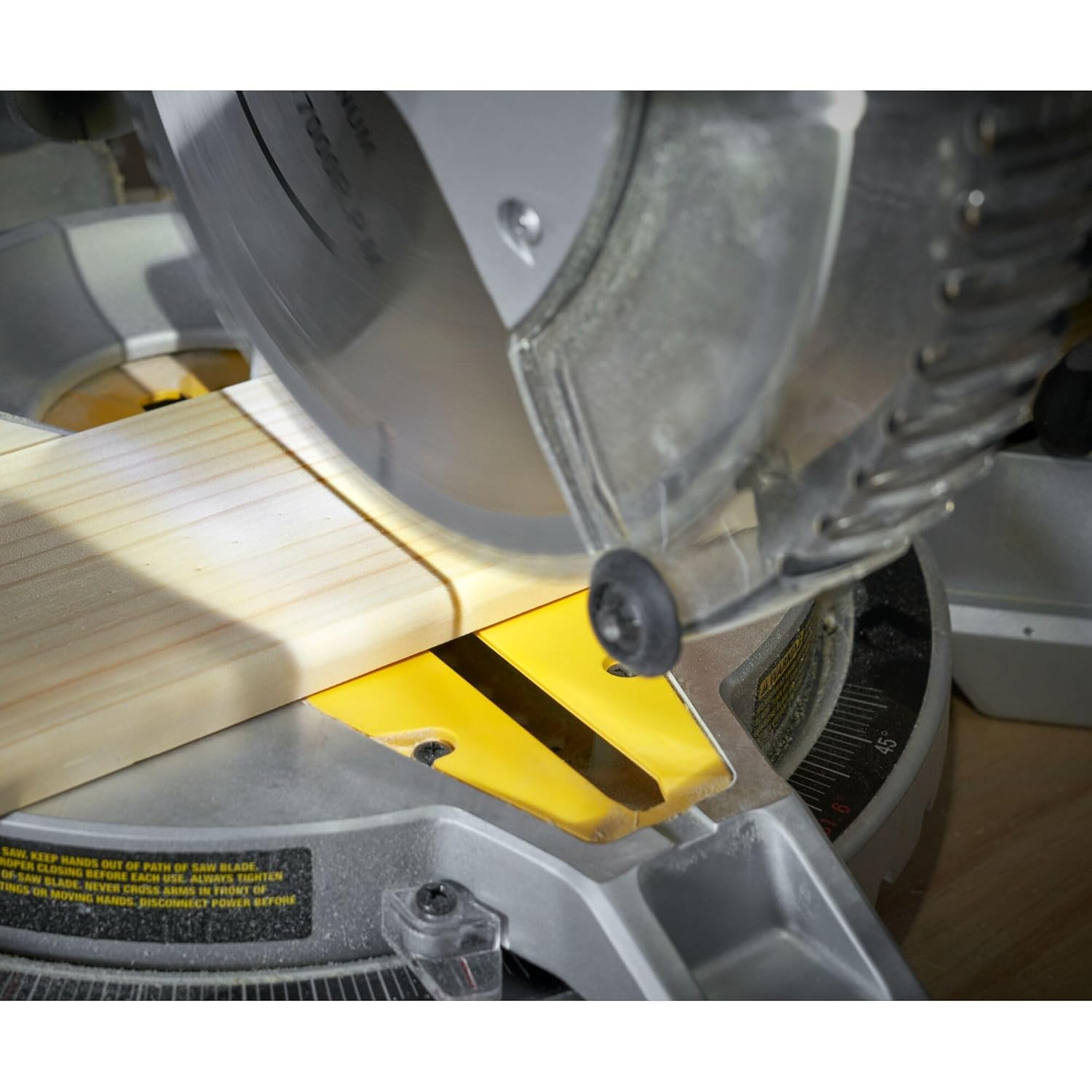
Figure 4: Included Accessories
The image shows the accessories that come with the STANLEY SM16-IN Mitre Saw, including a dust collection bag, a material clamp for securing workpieces, and two work support bars to stabilize longer materials.
3. Setup and Assembly
3.1 Unpacking
Carefully remove the mitre saw and all accessories from the packaging. Inspect for any damage that may have occurred during shipping. Do not discard packaging until you are sure all parts are present and the tool is functioning correctly.
3.2 Bench Mounting
For stable and safe operation, it is recommended to securely mount the mitre saw to a workbench. The base of the saw includes bench mounting holes for this purpose.
- Position the mitre saw on a stable, level workbench.
- Mark the locations of the bench mounting holes on the workbench surface.
- Drill appropriate pilot holes through the workbench.
- Secure the saw to the workbench using bolts, washers, and nuts (not included) that are suitable for your workbench material and thickness. Ensure the saw is firmly attached and does not wobble.

Figure 5: Bench Mounting Holes and Work Support Holes
This image highlights the designated bench mounting holes on the saw's base, crucial for securing the tool to a workbench. It also shows the holes for inserting work support bars, which aid in stabilizing longer workpieces during cutting operations.
3.3 Installing Work Supports
Insert the provided work support bars into the designated holes on either side of the saw's base to support longer workpieces.
3.4 Dust Bag Attachment
Attach the dust collection bag to the dust port located at the rear of the blade guard. This helps to collect sawdust and maintain a cleaner work area.

Figure 6: Dust Bag Attachment
The image shows the black STANLEY dust bag securely attached to the dust port of the mitre saw, ready to collect sawdust during operation.
4. Operating Instructions
4.1 Powering On/Off
The mitre saw is equipped with a trigger switch for operation. To start the saw, press the trigger switch. To stop, release the trigger switch.

Figure 7: Trigger Switch
This image provides a close-up view of the yellow trigger switch located on the operating handle of the mitre saw, which controls the power to the blade.
4.2 Adjusting Mitre Angles
The mitre saw allows for precise angle adjustments for various cuts. Use the mitre scale, mitre lock knob, and mitre detent for setting angles.
- Loosen the mitre lock knob.
- Rotate the table to the desired angle indicated on the mitre scale. The saw features 9 mitre stops for common angles (L47° to R52°).
- Once the desired angle is set, tighten the mitre lock knob to secure the table in position.

Figure 8: Mitre Angle Adjustment
The image shows a detailed view of the mitre scale on the saw's base, along with the mitre lock knob and detent mechanism, used for setting precise cutting angles.
4.3 Securing the Workpiece
Always secure the workpiece firmly against the fence and table using the provided material clamp or other suitable clamping devices. This prevents movement during cutting and ensures accuracy and safety.

Figure 9: Workpiece Secured with Clamp and LED Shadow Line
This image illustrates a wooden workpiece securely clamped to the mitre saw's table. The LED shadow cut line is visible, providing a clear indication of the blade's path for precise cutting.
4.4 Making a Cut
- Ensure the workpiece is properly secured and the desired mitre angle is set.
- Lower the blade slowly towards the workpiece, aligning the LED shadow cut line with your marked cut line.
- Engage the trigger switch to start the motor and allow the blade to reach full speed before contacting the workpiece.
- Smoothly and steadily push the saw blade through the workpiece. Do not force the cut.
- Once the cut is complete, release the trigger switch and allow the blade to stop completely before raising the saw head.
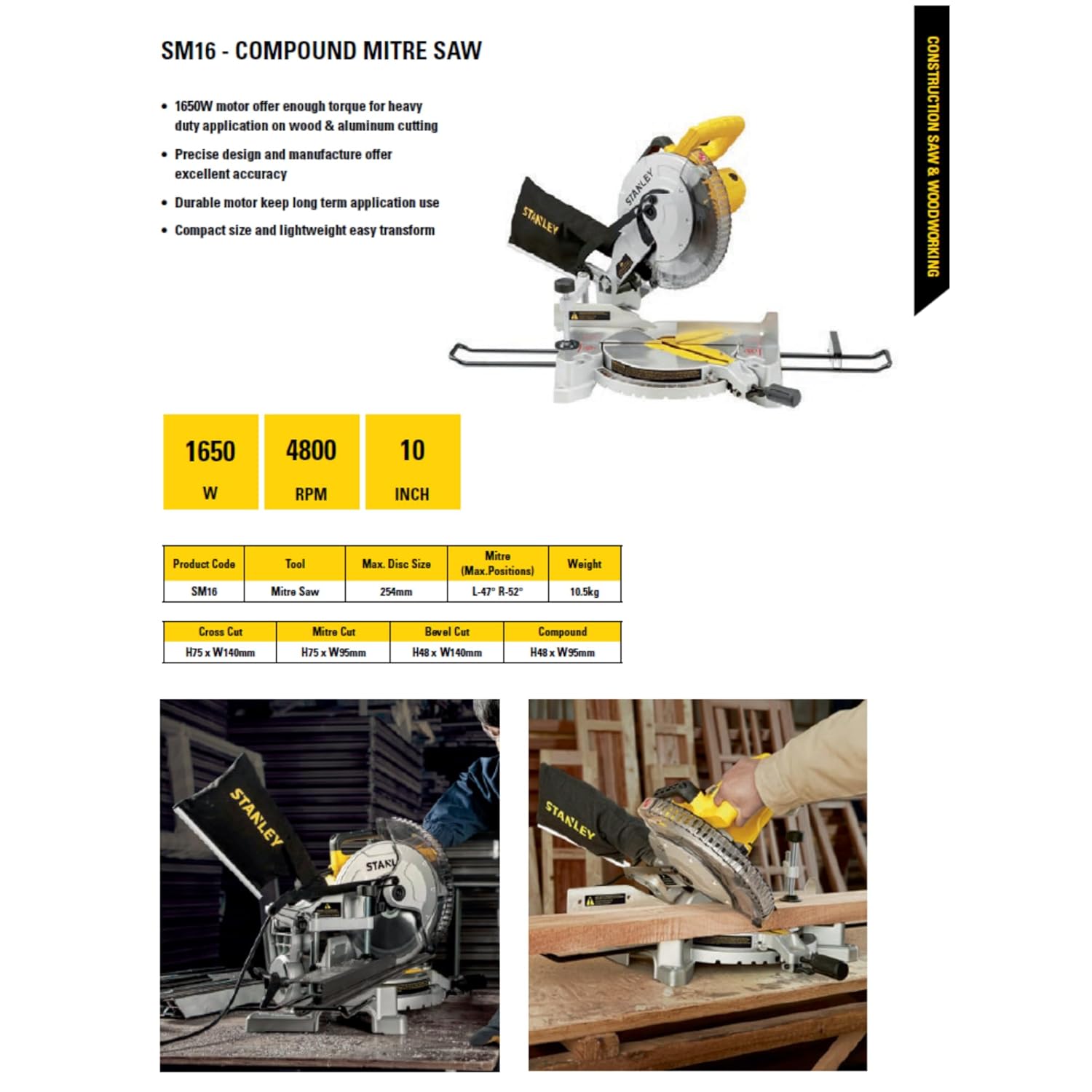
Figure 10: Operating the Mitre Saw
A user is shown operating the STANLEY SM16-IN mitre saw, carefully guiding the blade through a wooden board. The saw is positioned on a workbench, demonstrating a typical cutting operation.
4.5 Repetitive Cut Feature
The saw includes a repetitive cut feature, allowing for consistent cut lengths for multiple pieces. Refer to the specific mechanism on your saw for setting up repetitive cuts, typically involving a stop or guide.
4.6 Official Product Video
Video 1: STANLEY SM16-IN 1650W Compound Mitre Saw Overview
This video provides a visual overview of the STANLEY SM16-IN 1650W Compound Mitre Saw, demonstrating its key features such as the optimized arm design, lock-off trigger switch, LED shadow cut line, mitre stops, robust base and fence, and repetitive cut feature. It shows the saw in action, performing various cuts on different materials.
5. Maintenance
Regular maintenance ensures the longevity and safe operation of your mitre saw.
5.1 Cleaning
After each use, disconnect the saw from the power supply and clean off any sawdust or debris. Empty the dust collection bag regularly. Use a soft cloth to wipe down surfaces. Do not use solvents or harsh chemicals.
5.2 Blade Inspection and Replacement
Regularly inspect the saw blade for sharpness, damage, or missing teeth. A dull or damaged blade can cause kickback and poor cut quality. Replace the blade when necessary, ensuring the replacement blade matches the specifications (254mm diameter, 25.4mm bore diameter, 80 teeth, suitable for wood/aluminum).

Figure 11: Saw Blade Teeth
This close-up image displays the sharp teeth of the mitre saw blade, emphasizing the importance of regular inspection for wear and damage to ensure optimal cutting performance and safety.
WARNING: Always disconnect the power tool from the power source before changing accessories or performing any maintenance.
5.3 Carbon Brush Replacement
The motor's carbon brushes may need periodic inspection and replacement. Refer to the brush cap location on the product overview diagram. Consult a qualified service technician for brush replacement if you are unsure.
6. Troubleshooting
This section addresses common issues you might encounter with your mitre saw.
| Problem | Possible Cause | Solution |
|---|---|---|
| Saw does not start | No power supply; Faulty switch; Damaged power cord. | Check power connection and circuit breaker. Inspect power cord for damage. Contact service if switch is faulty. |
| Poor cut quality (rough, splintering) | Dull or incorrect blade; Workpiece not secured; Incorrect cutting technique. | Replace with a sharp, appropriate blade. Ensure workpiece is clamped firmly. Use a steady, controlled cutting motion. |
| Saw overheats | Overloading the motor; Blocked ventilation; Dull blade. | Reduce cutting pressure. Clear ventilation slots. Replace dull blade. Allow saw to cool. |
| Excessive vibration | Loose blade; Damaged blade; Unbalanced workpiece; Loose mounting. | Check blade for tightness and damage. Ensure workpiece is stable. Verify saw is securely mounted. |
| Inaccurate cuts | Mitre or bevel settings incorrect; Fence not aligned; Blade deflection. | Re-check and adjust all angle settings. Ensure fence is perpendicular. Replace worn blade. |
7. Technical Specifications
| Specification | Detail |
|---|---|
| Brand | STANLEY |
| Model Number | SM16-IN |
| Power Source | Corded Electric |
| Wattage | 1650 Watts |
| Voltage | 220 Volts |
| No-Load Speed | 4800 RPM |
| Blade Diameter | 254 Millimetres (10 inches) |
| Bore Diameter | 25.4 mm |
| Number of Teeth | 80 |
| Blade Material | Aluminium |
| Surface Recommendation | Wood |
| Cutting Angle | Up to 45 Degrees (Mitre L47° to R52°) |
| Item Weight | 10.62 Kilograms |
| Product Dimensions (L x W x H) | 12.6L x 3.7W x 9.1H Centimeters |
| Included Components | 1 STANLEY Mitre Saw, Dust Bag, Material Clamp, Work Support Bars |
| Country of Publication | China |
8. Warranty and Customer Support
8.1 Warranty Information
The STANLEY SM16-IN Compound Mitre Saw comes with a 1-year warranty provided by the manufacturer from the date of purchase. Please retain your proof of purchase for warranty claims.
For any warranty-related issues or product feedback, please contact STANLEY customer care.
8.2 Customer Care Contact

Figure 12: STANLEY Customer Care Contact Details
This image displays the STANLEY Total Care contact information. For assistance, you can reach customer care via phone at 1800-203-0644, email at SBD-CUSTOMERCOMMUNICATIONS@SBDINC.COM, or WhatsApp by scanning the QR code or using the provided link.
- Phone: 1860-425-1111 (between 10AM to 5PM from Monday to Friday, except government holidays)
- Email: SBD-CUSTOMERCOMMUNICATIONS@SBDINC.COM
- WhatsApp: +91 96060 55835
- Authorized Service Centers: 500+ locations
- Manufacturer: Stanley Black & Decker India Private Ltd