1. Introduction
This manual provides detailed instructions for the installation, operation, and maintenance of your boAt Aavante Bar 1250 80 Watt 2.1 Channel Wireless Bluetooth Soundbar. Please read this manual thoroughly before using the product to ensure proper functionality and to maximize your audio experience. Retain this manual for future reference.
2. Package Contents
Verify that all items listed below are included in your package:
- Aavante Bar 1250 Soundbar
- Wired Subwoofer
- Remote Control
- Line In Cable (AUX Cable)
- User Manual
- Warranty Card
- Screws for Wall Mount
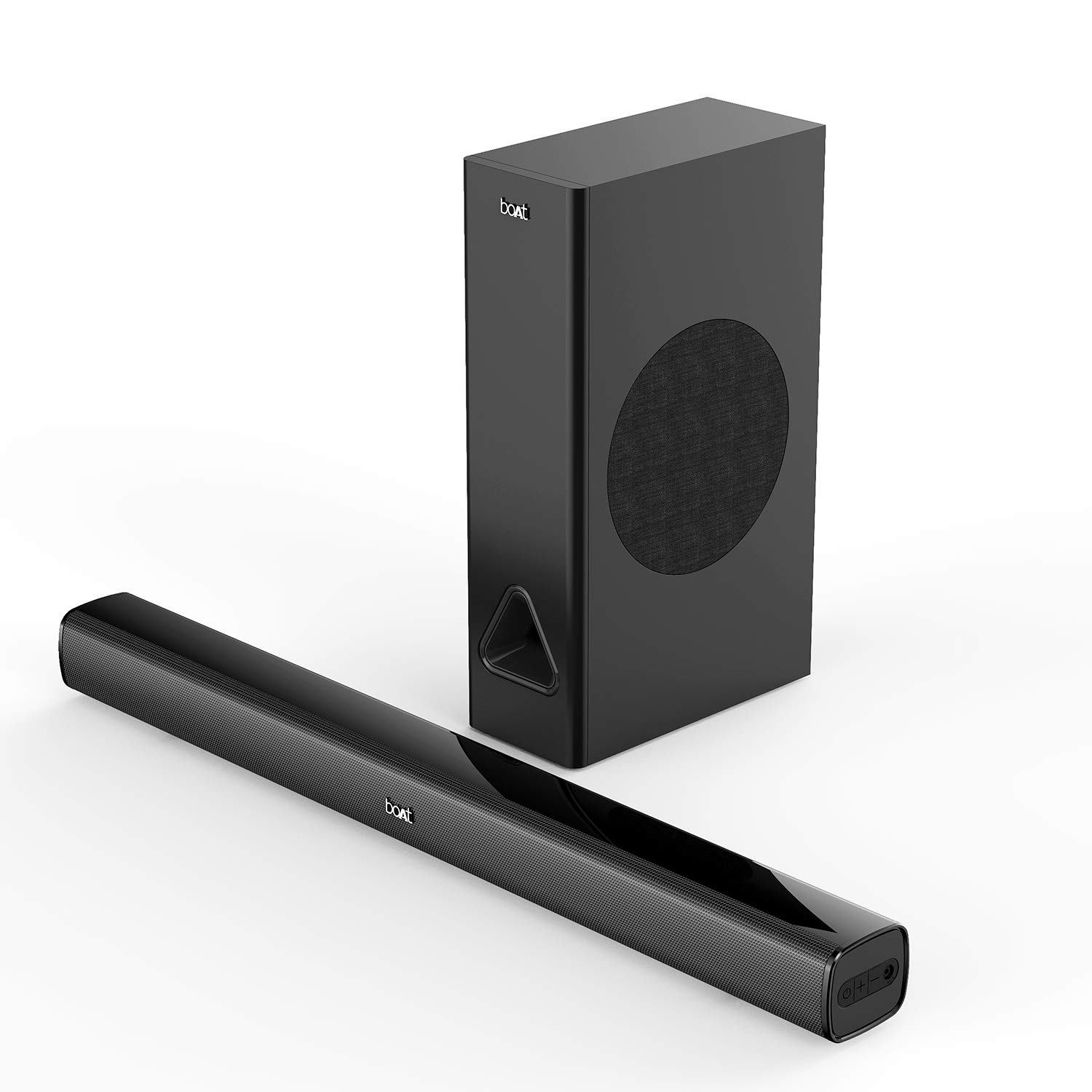
Image: The boAt Aavante Bar 1250 soundbar and its accompanying wired subwoofer, both in premium black finish.
3. Product Overview
3.1 Soundbar Components
The Aavante Bar 1250 features a sleek soundbar designed to deliver clear audio and a powerful wired subwoofer for enhanced bass. The system provides a 2.1 channel audio configuration for an immersive listening experience.

Image: A close-up view highlighting the sleek and premium design of the boAt Aavante Bar 1250 soundbar.
3.2 Subwoofer
The wired subwoofer is designed to provide deep and impactful bass, complementing the soundbar's audio output. It features a 5-inch subwoofer driver.

Image: The wired subwoofer of the boAt Aavante Bar 1250, emphasizing its role in delivering 2.1 channel captivating sound.
3.3 Controls and Connectivity
The soundbar can be controlled via its integrated buttons or the included remote control. It offers multiple connectivity options:
- Bluetooth V5.0: For wireless audio streaming from compatible devices.
- AUX Input: For wired connection to audio sources using the Line In Cable.
- USB Input: For playing audio files directly from a USB drive.

Image: The boAt Aavante Bar 1250 soundbar, subwoofer, and remote control, illustrating the multiple connectivity options including Bluetooth V5.0, USB, and AUX.
4. Setup
4.1 Placement
Place the soundbar centrally below your television or display for optimal stereo imaging. Position the wired subwoofer on the floor, preferably in a corner or near a wall, to enhance bass response. Ensure adequate ventilation around both units.
4.2 Connecting the Subwoofer
Connect the wired subwoofer to the soundbar using the dedicated subwoofer cable. Ensure the connection is secure.
4.3 Power Connection
- Connect the power cable to the AC power input on the soundbar.
- Plug the other end of the power cable into a suitable wall outlet.
- Ensure the power switch on the soundbar (if present) is in the 'On' position.
4.4 Wall Mounting (Optional)
The soundbar can be wall-mounted using the provided screws and wall mount holders. Consult a professional for installation if you are unsure about the process to prevent damage to the unit or wall.
5. Operating Instructions
5.1 Power On/Off
Press the Power button on the soundbar or the remote control to turn the unit on or off. The LED indicator will show the power status.
5.2 Bluetooth Pairing
- Turn on the soundbar and select Bluetooth mode using the 'Mode' button on the soundbar or remote. The LED indicator will flash, indicating pairing mode.
- Enable Bluetooth on your mobile device or other audio source.
- Search for "Aavante Bar 1250" in the list of available devices and select it to pair.
- Once paired, the LED indicator will stop flashing and remain solid. You can now stream audio wirelessly.

Image: A smartphone connected via Bluetooth V5.0 to the boAt Aavante Bar 1250 soundbar and subwoofer, demonstrating wireless connectivity.
5.3 AUX Connection
- Connect one end of the provided Line In Cable (AUX cable) to the AUX input port on the soundbar.
- Connect the other end of the AUX cable to the audio output jack of your device (e.g., TV, smartphone, MP3 player).
- Select AUX mode on the soundbar using the 'Mode' button.
5.4 USB Playback
- Insert a USB drive containing audio files into the USB port on the soundbar.
- Select USB mode on the soundbar using the 'Mode' button.
- The soundbar will automatically begin playing audio files from the USB drive. Use the remote control for playback functions (play, pause, skip tracks).
5.5 Remote Control Functions
The included remote control allows for convenient operation of the soundbar. Functions include:
- Power On/Off
- Volume Up/Down
- Mode Selection (Bluetooth, AUX, USB)
- Playback Controls (Play/Pause, Previous/Next Track for USB/Bluetooth)
- Equalizer Modes: Switch between preset sound modes such as NEWS, MOVIES, MUSIC, and 3D for optimized audio experiences.
6. Maintenance
6.1 Cleaning
Wipe the surfaces of the soundbar and subwoofer with a soft, dry cloth. Do not use liquid cleaners, abrasive cleaners, or solvents, as these may damage the finish. Ensure the units are unplugged before cleaning.
6.2 Storage
If storing the unit for an extended period, unplug it from the power outlet and store it in a cool, dry place, away from direct sunlight and extreme temperatures.
7. Troubleshooting
If you encounter issues with your Aavante Bar 1250, refer to the following common problems and solutions:
| Problem | Possible Cause | Solution |
|---|---|---|
| No power | Power cable not connected; Power outlet not active | Ensure power cable is securely connected to the soundbar and a working power outlet. |
| No sound | Incorrect input mode; Volume too low; Muted | Select the correct input mode (Bluetooth, AUX, USB). Increase volume. Check if the unit is muted. |
| Bluetooth pairing failure | Device too far; Soundbar not in pairing mode; Interference | Ensure soundbar is in Bluetooth pairing mode. Move device closer. Restart both devices. |
| Remote control not working | Batteries depleted; Obstruction; Incorrect angle | Replace remote control batteries. Ensure no obstructions between remote and soundbar. Point remote directly at the soundbar's sensor. |
If the issue persists after attempting these solutions, please contact customer support.
8. Specifications
| Model Name | Aavante Bar |
| Speaker Type | Soundbar; Subwoofer |
| Total Output Power | 80 Watts |
| Surround Sound Channel Configuration | 2.1 |
| Subwoofer Diameter | 5 Inches |
| Wireless Communication Technology | Bluetooth V5.0 |
| Connectivity Technology | Bluetooth, AUX, USB |
| Control Method | Remote |
| Product Dimensions | 7.8D x 86W x 7H Centimeters |
| Item Weight | 4.3 kg |
| Power Source | AC Power |
| Color | Premium Black |
| Item Model Number | 8904130855191 |
9. Warranty and Support
9.1 Warranty Information
The boAt Aavante Bar 1250 comes with a 1-year warranty from the date of purchase. Please refer to the included Warranty Card for detailed terms and conditions.
9.2 Customer Support
For product-related queries, technical assistance, or warranty claims, please contact boAt customer support:
- Phone: +91 (022) 69181920
- Email: info@imaginemarketingindia.com
- Manufacturer: Imagine Marketing Ltd, Unit no. 204 & 205, 2nd floor, D-wing & E-wing, Corporate Avenue, Andheri Ghatkopar Link Road, Mumbai, Maharashtra-400093, India.


