
1. Important Safety Instructions
Please read and understand all safety instructions before operating this product. Retain this manual for future reference.
- Do not expose this appliance to rain or moisture.
- Do not block any ventilation openings. Install in accordance with the manufacturer's instructions.
- Do not install near any heat sources such as radiators, heat registers, stoves, or other apparatus (including amplifiers) that produce heat.
- Protect the power cord from being walked on or pinched, particularly at plugs, convenience receptacles, and the point where they exit from the apparatus.
- Only use attachments/accessories specified by the manufacturer.
- Unplug this apparatus during lightning storms or when unused for long periods of time.
- Refer all servicing to qualified service personnel. Servicing is required when the apparatus has been damaged in any way, such as power-supply cord or plug is damaged, liquid has been spilled or objects have fallen into the apparatus, the apparatus has been exposed to rain or moisture, does not operate normally, or has been dropped.
2. Package Contents
Verify that all items listed below are included in your package:
- Edison Professional EPT1 Portable PA System
- Power Cable
- Speaker Stand
- User Manual (this document)
3. Product Overview
Familiarize yourself with the components and controls of your EPT1 PA System.
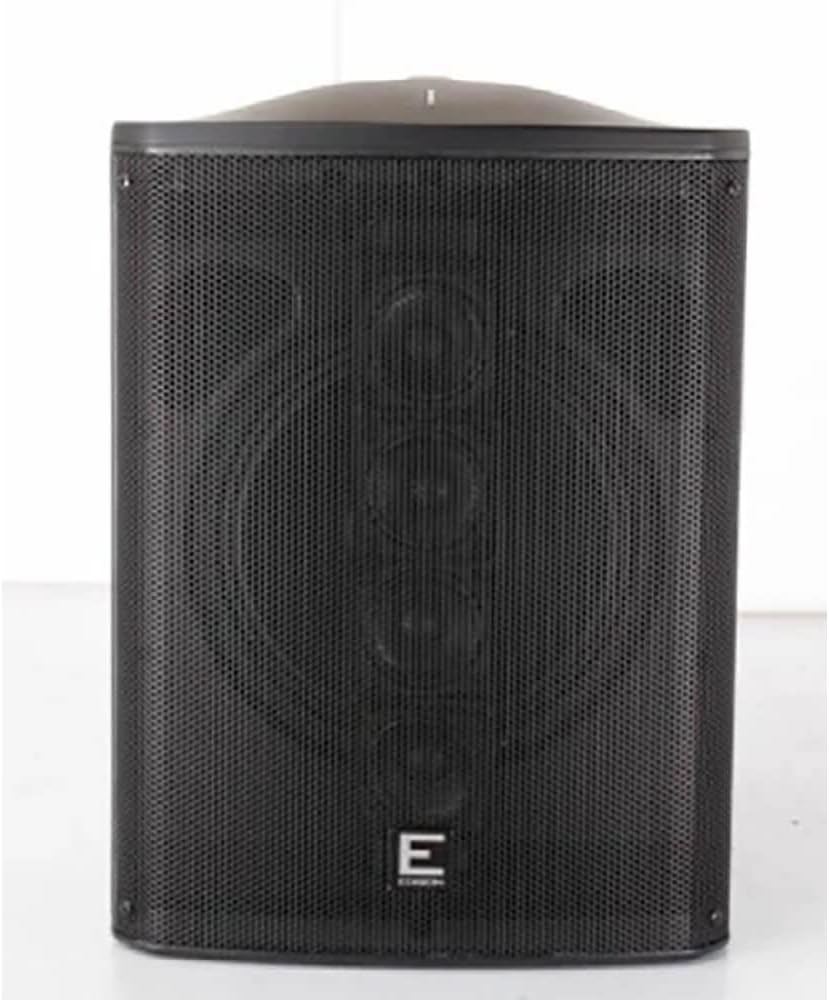
Figure 3.1: Front view of the EPT1 PA System, showcasing the protective grille and overall design.

Figure 3.2: Rear panel of the EPT1 PA System, displaying the various input/output ports, control knobs, and display screen.

Figure 3.3: Front view of the EPT1 PA System with the grille removed, revealing the 10-inch woofer and the vertical line array speakers.
3.1 Rear Panel Controls and Connections
- Channel 1 (Mic Input): XLR/TRS combo jack for microphone connection. Includes Gain, Bass, and Treble controls.
- Channel 2 (Line/Instrument Input): TRS/RCA input for instruments or line-level devices. Includes Gain, Bass, and Treble controls.
- Channel 3 (Bluetooth/Aux Input): For wireless audio streaming or auxiliary input. Includes Volume control.
- Master Volume: Controls the overall output volume of the system.
- Main EQ: Global Bass and Treble controls for the entire system output.
- Display Screen: Shows current mode, track information, and Bluetooth status.
- Media Player Controls: Play/Pause, Skip, Mode selection.
- Power Input: AC power connection.
- Power Switch: Turns the unit on or off.
4. Setup
4.1 Power Connection
- Ensure the EPT1 power switch is in the OFF position.
- Connect the provided power cable to the AC power input on the rear panel of the EPT1.
- Plug the other end of the power cable into a suitable electrical outlet (120V AC, 60Hz).
4.2 Stand Mounting
The EPT1 PA System can be mounted on the included speaker stand for optimal sound dispersion.

Figure 4.1: The EPT1 PA System securely mounted on its speaker stand.
- Extend the legs of the speaker stand to a stable position on a flat surface.
- Adjust the height of the stand to your desired level, ensuring the locking pin is engaged and the knob is tightened.
- Carefully lift the EPT1 PA System and place its pole mount receptacle onto the stand's pole. Ensure it is seated firmly and securely.
5. Operating Instructions
5.1 Powering On/Off
To power on the system, flip the power switch on the rear panel to the ON position. The display screen will illuminate. To power off, flip the switch to the OFF position.
5.2 Bluetooth Connectivity
- Turn on the EPT1 PA System.
- Press the 'MODE' button on the rear panel until 'Bluetooth' is selected on the display. The Bluetooth indicator will flash, indicating it is in pairing mode.
- On your smartphone or Bluetooth-enabled device, search for available Bluetooth devices.
- Select 'EPT1' from the list of devices. Once paired, the Bluetooth indicator on the EPT1 will stop flashing and remain solid.
- Adjust the Channel 3 Volume control on the EPT1 and the volume on your connected device.
5.3 Using Input Channels
The EPT1 features three independent channels for versatile audio mixing.
- Channel 1 (Microphone): Connect a microphone to the XLR or 1/4" TRS input. Adjust the 'GAIN' knob for input level and 'BASS'/'TREBLE' for tone.
- Channel 2 (Line/Instrument): Connect an instrument (e.g., guitar, keyboard) or a line-level audio source to the 1/4" TRS or RCA inputs. Adjust 'GAIN', 'BASS', and 'TREBLE' as needed.
- Channel 3 (Bluetooth/Aux): Used for Bluetooth audio (as described above) or a wired auxiliary input. Adjust the dedicated 'VOLUME' knob.
5.4 Master Volume and Main EQ
- The Master Volume knob controls the overall output level of the entire PA system. Adjust this after setting individual channel levels.
- The Main EQ (Bass/Treble) knobs provide global tone control for the combined audio output.
6. Maintenance
6.1 Cleaning
To clean the unit, use a soft, dry cloth. Do not use abrasive cleaners, waxes, or solvents. Ensure the unit is powered off and unplugged before cleaning.
6.2 Storage
When not in use for extended periods, store the EPT1 in a cool, dry place, away from direct sunlight and extreme temperatures. It is recommended to store it in its original packaging or a protective case.
6.3 Battery Care
The EPT1 features a rechargeable battery. To prolong battery life:
- Fully charge the battery before first use.
- Avoid completely draining the battery frequently.
- If storing for a long time, charge the battery to approximately 50% every few months.
7. Troubleshooting
Refer to the table below for common issues and their solutions.
| Problem | Possible Cause | Solution |
|---|---|---|
| No power | Power cable not connected; Power switch off; Dead battery. | Ensure power cable is securely connected and outlet is active. Turn power switch ON. Charge the battery. |
| No sound output | Master Volume too low; Input channel volume too low; Incorrect input selected; Device not paired (Bluetooth). | Increase Master Volume and individual channel volumes. Verify correct input mode. Re-pair Bluetooth device. |
| Bluetooth not connecting | EPT1 not in pairing mode; Device too far; Interference. | Ensure EPT1 is in Bluetooth pairing mode. Move device closer to EPT1. Reduce interference from other wireless devices. |
| Distorted audio | Input gain too high; Master Volume too high; Damaged cable. | Reduce input gain for the specific channel. Lower Master Volume. Try a different audio cable. |
8. Specifications
| Feature | Detail |
|---|---|
| Model Name | EPT1 |
| Speaker Type | Portable PA System |
| Woofer Diameter | 10 Inches |
| Audio Driver Type | Dynamic Driver |
| Connectivity Technology | Bluetooth |
| Bluetooth Range | Up to 10 Meters (33 feet) |
| Number of Channels | 3 (Mic, Line/Instrument, Bluetooth/Aux) |
| Power Source | Battery Powered (Rechargeable) / AC Power |
| Mounting Type | Pole Mount |
| Material | Plastic |
| Included Components | Speakers and Stand |
| UPC | 711058961730 |
9. Warranty and Support
9.1 Warranty Information
This Edison Professional EPT1 Portable PA System comes with a Limited Warranty. Please refer to the warranty card included with your product for specific terms and conditions. The warranty typically covers manufacturing defects for a specified period from the date of purchase.
9.2 Customer Support
For technical assistance, troubleshooting not covered in this manual, or warranty inquiries, please contact Edison Professional customer support. Contact information can usually be found on the official Edison Professional website or on your product's packaging.
You may also visit the Edison Professional Store on Amazon for additional product information and support resources.