
Wireless Gear G0679
Wireless Gear Bluetooth 5.0 True Wireless Stereo Earbuds User Manual
Model: G0679
Introduction
This manual provides comprehensive instructions for the Wireless Gear Bluetooth 5.0 True Wireless Stereo Earbuds. Please read this manual carefully before using the product to ensure proper operation and to maximize your listening experience. Keep this manual for future reference.
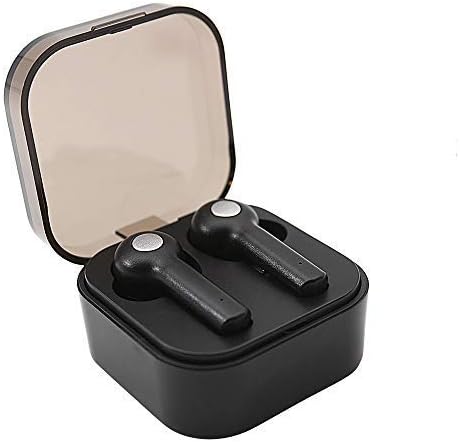
Image: Wireless Gear True Wireless Earbuds in their open charging case, showcasing their compact design.
Package Contents
Ensure all items are present in the package:
- Wireless Gear True Wireless Earbuds (Left and Right)
- Portable Charging Case
- USB Charging Cable
- User Manual (this document)
- Additional Ear Gels (various sizes)
Product Features
- Bluetooth 5.0 Technology: Provides stable and efficient wireless connection.
- True Wireless Stereo (TWS): Delivers rich audio and powerful bass.
- Integrated Microphone: Enables hands-free calling.
- Touch Control: Manage music playback, calls, and voice assistant activation directly from the earbuds.
- Auto Pair & Auto Power On: Seamless pairing with previously connected devices.
- Noise-Isolating Ear Gels: Designed for comfort and enhanced sound acoustics.
- Portable Charging Case: Extends playtime and protects earbuds.
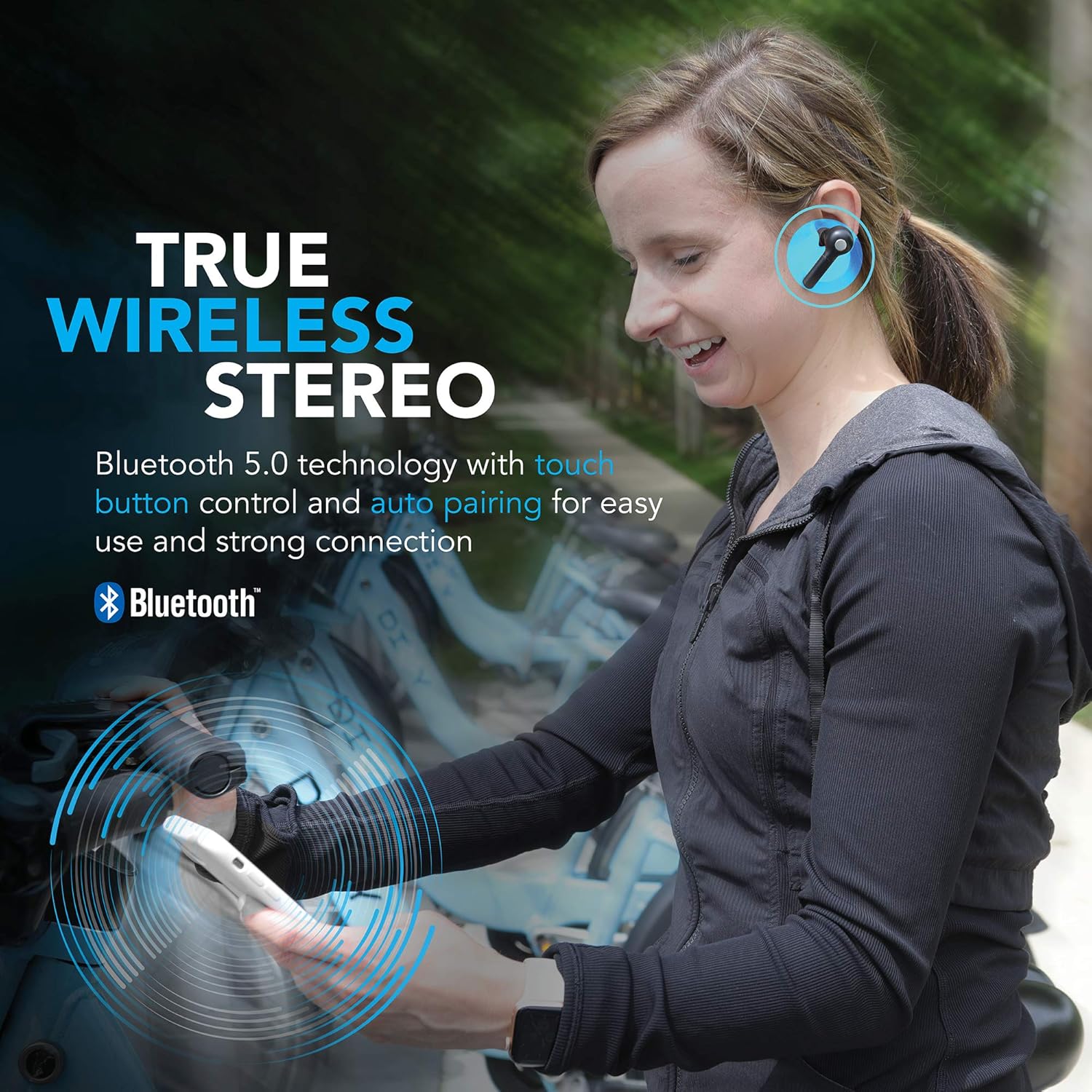
Image: A woman wearing the Wireless Gear earbuds, illustrating the true wireless stereo and Bluetooth 5.0 capabilities.

Image: A woman using the earbuds for hands-free communication, highlighting the built-in microphone feature.
Setup and First Use
1. Charging the Earbuds and Case
Before first use, fully charge the earbuds and the charging case. Place the earbuds into the charging case. Connect the USB charging cable to the charging port on the case and the other end to a USB power source (e.g., computer, wall adapter).
- The charging indicator lights on the case will show charging status.
- A full charge provides up to 2.5 hours of playtime for the earbuds, and the case can provide 4-5 additional charges, totaling up to 8 hours of playtime.
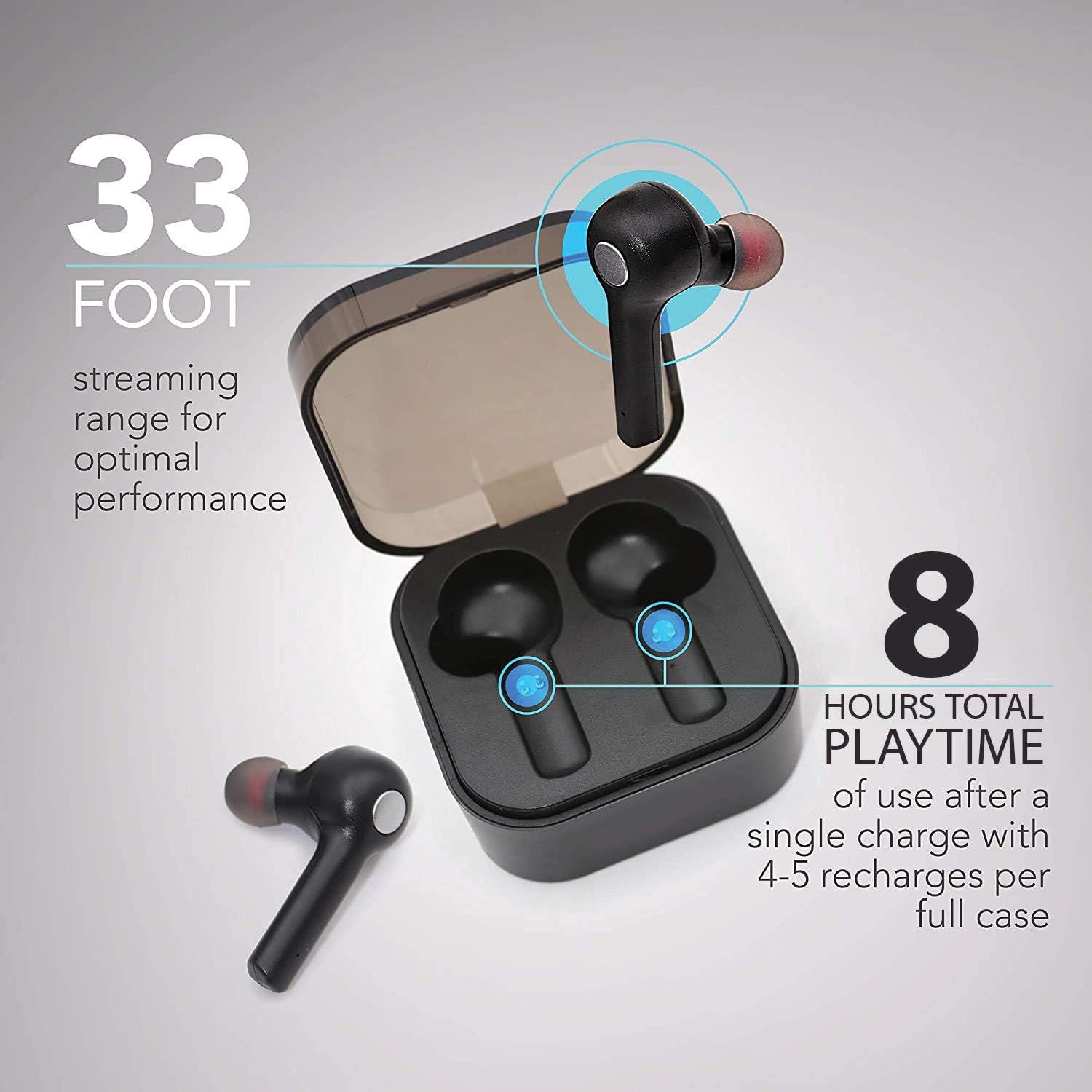
Image: The earbuds in their charging case, illustrating the 33-foot range and 8 hours of total playtime with the case.
2. Pairing with a Device
- Ensure the earbuds are charged.
- Open the charging case. The earbuds will automatically power on and enter pairing mode.
- On your device (smartphone, tablet, laptop), enable Bluetooth.
- Search for available Bluetooth devices.
- Select "Wireless Gear Earbuds" (or similar name) from the list.
- Once connected, you will hear a confirmation tone, and the earbud indicator lights will change.
The earbuds feature auto-pair functionality, meaning they will automatically connect to the last paired device when removed from the case, if Bluetooth is enabled on that device.
Operating Instructions
Wearing the Earbuds
Gently insert the earbuds into your ears. Adjust them for a comfortable and secure fit. The noise-isolating ear gels are designed to provide optimal sound acoustics and comfort.

Image: A man demonstrating the proper fit of the earbud, emphasizing the comfort and sound isolation provided by the ear gels.
Touch Controls
The earbuds feature intuitive touch controls on the side of each earbud. Refer to the table below for common functions:
| Action | Function |
|---|---|
| Single Tap (Left/Right Earbud) | Play/Pause Music, Answer/End Call |
| Double Tap (Right Earbud) | Next Song |
| Double Tap (Left Earbud) | Previous Song |
| Triple Tap (Left/Right Earbud) | Activate Voice Assistant (Siri for iOS) |
| Long Press (Left/Right Earbud) | Reject Call |
Power On/Off
- Power On: Remove earbuds from the charging case. They will automatically power on.
- Power Off: Place earbuds back into the charging case. They will automatically power off and begin charging.
Maintenance and Care
- Cleaning: Use a soft, dry cloth to clean the earbuds and charging case. Do not use harsh chemicals or abrasive materials.
- Ear Gels: Periodically remove and clean the ear gels with a damp cloth. Ensure they are completely dry before reattaching.
- Storage: When not in use, store the earbuds in their charging case to protect them and keep them charged.
- Avoid Water: The earbuds are not waterproof. Avoid exposure to water, moisture, or extreme temperatures.
- Battery Care: To prolong battery life, avoid fully discharging the earbuds and case frequently. Charge them regularly.
Troubleshooting
| Problem | Possible Cause | Solution |
|---|---|---|
| Earbuds not pairing | Earbuds not in pairing mode; Bluetooth off on device; previously paired device interfering. | Ensure earbuds are out of case and indicator lights are flashing. Turn Bluetooth off and on again on your device. Forget previous pairings on your device and try again. |
| Only one earbud working | Earbuds not properly synced; one earbud out of charge. | Place both earbuds back into the charging case, close the lid, then open it again. Ensure both earbuds are charged. |
| No sound or low volume | Volume too low on device; earbuds not connected; media source issue. | Increase volume on your connected device. Reconnect earbuds. Check if audio is playing from the correct source on your device. |
| Charging case not charging | Faulty cable or power source. | Try a different USB cable and/or power adapter. Ensure connections are secure. |
| Poor sound quality / Disconnections | Too far from device; interference; low battery. | Move closer to your device (within 33 ft). Avoid strong electromagnetic interference. Charge earbuds and case. |
Specifications
| Feature | Detail |
|---|---|
| Model Number | G0679 |
| Bluetooth Version | 5.0 |
| Wireless Range | Up to 33 feet (10 meters) |
| Earbud Playtime | Up to 2.5 hours per charge |
| Total Playtime (with case) | Up to 8 hours (4-5 recharges from case) |
| Control Type | Touch Control |
| Microphone | Built-In |
| Material | Plastic |
| Battery Type | Lithium Ion |
| Earbud Dimensions (approx.) | Refer to image for detailed dimensions. |
| Case Dimensions (approx.) | 2.25" x 2.25" x 0.75" (5.7 x 5.7 x 1.9 cm) |

Image: Detailed dimensions of the earbuds and charging case for reference.
Warranty Information
For warranty details and terms, please refer to the warranty card included with your product or contact Wireless Gear customer support. Keep your purchase receipt as proof of purchase.
Customer Support
If you encounter any issues or have questions not covered in this manual, please contact Wireless Gear customer support. Visit the official Wireless Gear website for contact information and frequently asked questions.
Manufacturer: ESI Wireless Accessories
Ask a question about this manual
Ask about setup, troubleshooting, compatibility, parts, safety, or missing instructions. Manuals+ will review the question and use this page’s manual context to help answer it.