
Introduction
Thank you for choosing the Singing Machine Official Carpool Karaoke, The Mic. This Bluetooth microphone is designed to bring the fun of karaoke into your car, allowing you to stream audio from any music or karaoke app and connect wirelessly to your car's FM tuner or via an aux cord. Enjoy hours of entertainment with its built-in rechargeable battery and high-fidelity sound.
This product is a Certified Refurbished item, professionally inspected and tested to work and look like new. Minor signs of use or cosmetic blemishes do not affect its functionality.
Important Safety Information
WARNING:
This product is intended solely for use by passengers. It is not intended for use by drivers of any motor vehicle.
What's in the Box
- Model CPK545 Microphone in reusable carrying case
- USB Cable (for charging)
- Extra long AUX cord (3.5 mm Jack)

Image: The Carpool Karaoke microphone, showing its main display and controls.
Setup
1. Charging the Microphone
- Connect the supplied USB cable to the microphone's charging port.
- Plug the other end of the USB cable into a USB power adapter (not included) or a powered USB port.
- The battery indicator on the microphone's display will show charging status. A full charge provides up to 6 hours of use.
2. Powering On/Off
- To power on, press and hold the Power button (
 ) until the display illuminates.
 - To power off, press and hold the Power button again until the display turns off.

Image: Detailed view of the microphone's control panel, highlighting the display and buttons.
Operating Instructions
1. Bluetooth Connection
- Ensure the microphone is powered on. It will automatically enter Bluetooth pairing mode.
- On your smartphone, tablet, or other Bluetooth-enabled device, enable Bluetooth and search for "Carpool Karaoke Mic".
- Select "Carpool Karaoke Mic" to pair. A confirmation sound will indicate successful pairing.
- Once paired, you can stream music or karaoke tracks from your device to the microphone.
2. Connecting to Your Car's Audio System
Option A: FM Tuner Connection
- Tune your car's FM radio to an unused, clear FM frequency (e.g., 88.1 MHz or 107.9 MHz).
- On the microphone, press the FM+ or FM- buttons to match the microphone's FM frequency to your car's radio frequency. The frequency will be displayed on the microphone's screen.
- Once matched, audio from the microphone will play through your car's speakers.
Option B: AUX Cord Connection
- Connect one end of the supplied 3.5mm AUX cord to the microphone's AUX output port.
- Connect the other end of the AUX cord to your car's AUX input port.
- Select the AUX input on your car's audio system. Audio from the microphone will now play through your car's speakers.
3. Adjusting Microphone Settings
- Mic Volume: Use the MIC VOL + and - buttons to increase or decrease your voice volume.
- Echo: Use the ECHO + and - buttons to add or reduce echo effect to your voice.
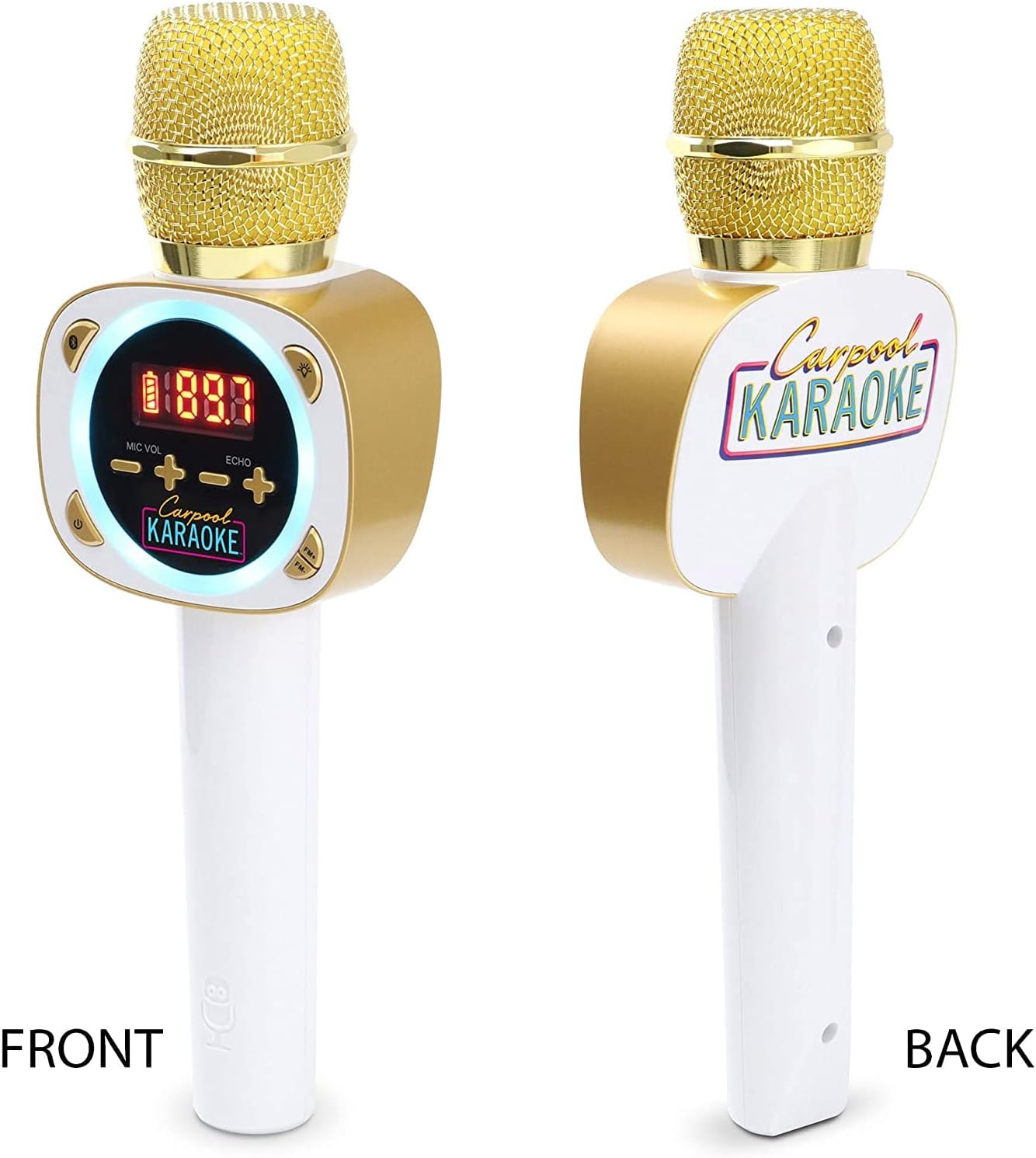
Image: Front and back views of the Carpool Karaoke microphone, showing its overall design.
Maintenance
- Keep the microphone clean by wiping it with a soft, dry cloth. Do not use abrasive cleaners or solvents.
- Avoid exposing the microphone to extreme temperatures, direct sunlight, or high humidity.
- Store the microphone in its reusable carrying case when not in use to protect it from dust and damage.
- Do not attempt to disassemble or repair the microphone yourself. Refer to qualified service personnel for any repairs.
Troubleshooting
| Problem | Possible Cause | Solution |
|---|---|---|
| No power | Battery is low or depleted. | Charge the microphone using the supplied USB cable. |
| Cannot pair via Bluetooth | Microphone is not in pairing mode; device's Bluetooth is off; microphone is already paired to another device. | Ensure microphone is on and in pairing mode. Turn Bluetooth off and on again on your device. Disconnect from other devices. |
| No sound from car speakers (FM) | FM frequency mismatch; car radio not tuned to FM; interference. | Ensure microphone and car radio are on the same clear FM frequency. Try a different frequency. |
| No sound from car speakers (AUX) | AUX cable not fully connected; car audio input not set to AUX. | Check AUX cable connections. Ensure car audio system is set to AUX input. |
| Poor sound quality | Low battery; interference; microphone too far from car's FM antenna. | Charge battery. Try a different FM frequency. Move microphone closer to car's FM antenna. |
Specifications
- Model: CPK545
- Item Weight: 15.7 ounces
- Product Dimensions: 2 x 3.6 x 10.6 inches
- Batteries: 1 A battery required (included)
- Battery Type: Lithium Ion
- Power Source: Battery Powered
- Voltage: 12 Volts (DC)
- Color: White
- Compatible Devices: Smartphone, Tablet, Laptop, Personal Computer
- Connector Type: 3.5 mm Jack
- Special Feature: Rechargeable

Image: Diagram showing the dimensions of the Carpool Karaoke microphone.
Warranty and Support
As a Certified Refurbished product, this item is eligible for replacement or refund under the Amazon Renewed Guarantee if you are not satisfied with your purchase.
For further assistance or technical support, please refer to the Amazon Renewed program details or contact Amazon customer service directly.
Visit the Amazon Renewed Store for more information.


