
1. Introduction
This user manual provides detailed instructions for the OREI HD-401MV Quad Multi Viewer HDMI Switcher. This device allows you to connect up to four HDMI input sources and display them simultaneously on a single HD TV or display, with an option for VGA output. It features real-time, fast, and seamless switching between sources, supporting resolutions up to 1080p. Please read this manual thoroughly before operating the device to ensure proper setup and optimal performance.
2. Product Features
- Supports 4 HDMI input sources to a single HD TV or display.
- Features real-time fast seamless switching up to 1080p.
- Includes both HDMI and VGA output options.
- Compatible with a wide range of HDMI devices including gaming consoles (PlayStation, Xbox, Nintendo), Roku, DVD/Blu-ray players, Amazon Fire TV, cable TV, Chromecast, and security cameras.
- Provides high-quality PCM 2.0 stereo audio output via both HDMI and 3.5mm connections.
- Offers 5 distinct display modes for multi-view configurations.
- Equipped with front panel buttons and an IR remote control for source selection and mode changes.
- Compact and durable design.

Image: The OREI HD-401MV Quad Multi Viewer HDMI Switcher with its included remote control, demonstrating its compact size and the ability to display four sources on one screen.
3. Package Contents
Please verify that all items are present in your package:
- 1 x OREI HD-401MV Quad Multi Viewer HDMI Switcher
- 1 x Power Supply Adapter
- 1 x IR Remote Control
- 1 x User Manual (this document)
4. Setup and Installation
Follow these steps to set up your OREI HD-401MV Quad Multi Viewer:
- Connect HDMI Input Sources: Connect up to four HDMI source devices (e.g., PS4, PC, DVD player, security camera) to the HDMI IN 1, IN 2, IN 3, and IN 4 ports on the rear of the HD-401MV using high-quality HDMI cables.
- Connect Display Output:
- For HDMI display: Connect an HDMI cable from the HDMI OUT port on the HD-401MV to the HDMI input of your TV or monitor.
- For VGA display: Connect a VGA cable from the VGA OUT port on the HD-401MV to the VGA input of your monitor.
- Connect Audio Output (Optional): If you wish to output audio separately, connect a 3.5mm audio cable from the AUDIO OUT port on the HD-401MV to your audio receiver or speakers.
- Connect Power: Plug the included 12V DC power supply into the DC 12V port on the HD-401MV, then plug the adapter into a power outlet. The power indicator light on the front panel will illuminate.

Image: Connection diagram illustrating how to connect HDMI input devices, HDMI/VGA output display, and optional audio output to the OREI HD-401MV.
5. Operating Instructions
The HD-401MV can be operated using the front panel buttons or the included IR remote control.
5.1. Front Panel Controls
- CH 1-4 Buttons: Press these buttons to select the corresponding HDMI input channel to be displayed as the main source or to switch to a single full-screen view of that input.
- MODE Button: Press this button to cycle through the 5 different display modes (quad view, 1 big/3 small, 2 screen, 2 big/2 small, original).
- RESO Button: Press this button to adjust the output resolution.

Image: Detailed view of the OREI HD-401MV's front panel buttons (Individual Channel, Selection Mode, Reso) and rear panel ports (HDMI Inputs, HDMI/VGA Outputs, Audio, DC 12V).
5.2. IR Remote Control
The IR remote control provides full functionality for managing inputs and display modes.
- Input Selection Buttons (1-4): Directly select the desired HDMI input.
- Display Mode Buttons: Dedicated buttons for each of the 5 display modes (e.g., full screen, quad view, picture-in-picture variations).
- Audio Buttons: Control audio source selection and mute.
- Resolution Button: Adjust output resolution.
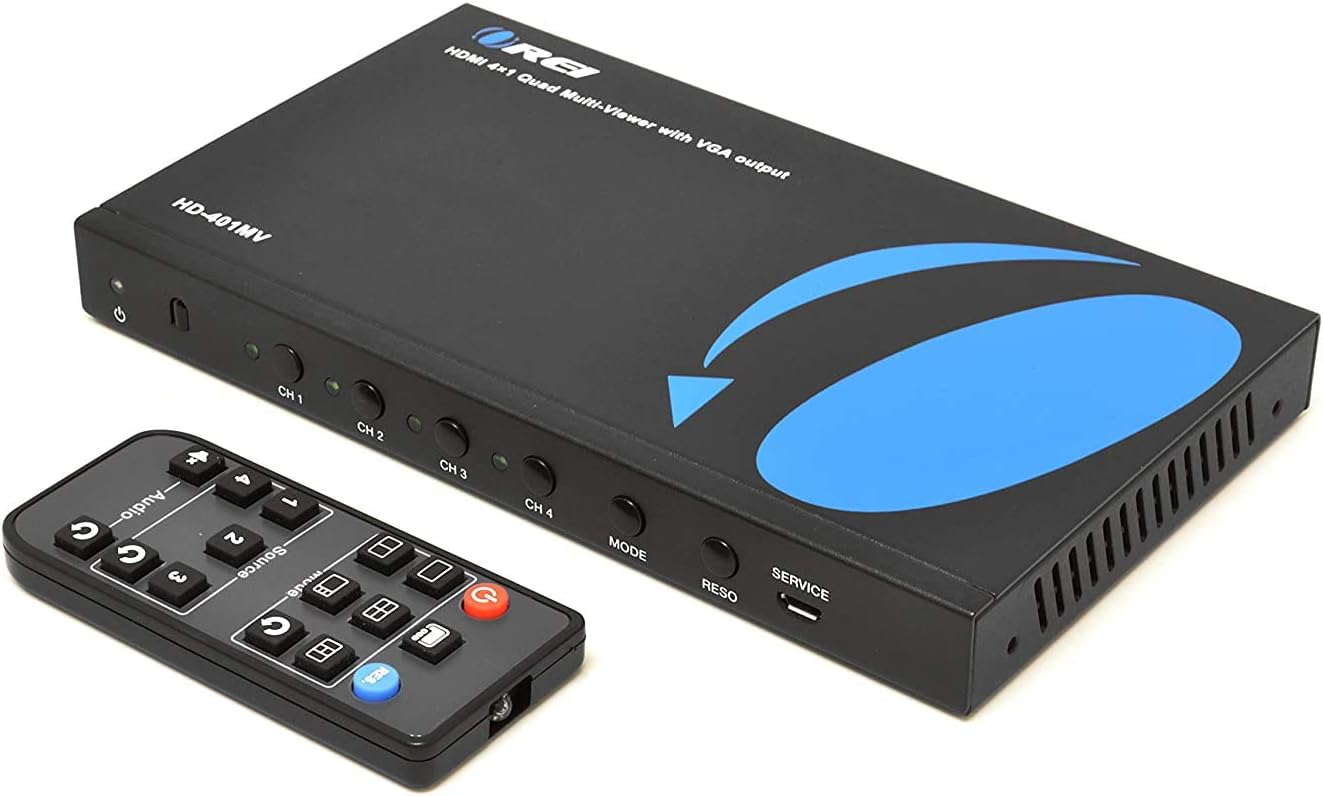
Image: The IR remote control for the OREI HD-401MV, showing buttons for input selection, display modes, and audio control.
5.3. Display Modes
The HD-401MV supports 5 different display modes to suit various viewing needs:
- Same Size 4 Screen: Displays all four input sources simultaneously in equal-sized quadrants.
- 1 Big / 3 Small: One input is displayed prominently in a larger window, with the other three inputs shown in smaller windows.
- 2 Screen: Displays two input sources side-by-side.
- 2 Big / 2 Small: Two inputs are displayed in larger windows, and two in smaller windows.
- Original (Full Screen): Displays a single selected input source in full screen.

Image: Visual representation of the five available display modes, including 1 Big / 3 Small, 2 Screen, Original (Full Screen), 2 Big / 2 Small, and Same Size 4 Screen.
6. Troubleshooting
If you encounter issues with your HD-401MV, please refer to the following common problems and solutions:
| Problem | Possible Cause / Solution |
|---|---|
| No picture on display. |
|
| No audio. |
|
| Picture is distorted or flickering. |
|
| Remote control not working. |
|
7. Specifications
| Feature | Detail |
|---|---|
| Model Number | HD-401MV |
| Product Dimensions | 7.6 x 4.25 x 0.8 inches |
| Item Weight | 1.68 pounds |
| Input Ports | 4 x HDMI |
| Output Ports | 1 x HDMI, 1 x VGA, 1 x 3.5mm Audio |
| Supported Resolution | Up to 1080p |
| Color | Black |
| Manufacturer | OREI |
| Compatible Devices | Camera, DVD Player, Gaming Console, Television |

Image: The OREI HD-401MV unit with its dimensions (7.6" x 4.25" x 0.8") and weight (1.68 pounds) clearly indicated.
8. Warranty and Support
The OREI HD-401MV comes with a 1 Year Full Warranty from OREI. OREI also offers lifetime local technical support for this product.
For technical assistance or warranty claims, please contact OREI support directly. Refer to the official OREI website or the product packaging for the most current contact information.

Image: Graphic indicating OREI's over 10 years of experience, full 1-year limited warranty, and US-based lifetime local support.


