
1. Introduction
The Spigen ArcStation Pro 20W GaN USB-C Power Adapter is a compact and efficient charging solution designed for a wide range of USB-C compatible devices. Utilizing Gallium Nitride (GaN) technology, this adapter delivers fast charging speeds while maintaining a small form factor and reduced heat generation.

Image 1: Spigen ArcStation Pro 20W GaN USB-C Power Adapter, showcasing its compact design and USB-C port.
2. Key Features
- 20W USB-C Power Delivery: Provides optimized fast charging for compatible devices, including iPhones, iPads, and Android smartphones.
- Gallium Nitride (GaN) Technology: Enables a smaller, lighter, and more efficient charger compared to traditional silicon-based chargers, resulting in less heat and faster charging.
- Power Quality Technology: Minimizes ripple noise to deliver stable power, protecting your devices and extending their lifespan.
- Foldable Plug: Features a retractable US plug (Type A) for enhanced portability and protection against scratches when stored.
- Compact Design: Small footprint ensures it doesn't block adjacent outlets.

Image 2: Visual representation of GaN technology benefits: 50°F cooler operation, 3.1x faster charging, 20W power output, and 30% smaller size compared to traditional chargers.
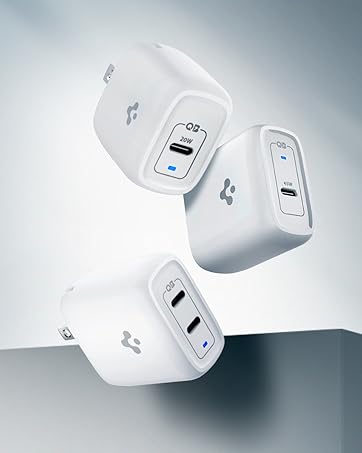
Image 3: A close-up view of the Gallium Nitride (GaN) chip, highlighting its advanced semiconductor material for improved efficiency.

Image 4: The Spigen ArcStation Pro charging an iPhone, illustrating its 3.1x faster charging capability compared to a standard 5W charger.

Image 5: A visual comparison showing the Spigen ArcStation Pro GaN charger operating 50°F cooler than a traditional silicon-based 20W charger.
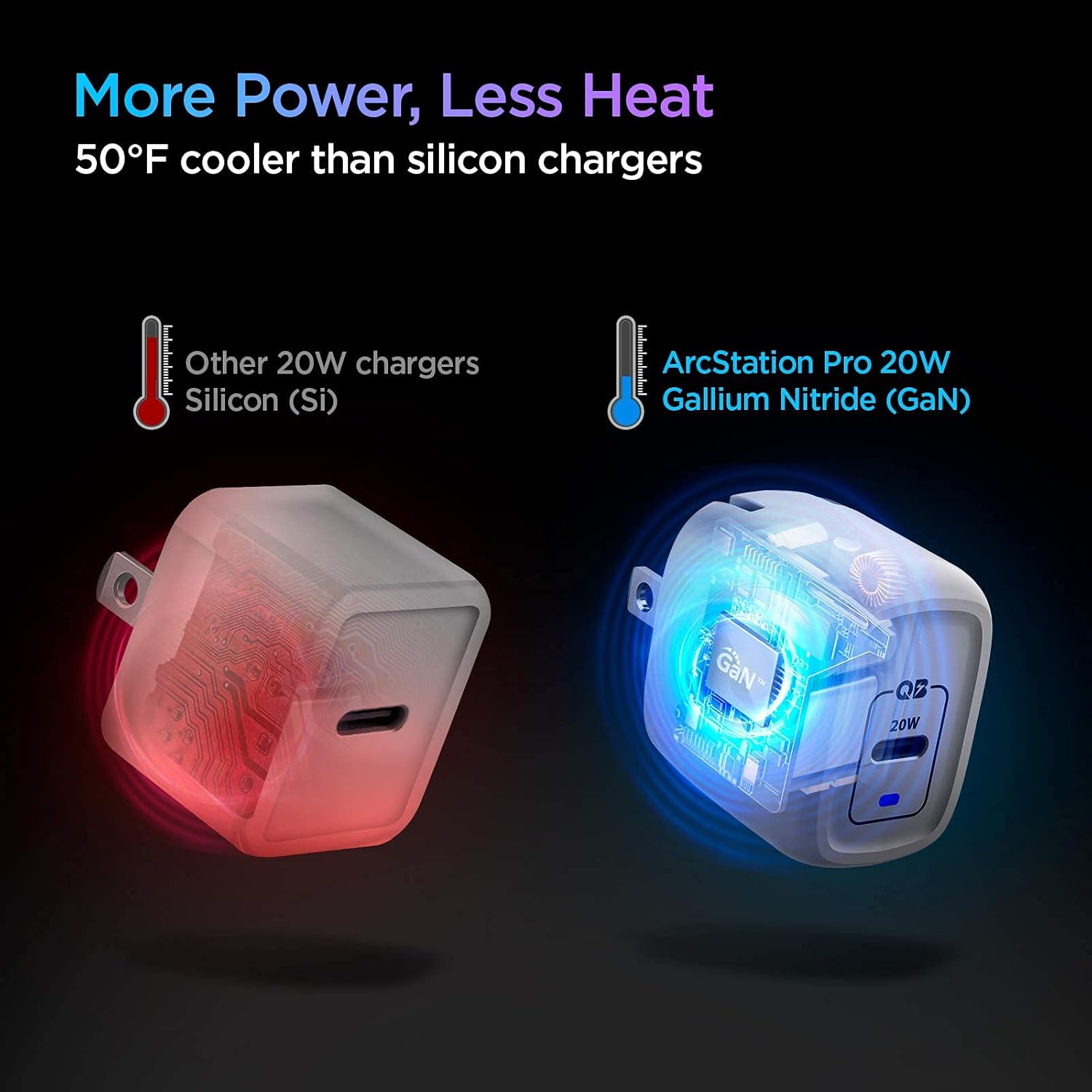
Image 6: A graph demonstrating Spigen's Power Quality Technology, which minimizes ripple noise for stable power delivery, protecting connected devices.
Video 1: This video demonstrates the Spigen ArcStation Pro 20W GaN Charger's power quality, highlighting its stable power delivery and efficient charging capabilities.
Video 2: This video showcases the PowerArc ArcStation Pro GaN USB-C PD 20W Charger, emphasizing its compact size and fast charging for iPhones.
3. Setup Instructions
- Unfold the Plug: Gently pull out the foldable prongs from the charger body until they lock into place.
- Connect to Power Outlet: Insert the unfolded charger into a standard wall power outlet (100-240V).
- Connect USB-C Cable: Plug one end of a USB-C charging cable (not included) into the USB-C port on the charger.
- Connect to Device: Plug the other end of the USB-C charging cable into your compatible device.
- Verify Charging: Confirm that your device indicates it is charging. A blue LED indicator on the charger will illuminate when connected to power.

Image 7: The Spigen ArcStation Pro charger demonstrating its foldable prongs for easy storage and travel.
4. Operating Instructions
Once connected, the Spigen ArcStation Pro will automatically detect your device's power requirements and deliver the optimal charging speed up to 20W. The charger is designed for continuous use and features built-in safety mechanisms to protect against overcharging, overheating, and short circuits.
- For best performance, use a high-quality USB-C to USB-C or USB-C to Lightning cable.
- The blue LED indicator light confirms the charger is receiving power.
- Unplug the charger from the wall outlet when not in use for extended periods.
5. Device Compatibility
The Spigen ArcStation Pro 20W GaN USB-C Power Adapter is compatible with a wide range of devices that support USB Power Delivery (PD) via a USB-C port. This includes, but is not limited to:
- Apple Devices: iPhone 17, iPhone 16, iPhone 15 series, iPhone 14 series, iPhone 13 series, iPhone 12 series, iPhone SE (2nd & 3rd generation), iPhone 11 series, iPhone X/XS/XR/8/8 Plus, MagSafe Wireless Charger, MagSafe Duo, AirPods Max, AirPods Pro, AirPods, Apple Watch.
- iPad Models: iPad Pro (all generations with USB-C), iPad Air (3rd & 4th generation), iPad (7th & 8th generation), iPad mini (5th & 6th generation).
- Samsung Galaxy: S23, S22, S21, S20 series, Z Fold 5/4/3/2, Z Flip 5/4/3, Note 20/10 series.
- Google Pixel: Pixel 8 Pro, Pixel 8a, Pixel 8, Pixel 7a, Pixel 7, Pixel 7 Pro, Pixel 6.
- Other USB-C powered smartphones, tablets, and small electronic devices.
6. Care and Maintenance
- Keep the charger dry and away from moisture.
- Clean the charger with a soft, dry cloth. Do not use liquid cleaners or aerosols.
- Avoid dropping or subjecting the charger to strong impacts.
- Store the charger in a cool, dry place when not in use.
7. Troubleshooting
| Problem | Possible Cause | Solution |
|---|---|---|
| Device not charging. | Loose connection, incompatible cable, device issue. | Ensure all connections are secure. Try a different USB-C cable. Test the charger with another device or the device with another charger. |
| Slow charging speed. | Cable not supporting fast charging, device not supporting PD, background apps. | Use a high-quality USB-C cable that supports Power Delivery. Close unnecessary background applications on your device. Ensure your device supports 20W PD charging. |
| Charger feels warm. | Normal operation during high power output. | A slight warmth is normal. If the charger becomes excessively hot to touch, disconnect it immediately and contact support. |
8. Product Specifications
- Model Number: PE2009UJ
- Product Dimensions: 1.55 x 1.09 x 1.35 inches
- Item Weight: 1.48 ounces
- Input Voltage: 100-240 Volts (AC)
- Output: 5.0V/3.0A, 9.0V/2.22A (Total 20.0W Max)
- Connector Type: USB Type C
- Total USB Ports: 1
- Color: White
- Special Features: Charging Indicator, Fast Charging, Lightweight Design, Retractable Plug, Short Circuit Protection
- Included Components: Charger
9. Warranty and Support
The Spigen ArcStation Pro 20W GaN USB-C Power Adapter comes with a 24-month hassle-free warranty. For technical support, warranty claims, or any product-related inquiries, please contact Spigen customer support:
- Email: support@spigen-powerarc.com
- Website: www.spigen.com


