
INPHIC E5B
INPHIC Bluetooth Mouse User Manual
Model: E5B
Brand: INPHIC
Introduction
Thank you for choosing the INPHIC Bluetooth Mouse. This silent, wireless mouse offers dual-mode Bluetooth 5.0/3.0 connectivity, making it compatible with a wide range of devices including laptops, PCs, Macs, and iPads. Its mini, portable design and 1600DPI precision ensure a comfortable and efficient user experience. This manual provides detailed instructions for setup, operation, maintenance, and troubleshooting to help you get the most out of your new mouse.

The INPHIC Bluetooth Mouse, a compact and ergonomic wireless mouse.
Safety Instructions
Please read and follow these safety instructions carefully to ensure safe and proper use of your device.
- Normal operating environment: 0°C - 40°C, 40%-65% RH.
- Do not immerse the product in any liquid or expose it to hot/humid environments.
- If the product is exposed to temperatures outside the specified range, immediately turn off the power switch (unplug the USB cable for wired mouse) until the temperature stabilizes within the specified operating range.
- Do not charge rechargeable products in hot/humid environments. Ensure that the charging cable, keyboard, mouse, and USB ports are dry and free of debris during charging.
- If the product's connection cable or charging cable is damaged in any way, stop using it immediately.
- This product contains no user-serviceable parts. If the product does not function properly, please contact customer service.
- Do not attempt to modify or repair the product yourself, as this will void the warranty.
- If rechargeable products are not used for a long period, fully charge them first, turn off the power switch, and store them in a cool, dry place. Charge the product every three months to prevent damage to the battery from long periods without power.

Important safety guidelines for the INPHIC Bluetooth Mouse.
Setup and Connection
The INPHIC Bluetooth Mouse features dual-mode Bluetooth connectivity (BT3.0 and BT5.0) for wide compatibility without the need for a USB receiver.
Pairing Instructions:
- Insert the battery into the mouse. The mouse requires 1 Lithium Polymer battery.
- Turn on the Bluetooth function on your PC, laptop, Mac, or iPad device to make it discoverable.
- Simultaneously hold down the left, middle (scroll wheel), and right keys of the mouse for 3-5 seconds to activate the Bluetooth pairing mode.
- On your device's Bluetooth settings, look for either [BT5.0 Mouse] or [BT3.0 Mouse]. Select the compatible Bluetooth mode to connect.

To enter pairing mode, simultaneously press the left, middle, and right mouse buttons.

Visual guide for connecting the INPHIC Bluetooth Mouse to your device.
Compatibility:
- Bluetooth 3.0: Compatible with Windows 7/8/10, Android, and Mac OS systems.
- Bluetooth 5.0: Compatible with Windows 8/10, Android, Mac OS 10.13 and above, and iOS 13.1 and above.
- Note: For iPadOS or iOS, please ensure your system is updated to iPadOS 13.1 or above, and enable the "Assistive Touch" feature.
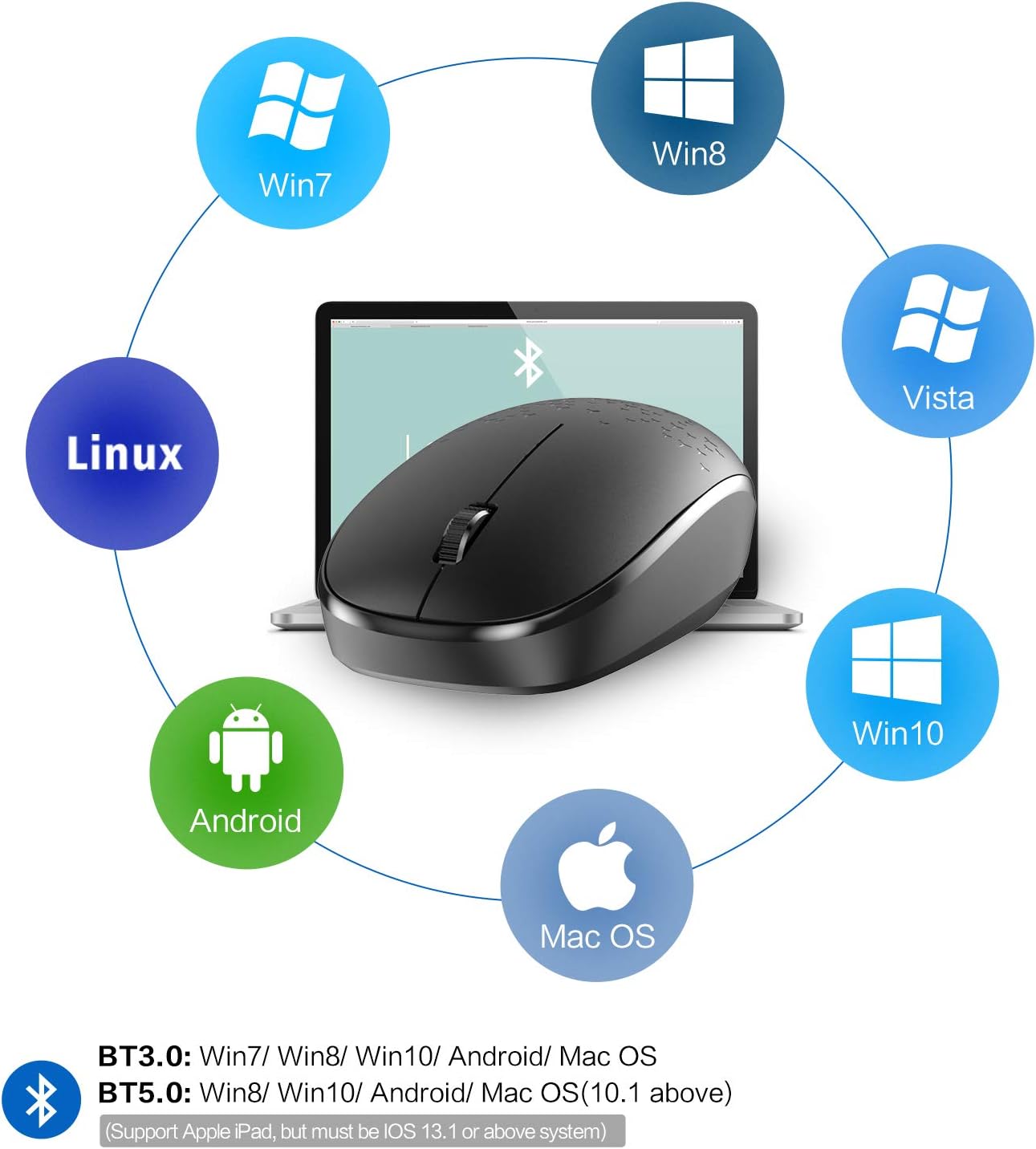
The INPHIC Bluetooth Mouse supports various operating systems including Windows, Mac OS, Linux, and Android.
Operating the Mouse
Silent Click Design:
The INPHIC Bluetooth Mouse features a mute design for its left and right click buttons, significantly reducing click sounds by up to 80% compared to traditional computer mice. This provides a quiet working environment, ideal for offices, libraries, or late-night use.

Experience quiet operation with the silent click design of the INPHIC mouse.
Portable and Energy Saving:
This mini mouse is designed for portability, easily fitting into bags or pockets. To conserve power, the mouse automatically enters sleep mode after a few minutes of inactivity. To wake it up, simply click any button on the mouse.

The compact dimensions of the INPHIC mouse make it highly portable.
DPI Setting:
The mouse operates at 1600 DPI, providing precise and smooth cursor control for various tasks.

The mouse features a 1600 DPI sensor for accurate tracking.
Maintenance
Battery Replacement:
The INPHIC Bluetooth Mouse requires 1 Lithium Polymer battery. When the mouse's performance degrades or it stops responding, it is likely time to replace the battery. Refer to the battery compartment for proper insertion.

The mouse is designed for long battery life, typically up to 12 months.
Cleaning:
To clean your mouse, gently wipe its surface with a soft, dry, lint-free cloth. Avoid using harsh chemicals, abrasive cleaners, or excessive moisture, as these can damage the device.
Troubleshooting
Mouse Not Connecting or Disconnecting Frequently:
- Check Battery: Ensure the battery is properly inserted and has sufficient charge. Replace if necessary.
- Re-pair the Mouse: Follow the "Setup and Connection" steps to re-pair the mouse with your device. Sometimes, re-pairing can resolve connection issues.
- Device Bluetooth: Ensure your device's Bluetooth is turned on and functioning correctly. Try toggling Bluetooth off and on.
- Interference: Move the mouse closer to your device and away from other wireless devices that might cause interference (e.g., Wi-Fi routers, other Bluetooth devices).
- System Updates: Ensure your operating system and Bluetooth drivers are up to date.
Cursor Movement is Erratic or Lagging:
- Surface: Use the mouse on a clean, non-reflective, and uniform surface.
- Sensor Cleanliness: Check the optical sensor on the bottom of the mouse for any dust or debris and clean it gently with a soft cloth.
- Battery Level: A low battery can affect performance. Replace the battery.
Silent Click Not Working:
- The silent click feature applies only to the left and right mouse buttons. The scroll wheel click may still produce an audible sound.
Specifications
| Feature | Detail |
|---|---|
| Product Dimensions | 4.13 x 2.17 x 0.67 inches (10.5 x 5.5 x 1.7 cm) |
| Item Weight | 2.08 ounces (59 grams) |
| Model Number | E5B |
| Connectivity Technology | Wireless, Bluetooth 5.0/3.0 |
| Color | Black |
| Special Feature | Ergonomic Design, Silent Click |
| Number of Buttons | 3 |
| DPI | 1600 |
| Battery Type | 1 Lithium Polymer battery (required) |
| Battery Life | Up to 12 months (approximate) |
Warranty and Support
For warranty information or technical support, please refer to the product packaging or contact INPHIC customer service directly through their official website or the platform where the product was purchased. Keep your purchase receipt as proof of purchase for warranty claims.
Ask a question about this manual
Ask about setup, troubleshooting, compatibility, parts, safety, or missing instructions. Manuals+ will review the question and use this page’s manual context to help answer it.