Introduction
The eufy Security SoloCam E20 is a wireless, standalone outdoor security camera designed for easy installation and reliable surveillance. It captures video in crisp 1080p resolution, features on-device AI for person detection, and offers local storage without any monthly fees. Its IP65 weatherproof rating ensures durability in various outdoor conditions, and it includes night vision for clear monitoring after dark.
What's Included
Your eufy Security SoloCam E20 package includes the following items:
- SoloCam E20 Camera
- Micro USB Charging Cable
- Screw Mount
- Screw Pack
- Owner's Manual (this document)
Setup
1. Easy Installation
The SoloCam E20 is designed for straightforward installation. It takes just minutes to screw in the rotatable mount. Once the mount is secured, simply snap the camera into place. The 100% wire-free design allows for flexible placement anywhere in your home's exterior.

Image: The eufy Security SoloCam E20 being attached to its wall mount.
2. App Setup and Pairing
To set up your SoloCam E20, download the eufy Security App on your smartphone. Follow the in-app instructions to add your device. You will be prompted to use the camera's lens to scan a QR code displayed in the app to initiate the pairing process.
Operating the Camera
1. Video Resolution
The SoloCam E20 captures all activity around your home in clear 1080p Full HD resolution, ensuring you see every detail.

Image: Visual representation of the camera's 1080p Full HD resolution.
2. AI Person-Detection
Equipped with on-device AI, the SoloCam E20 intelligently distinguishes people from other moving objects. This feature reduces false alerts triggered by passing animals or swaying tree branches, ensuring you are only notified of relevant events.
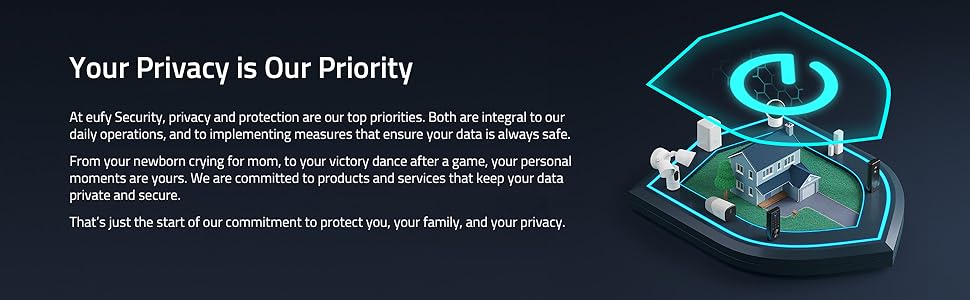
Image: Demonstration of AI person-detection, highlighting accurate alerts.
3. Night Vision
The SoloCam E20 provides clear sight at night, allowing you to monitor your property effectively even in low-light conditions. Its night vision capabilities ensure that important details are not missed.
4. Two-Way Audio
Communicate with anyone approaching your home using the built-in two-way audio feature. You can talk and hear their response in real-time from up to 8 meters away.
5. Voice Assistant Integration
Control your SoloCam E20 hands-free by integrating it with Amazon Alexa or Google Assistant. Requires a Google Hub, Echo Show, or other compatible devices.

Image: The camera's compatibility with smart home voice assistants.
6. Security Alarm
Deter unwanted visitors with the integrated 90dB alarm, which can be activated to warn off intruders.
Maintenance
1. Weatherproof Design
The SoloCam E20 boasts an IP65 weatherproof rating, making it resilient against rain, sleet, snow, and extreme temperatures. This ensures continuous operation regardless of harsh weather conditions.

Image: The camera's robust IP65 weatherproof construction.
2. Battery Life & Charging
The camera is 100% wire-free, offering flexible placement. It is compatible with eufy solar panels for continuous charging, reducing the need for manual recharges.
3. Local Storage
The SoloCam E20 features 8GB of built-in local storage, allowing you to store up to 60 days of footage without any monthly fees or hidden costs. All data processing is done on-device for enhanced security and privacy.

Image: Visual representation of the camera's local storage capability.
Troubleshooting (FAQ)
Here are answers to some frequently asked questions:
- Does SoloCam E20 support Geofencing? No, SoloCam E20 does not support Geofencing.
- Does SoloCam E20 support HomeBase? No, HomeBase is not currently supported, but there will be a supported version in the future.
- Does SoloCam E20 support HomeKit? No.
- Does SoloCam E20 support cloud? No.
- Does SoloCam E20 support NAS/RTSP? No, NAS/RTSP is not currently supported, but there will be a supported version in the future.
- Can SoloCam E20 work with eufy solar panels? Yes.
- Does the SoloCam E20 have 24/7 recording? No.
- How to set up SoloCam E20 in the eufy Security App? Please use the lens of the SoloCam E20 to scan the QR code on the eufy Security APP and start the pairing.
*If you choose to use cloud-based features such as cloud storage or push notifications with thumbnail previews, videos or thumbnail previews will be sent to the cloud as needed to provide your selected features.
Official Product Video
Video: An official eufy Security video showcasing the SoloCam series, highlighting its features and benefits.
Specifications
| Feature | Detail |
|---|---|
| Model Name | T8130 |
| Indoor/Outdoor Usage | Outdoor |
| Video Capture Resolution | 1080p |
| Connectivity Technology | Wireless (Wi-Fi) |
| Power Source | AC/DC, Battery (Lithium Ion included) |
| Special Feature | Night Vision, Motion Only Alert Type |
| International Protection Rating | IP65 |
| Controller Type | Amazon Alexa, Google Assistant |
| Item Dimensions L x W x H | 3.78 x 2.24 x 2.24 inches |
| Item Weight | 1.08 pounds |
Warranty and Support
For warranty information, technical support, or further assistance with your eufy Security SoloCam E20, please refer to the official eufy Security website or contact their customer service directly. Details are typically provided in the product packaging or on the manufacturer's support pages.


