
ScanAvenger SA9000_FBA
ScanAvenger Wireless Portable 1D&2D Barcode Scanner User Manual
Model: SA9000_FBA | Brand: ScanAvenger
1. Product Overview
The ScanAvenger Wireless Portable 1D&2D Barcode Scanner is a versatile 3-in-1 device designed for efficient inventory management. It offers wireless, Bluetooth, and USB connectivity, making it suitable for various applications.
Key features include a rechargeable battery, vibration capabilities for noisy environments, and a Next Gen Smart Charging Stand. This scanner is compatible with a wide range of operating systems and Point-of-Sale (POS) systems, supporting the scanning of both 1D and 2D barcodes.

Image: The ScanAvenger barcode scanner resting on its charging stand, with the USB dongle visible. This setup highlights its wireless capabilities and compact design.
2. Product Features
- 3-in-1 Connectivity: Supports wireless (2.4G), Bluetooth, and USB wired connections.
- No Software Needed: Plug-and-play functionality without the need for software or app installations.
- Next Gen Smart Charging Stand: Provides automatic charging, wireless transmission from stand to scanner, and holds the scanner.
- Vibration Capabilities: Offers tactile feedback, useful in noisy environments.
- Versatile Scan Modes: Includes manual, continuous, and auto-sense modes.
- Broad Code Compatibility: Scans 1D barcodes (UPC, EAN, Code128, Code39, Code11, Codabar, etc.) and 2D barcodes (PDF417, Aztec code, Data Matrix, QR Code, Micro PDF, Interleaved, etc.). Note: Does not work with Maxicode.
- Extended Transmission Range: Up to 493 feet in obstacle-free environments and approximately 98 feet with medium-density obstacles.
- Rechargeable Battery: Built-in Li-Ion battery provides long-lasting operation.
- Durable Design: Industrial-grade shock-resistant design, created to withstand 2-meter (6.56 feet) drops to hard surfaces.

Image: A hand demonstrates scanning a barcode on a package, illustrating the scanner's capability to read various 1D and 2D barcode formats.
3. Setup Guide
3.1 Charging the Scanner
The scanner comes with a built-in rechargeable Li-Ion battery. To charge the scanner, simply place it onto the Next Gen Smart Charging Stand. The stand will automatically charge the scanner via its lighting connectors. A full charge typically takes approximately 4 hours.
For long-term battery health, always charge your scanner with a 5V/1A charger. Avoid using fast chargers (like 5V/2A or 9V) to prevent potential battery damage.

Image: A diagram illustrating how to place the scanner on the stand for charging, connect the dongle for wireless transmission, and plug the stand into a computer for power and data transfer.

Image: Visual representation of the scanner's battery life, indicating 4 hours to full charge, up to 58 days standby time, and up to 40 hours of continuous scanning.
3.2 Connecting the Scanner
The ScanAvenger scanner offers multiple connectivity options:
- Wireless (2.4G) via Dongle: Insert the USB dongle into your computer or the charging stand. The scanner will automatically connect for wireless operation.
- Bluetooth: Pair the scanner directly with your Bluetooth-enabled device (e.g., smartphone, tablet, laptop).
- USB Wired: Connect the scanner directly to your computer using the provided USB cable.
No special software or drivers are required for installation; it's a plug-and-play device.

Image: The scanner and its stand, illustrating compatibility with various operating systems including iOS, Android, Linux, Windows, and Mac OS. It also explicitly states non-compatibility with Square, Shopify, and Shopkeep POS systems.
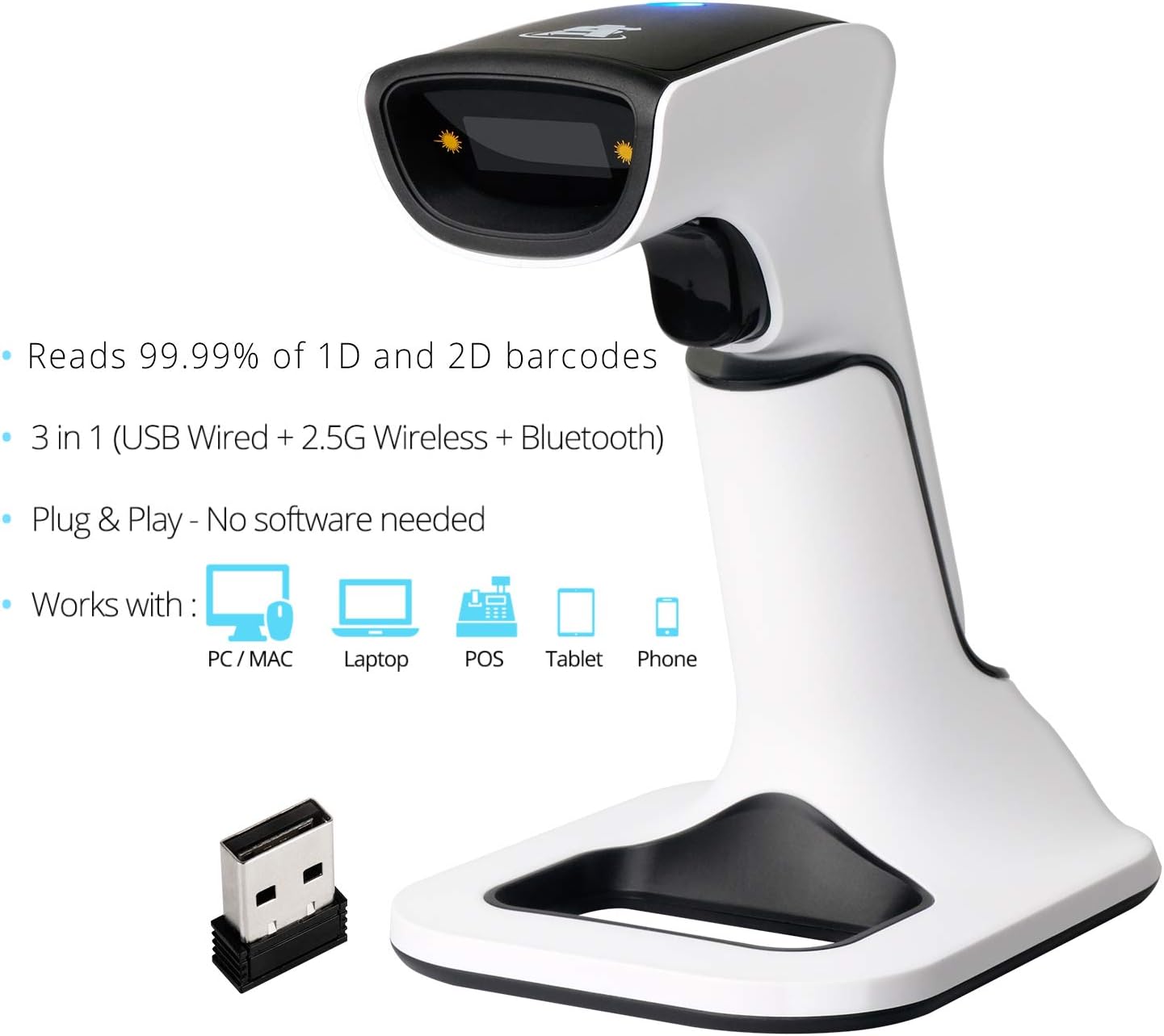
Image: Visual explanation of the scanner's wireless range (up to 493 feet in obstacle-free environments) and Bluetooth transmission range (up to 98 feet with medium-density obstacles).
4. Operating Instructions
The scanner supports three primary scan modes:
- Manual Mode: Press the trigger to scan each barcode individually.
- Continuous Mode: The scanner continuously emits a scan beam, reading barcodes as they pass through the beam.
- Auto-Sense Mode: The scanner automatically detects a barcode in its field of view and scans it without requiring a trigger press.
The scanner can decode a wide range of 1D and 2D barcodes, including those on paper, mobile screens, and computer screens. It also features vibration capabilities for confirmation in noisy environments and can decode irregular or damaged barcodes.
The device supports two upload modes:
- Instant Mode: Barcodes are instantly uploaded to the connected system upon scanning.
- Storage Mode / Offline Mode: Barcodes are stored in the scanner's internal memory (up to 200,000 product codes) and can be uploaded later when connected.

Image: The scanner on its stand, illustrating the two data upload modes: Instant mode for immediate transfer and Storage mode for offline scanning and later upload.
5. Maintenance
To ensure the longevity and optimal performance of your ScanAvenger barcode scanner, follow these maintenance guidelines:
- Cleaning: Use a soft, dry cloth to clean the scanner's exterior. For the scanning window, use a lint-free cloth and a mild, non-abrasive cleaner if necessary. Avoid harsh chemicals or abrasive materials.
- Battery Care: As mentioned in the charging section, always use a 5V/1A charger. Avoid overcharging or completely draining the battery frequently. Store the scanner in a cool, dry place when not in use for extended periods.
- Physical Protection: While the scanner has an industrial-grade shock-resistant design (withstanding 2-meter drops), it is always best to handle it with care to prevent unnecessary impacts.

Image: A visual representation of the scanner's industrial-grade shock-resistant design, capable of withstanding drops.
6. Troubleshooting
If you encounter issues with your ScanAvenger barcode scanner, consider the following general troubleshooting steps:
- No Scan/No Read:
- Ensure the scanner is properly charged and powered on.
- Verify the scanner is correctly connected to your device (USB, Bluetooth, or wireless dongle).
- Check if the barcode is clear, undamaged, and within the scanner's reading range.
- Confirm the barcode type is supported by the scanner (e.g., not Maxicode).
- Connectivity Issues:
- For Bluetooth, ensure your device's Bluetooth is enabled and the scanner is in pairing mode.
- For wireless dongle, ensure the dongle is securely inserted and within range.
- Try reconnecting or re-pairing the device.
- Incorrect Data Output:
- Refer to the full user manual (available from ScanAvenger support) for advanced configuration settings, such as adding prefixes/suffixes or changing data formats.
For detailed troubleshooting or specific configuration needs, please contact ScanAvenger customer support. They aim for under 1-hour response on all inquiries 24/7 – 365 days.
7. Specifications
| Attribute | Detail |
|---|---|
| Product Dimensions | 2.48 x 6.89 x 3.35 inches |
| Item Weight | 1.1 pounds |
| Model Number | SA9000_FBA |
| Batteries | 1 Lithium Ion battery required (included) |
| Compatible Devices | Laptop, Desktop, Tablet, Smartphone, POS |
| Power Source | Battery Powered, Corded Electric |
| Connectivity Technology | Bluetooth, USB Cable |
| Manufacturer | ScanAvenger |
| First Available Date | January 18, 2020 |
8. Warranty and Support
ScanAvenger is committed to providing excellent customer service. For any inquiries, technical support, or warranty claims, please contact ScanAvenger directly.
Their support team aims for an under 1-hour response time on all inquiries, available 24/7, 365 days a year.
For the most up-to-date contact information and resources, please visit the official ScanAvenger website or refer to the contact details provided with your product packaging.

Image: A visual representation of ScanAvenger's dedicated customer support, highlighting their 24/7 availability.
Related documentsSA9000_FBA


Ask a question about this manual
Ask about setup, troubleshooting, compatibility, parts, safety, or missing instructions. Manuals+ will review the question and use this page’s manual context to help answer it.