
1. Introduction
The AIOMEST AI-856A is a professional HVAC Air Flow CFM Meter and Anemometer designed for accurate measurement of air flow, wind speed, velocity, and temperature. This device is ideal for various applications including air conditioner system checks, HVAC air vent balancing, dust collector troubleshooting, and general ductwork airflow measurement. Its split-type design and data logging capabilities enhance its utility for both field and analytical work.
2. Safety Information
Please read and understand all safety instructions before operating the AIOMEST AI-856A. Failure to follow these guidelines may result in injury or damage to the device.
- Do not expose the device to extreme temperatures, high humidity, or corrosive environments.
- Handle the vane impeller sensor with care to prevent damage to its delicate components.
- Ensure the battery is installed correctly according to polarity markings.
- Do not attempt to disassemble or modify the device, as this will void the warranty and may cause malfunction.
- Keep the device away from strong magnetic fields.
3. Package Contents
Verify that all items are present and in good condition upon opening the package:
- AIOMEST AI-856A Anemometer Unit
- Vane Impeller Sensor with Coiled Cable
- 9V Battery
- USB Cable
- Portable Carrying Case
- User Manual (this document)
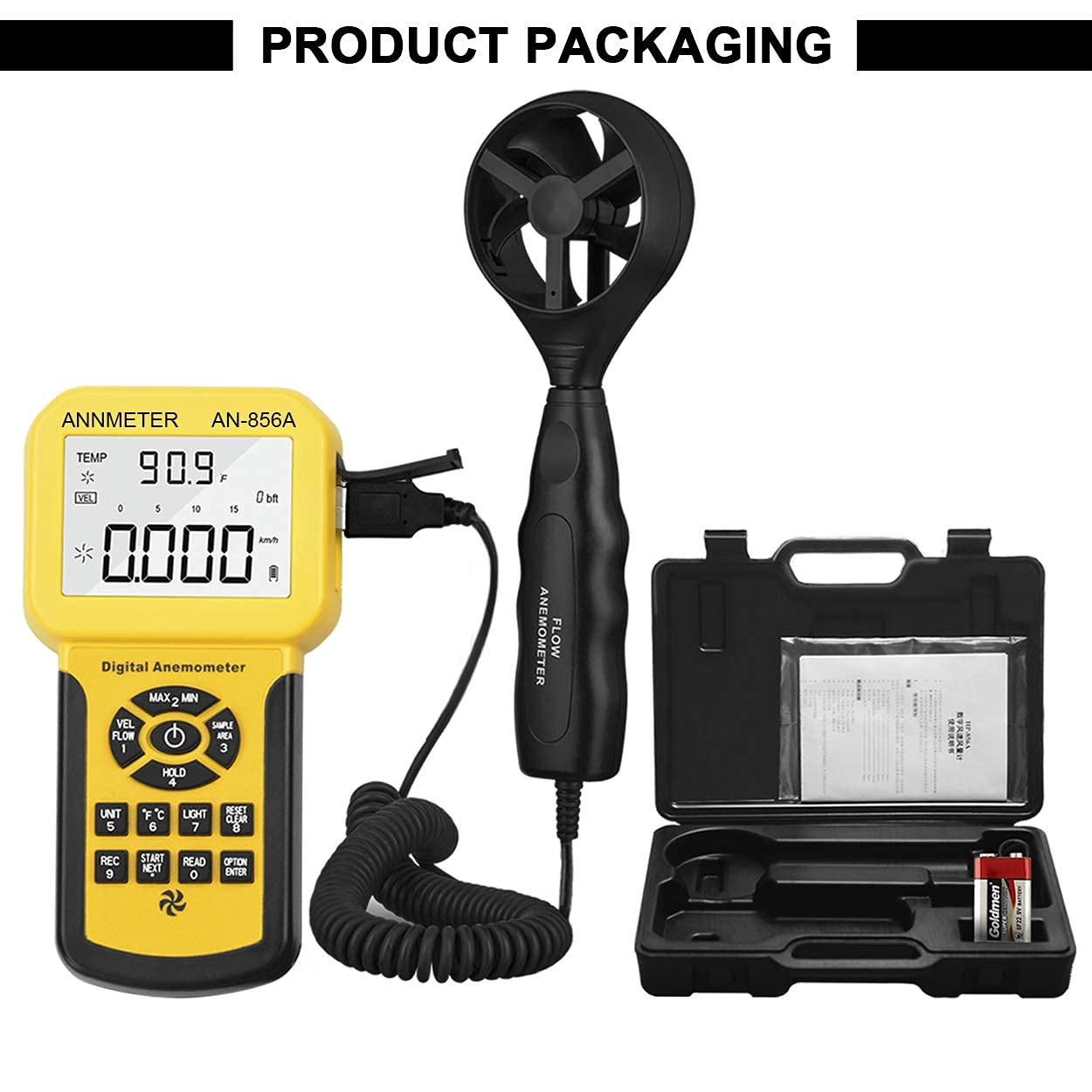
Figure 3.1: AIOMEST AI-856A Anemometer and its included accessories, neatly packed in a durable carrying case. The image displays the main unit, the vane sensor, a 9V battery, and the case itself.
4. Product Features
- Sensitive Anemometer: Equipped with a low-friction, sensitive wind speed sensor for high accuracy (±3%). Measures wind velocity from 0.001 to 100 Mph and air temperature from 32 to 113℉ (0 to 45℃).
- CFM/CMM Airflow Measurement: Not only measures wind speed in 5 optional units (m/s, Ft/min, Knots, Km/hr, Mph) but also displays air volume in CFM (Cubic Feet per Minute), CMM (Cubic Meters per Minute), and CMS (Cubic Meters per Second) units, with a range of 0-999900.
- Split-type Design: Features an extra-long 79-inch extensible coiled USB cable and a telescopic rod, allowing the sensor to reach elevated or confined measurement spots while the main unit remains accessible. The wind gauge wand includes a 1/4" metal thread for tripod mounting.
- Data Logging: Capable of storing up to 600 sets of wind measurement data.
- PC Connectivity: USB port enables data transfer to a PC for continuous data collection, monitoring, comparison, and analysis using dedicated software.
- Multiple Measurement Modes: Supports Max/Min/Average modes for wind speed and Max/Min/Average and 2/3 Max modes for air flow.
- Additional Functions: Includes auto/manual power off, backlight, and data hold functions for enhanced usability.
5. Setup
5.1 Battery Installation
- Locate the battery compartment cover on the back of the main unit.
- Open the cover and insert the provided 9V battery, ensuring correct polarity (+ and -).
- Close the battery compartment cover securely.
5.2 Connecting the Vane Sensor
- Identify the USB port on the side of the main anemometer unit and the corresponding connector on the vane impeller sensor's coiled cable.
- Carefully plug the vane sensor's connector into the main unit's USB port. Ensure a firm connection.

Figure 5.1: The AIOMEST AI-856A main unit connected to its detachable vane impeller sensor. The image highlights the sensor port, the tripod mountable wand, and the extendable nature of the wand.
5.3 Powering On/Off
- To power on the device, press the POWER button.
- To power off, press and hold the POWER button until the display turns off. The device also features an auto-power-off function to conserve battery life.
6. Operating Instructions
6.1 Basic Measurement (Wind Speed & Temperature)
- Power on the device. The display will show current wind speed and temperature readings.
- Position the vane impeller sensor in the airflow you wish to measure. Ensure the airflow passes directly through the impeller for accurate readings.
- Read the values displayed on the large backlit LCD screen.
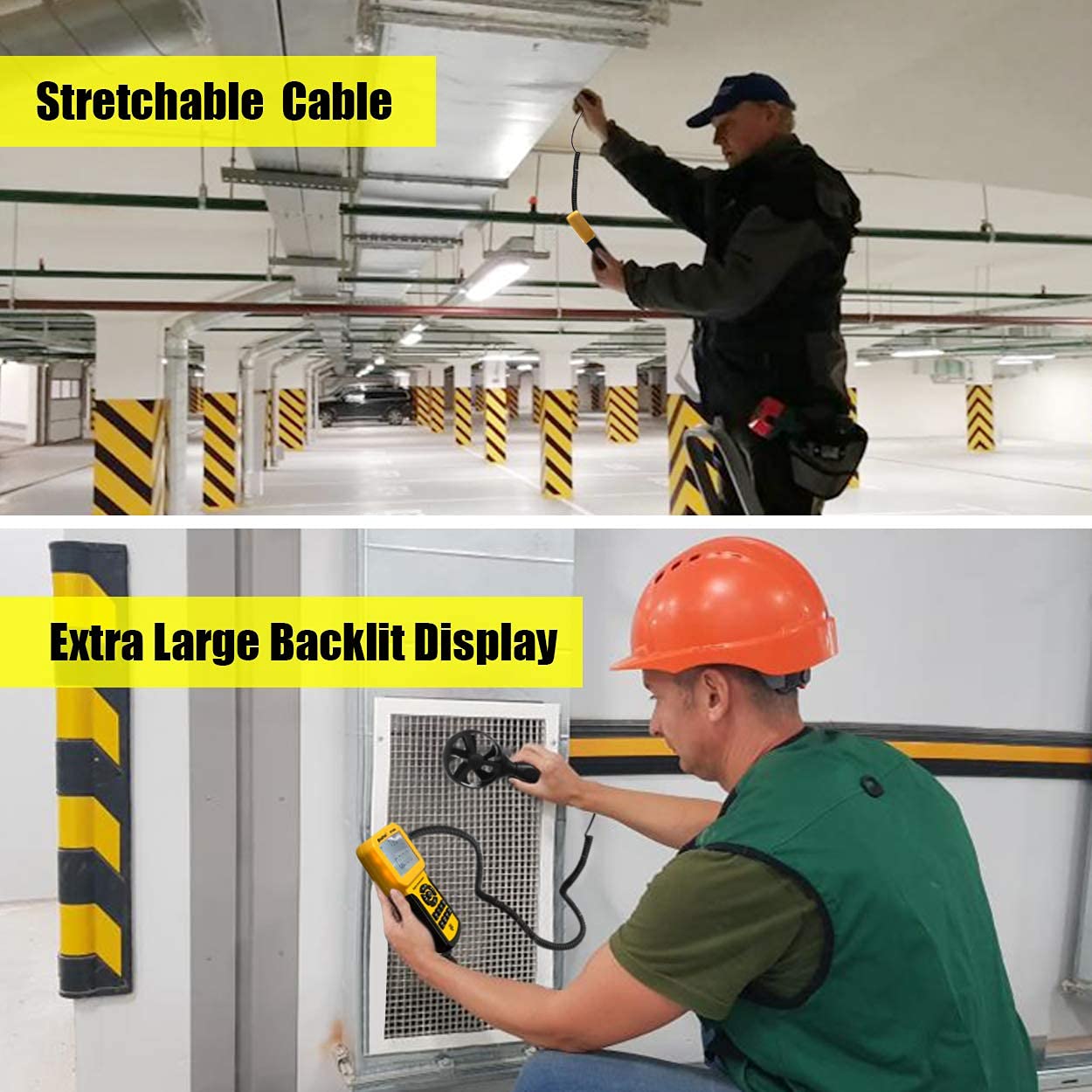
Figure 6.1: The AIOMEST AI-856A in use, demonstrating its stretchable cable for reaching high areas and its extra-large backlit display for clear visibility in various lighting conditions.
6.2 Changing Units
- Press the UNIT button to cycle through different wind speed units (m/s, Ft/min, Knots, Km/hr, Mph).
- Press the °C/°F button to switch between Celsius and Fahrenheit for temperature readings.
6.3 Air Flow (CFM/CMM) Measurement
- Press the FLOW button to enter airflow measurement mode.
- Use the UNIT button to select the desired airflow unit (CFM or CMM).
- Press the SAMPLE AREA button to input the cross-sectional area of the duct or vent being measured. Use the arrow keys to adjust the value and ENTER to confirm.
- Position the vane impeller sensor in the airflow. The device will display the calculated CFM/CMM value.

Figure 6.2: Visual guide on how to obtain direct CFM/CMM readings using the AIOMEST AI-856A, including steps for entering flow mode, selecting units, and inputting the duct cross-sectional area.
6.4 Data Hold Function
Press the HOLD button to freeze the current reading on the display. Press it again to release and resume live measurement.
6.5 Backlight
Press the LIGHT button to turn the display backlight on or off, improving visibility in low-light conditions.
7. Measurement Modes
The AI-856A offers several measurement modes to analyze wind speed and airflow data:
- MAX Mode: Displays the maximum recorded wind speed or airflow value since the device was powered on or the mode was reset.
- MIN Mode: Displays the minimum recorded wind speed or airflow value.
- AVG Mode: Displays the average wind speed or airflow value over the measurement period.
- 2/3 MAX Mode: Specifically for airflow measurement, this mode calculates 2/3 of the maximum airflow, which is often used in certain HVAC calculations.
To access these modes, press the MAX/MIN button repeatedly to cycle through MAX, MIN, and AVG. For 2/3 MAX, ensure you are in airflow mode and refer to the specific button or menu option as indicated on the device.

Figure 7.1: The AIOMEST AI-856A display illustrating the various measurement modes available, including Max, Min, Average, and 2/3 Max for comprehensive wind and airflow analysis.
8. Data Logging and PC Connection
The AI-856A allows for data logging and connection to a personal computer for advanced analysis.
8.1 Data Logging
- To start recording data, press the REC button. The device can store up to 600 sets of measurement data.
- To stop recording, press REC again.
- To review stored data, use the READ or NEXT buttons as indicated on the device.
8.2 PC Connection
- Connect the AI-856A to your computer using the provided USB cable.
- Install the necessary software (typically provided on a mini-CD or available for download from the AIOMEST website).
- Launch the software to monitor real-time data, download logged data, and perform further analysis or export data in various formats.

Figure 8.1: The AIOMEST AI-856A connected to a computer via USB, demonstrating its capability to link with software for monitoring, data logging, and generating graphs for wind data analysis.
9. Maintenance
Proper maintenance ensures the longevity and accuracy of your AIOMEST AI-856A.
- Cleaning: Use a soft, dry cloth to clean the device's exterior. Do not use abrasive cleaners or solvents. For the vane impeller, gently remove any dust or debris with a soft brush or compressed air, being careful not to damage the blades.
- Battery Replacement: Replace the 9V battery when the low battery indicator appears on the display. Always use a fresh, high-quality 9V battery.
- Vane Impeller Replacement: The USB port design allows for easy replacement of the vane impeller if it becomes damaged or worn. Contact AIOMEST customer support for replacement parts.
- Storage: When not in use for extended periods, remove the battery and store the device in its carrying case in a cool, dry place, away from direct sunlight and extreme temperatures.
10. Troubleshooting
If you encounter issues with your AIOMEST AI-856A, refer to the following common problems and solutions:
| Problem | Possible Cause | Solution |
|---|---|---|
| Device does not power on. | Dead or incorrectly installed battery. | Replace the 9V battery or ensure it is installed with correct polarity. |
| No readings or inaccurate readings. | Vane sensor not connected, damaged, or obstructed. | Check the sensor connection. Ensure the impeller is free from obstructions and rotates freely. Replace sensor if damaged. |
| Display is dim or flickering. | Low battery. | Replace the 9V battery. |
| Cannot connect to PC. | Incorrect USB cable, driver not installed, or software issue. | Ensure the correct USB cable is used. Install the necessary drivers and software. Try a different USB port on your computer. |
If the problem persists after trying these solutions, please contact AIOMEST customer support.
11. Specifications
| Parameter | Value |
|---|---|
| Model Number | AI-856A |
| Wind Velocity Range | 0.001 ~ 100 Mph (0.001 ~ 45.0 m/s, 0.0 ~ 8800 Ft/min, 0.0 ~ 88.0 Knots, 0.0 ~ 140.0 Km/hr) |
| Wind Velocity Resolution | 0.001 m/s, 0.01 Ft/min, 0.001 Knots, 0.001 Km/hr, 0.001 Mph |
| Wind Velocity Accuracy | ±3% of reading + 0.1 rdg (m/s), ±3% of reading + 20 rdg (Ft/min), ±3% of reading + 0.2 rdg (Knots), ±3% of reading + 0.4 rdg (Km/hr), ±3% of reading + 0.2 rdg (Mph) |
| Temperature Range | 32 ~ 113℉ (0 ~ 45℃) |
| Temperature Accuracy | ±2℃ |
| Air Volume CFM Range | 0 ~ 999900 ft³/min |
| Air Volume CMM Range | 0 ~ 999900 m³/min |
| Data Memory | Up to 600 groups |
| Power Supply | 1 x 9V Battery (included) |
| Product Dimensions | 10 x 3 x 18 cm (Main Unit) |
| Item Weight | 930 g |
| Material | Polycarbonate (PC) |
| Thread Type | 1/4-20 UNC (for tripod mounting) |
| Manufacturer Part Number | 856A |

Figure 11.1: Detailed accuracy specifications for wind velocity measurements across various units, highlighting the precision of the AIOMEST AI-856A.

Figure 11.2: Physical dimensions of the AIOMEST AI-856A main unit and sensor, along with a table detailing the measurement ranges for airflow in CFM and CMM units.
12. Warranty and Support
Warranty: The AIOMEST AI-856A comes with a 365-day quality warranty from the date of purchase. This warranty covers defects in materials and workmanship under normal use. It does not cover damage caused by misuse, accident, unauthorized modification, or improper operation.
Customer Support: For technical assistance, warranty claims, or inquiries regarding replacement parts, please contact AIOMEST customer support. Refer to the manufacturer's contact information provided with your purchase or visit the official AIOMEST website for support details.
13. Applications
The AIOMEST AI-856A is suitable for a wide range of professional and industrial applications, including but not limited to:
- HVAC system installation, maintenance, and troubleshooting
- Air conditioner performance testing
- Air vent and ductwork balancing
- Dust collection system efficiency checks
- Environmental monitoring
- Wind energy assessment (small scale)

Figure 13.1: Examples of typical environments and equipment where the AIOMEST AI-856A anemometer can be effectively used, such as air conditioners, air vents, ductwork, dust collection systems, and general HVAC systems.


