
1. Introduction
This manual provides detailed instructions for the installation, operation, and maintenance of your EKYLIN DC 12V to 5V Micro USB Hardwire Kit. This device is designed to provide a stable 5V power supply to various electronic devices, such as dash cameras, GPS navigators, and other Micro USB powered gadgets, directly from your vehicle's 12V-24V electrical system. Please read this manual thoroughly before installation and use to ensure proper function and safety.
2. Product Features
- Voltage Conversion: Converts DC 12V-24V vehicle input to a stable DC 5V 2.1A output.
- Right Angle Micro USB Plug: Features a right-angle Micro USB connector for convenient and space-saving device connection.
- High Efficiency: Achieves a conversion rate of 96% or more, minimizing heat generation.
- Comprehensive Protection: Includes built-in safeguards against over-voltage, over-current, over-temperature, short-circuit, and low car battery voltage auto cut-off.
- Wide Compatibility: Suitable for dash cameras, GPS navigators, tablets, mobile phones, DVR recorders, and other 5V Micro USB devices.
- Extended Cable Length: Total length of 10 feet (3 meters) for flexible installation.
3. Specifications
| Parameter | Value |
|---|---|
| Input Voltage | DC 12V-24V |
| Output Voltage | DC 5V |
| Output Current | 2.1A |
| Connector Type | Micro USB (Right Angle) |
| Total Cable Length | 10 FT (3 meters) |
| Power Cable Length | 6.5 FT (2 meters) |
| Charger Cable Length | 3.2 FT (1 meter) |
| Converter Box Dimensions (L x W x H) | 4.9 cm x 2.8 cm x 1.5 cm (1.9 in x 1.1 in x 0.6 in) |
| Efficiency | ≥ 96% |
| Protection Features | Over Voltage, Over Current, Over Temperature, Short Circuit, Low Car Battery Voltage Auto Cut Off (approx. 11.2V) |
4. Package Contents
- 1 x EKYLIN DC 12V to 5V Micro USB Hardwire Kit
5. Setup and Installation
Proper installation is crucial for the safe and effective operation of your hardwire kit. If you are unsure about any steps, it is recommended to seek professional assistance.
5.1 Safety Precautions
- Always ensure the vehicle's ignition is OFF before beginning installation.
- Disconnect the vehicle's battery negative terminal if you are uncomfortable working with live electrical circuits.
- Carefully test and check the polarity and grounding of your vehicle's electrical system before making connections.
- Do not expose the hardwire kit to moisture or extreme temperatures.
5.2 Wiring Diagram Overview
The hardwire kit features two input wires for connection to your vehicle's power source:
- Red Wire (ACC/Battery+): Connects to a switched 12V-24V power source (e.g., an ACC fuse in your fuse box) that turns on and off with the vehicle's ignition.
- White Wire (GND/Battery-): Connects to a reliable ground point on the vehicle's chassis.

Image: Close-up of the red (ACC/Battery+) and white (GND/Battery-) input wires.
5.3 Installation Steps
- Identify Power Sources: Locate your vehicle's fuse box. Using a circuit tester, identify a fuse that provides switched power (ACC) and a suitable ground point (metal chassis).
- Connect Power Wire: Use a fuse tap (not included) to connect the red wire (ACC/Battery+) of the hardwire kit to the identified switched power fuse.
- Connect Ground Wire: Securely connect the white wire (GND/Battery-) to a clean, unpainted metal bolt or screw on the vehicle's chassis. Ensure a good electrical connection.
- Route Cable: Carefully route the Micro USB cable from the power converter box to the location of your device (e.g., dash cam). Ensure the cable is tucked away neatly and does not interfere with vehicle operation or safety features.
- Connect Device: Plug the right-angle Micro USB connector into your dash camera, GPS navigator, or other compatible 5V device.
- Test Functionality: Turn on your vehicle's ignition. Your connected device should power on. If not, recheck all connections.
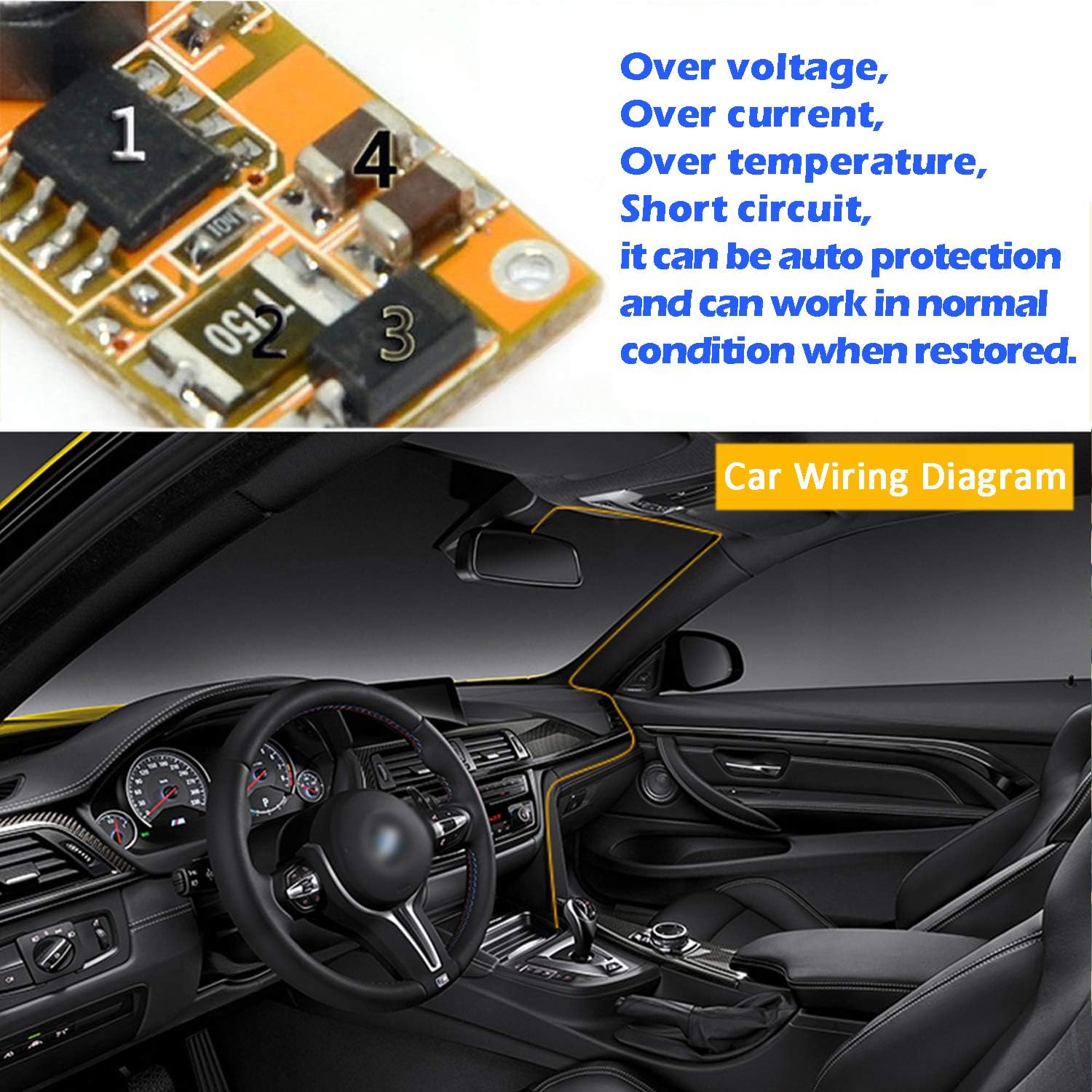
Image: Illustrative diagram of a car interior with suggested cable routing for a dash cam hardwire kit.
6. Operating Instructions
Once installed, the EKYLIN DC 12V to 5V Micro USB Hardwire Kit operates automatically:
- When the vehicle's ignition is turned on, the hardwire kit will supply 5V power to your connected device.
- When the vehicle's ignition is turned off, the hardwire kit will cease power supply to the device.
- The built-in low car battery voltage auto cut-off feature will automatically stop power delivery if your vehicle's battery voltage drops below approximately 11.2V, preventing complete battery discharge. Power will resume when the voltage reaches approximately 11.6V.

Image: Various devices such as a dash cam, tablet, mobile phone, and other USB devices connected to the hardwire kit.
7. Troubleshooting
If you encounter issues with your hardwire kit, please refer to the following troubleshooting steps:
- Device Not Powering On:
- Ensure all connections (ACC, Ground, Micro USB) are secure and properly seated.
- Check the fuse connected to the ACC wire. Replace if blown.
- Verify that the vehicle's ignition is on.
- Test the input voltage at the hardwire kit's red wire to ensure it receives 12V-24V when the ignition is on.
- Confirm your device requires 5V Micro USB power.
- Intermittent Power:
- Check for loose connections, especially the ground wire.
- Ensure the fuse tap is making good contact.
- Monitor your car battery voltage. The low voltage cut-off may be activating if the battery is weak.
- Device Not Charging/Low Output:
- Ensure the Micro USB cable is fully inserted into your device.
- Verify your device is not drawing more than 2.1A, which is the maximum output of this kit.
- Hardwire Kit Overheating:
- Ensure the converter box is not covered or placed in an area with poor ventilation.
- Confirm your device's power requirements are within the kit's specifications (5V 2.1A max).
8. Maintenance
The EKYLIN DC 12V to 5V Micro USB Hardwire Kit requires minimal maintenance:
- Periodically check all electrical connections to ensure they remain secure.
- Keep the converter box free from dust and debris.
- Avoid exposing the unit to excessive moisture or direct sunlight for prolonged periods.
9. Customer Support
For any questions, concerns, or assistance with your EKYLIN DC 12V to 5V Micro USB Hardwire Kit, please contact our customer support. We are committed to resolving any issues you may encounter.