
Wireless Gear G0685
Wireless Gear Bluetooth 5.0 True Wireless Stereo Sport Earhooks User Manual
Model: G0685
Introduction
This manual provides detailed instructions for the Wireless Gear Bluetooth 5.0 True Wireless Stereo Sport Earhooks. Please read this manual carefully before use to ensure proper operation and to maximize the lifespan of your device.
Package Contents
The package should contain the following items:
- Wireless Two Earbuds
- Charging case
- USB Charging cable
- User manual
Product Overview
The Wireless Gear Sport Earhooks are designed for comfortable and secure wear during various activities. They feature touch controls and come with a portable charging case.

Image: Wireless Gear Sport Earhooks (white) inside their black zippered charging case, with the case lid open.
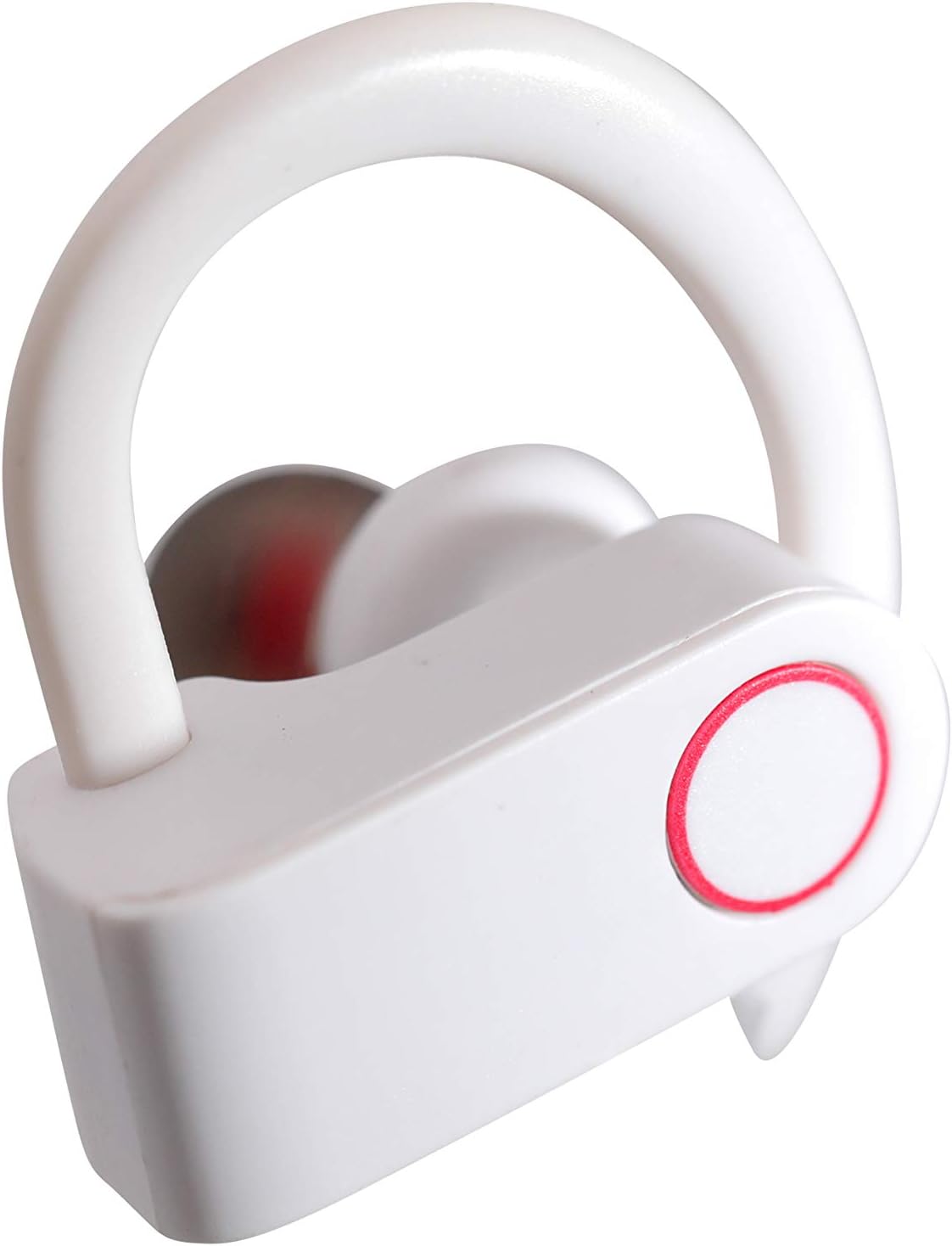
Image: A detailed close-up of a single white Wireless Gear Sport Earhook, highlighting the ear hook design and the circular touch control area with a red outline.
Setup
1. Initial Charging
Before first use, fully charge the earbuds and the charging case.
- Place both earbuds into the charging case. Ensure they are properly seated.
- Connect the USB charging cable to the charging case and a compatible USB power source (e.g., computer USB port, wall adapter).
- The indicator lights on the case and/or earbuds will show charging status. Refer to the product's specific light indicators for full charge notification.

Image: A person's hands are shown placing the white Wireless Gear Sport Earhooks into their open black charging case, with a laptop visible in the background.
2. Pairing with a Device
The earbuds feature auto-pair and auto-power on functionality for seamless connection.
- Remove both earbuds from the charging case. They will automatically power on and enter pairing mode.
- On your device (smartphone, tablet, laptop), enable Bluetooth.
- Search for "Wireless Gear Earhooks" or a similar name in the list of available Bluetooth devices.
- Select the device name to connect. Once connected, you will hear an audible confirmation.
- If pairing fails, place the earbuds back into the case, close the lid, wait a few seconds, and then repeat the steps.

Image: The white Wireless Gear Sport Earhooks are displayed next to a black smartphone, illustrating their compact size and readiness for pairing.
Operating Instructions
Power On/Off
- Power On: Remove earbuds from the charging case. They will power on automatically.
- Power Off: Place earbuds back into the charging case. They will power off automatically.
Touch Controls
The earbuds feature convenient touch controls on the side of each earbud.
- Play/Pause Music: Single tap on either earbud.
- Next Song: Double tap on the right earbud.
- Previous Song: Double tap on the left earbud.
- Answer/End Call: Single tap on either earbud during an incoming call.
- Reject Call: Press and hold on either earbud for 2 seconds during an incoming call.
- Activate Voice Assistant (Siri for iOS): Triple tap on either earbud.
Wearing the Earhooks
The contoured shape with behind-the-ear hooks and ear gels provides a secure and comfortable fit.
- Identify the left (L) and right (R) earbuds.
- Place the earbud into your ear canal and gently hook the ear hook over the back of your ear.
- Adjust the earbud and hook until it feels secure and comfortable.
Maintenance and Care
- Cleaning: Use a soft, dry, lint-free cloth to clean the earbuds and charging case. Do not use harsh chemicals or abrasive materials.
- Storage: When not in use, always store the earbuds in their charging case to protect them from dust, dirt, and damage.
- Avoid Water: These earbuds are not waterproof. Avoid exposure to excessive moisture, rain, or submersion in water.
- Temperature: Do not expose the device to extreme temperatures (hot or cold).
Troubleshooting
| Problem | Possible Cause | Solution |
|---|---|---|
| Earbuds do not power on. | Low battery. | Charge the earbuds and charging case fully. |
| Cannot pair with device. | Bluetooth is off on device; earbuds not in pairing mode; interference. | Ensure Bluetooth is enabled. Place earbuds back in case, then remove to re-enter pairing mode. Move closer to the device. |
| No sound or low volume. | Volume too low on device; earbuds not connected; earbud placement. | Increase volume on your connected device. Reconnect earbuds. Adjust earbud position in ear. |
| Only one earbud working. | Earbuds not properly synced; one earbud low battery. | Place both earbuds back into the charging case, close the lid, then remove them together. Ensure both are charged. |
Specifications
- Model: G0685
- Connectivity: Bluetooth 5.0
- Playtime (Earbuds): Up to 2 hours
- Additional Playtime (with Charging Case): Up to 6 hours (3 full charges)
- Control Type: Touch Control
- Microphone: Built-in
- Noise Reduction: Intelligent Noise Reduction
- Form Factor: In-Ear with Over-Ear Hooks
- Color: White
- Material: Plastic
- Item Weight: 110 g (including packaging)
- Dimensions (Case): Approximately 2.25" x 2.25" x 0.75"
Warranty and Support
For warranty information and customer support, please refer to the product packaging or contact Wireless Gear customer service directly. Keep your proof of purchase for any warranty claims.
Contact Information: Please visit the official Wireless Gear website for the most up-to-date support contact details.
Related documentsG0685


Ask a question about this manual
Ask about setup, troubleshooting, compatibility, parts, safety, or missing instructions. Manuals+ will review the question and use this page’s manual context to help answer it.