
Donner EM2
Donner EM2 Headphone Amplifier Instruction Manual
Model: EM2
1. Introduction
The Donner EM2 Headphone Amplifier is a portable in-ear monitor amplifier designed to provide high-quality audio monitoring. It features a rechargeable battery, versatile input options, and a robust design for various applications, from studio recording to live performances.
This manual provides detailed instructions for the proper setup, operation, and maintenance of your EM2 amplifier. Please read it thoroughly before use to ensure optimal performance and longevity of the device.
2. Key Features
- High Power Output: Suitable for high impedance professional headphones, ensuring sufficient volume in noisy environments. (Note: Does not support microphones.)
- Professional In-ear Monitoring: Delivers outstanding technical and sonic characteristics with high audio reproduction and no audio rendering, ideal for personal in-ear monitoring.
- Practical Interface: Equipped with XLR and TRS input connectors featuring a locking mechanism. Includes a Stereo/Mono source switch and two independent headphone outputs for simultaneous use with two pairs of headphones. The Mix control adjusts the level ratio of two balanced inputs.
- Strong Endurance: Powered by a long-life Li-ion battery, offering up to 12 hours of operation. Features power and battery charging control with LED indicators.
- Easy to Carry: Compact and portable design with a solid metallic belt-pack clip for convenient transport.
3. What's in the Box
- Donner EM2 Headphone Amplifier
- USB Charging Cable (Type C)
- User Manual
4. Product Overview
Familiarize yourself with the components and controls of your Donner EM2 Headphone Amplifier.

Figure 1: Front and back view of the Donner EM2 Headphone Amplifier, showing the volume knob, input jacks, and belt clip.
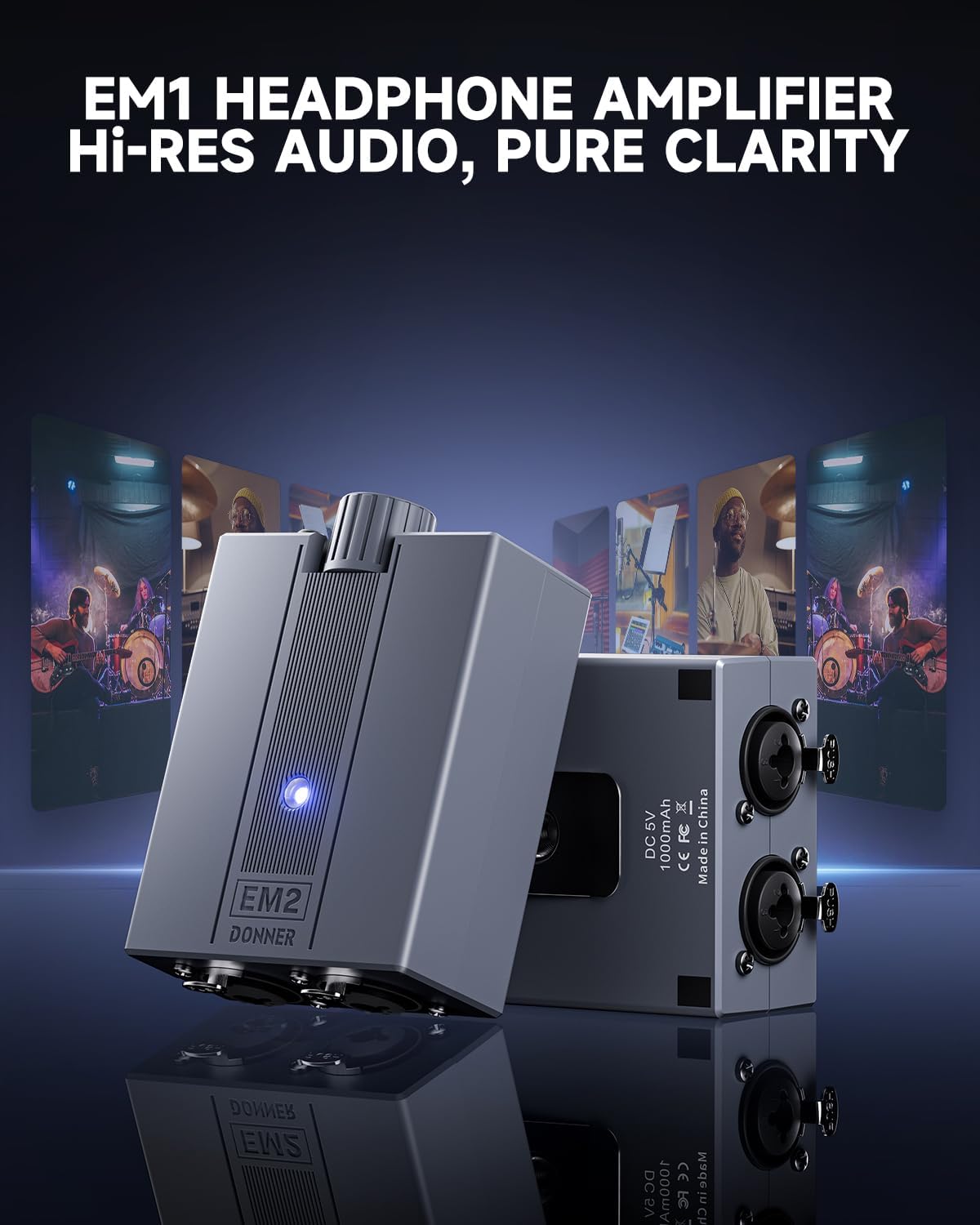
Figure 2: Close-up of the Donner EM2 amplifier highlighting the XLR and 1/4" TRS input connectors with locking mechanisms.

Figure 3: Top view of the Donner EM2 showing the volume control, Stereo/Mono switch, headphone outputs, and DC 5V USB-C charging port.
5. Setup Instructions
5.1 Charging the Battery
- Connect the provided USB charging cable to the DC 5V port on the EM2 amplifier.
- Connect the other end of the USB cable to a compatible 5V USB power adapter (not included) or a computer USB port.
- The LED indicator will show the charging status. A blue light indicates the unit is working, and a red light indicates low power.
- A full charge typically takes approximately 4 hours and provides up to 12 hours of operation.

Figure 4: Illustration of the EM2's battery life, indicating up to 12 hours of use and LED indicators for working (blue) and low power (red) states.
5.2 Connecting Audio Sources
- Identify your audio source (e.g., mixer, audio interface, smartphone, laptop).
- Connect your audio source to the EM2's input jacks using appropriate XLR or 1/4" TRS cables. The EM2 supports two inputs.
- Ensure cables are securely locked into the input connectors.

Figure 5: The Donner EM2 amplifier connected to multiple devices, including a laptop, iPhone, audio mixer, and audio player, demonstrating wide compatibility.
5.3 Connecting Headphones
- Connect your headphones or in-ear monitors to one or both of the 3.5mm headphone output jacks on the EM2.
- The EM2 can power two pairs of headphones simultaneously.
6. Operating Instructions
6.1 Powering On/Off
- To power on the device, slide the ON/OFF switch to the 'ON' position. The blue LED indicator will illuminate.
- To power off, slide the switch to the 'OFF' position.
6.2 Adjusting Volume
- Rotate the large 'VOL' knob to adjust the overall headphone output volume.
- Start with the volume at a low setting and gradually increase it to a comfortable listening level to prevent hearing damage.
6.3 Stereo/Mono Switch
- Use the Stereo/Mono switch to select the desired audio output mode based on your input signal.
- 'Stereo' mode is typically used for standard music playback or when a stereo signal is provided.
- 'Mono' mode combines the left and right channels into a single mono signal, useful for monitoring individual instruments or vocals.
6.4 Input Mix Control (EM2 Specific)
- The 'MIX' knob allows you to adjust the level ratio between the two balanced inputs (Input 1 and Input 2).
- This is particularly useful for blending different audio sources, such as your instrument and a backing track, for personalized monitoring.
Video 1: An overview of the Donner EM2 Headphone Amplifier, demonstrating its features and connectivity options. This video shows the physical unit, its inputs, outputs, and controls, and how it can be used for personal monitoring in various scenarios.
7. Maintenance
- Cleaning: Use a soft, dry cloth to clean the exterior of the amplifier. Do not use liquid cleaners or solvents.
- Storage: Store the amplifier in a cool, dry place away from direct sunlight and extreme temperatures.
- Battery Care: For optimal battery life, avoid fully discharging the unit frequently. Charge the battery regularly, even if not in use for extended periods.
- Handling: Avoid dropping the unit or subjecting it to strong impacts.
8. Troubleshooting
| Problem | Possible Cause | Solution |
|---|---|---|
| No sound from headphones. |
|
|
| Distorted audio. |
|
|
| Battery not charging. |
|
|
9. Specifications
| Feature | Detail |
|---|---|
| Model | EM2 |
| Brand | Donner |
| Item Dimensions (L x W x H) | 4.09 x 2.85 x 1.61 inches (103.4mm x 41mm x 40.7mm) |
| Item Weight | 0.16 Kilograms (145g) |
| Material | Plastic, Metal |
| Power Input | DC 5V-1A |
| Battery Type | 3.7V DC 1000mAh Li-ion Battery |
| Battery Life | > 12 hours |
| Charging Duration | Approx. 4 hours |
| Headphone Output Impedance | 8Ω to 250Ω |
| XLR Input Impedance | 20KΩ |
| TRS 1/4" Input Impedance | 10KΩ |
| Maximum Input Level | +2dBu |
| Noise (A-weighted) | -82dB |
| THD&N | 0.001% |
| Dynamic Range | 96dB |
10. Warranty and Support
The Donner EM2 Headphone Amplifier comes with a 1-Year Manufacturer's Warranty.
For warranty claims, technical support, or further inquiries, please visit the official Donner website or contact their customer service directly. Refer to the product packaging or the official website for the most up-to-date contact information.
Related documentsEM2


Ask a question about this manual
Ask about setup, troubleshooting, compatibility, parts, safety, or missing instructions. Manuals+ will review the question and use this page’s manual context to help answer it.