
1. Introduction
This manual provides detailed instructions for the installation, programming, and operation of your HFeng Diginex IP68 Waterproof RFID Access Control Keypad System. This robust system is designed for outdoor use, featuring IP68 waterproofing and a touch key-press panel. It supports multiple access methods including RFID card, password, and a combination of both, with a memory capacity for up to 3000 users. Please read this manual thoroughly before installation and use to ensure proper functionality and safety.
2. Product Features
- IP68 Waterproof/Rainproof design, suitable for outdoor installation.
- High-quality material with a responsive touch key-press panel.
- Memory capacity for up to 3000 user cards.
- Supports multiple identification methods: RFID Card, password, or RFID Card + password.
- Full programming directly from the keypad, including setting a management card.
- Features a blue backlight for clear visibility of digits in low-light conditions.
- Equipped with WG26/34 Wiegand signal input/output for connecting an extra card reader.
- Includes a doorbell button for connecting to an external doorbell.
- Operates independently without requiring a computer connection.
- Designed to work with a DC12V power system.
3. Package Contents
- 1x RFID Waterproof Keypad
- 10x RFID Blue Color Key Fobs
- Mounting Screws and Wall Plugs
- Product User Manual
4. Specifications
| Feature | Specification |
|---|---|
| User Capacity | 3000 |
| Material | ABS High Quality Material |
| Panel Type | Touch Screen Panel |
| Waterproof Level | IP68 (Suitable for outdoor installation) |
| Working Frequency | 125KHz |
| Card Reading Type | Support EM Compatible Card |
| Card Reading Distance | 0-10CM |
| Identification Method | Card, Password, Card + Password |
| Backlight | Blue Backlight |
| Doorbell Button | Support Wired Doorbell |
| Wiegand Signal | WG26/34 Input/Output |
| Management Card | Supported |
| Working Voltage | DC 12V |
| Working Current | ≤ 30mA |
| Door Opening Time | 0-255 Seconds |
| Operating Temperature | -20 °C ~ 70 °C |
| Working Humidity | 20% ~ 90% |
| Product Dimensions | 140 x 70 x 16mm (5.51 x 2.76 x 0.63 inches) |
| Item Weight | 8.4 ounces |

Image: Detailed dimensions of the access control keypad, showing length, width, and thickness.
5. Setup and Installation
5.1 Wiring Diagram
Proper wiring is crucial for the functionality of the access control system. Refer to the diagram below for connecting the keypad to the power supply, lock, and exit button. Note that the power supply, locks, and door exit button are not included in the package and must be purchased separately.

Image: A detailed wiring diagram illustrating connections between the access controller, power supply, electric strike lock, electric drop lock, magnetic lock, and exit button.
5.2 Mounting the Keypad
The keypad is suitable for various door types including wooden, glass, and iron doors. Ensure the mounting surface is stable and secure. Use the provided screws and wall plugs for installation.
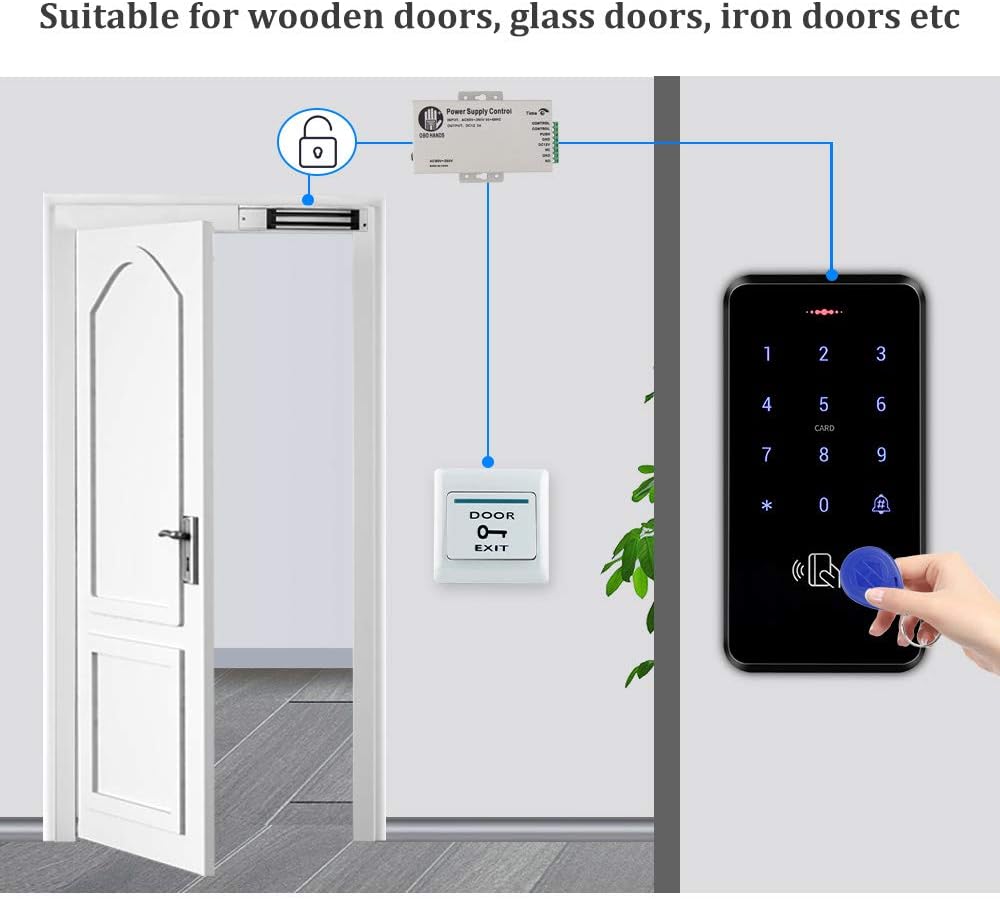
Image: An access control keypad mounted on a door, demonstrating its application in various settings.
6. Operating Instructions
6.1 Basic Keypad Functions
The keypad features a touch-sensitive interface and a blue backlight for ease of use in any lighting condition. It also includes a dedicated doorbell button.

Image: A hand interacting with the touch keypad, highlighting the numbers and the doorbell button.

Image: The access control keypad displaying its blue backlight function, making digits clearly visible in the dark.
6.2 Adding Users (Cards and PINs)
The system allows for adding users via RFID cards, PIN codes, or a combination of both. Follow the programming steps outlined in the included Product User Manual for detailed instructions on adding and managing users.
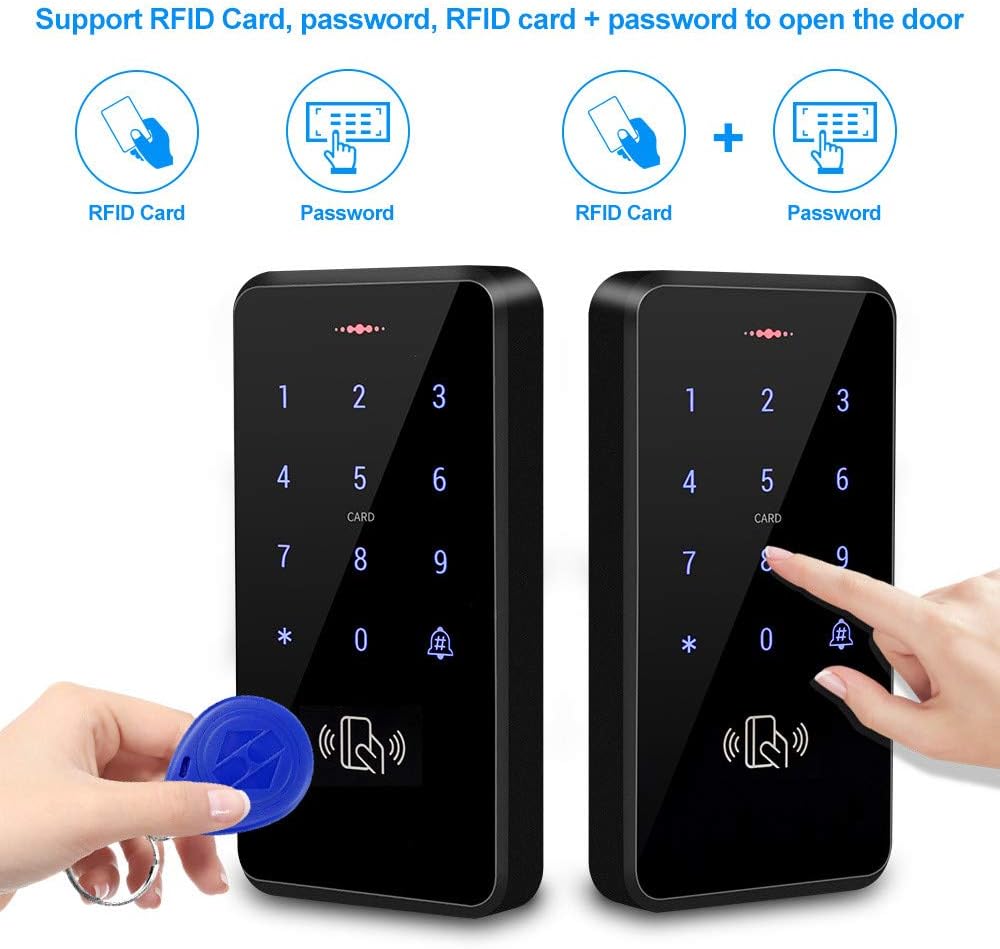
Image: Visual representation of the three supported access methods: RFID card, password, and RFID card + password.
Video: Enroll Card/Fob PIN Code for Magnetic Lock System
Video Description: This video demonstrates the process of enrolling RFID cards and PIN codes for use with a magnetic lock system, providing a visual guide for adding new users.
Video: How to Add User Code
Video Description: A step-by-step guide on how to add a new user code to the access control keypad, ensuring secure and personalized access.
Video: How to Add Users with Retekess T-AC03 (Similar Functionality)
Video Description: This video, though for a similar model (Retekess T-AC03), illustrates the general procedure for adding users to an access control system, which can be applied to this product.
6.3 Unlocking Methods
Users can unlock the door using their registered RFID card, PIN code, or through a connected mobile application.
Video: How to Use Retekess T-AC03 to Open the Door (Similar Functionality)
Video Description: This video demonstrates how to open a door using an access control system, applicable to the general operation of this keypad.
Video: How to Connect Tuya APP Operation
Video Description: This video guides users through the process of connecting the access control keypad to the Tuya mobile application for remote operation and management.
Video: Smart Door Access Control Keypad Tuya App Remote Control
Video Description: This video showcases the remote control capabilities of the smart door access control keypad via the Tuya app, including unlocking and managing access.
7. Maintenance
The HFeng Diginex keypad is designed with an IP68 waterproof rating, ensuring durability against rain and harsh weather conditions. Regular cleaning with a soft, damp cloth is recommended to maintain its appearance and touch sensitivity. Avoid using abrasive cleaners or solvents.

Image: The access control keypad shown under a stream of water, highlighting its IP68 waterproof feature for outdoor resilience.
8. Troubleshooting
- Keypad not responding: Check power connections and ensure the keypad is receiving adequate power (DC12V).
- Card not reading: Ensure the RFID card is 125KHz EM compatible. Try swiping the card closer to the keypad. Verify the card is properly enrolled.
- PIN code not working: Double-check the entered PIN code. Ensure the user is correctly programmed.
- Lock not engaging/disengaging: Verify all wiring connections to the lock and power supply are secure. Check the lock's functionality independently if possible.
- Doorbell not ringing: Confirm the external doorbell is correctly wired to the keypad's doorbell terminals.
- App connection issues: Ensure the keypad is in pairing mode and your Wi-Fi network is stable. Refer to the Tuya app's troubleshooting guide.
9. Warranty and Support
Information regarding specific warranty terms and conditions for this product is not provided in the available product details. For warranty claims, technical support, or further assistance, please contact your retailer or the manufacturer directly. Keep your purchase receipt as proof of purchase.