
Introduction
Thank you for choosing the gorsun Kids Bluetooth Headphones, Model E61. These headphones are designed to provide a safe and enjoyable audio experience for children, featuring volume limiting technology and a comfortable, durable design. Please read this manual carefully before using the headphones to ensure proper operation and maintenance.
What's in the Box
- gorsun Kids Bluetooth Headphones (Model E61)
- 3.5mm Audio Cable
- USB-C Charging Cable
- Detachable Cat Ears
- Storage Bag
- User Manual (this document)

Image: The contents of the gorsun Kids Bluetooth Headphones package, showing the headphones, a 3.5mm audio cable, a USB-C charging cable, detachable cat ears, and a storage bag.
Setup
1. Charging the Headphones
- Locate the USB-C charging port on the headphone earcup.
- Connect the provided USB-C charging cable to the headphone's charging port.
- Plug the other end of the USB-C cable into a compatible USB power source (e.g., computer, wall adapter).
- The indicator light will illuminate during charging and turn off when fully charged. A full charge takes approximately 2 hours.
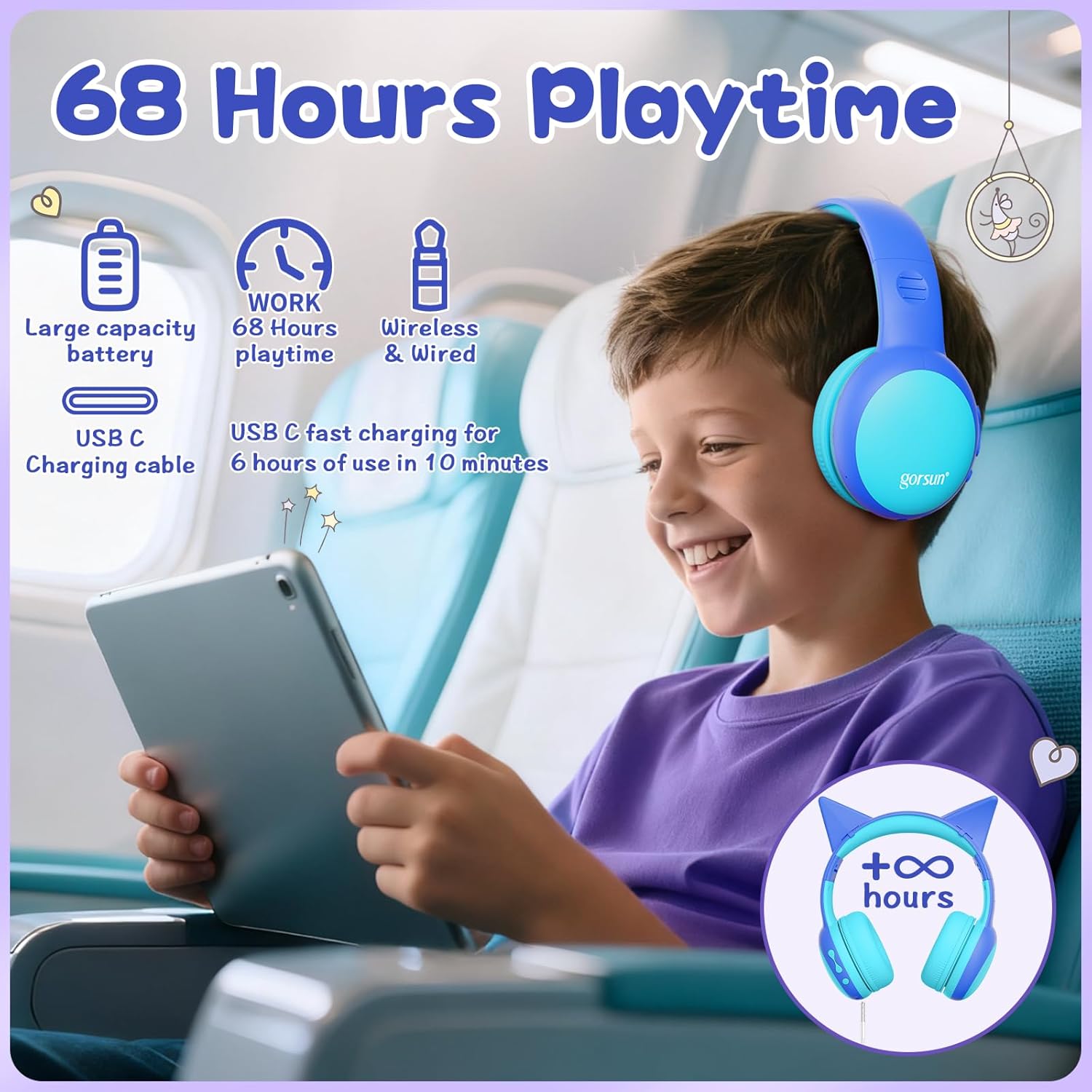
Image: A child wearing the gorsun headphones on an airplane, with visual cues indicating 68 hours of playtime and USB-C fast charging capabilities.
2. Attaching/Detaching Cat Ears (Optional)
- To attach: Align the base of the cat ears with the slots on the headband and gently push until they click into place.
- To detach: Gently pull the cat ears away from the headband.
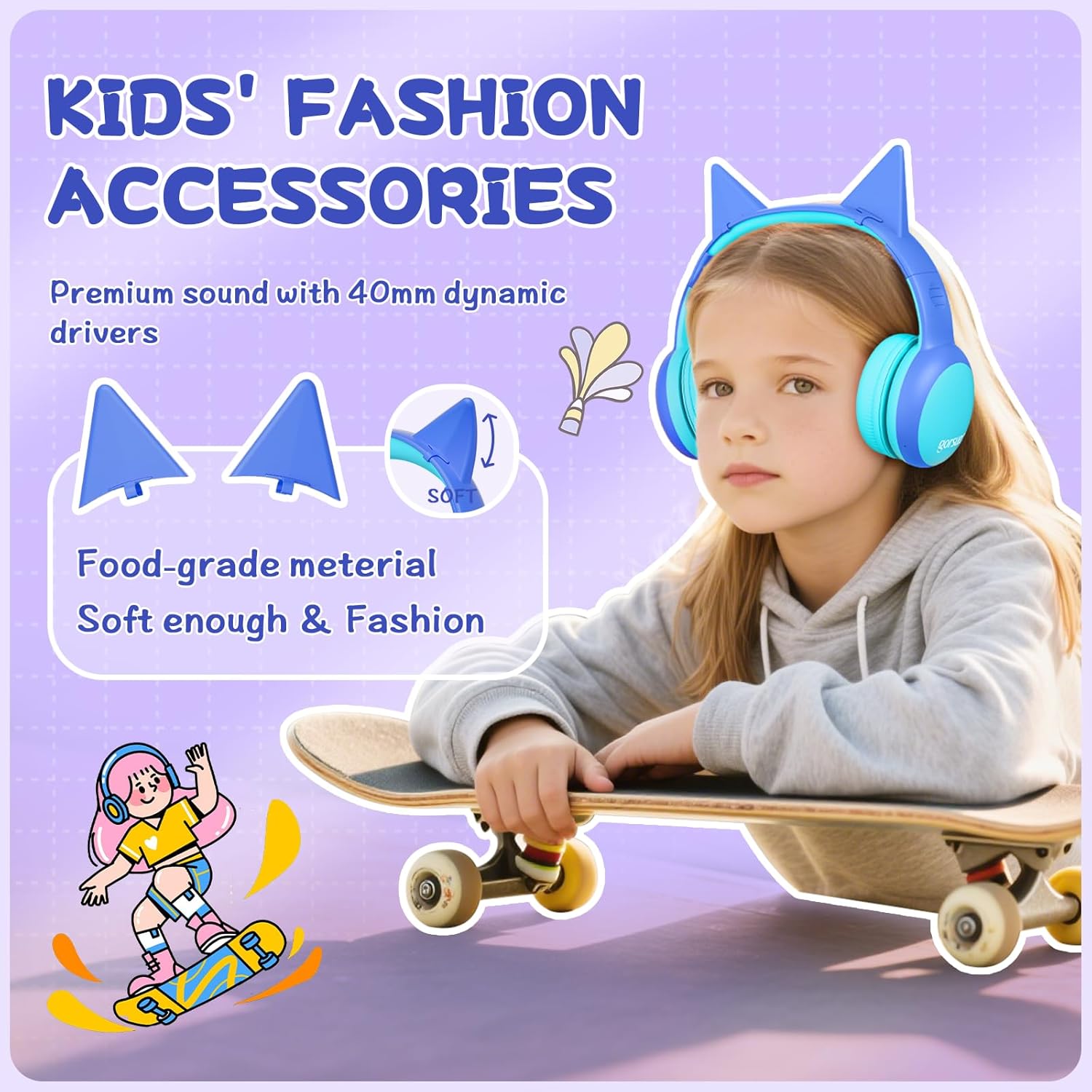
Image: A detailed view of the gorsun headphones, highlighting the detachable cat ears and the internal 40mm dynamic drivers for sound quality.
3. Adjusting the Headband
The headband is 8-level adjustable. Gently slide the earcups up or down to find a comfortable and secure fit for the user's head.

Image: A visual representation of the gorsun headphones' comfort features, including the ±10° adaptive swivel earcups, 8-position adjustable headband, and skin-friendly soft earmuffs.
Operating Instructions
1. Power On/Off
- To Power On: Press and hold the Power Button (MFB) until the indicator light flashes.
- To Power Off: Press and hold the Power Button (MFB) until the indicator light turns off.
2. Bluetooth Pairing
- Ensure the headphones are powered off.
- Press and hold the Power Button (MFB) for approximately 5 seconds until the indicator light flashes red and blue alternately, indicating pairing mode.
- On your device (smartphone, tablet, laptop), enable Bluetooth and search for "gorsun E61" (or similar).
- Select "gorsun E61" to connect. Once paired, the indicator light will flash blue slowly.

Image: The gorsun headphones displayed alongside various compatible devices such as iPads, laptops, PCs, phones, and Nintendo Switch, emphasizing Bluetooth 5.1 connectivity.
3. Wired Mode
If the battery is low or Bluetooth is not available, you can use the provided 3.5mm audio cable:
- Plug one end of the 3.5mm audio cable into the headphone's 3.5mm audio input port.
- Plug the other end into your audio device's 3.5mm jack.
- The headphones will automatically switch to wired mode.
4. Volume Control and Track Navigation
- Volume Up: Short press the "+" button.
- Volume Down: Short press the "-" button.
- Next Track: Long press the "+" button.
- Previous Track: Long press the "-" button.
- Play/Pause: Short press the Power Button (MFB).
5. Answering/Ending Calls
- Answer/End Call: Short press the Power Button (MFB).
- Reject Call: Long press the Power Button (MFB).
6. Volume Limiting Modes (85dB/94dB)
The headphones feature dual volume limits for safe listening:
- Study Mode (85dB): Ideal for quieter environments.
- Travel Mode (94dB): Suitable for noisy environments.
- To switch between modes: Double-tap the Power Button (MFB). A voice prompt will confirm the mode change.

Image: A visual guide to the dual-mode volume control, showing a child using the headphones in "Travel Mode" (94dB) on an airplane and another child in "Study Mode" (85dB) while reading, with instructions to double-press the power button to switch modes.
Maintenance
- Cleaning: Use a soft, dry cloth to clean the headphones. Do not use harsh chemicals or abrasive materials.
- Storage: When not in use, fold the headphones and store them in the provided travel pouch to protect them from dust and damage.
- Avoid Moisture: Keep the headphones away from water and excessive humidity. They are not water-resistant.
- Handle with Care: Avoid dropping or subjecting the headphones to strong impacts.
Troubleshooting
No Power
- Ensure the headphones are fully charged. Connect them to a power source using the USB-C cable.
- Check if the charging cable and power source are working correctly.
Cannot Pair via Bluetooth
- Make sure the headphones are in pairing mode (indicator light flashing red and blue alternately).
- Ensure Bluetooth is enabled on your device and it is within 10 meters of the headphones.
- Turn off and on the Bluetooth function on your device, then try pairing again.
- If previously paired, try "forgetting" the device on your phone's Bluetooth settings and re-pairing.
No Sound in Wired Mode
- Ensure the 3.5mm audio cable is securely plugged into both the headphones and your audio device.
- Check if the volume on both the headphones and your audio device is turned up.
- Test the audio cable with another device if possible to rule out a faulty cable.
Sound is Too Low/High
- Adjust the volume using the "+" and "-" buttons on the headphones.
- Check the volume settings on your connected audio device.
- Ensure the correct volume limiting mode (85dB/94dB) is selected by double-tapping the Power Button (MFB).
Specifications
| Feature | Detail |
|---|---|
| Model | E61 |
| Connectivity | Bluetooth 5.1, 3.5mm AUX (Wired) |
| Bluetooth Range | Up to 10 meters (33 feet) |
| Volume Limit | 85dB / 94dB (Switchable) |
| Playtime | Up to 68 hours (Bluetooth) |
| Charging Time | Approx. 2 hours |
| Charging Port | USB-C |
| Driver Size | 40mm Dynamic Drivers |
| Impedance | 32 Ohms |
| Sensitivity | 85 dB |
| Frequency Range | 20-20,000 Hz |
| Microphone | Built-in HD Microphone |
| Ear Placement | Over-Ear |
| Material | Acrylonitrile Butadiene Styrene (ABS) |
| Weight | 0.3 Kilograms |
| Features | Foldable, Adjustable Headband, Swivel Earcups, Detachable Cat Ears, Sound Isolation |
Warranty Information
gorsun provides a 12-month warranty from the date of purchase against defects in materials and workmanship. This warranty does not cover damage caused by misuse, accident, unauthorized modification, or normal wear and tear. Please retain your proof of purchase for warranty claims.
Customer Support
For any questions, technical support, or warranty claims, please contact gorsun customer service through the retailer where you purchased the product or visit the official gorsun website for contact information.
We are committed to providing you with the best possible experience.


