
1. Introduction
This manual provides essential information for the safe and efficient operation of your Sharp 32Bi3EA Smart Android TV. Please read these instructions thoroughly before using the television and retain them for future reference. This television features Android TV 9.0, Google Assistant with voice control, integrated Chromecast, Bluetooth connectivity, Harman/Kardon speakers, HDR10 support, and DTS Virtual X audio technology.
2. Safety Information
Always observe the following safety precautions to prevent electric shock, fire, or damage to the television:
- Do not expose the television to rain or moisture.
- Do not open the cabinet; refer servicing to qualified personnel.
- Ensure proper ventilation around the television.
- Avoid placing the television near heat sources or in direct sunlight.
- Use only the power cord supplied with the television.
- Keep batteries out of reach of children.
3. What's in the Box
Verify that all the following items are included with your Sharp 32Bi3EA Smart Android TV:
- Sharp 32Bi3EA Smart Android TV Unit
- Pedestal Stand (2 pieces)
- Remote Control
- AAA Batteries (2x)
- Instruction Manual (this document)
- Power Cord
4. Setup
4.1. Physical Installation
Your television can be installed using the included pedestal stand or mounted on a wall (wall mount not included).
Attaching the Pedestal Stand
Carefully place the TV screen-down on a soft, flat surface. Align the pedestal stands with the screw holes on the bottom of the TV and secure them using the provided screws. Ensure the stands are firmly attached before placing the TV upright.

Image: Side view of the Sharp 32Bi3EA TV, illustrating the slim profile and the attached pedestal stand.
Wall Mounting
If you choose to wall mount the television, use a VESA compatible bracket with dimensions of 200x100 mm. Consult a professional for wall mounting to ensure proper installation and safety.
4.2. Connecting Devices
Connect your external devices to the appropriate ports on the back or side of the television.
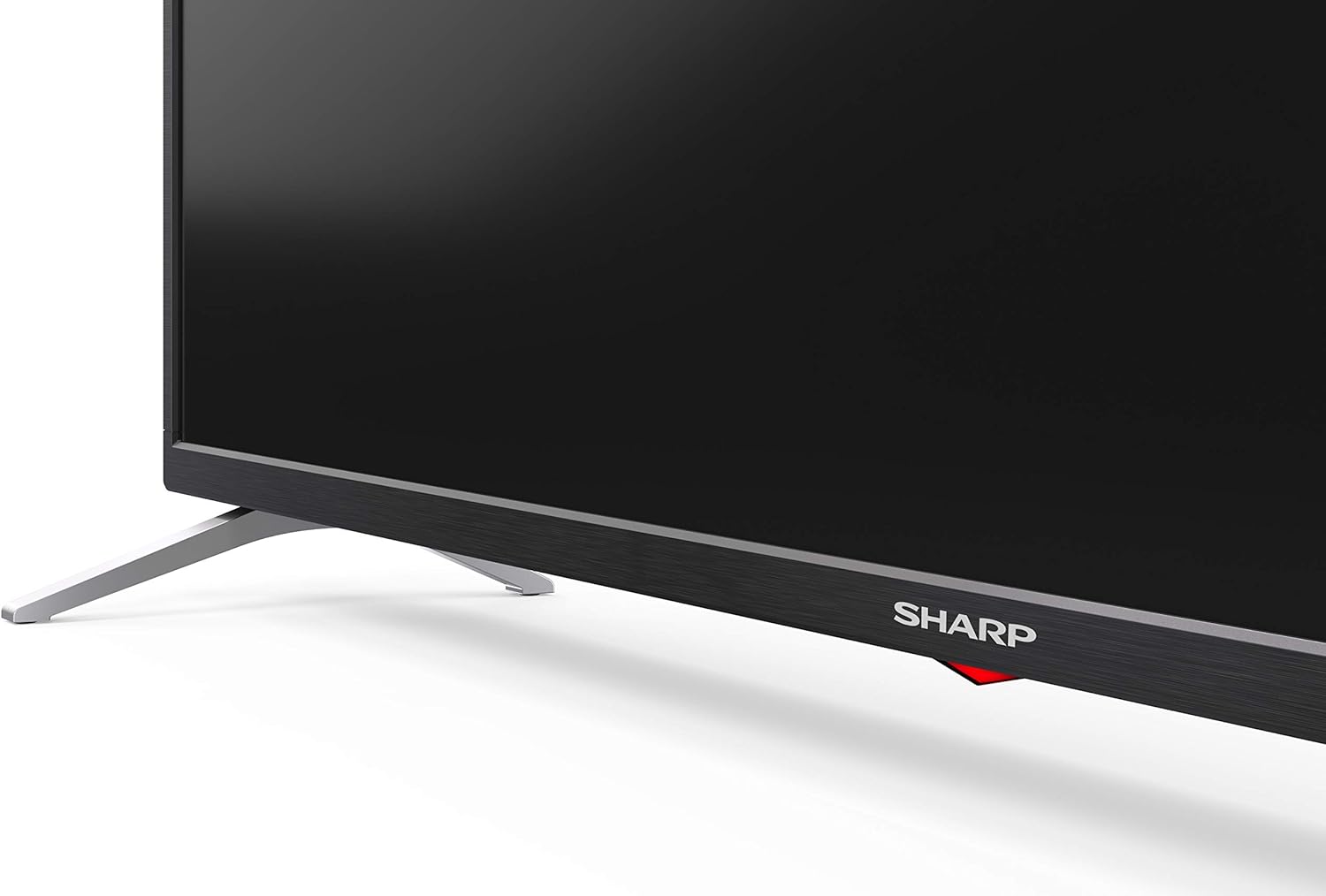
Image: Rear view of the Sharp 32Bi3EA TV, highlighting the Ethernet, Optical, HDMI, USB, and AV input ports.
- HDMI Ports (3x): Connect Blu-ray players, game consoles, or set-top boxes.
- USB Ports (2x): Connect USB storage devices for media playback or software updates.
- Ethernet Port: For a wired internet connection.
- Optical Digital Audio Out: For connecting to an external audio system.
- AV Input: For older devices using composite video and stereo audio.
4.3. Initial Power-On and Android TV Setup
After connecting the power cord and turning on the TV, follow the on-screen instructions to complete the initial setup. This includes selecting your language, connecting to a Wi-Fi network, and logging into your Google account to activate Android TV features like Google Assistant and Chromecast.
5. Operating the TV
5.1. Remote Control
The included remote control allows you to navigate the Android TV interface, adjust settings, and use Google Assistant voice commands. Insert the two AAA batteries into the remote control, ensuring correct polarity.
- Power Button: Turns the TV on or off.
- Google Assistant Button: Activates voice control. Press and hold to speak commands.
- Navigation Buttons: Use the directional pad and OK button to move through menus.
- Home Button: Returns to the Android TV home screen.
- Volume +/-: Adjusts the volume level.
- Channel +/-: Changes TV channels.
- App Shortcut Buttons: Direct access to popular streaming services (e.g., Netflix, Amazon Prime Video).
5.2. Smart TV Features (Android TV)
Your Sharp 32Bi3EA TV runs on Android TV 9.0, providing access to a wide range of applications and services.
- Google Assistant: Use your voice to search for content, control smart home devices, get answers, and manage tasks.
- Chromecast Built-in: Cast content from your compatible smartphone, tablet, or computer directly to the TV screen.
- Google Play Store: Download and install additional apps, games, and streaming services.
- Supported Internet Services: Access popular platforms such as Netflix, Amazon Prime Video, HBO, Disney+, Movistar+, DAZN, Atresmedia, KODI, IPTV, Steamlink, Twitch, VLC, YouTube, Puffin TV Browser, Spotify, Deezer, and TuneIn Radio.
5.3. Audio and Video Settings
The television supports advanced audio and video technologies for an enhanced viewing experience.
- HDR10: Provides a wider range of colors and contrast for compatible content.
- Harman/Kardon Speakers: Integrated audio system designed to deliver clear and powerful sound (2x10W).
- DTS Virtual X / DTS HD: Enhances audio with virtual surround sound capabilities.
- Active Motion 400: Improves motion clarity for fast-paced scenes.
5.4. Connectivity
The TV offers various connectivity options:
- Wi-Fi: Connects to your home wireless network for internet access.
- Bluetooth: Pair with compatible devices such as headphones, soundbars, or game controllers.
6. Maintenance
6.1. Cleaning
To clean the TV screen, gently wipe it with a soft, lint-free cloth. For stubborn marks, slightly dampen the cloth with water or a specialized screen cleaner. Do not use abrasive cleaners or solvents. For the TV cabinet, use a soft, dry cloth.
6.2. Software Updates
Your Android TV may receive software updates periodically to improve performance and add new features. Ensure your TV is connected to the internet to receive these updates. You can check for updates manually through the TV's settings menu.
7. Troubleshooting
If you encounter issues with your television, refer to the following common solutions:
| Problem | Possible Solution |
|---|---|
| No power | Check if the power cord is securely plugged into the TV and the wall outlet. Try a different outlet. |
| No picture/sound | Ensure the correct input source is selected. Check cable connections to external devices. |
| Remote control not working | Replace the batteries. Ensure there are no obstructions between the remote and the TV's IR sensor. |
| Wi-Fi connection issues | Restart your router and the TV. Check Wi-Fi password. Ensure the TV is within range of the router. |
| Android TV apps freezing | Restart the TV. Clear the cache of the problematic app in the TV settings. Uninstall and reinstall the app. |
If the problem persists after trying these solutions, please contact Sharp customer support.
8. Specifications
| Feature | Detail |
|---|---|
| Model Number | 32Bi3E |
| Screen Size | 32 Inches (81 cm) |
| Display Technology | LED |
| Resolution | 720p (1366 x 768 pixels) |
| Refresh Rate | 60 Hz |
| Operating System | Android TV 9.0 |
| Special Features | Google Assistant, Chromecast Built-in, HDR10, DTS Virtual X, Active Motion 400 |
| Audio System | Harman/Kardon (2x10W) |
| Connectivity | Bluetooth, Ethernet, HDMI (3x), USB (2x), Wireless (Wi-Fi) |
| VESA Mount | 200x100 mm |
| Dimensions (with stand) | 803.0 x 542.0 x 149.0 mm (W x H x D) |
| Dimensions (without stand) | 730.0 x 436.1 x 83.5 mm (W x H x D) |
| Weight | 4.6 kg |
| Power Consumption (1000h) | 31 kWh (Energy Class F) |

Image: Energy efficiency label for the Sharp 1T-C32BIx series, indicating an F energy class and 31 kWh per 1000 hours of operation. For more details, refer to the official EU EPREL database via the QR code or link: EPREL Database.

Image: Detailed Product Information Sheet, providing comprehensive technical specifications and regulatory information for the Sharp 32Bi3EA TV in various languages.
9. Warranty and Support
9.1. Warranty Information
Your Sharp 32Bi3EA Smart Android TV comes with a standard manufacturer's warranty. Please refer to the warranty card included with your product or visit the official Sharp website for detailed terms and conditions specific to your region.
9.2. Customer Support
For technical assistance, troubleshooting beyond this manual, or warranty claims, please contact Sharp customer support. Contact information can typically be found on the official Sharp website or in the documentation provided with your television.
Online resources and FAQs may also be available on the Sharp support portal.


